FS25 Personnel Management V1.2.0.0
Personnel Management brings a persistent employee system to Farming Simulator 25. Meet applicants, hire suitable employees and assemble a team that develops over time.
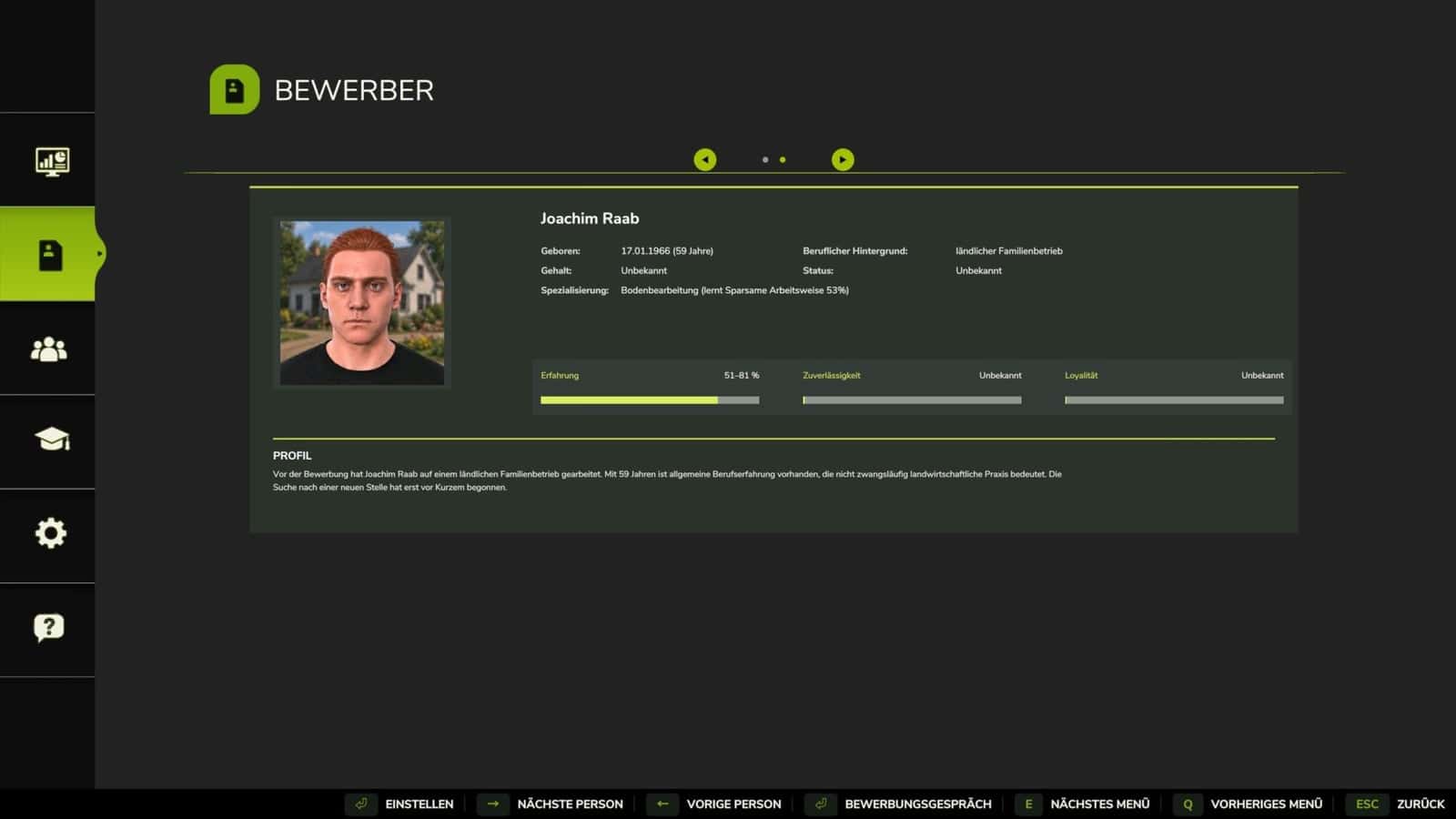
Every employee has a name, portrait and personal background. Experience, reliability, loyalty and specializations give each helper an individual profile. Assignments and significant events are documented in a personal career history.
Features
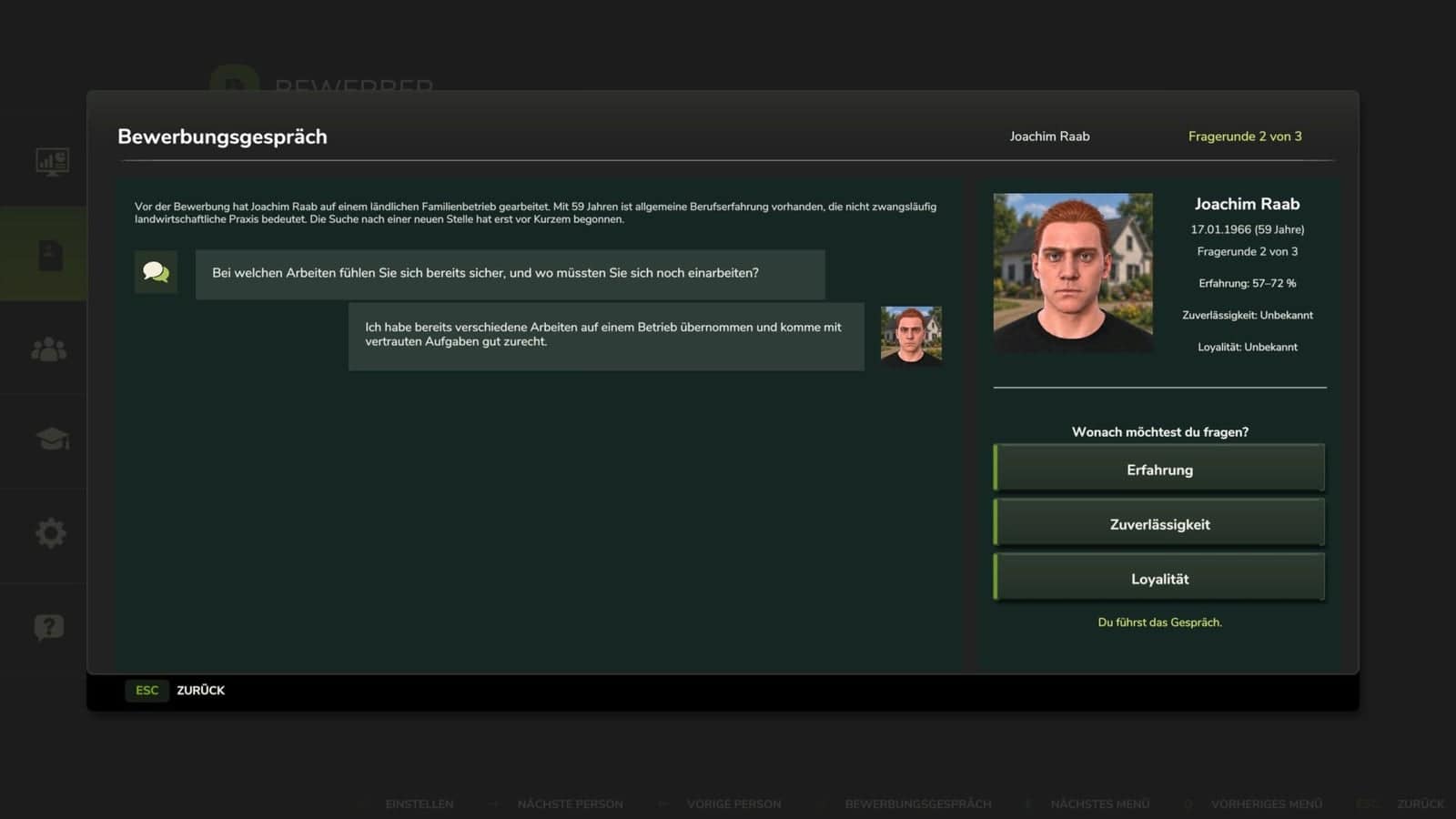
- Conduct job interviews while some applicant attributes are initially hidden.
- With job interviews enabled, one of the three attributes, experience, reliability or loyalty, is displayed as an approximate range.
- Each interview allows up to three questions, with the attributes for further information chosen by you.
- Additional questions reduce an attribute’s range and may ultimately disclose its exact value.
- The applicant’s salary expectation becomes visible when the interview has ended.
- An interview may be paused and resumed at a later time.
- As a new employee spends time on assignments, the attributes that were still unknown are revealed.
- Settings allow job interviews to be turned off, making all applicant attributes visible immediately.
- In multiplayer, other players on the same farm may follow the interview. The first authorized player who opens the interview window leads the conversation.
- The applicant market contains people with varying backgrounds and attributes.
- After hiring, employees permanently join your farm’s workforce and may receive supported helper jobs.
- Assignments provide experience and enable employees to develop specializations.
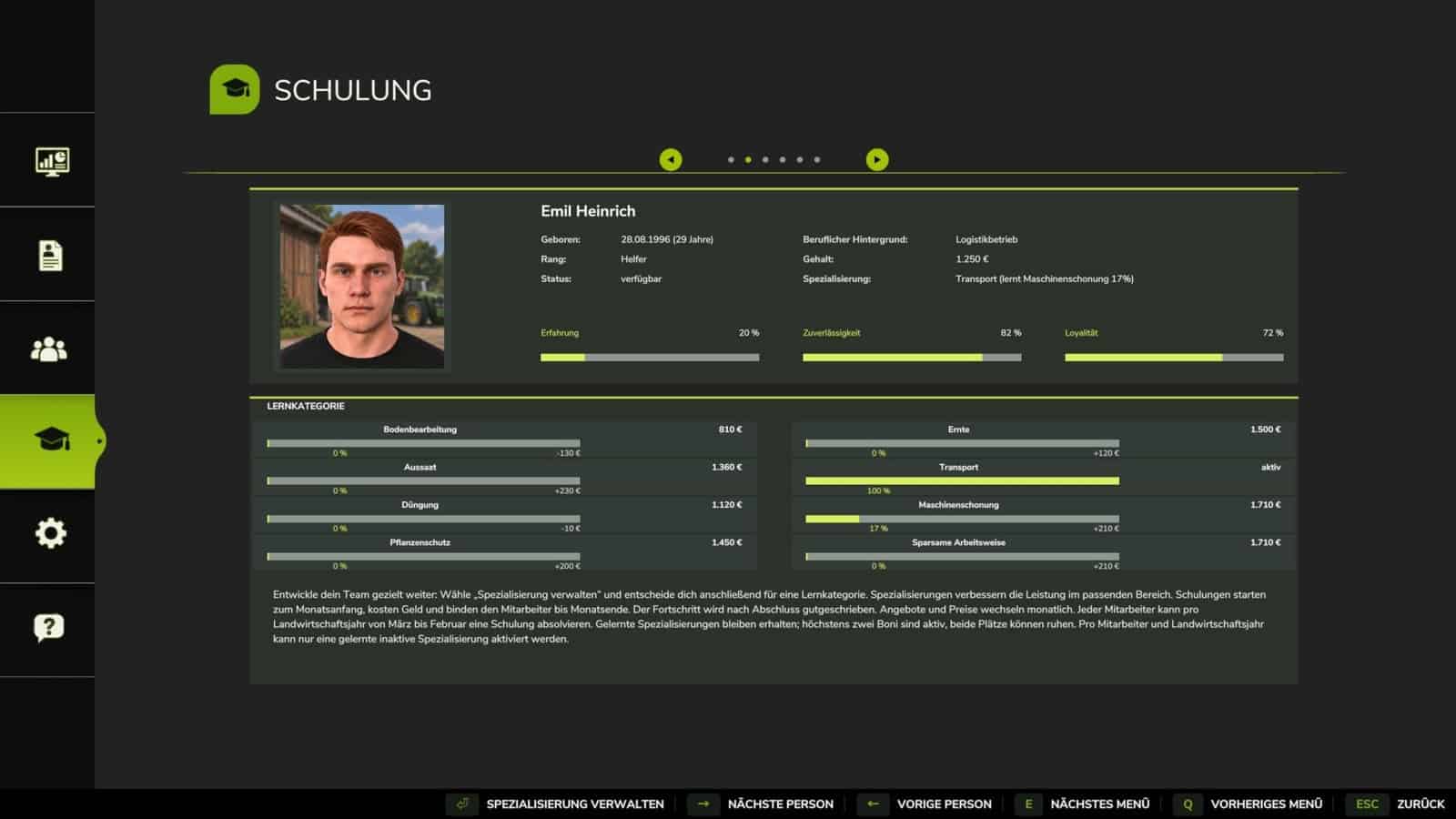
- The training menu displays employee progress and offers the option to select specialization training.
- Learned specializations may be activated or deactivated, while their current status is displayed in the menu.
- Applicant and employee profiles contain different text variants.
- Career histories document hiring, finished assignments, training and salary decisions.
- Employees continue gaining experience and developing while they complete assignments.
- Reliability determines how dependably an employee works. An unreliable employee may interrupt an assignment.
- Salary decisions and other events influence an employee’s attachment to your farm. Low loyalty may result in a resignation.
- Every employee has an individual salary. Salary requests can be checked centrally and accepted or rejected separately.
- As employees get older, they may be dismissed, resign or announce their retirement. The applicable notice periods apply.
- Employees may be selected for transport work and given a priority order in the transport management window.
- Use
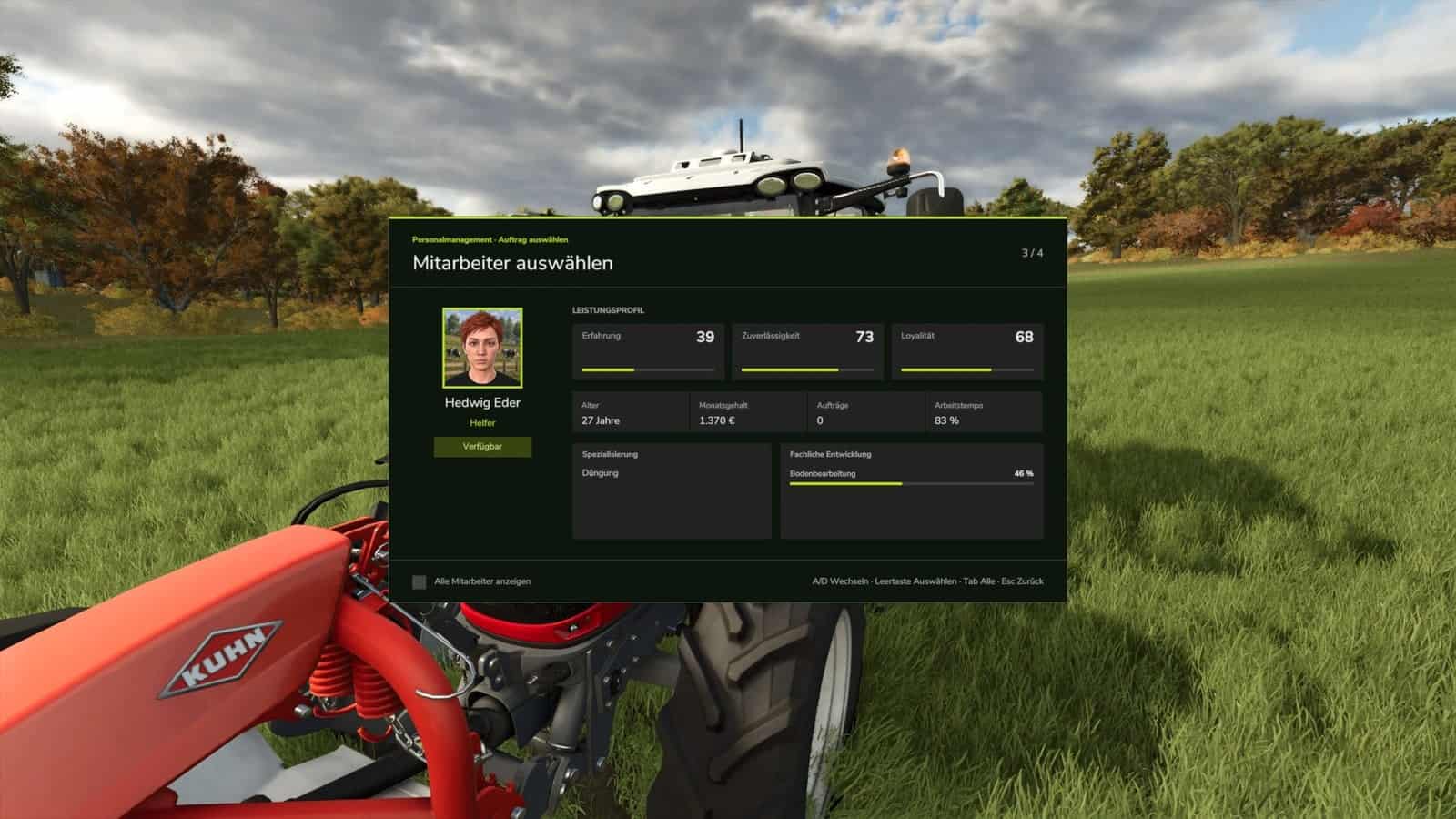
Ctrl + Mto open the dedicated Personnel Management menu. It includes the applicant market, employee profiles, training, settings and an overview of your farm’s personnel development. - When a supported helper job is started, the employee selection window presents available staff, portraits, attributes and professional development.
- Settings allow various effects and features to be adjusted to suit your play style.
- The game contains a detailed help section.
- Personnel Management supports AutoDrive, Courseplay and FollowMe.
- With Courseplay, an available employee can be selected for a job.
- AutoDrive uses employees assigned to transport work and observes their specified priority.
- FollowMe jobs need an additional employee for the following vehicle.
- The mod supports multiplayer and personnel data specific to each farm.
- The server processes personnel actions and checks permissions as well as farm ownership.
- Existing savegames can still be carried over.
- Activity tracking for specialization progress has been improved. Recognition cannot be guaranteed in every situation because equipment and mod combinations vary.
Changelog
V1.2.0.0
- Job interviews: applicant attributes are no longer completely visible at the beginning.
- At first, an approximate range is displayed for one of experience, reliability or loyalty.
- Before hiring, each applicant can be interviewed through up to three rounds of questions.
- Follow-up questions can reduce an attribute’s range and ultimately show its exact value.
- An interview may be interrupted and resumed later.
- The applicant’s salary expectation appears once the interview is finished.
- The applicant’s rank is shown after the exact experience value is known.
- Following hiring, the remaining unknown attributes appear as the employee spends time on assignments. The required time differs between employees.
- Job interviews may be disabled through the settings.
- In multiplayer, other players on the same farm may follow an interview. The first authorized player to open the window takes charge of it.
- Applicant and employee profiles now contain additional text variants.
- The training menu now makes activating and deactivating learned specializations clearer, and the selection displays their current status.
- The employee selection window has been changed to an XML user interface.
- Menus and dialogs have received a visual redesign for a consistent appearance.
- New and revised texts have been added in all supported languages. AI helped create the translations, which have not yet been fully reviewed.
- Fixed a problem that could stop the Personnel Management menu from opening.
- Fixed a problem that could lead to regular stuttering.
- Specialization progress tracking has been improved: short assignments and fractions of minutes can now be considered.
- When saving, the elapsed time and known activity of ongoing assignments are included.
- Handling of multiplayer actions, farm data and employee assignments has been improved and secured.
- Existing savegames can still be carried over.
V1.1.4.4
- Complete employee chronicles remain in the savegame, but they are no longer copied and sent to clients with every state update.
- The personnel overview continues to receive the totals and latest events it requires; chronicle values are recalculated only after a change.
- Data belonging to farms that are no longer registered stays in the savegame, but regular personnel checks and network states no longer process it.
- During normal runtime, the complete chronicle is no longer normalized or sorted.
- Saving no longer produces a complete working copy.
- The missing localization for the “Release blocked employee” input action has been added in every supported language.
- Unsupported Unicode minus signs in the German, English and French Help texts have been replaced with font-compatible minus signs.
V1.1.3.0
- The “Personnel Management” menu now has a new “Help” tab. It provides a detailed in-game guide in all 21 supported languages.
- The simultaneous transfer of multiple vehicles from AutoDrive to Courseplay has been fixed.
- During an automatic transfer, every vehicle keeps its own reserved worker.
- Different vehicles can no longer receive duplicate worker reservations.
- Savegame path resolution and the related diagnostic messages have been improved.
- After a failed loading attempt, overwriting an existing
helperPersonnel.xmlis now prevented. - Personnel data saving has been adjusted to the FS25 save process.
- The main and backup files are now written directly and validated, without creating new temporary files in the savegame.
- If the primary
helperPersonnel.xmlis corrupted or unreadable, loading from a validated backup is now available.