
FS25 AutoSwitch V1.0.6.6
AutoSwitch brings tire-pressure control and differential locks together for more realistic traction. Variable Tire Pressure, Enhanced Vehicle, MoreRealistic, Mud System Physics, Tractor Terrain Dynamics and AutoDrive can work together through this mod without any of them being changed or disabled.
Features
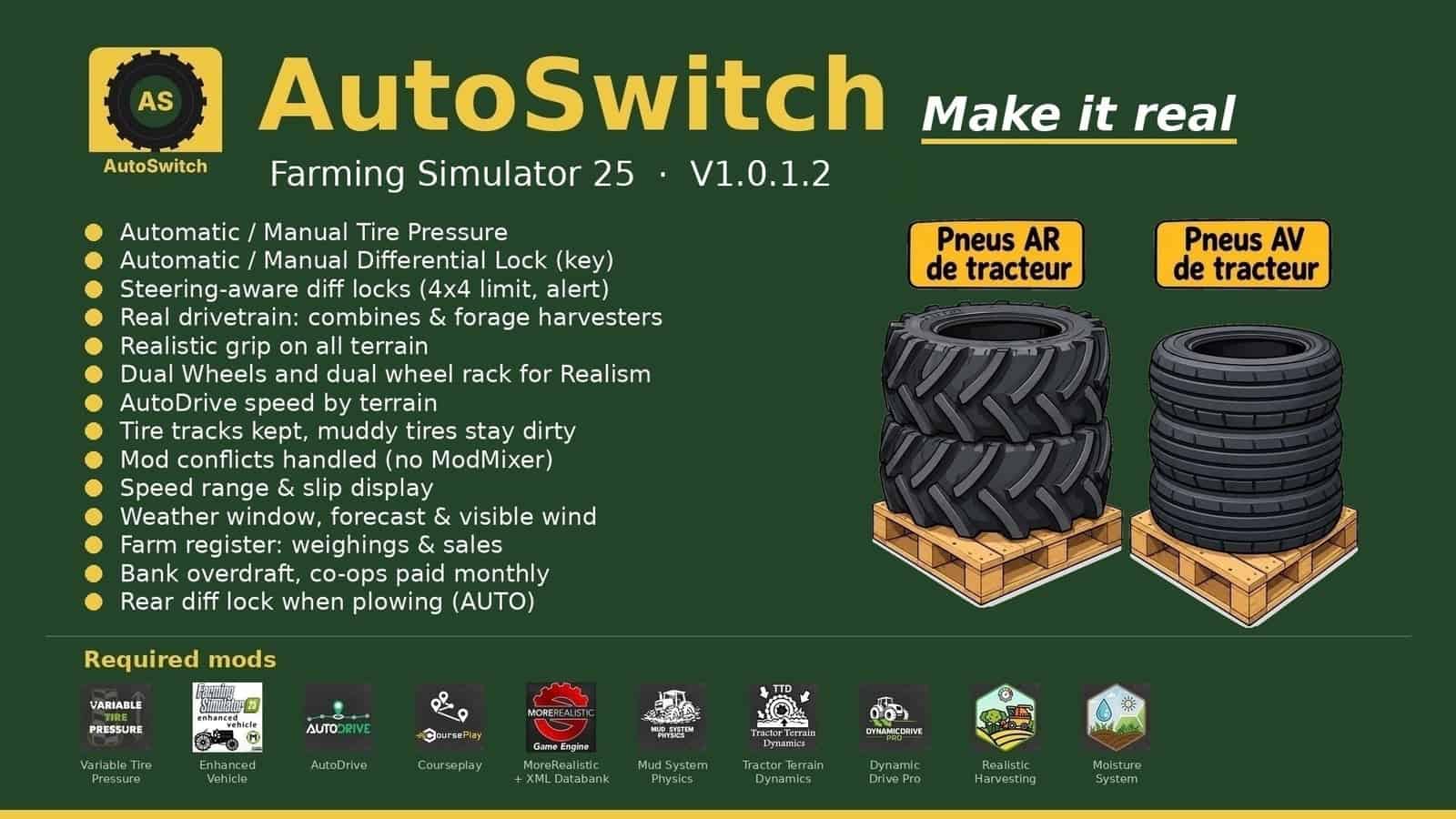
- Tire pressure: when using AutoDrive or Courseplay, tires deflate in the field and inflate on the road. Manual driving is available in Automatic or Manual mode.
- Differentials (Enhanced Vehicle): the rear lock engages at 15 % slip and the front lock at 30 %, with the front value adjustable. Asphalt and concrete use 2WD, while other surfaces use 4WD.
- Plowing: in AUTO mode, lowering the plow locks the rear differential. Raising the plow releases that lock.
- AUTO / MANUAL mode (Right Ctrl + Up arrow): MANUAL gives you control of the differential locks and 2WD / 4WD. Once a lock is engaged, it is never released, so the tractor slides while turning. AutoDrive or Courseplay returns the system to AUTO.
- Real drivetrain of each machine: combines, forage harvesters and 2WD machines receive their own HUD icon, and the lock is applied only to the driven axle.
- Steering: 90 % is available in 4WD. Locks release when the wheels are turned, while an attempted lock is refused with a “Straighten the wheels” alert.
- Grip (MoreRealistic): wet-ground grip loss has 5 levels, with the VTP field bonus and differential-lock bonus capped. Built-in tire wear is included. Worn tires provide less field grip and slightly more grip on dry roads.
- Dual wheels: Mud System Physics uses their real width. They can be mounted only with the rear (BKT 650/65R42) and front (BKT 540/65R30) dual-wheel racks, one tire at a time, taking 15 in-game minutes per tire.
- AutoDrive speed changes according to terrain, including field, track and road, in steps of 2 km/h.
- Display: beside the speedometer, see the speed range, a top view of the tractor and the slip of every wheel. The blocks can be moved with the mouse.
- Mud: the MSP → TTD bridge avoids double resistance, and wet paths remain drivable. Tire tracks are saved with the savegame, while muddy tires remain dirty.
- Weather (Right Ctrl + M): view the current weather, the next 24 hours and the following days. A mini weather widget appears beside the clock, with wind visible in trees, crops and grass.
- Register (Right Ctrl + R): track AutoDrive Addon weighings, farm sales and totals for every month and product.
- Finances: bank overdrafts carry interest, and co-ops are paid at the end of the month.
- Opening hours: the shop is open from 8 am to 7 pm, and selling points from 6 am to 10 pm. These times are adjustable.
- Traffic: game cars no longer overtake tractors.
- Sleep for several hours or several days.
- AutoSwitch arbitrates mod conflicts, so ModMixer is no longer needed.
- Sowing is protected, wheels trample grass, and implements remain still when stopped.
Racks: put the racks in place and park the tractor inside the rectangle. Green means the position is correct. Then leave the tractor, stand on the yellow marker and press Right Ctrl + I. Empty racks are used for unmounting. Single-player only.
Settings: open the AUTOSWITCH tab in Settings. At the bottom, required mods show OK in green or X in red.
Required mods include Variable Tire Pressure, Enhanced Vehicle, AutoDrive, Courseplay, MoreRealistic + XML Databank, Mud System Physics 1.3.6, Tractor Terrain Dynamics 1.0.3.7 (only one TTD), DynamicDrive Pro, Realistic Harvesting and Moisture System. Tire wear is built in: no tire mod needed.
Required mods:
- Variable Tire Pressure
- Enhanced Vehicle
- CoursePlay
- More Realistic
- Mud System Physics
- Tractor Terrain Dynamics
- DynamicDrive Pro
- Realistic Harvesting
- Moisture System
- FarmPilot
Changelog
- V1.0.6.6
A movable weight block now sits below the speedometer. It shows total weight, the front / rear split and the recommended front weight for the attached tool, whether mounted, semi-mounted, trailed or a trailer. Its gauge uses green / orange / red. The block is hidden when Realistic Mechanical Systems is active and can also be disabled in the AUTOSWITCH tab. Rollers now use the real width of every drum for ground pressure with MoreRealistic / Mud System Physics. AI ruts have limited digging and restore the original terrain. Seed protection, overdraft, field lease and tire wear fixes are included. - V1.0.3.9
V1.0.3.7 – V1.0.3.9 – Differentials now have the setting “Slip for lock on asphalt”, set to 50% by default and able to be turned off. On asphalt and concrete, this replaces the front and rear thresholds and unlocks at half. The AUTOSWITCH tab is found even if another mod, such as LooseLoad, places its page before it in Settings. Code comments were cleaned up. - V1.0.3.4
V1.0.3.1 – V1.0.3.4 – Shop: Trelleborg TwinRadial tires are no longer selected for dual wheels, preventing machines from arriving without wheels. Tractor Terrain Dynamics 3.8 no longer produces the repeated TTDStateManager.lua:159 error. With Advanced Damage System enabled together with Realistic Mechanical Systems, AutoSwitch blocks RMS, and workshop vehicles locked by RMS are unlocked during loading. In the HUD, an attached implement no longer flickers between its picture and the fallback drawing. Differentials, slip warnings and tires are checked every 100 ms for performance. FarmPilot is accepted instead of AutoDrive as a required mod. Tire racks use their real shop size, forks slide below and lift them, and their weight depends on the tires. Right Ctrl + I, Up, M, R, C are reserved for AutoSwitch.
License CC BY-NC-SA 4.0.