FS25 Icon generator V1.0.0.0
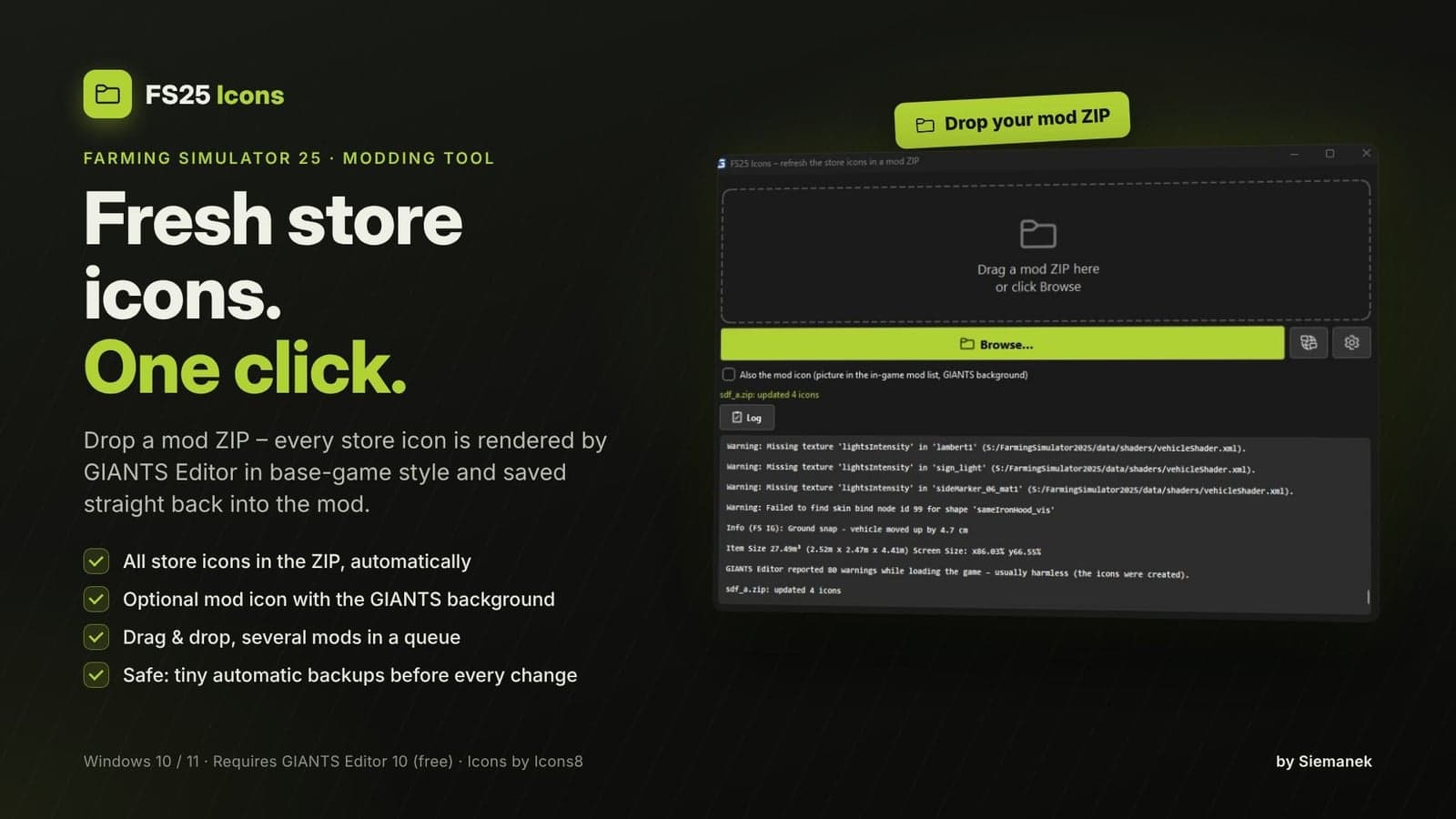
FS25 Icons is a tool for Farming Simulator 25 modders, rather than a mod that runs inside the game. With one click, it re-renders every store icon found in an FS25 mod ZIP and puts the finished icons back into that mod.
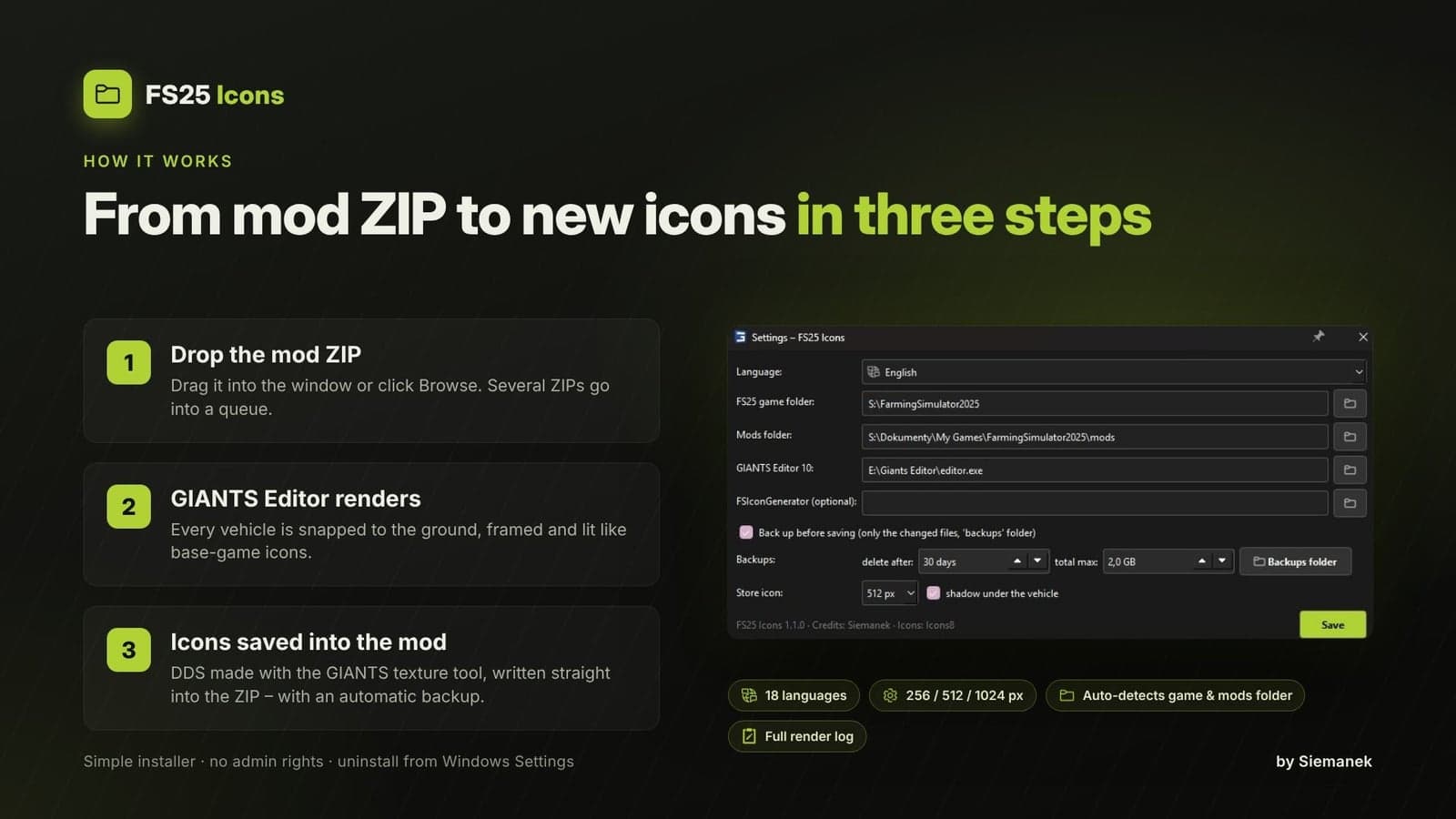
Drop a mod ZIP into the program window or select Browse. The tool then finds each vehicle and implement, creates fresh store icons through GIANTS Editor 10, converts those images to DDS using the GIANTS texture tool, and saves them directly in the ZIP.
Features
- All store icons in a mod ZIP can be re-rendered with one click
- An optional mod icon, meaning the image shown in the in-game mod list, can use the GIANTS background
- Drag and drop support, plus queue processing for several ZIPs at the same time
- Automatic ground snapping, centered framing, and a shadow beneath the vehicle
- Icons available in 256 / 512 / 1024 px
- Safe saving: before every change, a small backup containing only the changed files is kept, using a few KB instead of the whole mod, while old backups are removed automatically
- 18 languages: Czech, Danish, Dutch, English, Finnish, French, German, Hungarian, Italian, Norwegian, Polish, Portuguese (Brazil), Romanian, Russian, Spanish, Swedish, Turkish, Ukrainian
- Simple installer, no administrator rights needed, and uninstalling is available from Windows Settings → Apps
Requirements
- Farming Simulator 25
- GIANTS Editor 10, free download from gdn.giants-software.com
- Windows 10 / 11 (64-bit)
How to use
- Start
setup_fs25icons.exe, select your language, and press Install. - When starting for the first time, review the settings. The FS25 game folder, mods folder, and GIANTS Editor are normally found automatically.
- First close the game, then drop a mod ZIP into the window.
- That is all: the new icons are saved inside the ZIP.
Notes
- The mod ZIP name may contain only letters, digits, and underscores, following the same rule used by the game.
- Items using icons from the base game are skipped.
- GIANTS Editor runs in the background during rendering. Do not close it while the program is working.
- Warnings displayed by GIANTS Editor while the game loads are normal, and the icons are still created.