
FS25 Vehicle configuration presets V1.0.0.0
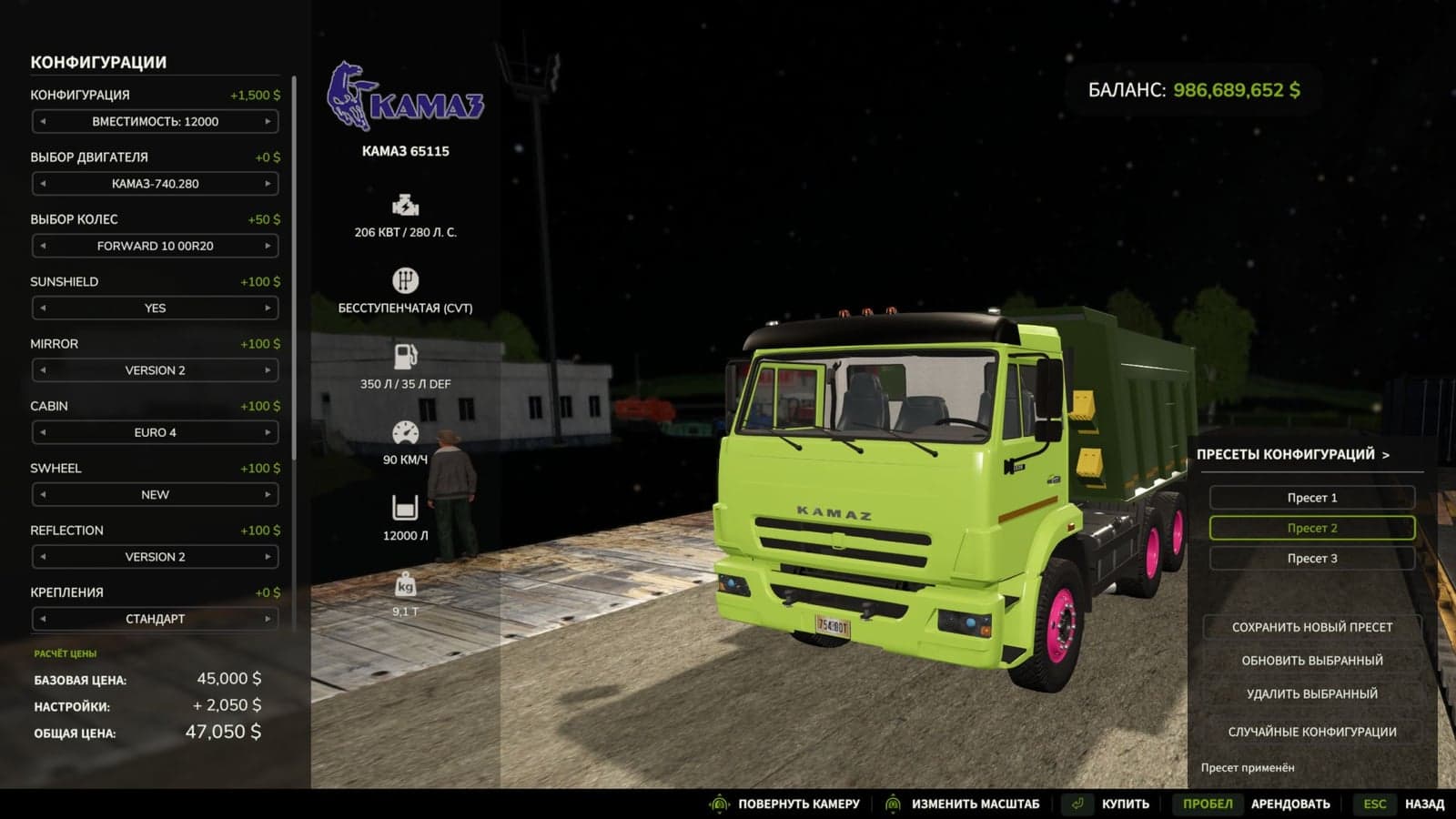
Equipment Configuration Presets lets you store finished equipment setups and load them in the shop with one click.
Features
- Create several separately named presets for every equipment model.
- Store the chosen colors, including custom shades and materials.
- Select a preset quickly from an easy-to-scroll list.
- Saved presets can be updated or deleted.
- Use the random configuration button to test another variant, then save the result you prefer.
- Once settings are applied, the equipment price and preview update automatically.
- Presets remain available after changing game sessions and can be used on different maps in the same profile.
- The mod supports new shop equipment, including modded equipment that uses the standard configuration system.
- License plates are not saved in presets!!!
- If the author changes the configuration options of third-party equipment, its presets may require an update afterward.
How to use
Set up the equipment in the shop first. Then open the presets panel, choose “Save new preset”, and enter its name. When you purchase this model again, select the stored variant from the list.