FS25 Shop Vision V1.0.0.0
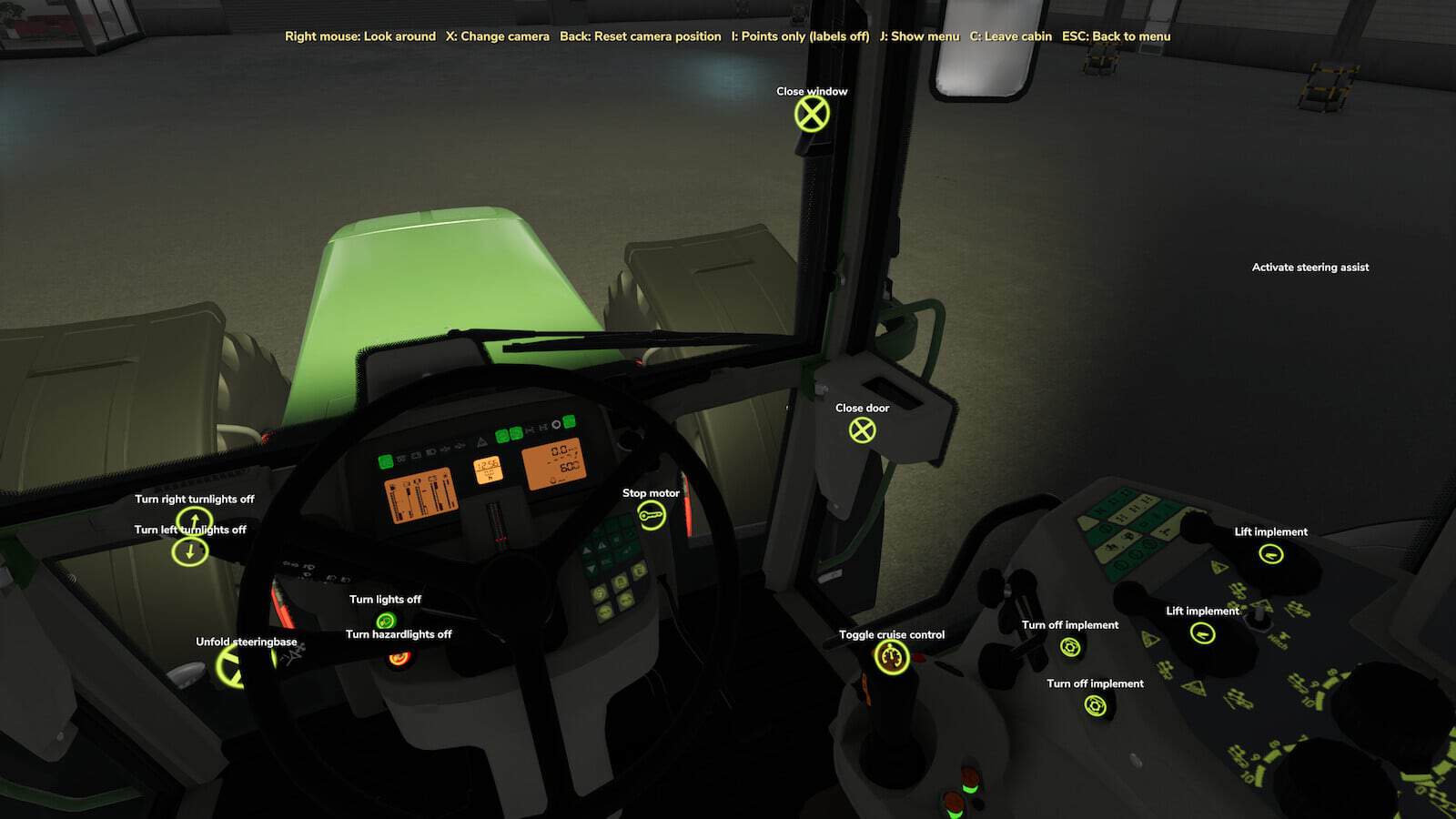
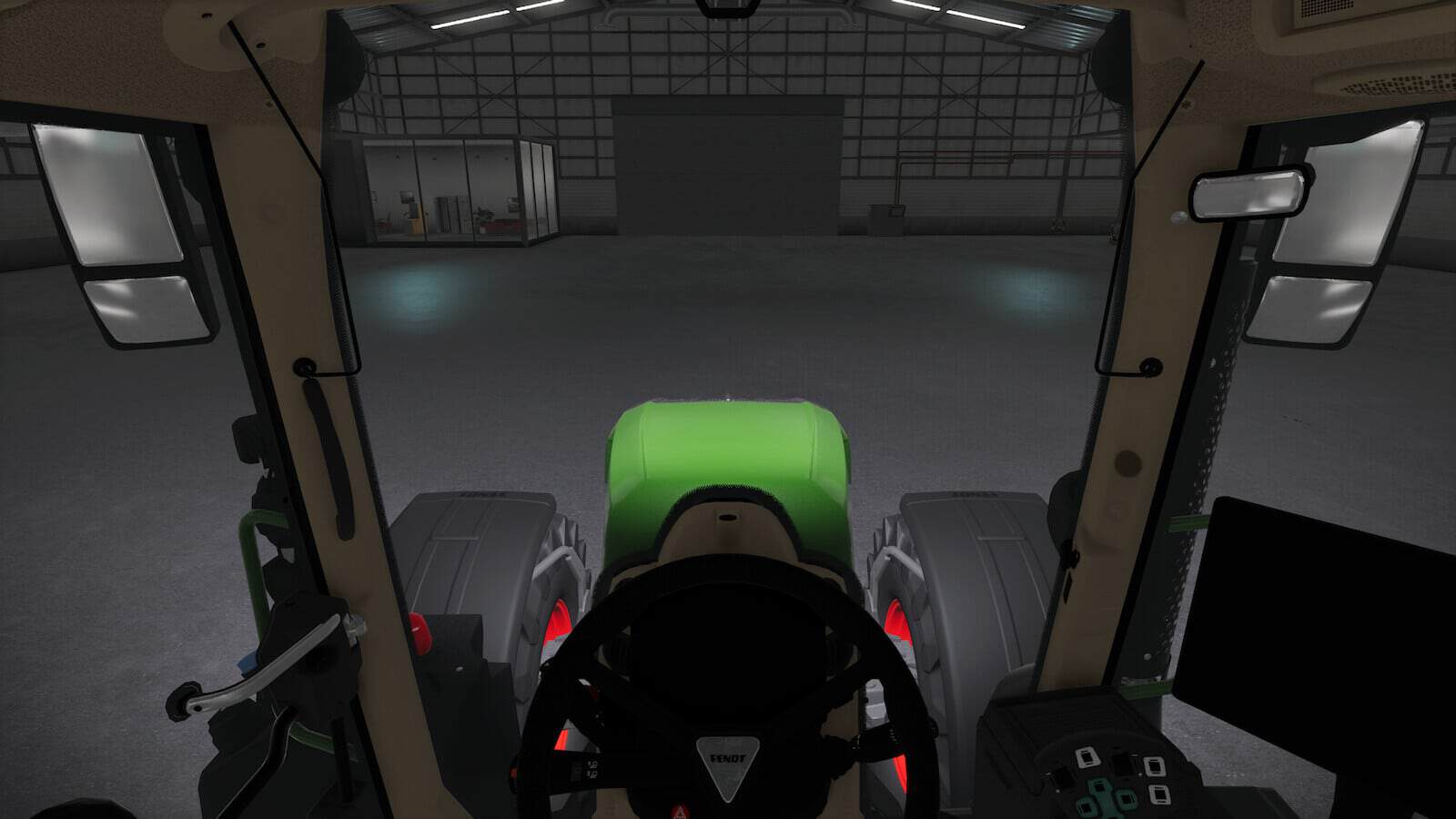
Shop Vision changes the shop into a showroom. Before buying, you can sit in the cab, inspect vehicle configurations, use Interactive Control points and check the lights.
The mod supports singleplayer and multiplayer. It works with tractors, harvesters, implements and trailers that have their own lights. No settings are required.
Features
- Enter the driver’s seat at the shop by pressing
[C]. Hold the right mouse button to look around, use[X]to move through all vehicle cameras and press[J]to hide the menu. - Use
[K]or[L]to move into the cab of the previous or next tractor. - When the Interactive Control mod is installed,
[I]displays every IC point on the vehicle and can also show optional labels. - Interactive Control points inside and outside the vehicle let you open the door, window or hood and activate the indicators.
- With the Shop Sounds mod, every engine in the shop can be started, revved and heard.
- Before purchasing, click Interactive Control points to extend or retract the pipe and to fold or unfold an implement. The option works wherever the vehicle provides Interactive Control points.
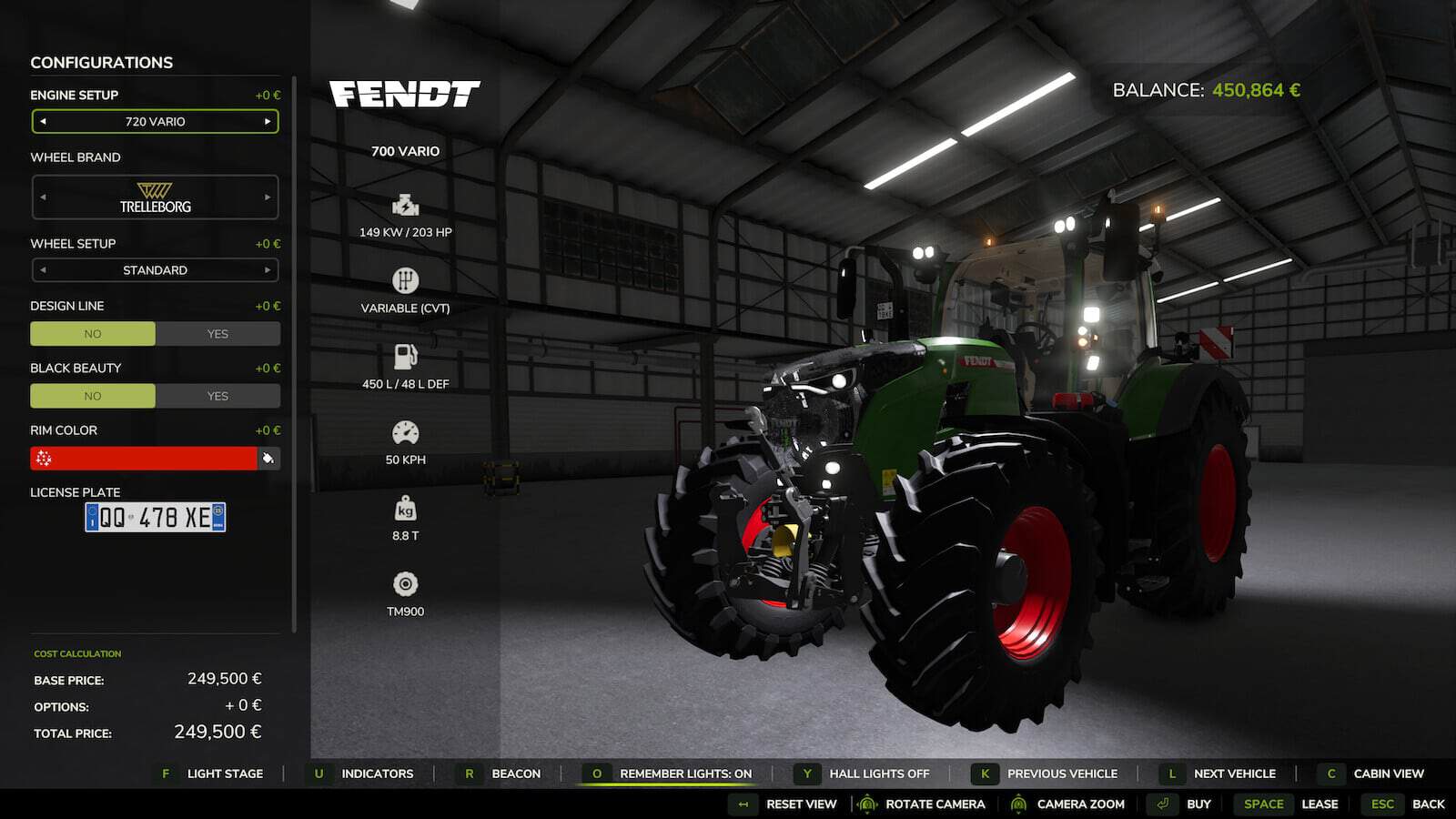
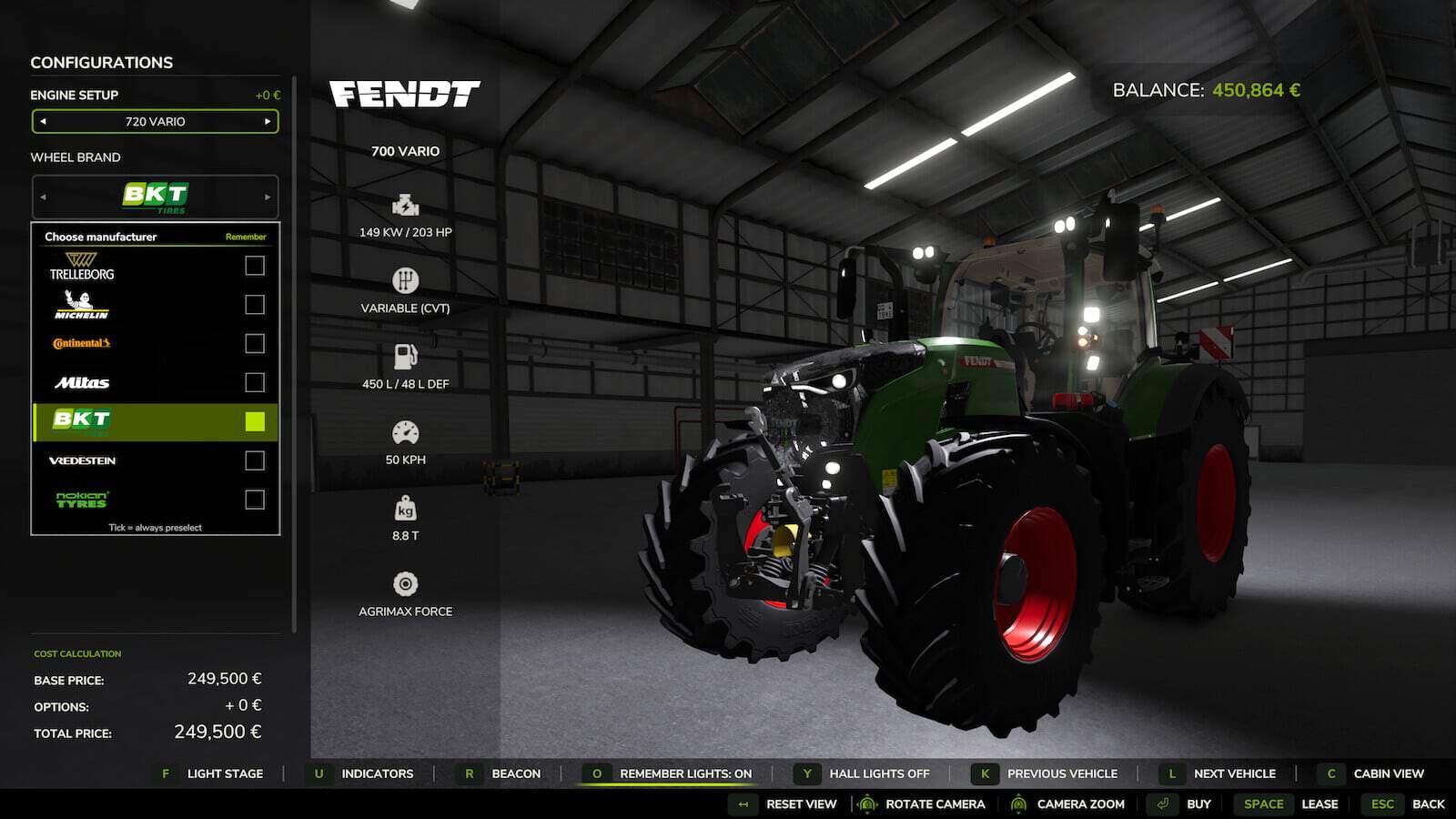
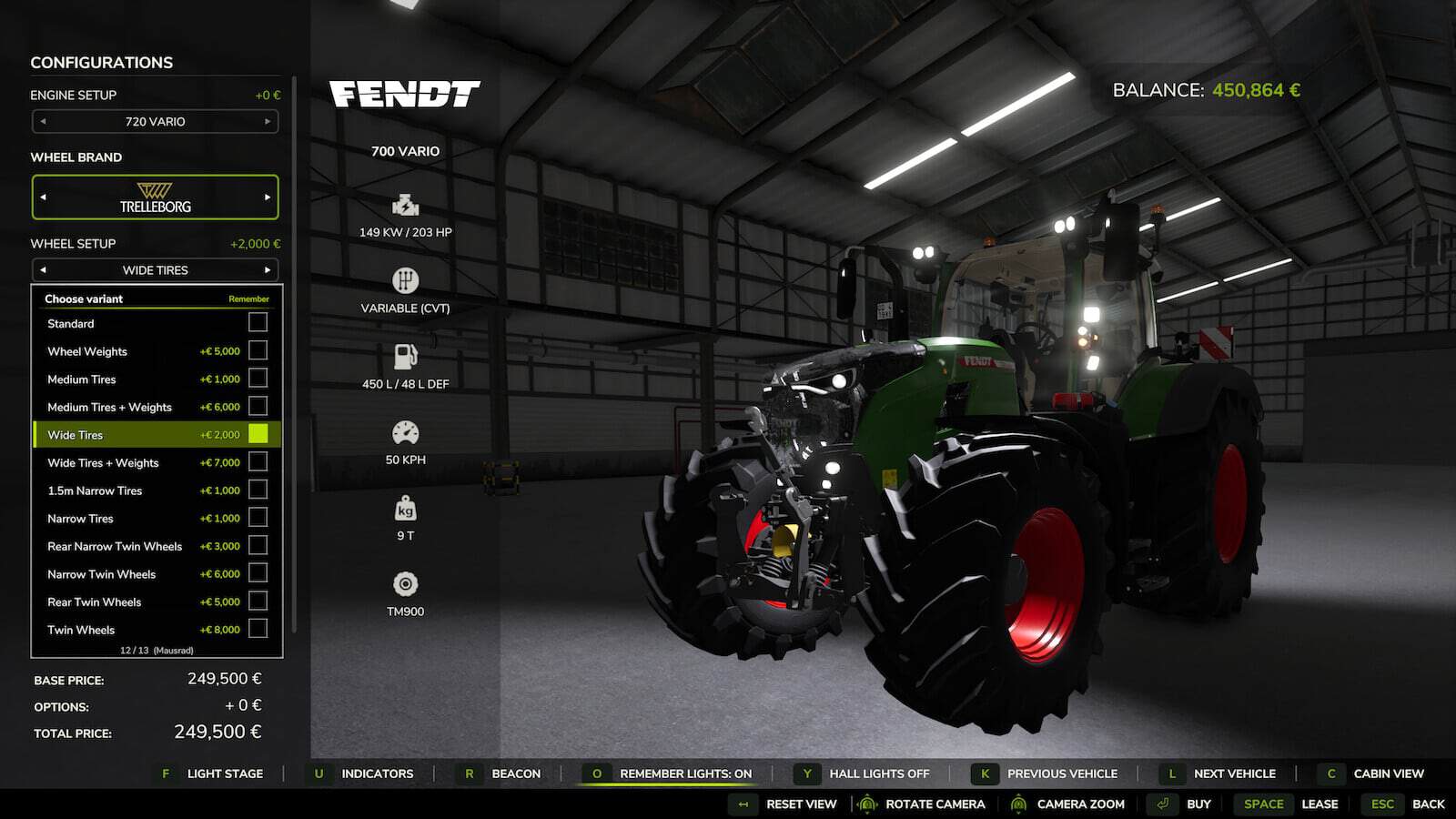
- All configurations are shown in one clickable list with brand logos and prices. It includes the tire brand, tire variant, beacon lights, exhaust, front loader, front attachment, engine and configurations from other mods such as More Motor Sounds or Tire Sound.
- Wide tires remain selected when you change brands, instead of switching the tire variant back to standard.
- Tick Remember for the tire width and for a specific brand to preselect that combination on every tractor that offers it.
- When a tractor does not have the requested tires under the selected brand, Shop Vision chooses the next brand that has them, or the closest tires with the same width, and informs you of the selection.
- In the list, brands that do not offer the selected tire variant appear greyed out.
- Press
[Z]to switch off the hall lights and check the machine’s appearance at night. - Press
[F]to go through all light stages,[U]for indicators and hazard lights, and[R]for beacon lights. - Without a fitted beacon,
[R]automatically chooses the first beacon light in the configuration menu. - Press
[O]to remember the current lights, allowing the next tractor to use the same lighting setup. - Only buttons for functions present on the selected machine are shown.
Hotkeys
[C]Cab view on/off[X]Change camera in cab- Right mouse button: Look around
[J]Menu on/off[I]IC points: on / points only / off[K]/[L]Previous / next vehicle[Backspace]Reset camera position[F]Light stage[U]Indicators / hazard lights[R]Beacon lights[O]Remember lights[Z]Hall lights, German keyboard:[Y]- Left click on a configuration: open the list. Tick Remember to preselect.