FS25 RP-Tablet – The Business Tablet V1.0.0.0
The RP Tablet brings a business tablet into your multiplayer session. It provides server-authoritative tools for managing invoices, machinery and goods, negotiations, auctions, contracts, messages, and finances.
Features
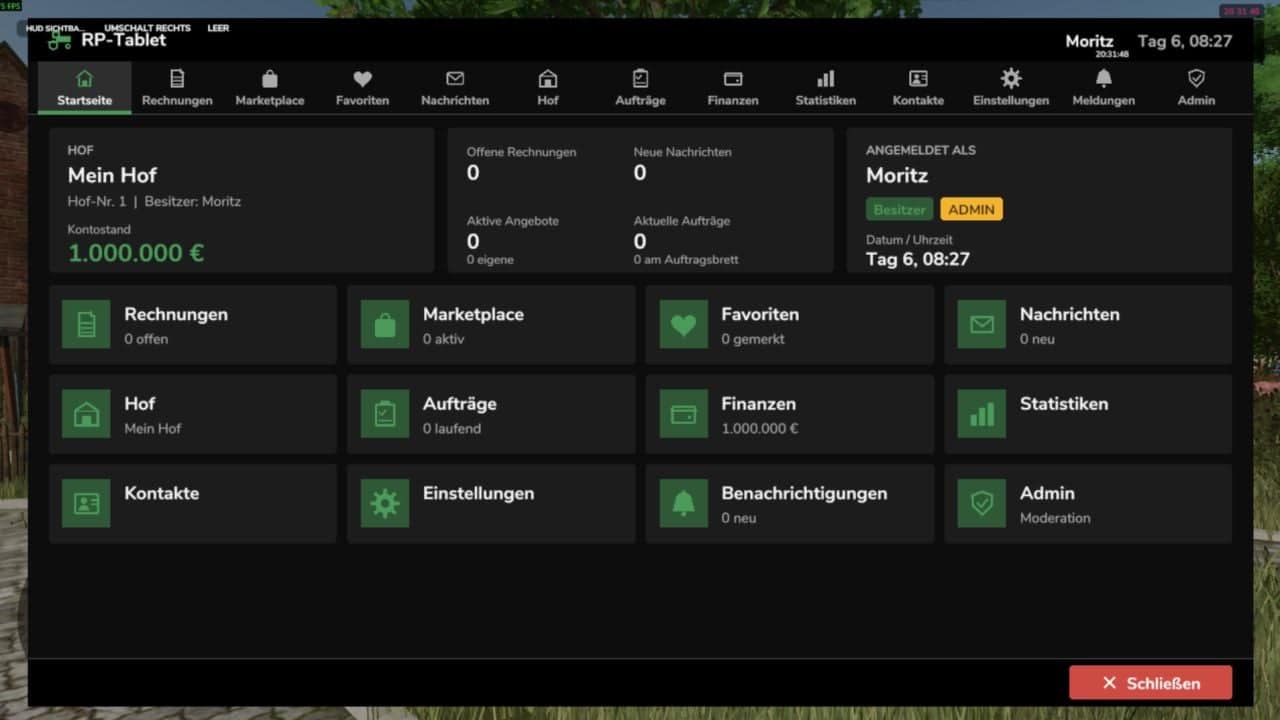
- Home screen with account balance, outstanding invoices, messages, offers, and contracts at a glance, with an app bar at the top.
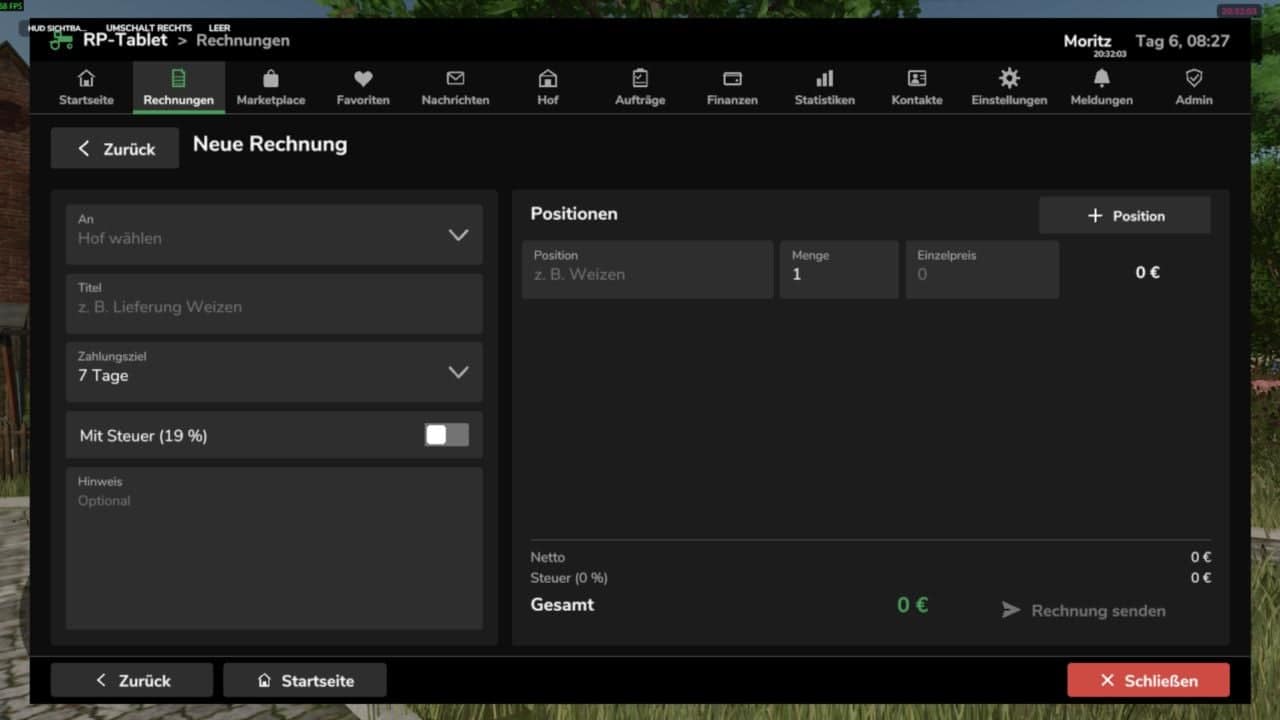
- Invoices with multiple line items, optional tax, payment deadlines, notes, and custom invoice numbers (
INV-YYYY-NNNNNN). - Invoice statuses: Open, Overdue, Paid, and Cancelled.
- Recipients can pay, reject, or report invoices. Funds are transferred immediately between farms.
- Every payment automatically generates a receipt (
TX-YYYY-NNNNNN). - Marketplace for vehicles, machinery, trailers, tools, animals, crops, products, bales, timber, services, and more.
- Marketplace search, categories, price range, sorting, My Offers, and favorites.
- Buying, negotiating with price proposals and counter-offers, reserving, and auctions with minimum bid increments.
- Optional market fee, with notifications for sellers, buyers, and watchers.
- Messages to players or entire farms, inbox and sent items, search, and replies.
- Centralized notifications with counters for new invoices, sales, outbids, completed jobs, and other events.
- Brief alerts remain visible even when the tablet is closed.
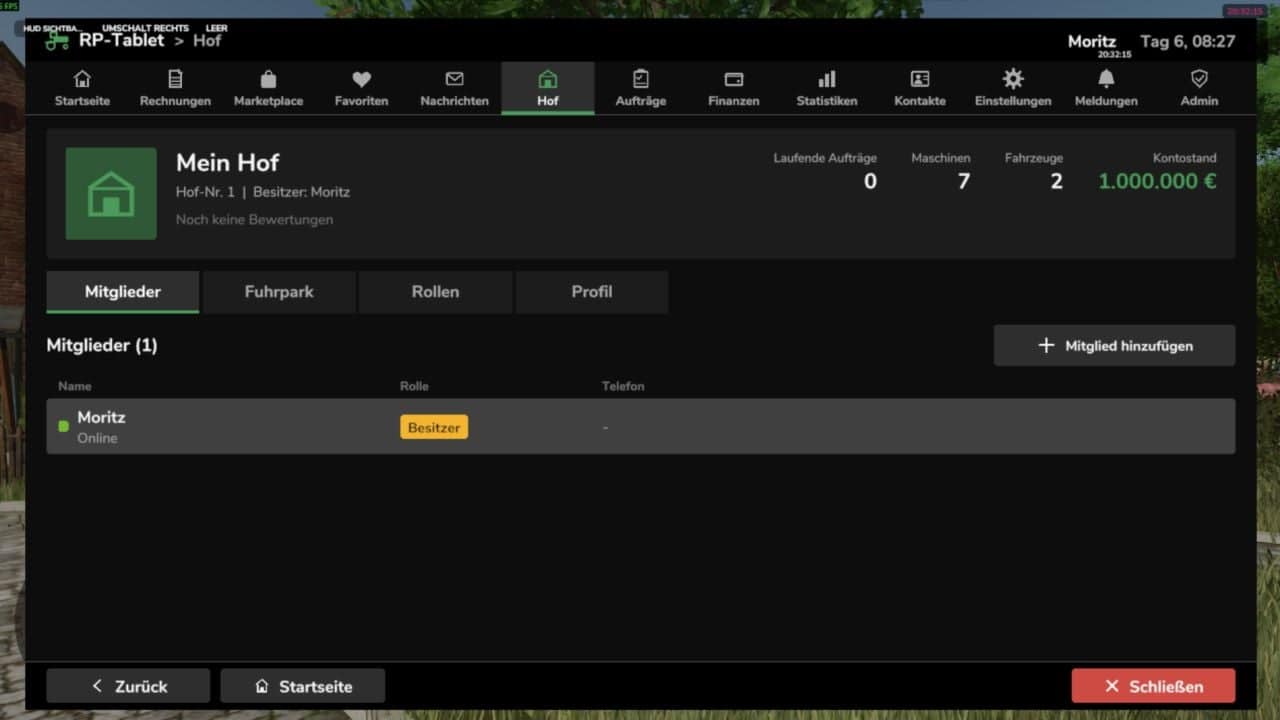
- Farm profiles, members, and farm vehicles and machinery.
- Configurable roles and permissions, such as owner, manager, and employee. Users see only what they are authorized to access.
- Tablet access can be revoked and restored for individual members.
- Job board with descriptions, payment, deadline, and optional restriction to a specific farm.
- Job status flow: Open, Accepted, In Progress, Completed, and Finalized.
- Automatic payment upon acceptance. If funds are insufficient, an invoice is issued.
- Account balance, income, expenses and fees by category, transaction history with filters, and receipts.
- Statistics with a 7-day chart.
- Contacts, farm profiles, and ratings from 1-5 stars, only for genuine, completed transactions.
- Moderation area for server admins covering users, farms, invoices, offers, transactions, reports, and logs.
- Configurable fees, auctions, negotiations, limits, accent color, and debug settings via the in-game interface or
config.xml. - The tablet is linked to the farm. You only see your own farm’s data and the apps your role is authorized to access.
- Server-authoritative operation: money, marketplace, invoices, contracts, permissions, messages, and transactions reside exclusively on the server. The client only sends requests.
- Player, farm, and role identity are determined server-side and never originate from the client.
- Every action is validated for permissions, price, status, and funds, with protection against duplicate execution and spam, plus an audit log.
- Works on dedicated servers, as a host, and in single-player mode.
- Data is saved along with the game save in
rpTablet.xmlin the savegame folder, with backup. - The tablet is a 2D overlay, not a 3D handheld device.
- The mod has been tested in a simulated game environment with 89 automated tests. Details regarding engine integrations are listed in the README under API Assumptions.
Controls
| Action | How |
|---|---|
| Open / close tablet | Left Alt + T, customizable under Settings → Controls |
| Back | Back button or Esc, dialog first, then sub-page, then app |
| Home | Home button or first entry in the app bar |
| Close | Close button, same key, or Esc on the home screen |
Multiplayer and security
- Money, permissions, and documentation are managed by the tablet.
- Vehicles and goods are not transferred automatically; the handover is part of the roleplay.
- Transactions use the in-game currency, with base currency €.
- Works on dedicated servers, as a host, and in single-player mode.
Installation
- Place
RP_Tablet.zip(unzipped) into themodsfolder. On Windows, useDocumentsMy GamesFarmingSimulator2025mods. - Load your savegame or start the server, then activate the mod.
- Press Alt + T in-game.
- On a dedicated server, the mod must be active on both the server and all players’ clients.
Please report errors by providing the relevant excerpt from the log.txt file.