FS25 Realistic Footprints V1.0.1.1
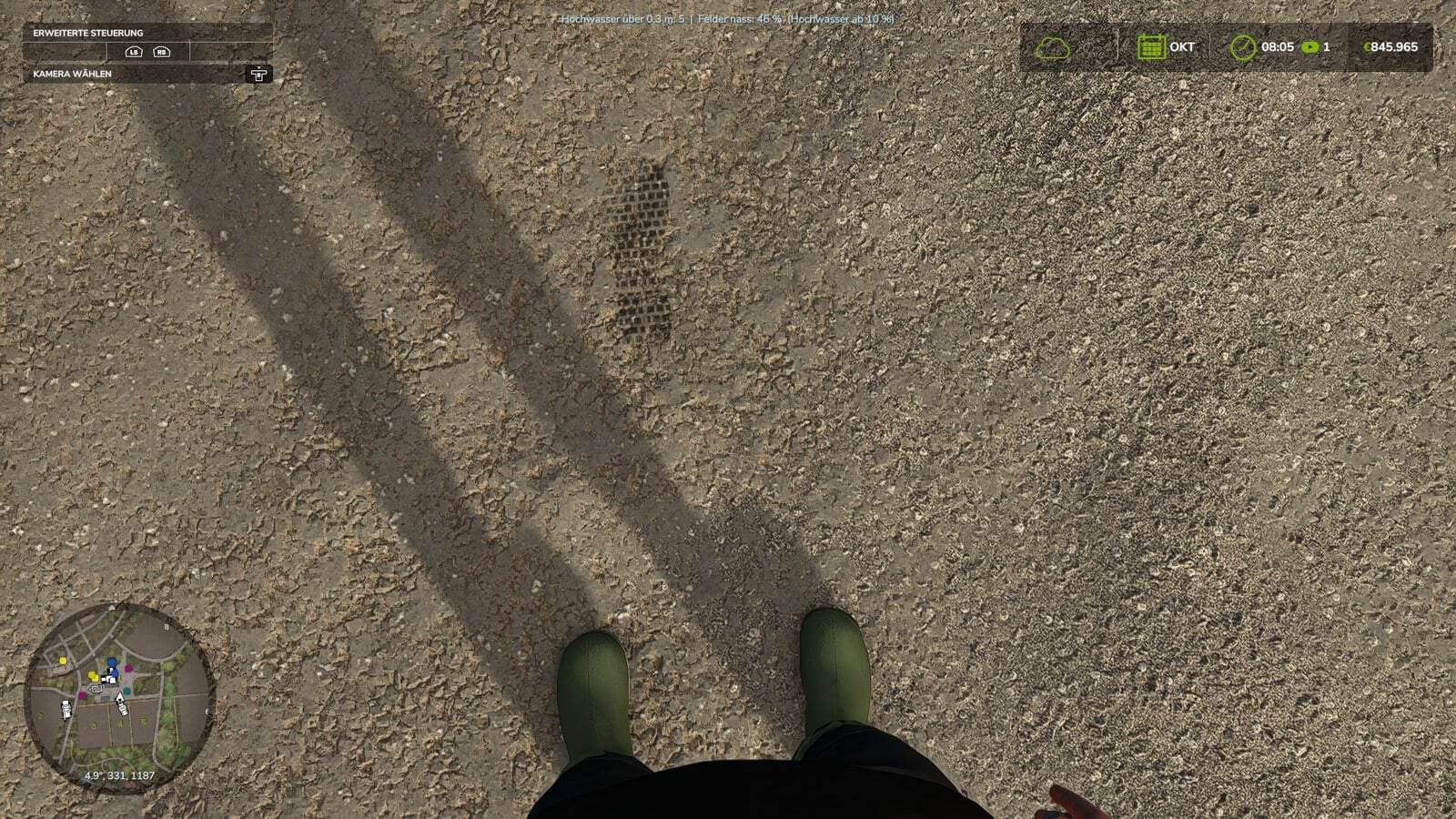
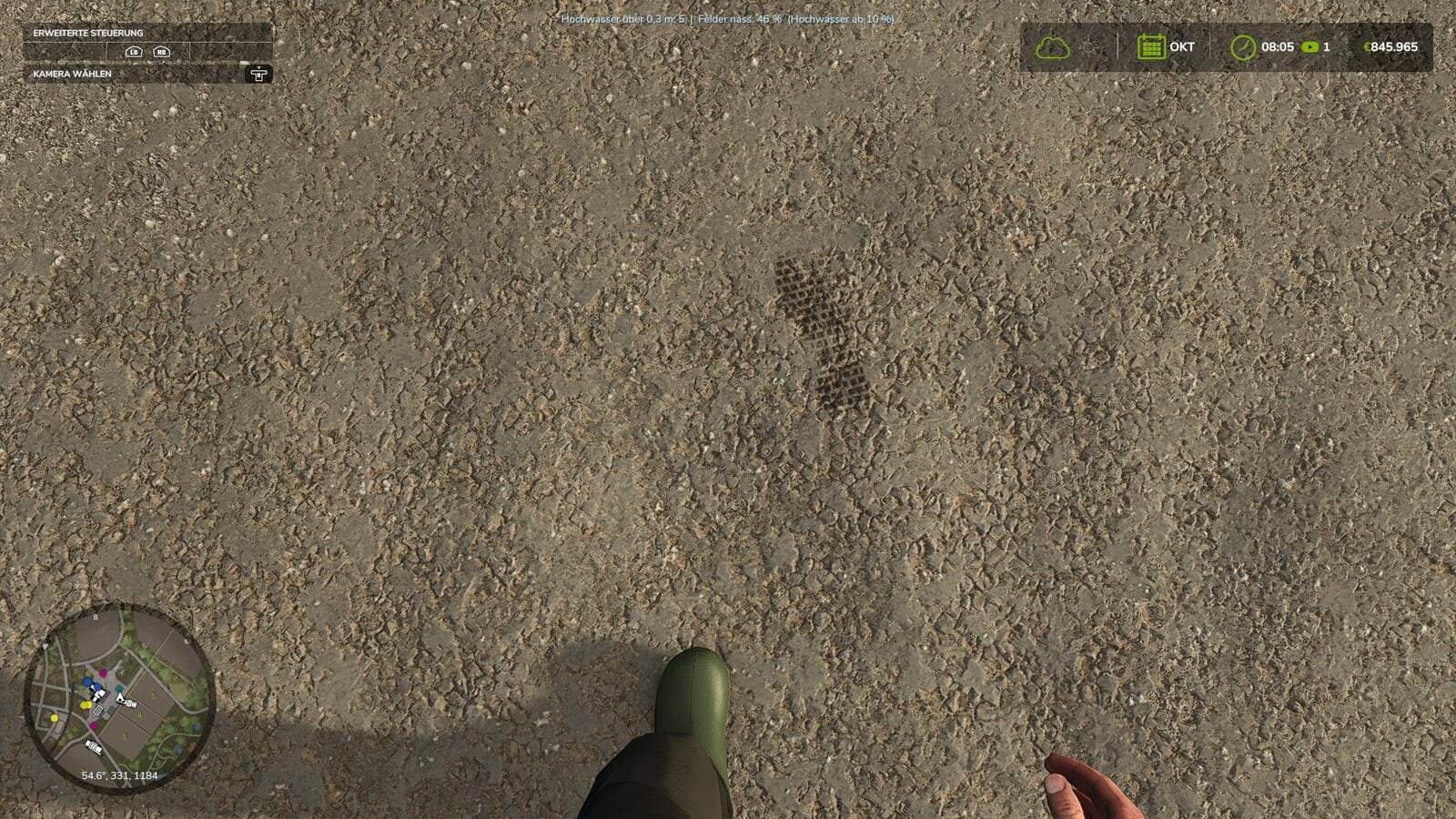
Realistic Footsteps brings visible, dynamic footprints to FS25. The tracks respond to the terrain, the footwear being worn, the character’s movement, and the current weather.
Features
- The mod provides five sole patterns, modeled after work boots, hiking boots, rubber boots, sneakers, and leather or cowboy boots.
- Tracks can be seen on soft soil, cultivated fields, grass, mud, manure, and snow.
- The avatar’s current outfit is used to detect the footwear and assign it automatically.
- Track depth and other characteristics change with the ground surface.
- On soft ground, the character visibly sinks approximately 2 to 10 cm, according to the conditions. The map elevation itself is not changed permanently.
- Walking collects mud and soil, which stay on the soles.
- Soil colors, including brown, red, and sandy tones, are carried onto other surfaces such as asphalt, concrete, and indoor flooring.
- The detected hue of the ground determines the track color. If the character walks from dark cultivated soil onto a lighter surface, the dirt on the soles gradually changes color over several steps.
- Water and water-filled tire ruts are recognized. Water receives no footprints, and walking through it washes mud and dirt away from the soles.
- Dirty, wet, or snowy boots can leave up to eight imprints on a vehicle’s cab floor when entering. The marks stay there until the vehicle is washed or they are otherwise removed.
- Existing tracks are gradually washed away by rain.
- New snow covers tracks that were already present.
- Depending on the conditions, sunlight and wind dry the marks and make them fade.
- Tracks are reused efficiently, while optimized rendering prevents unnecessary continuous recalculations.
- Footprints are created locally, so every mark does not need an additional network event. Multiplayer works without extra network traffic.
Controls
Use Ctrl + Shift + F to toggle footprints on or off.
The controls menu allows this key combination to be changed.
Console and debug
For testing, configuration, diagnostics, customization, and troubleshooting, the following console commands are available:
fsFootsteps, control footstepsfsFootstepsClear, remove existing footstepsfsFootstepsDebug, debug functionsfsFootstepsInfo, display informationfsFootstepsSet <name> <value>, change settingsfsFootstepsReload, reload settingsfsFootstepsWaterScan, check water detection
The configuration file is modSettings/FS25_realistic_footsteps.xml.
Changelog
- V1.0.1.1
The log error has been fixed. The test runner was forgotten yesterday evening, but it is clean again now. Sorry. - V1.0.1.0
Dirty boots, authentic tread patterns, and visible footprints were added. The five authentic sole designs are work boots, hiking boots, rubber boots, sneakers, and leather or cowboy boots. The avatar’s current outfit automatically determines and assigns the footwear.Suitable impressions were added for soft soil, cultivated fields, grass, mud, manure, and snow. Track depth and characteristics differ with the ground surface. Depending on soil composition and moisture levels, the feet visibly sink by approximately 2 to 10 cm. The map’s terrain elevation is never permanently changed.
While walking, mud and soil collect on the soles and remain there. Brown, red, sandy, and other soil colors transfer to surfaces such as asphalt, concrete, and indoor flooring, allowing dirty footprints to appear there as well. The transfer continues until the soles are clean again.
Water and water-filled tire ruts are detected. Footprints do not float on water, and walking through water washes mud and dirt off the soles.
Entering a vehicle with dirty, wet, or snowy boots leaves visible traces on the cab floor. The marks remain until the vehicle is washed.
Rain slowly removes existing footprints, while fresh snow covers older tracks. Sun and wind dry the marks and cause them to fade according to the conditions.
Efficient footprint reuse helps save performance, and optimized rendering avoids unnecessary constant recalculations. Multiplayer is supported without generating additional network traffic.
Footprints can be toggled with
Ctrl + Shift + F. The key combination can be customized in the controls menu.Console commands:
fsFootsteps, control footstepsfsFootstepsClear, remove existing footstepsfsFootstepsDebug, debug functionsfsFootstepsInfo, display informationfsFootstepsSet <name> <value>, change settingsfsFootstepsReload, reload settingsfsFootstepsWaterScan, check water detectionSettings file:
modSettings/FS25_realistic_footsteps.xml