FS25 OZZ XB1 P20 (Prefab) V1.0.0.1
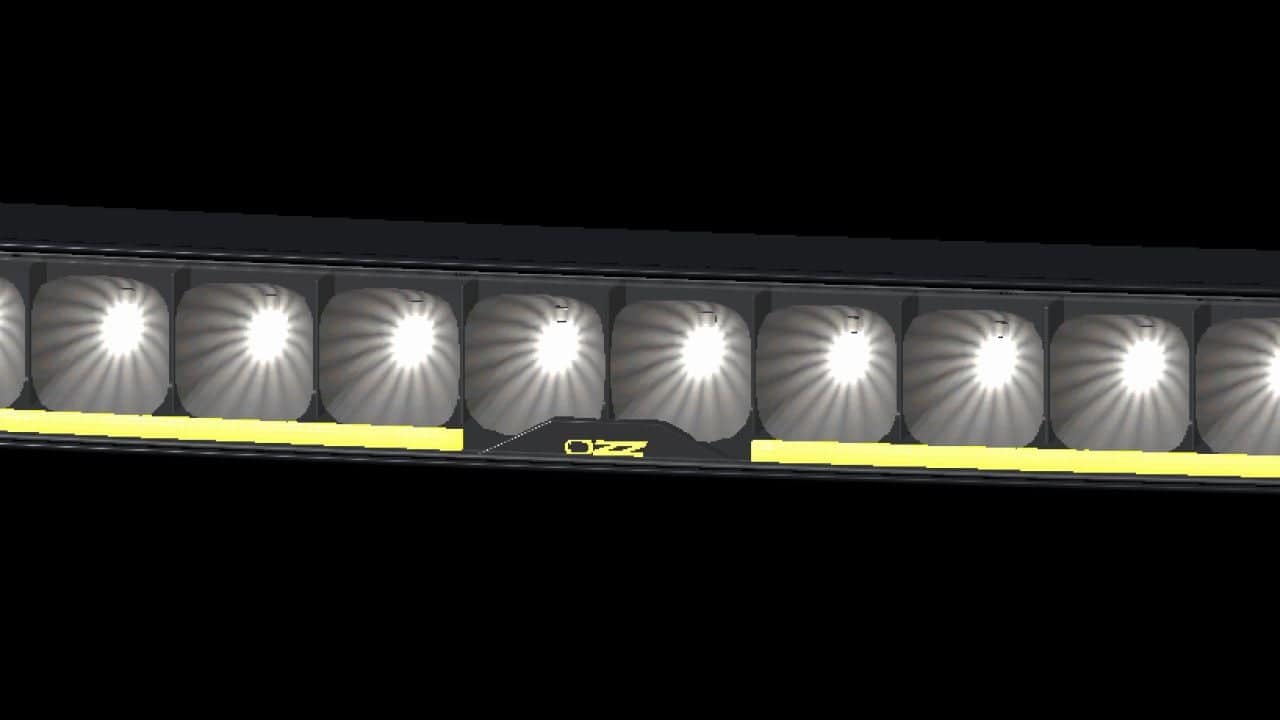
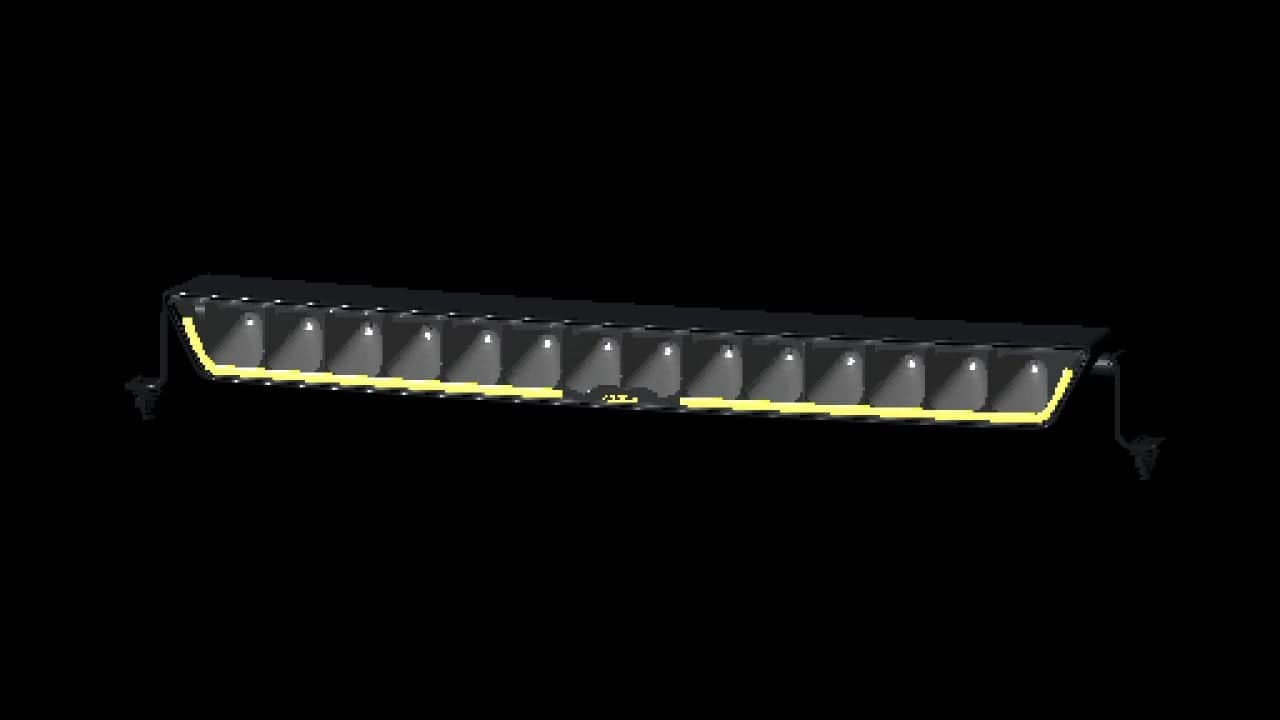
Give your Farming Simulator 25 vehicle the distinctive OZZ look with this curved LED light bar by NorthernLight Modding. The model features 14 individual reflector cells, white high beam and a choice of amber or white position lighting.
Features
- Detailed housing, reflectors and mounting brackets.
- White high beam with illuminated reflector cells.
- Amber and white position-light variants.
- XML setups for position lights or daytime running lights.
- Optional centre-out startup animation.
- Side and bottom mounting brackets.
- Adjustable lamp angle.
- XML setup helper and installation instructions in English and Swedish.
- Editable Blender source included.
Installation
This is a prefab for modders. It must be installed in a vehicle using GIANTS Editor and connected through the vehicle’s XML. It is not a standalone shop item.
The optional startup animation requires the included Lua script and a platform supporting script mods.
I know it looks black in GE, but if you add a light to the scene and direct it against the front of the light bar, you will see the reflectors and DRL strip. The prefab looks normal in-game.
Changelog
- V1.0.0.1
- Corrected excessive dirt buildup on housing and exterior parts and outer lenses using GIANTS dirt-mask data.
- Corrected dirt mapping for gradual, varied coverage instead of a uniform coating.