FS25 My CUMA V1.0.0.0
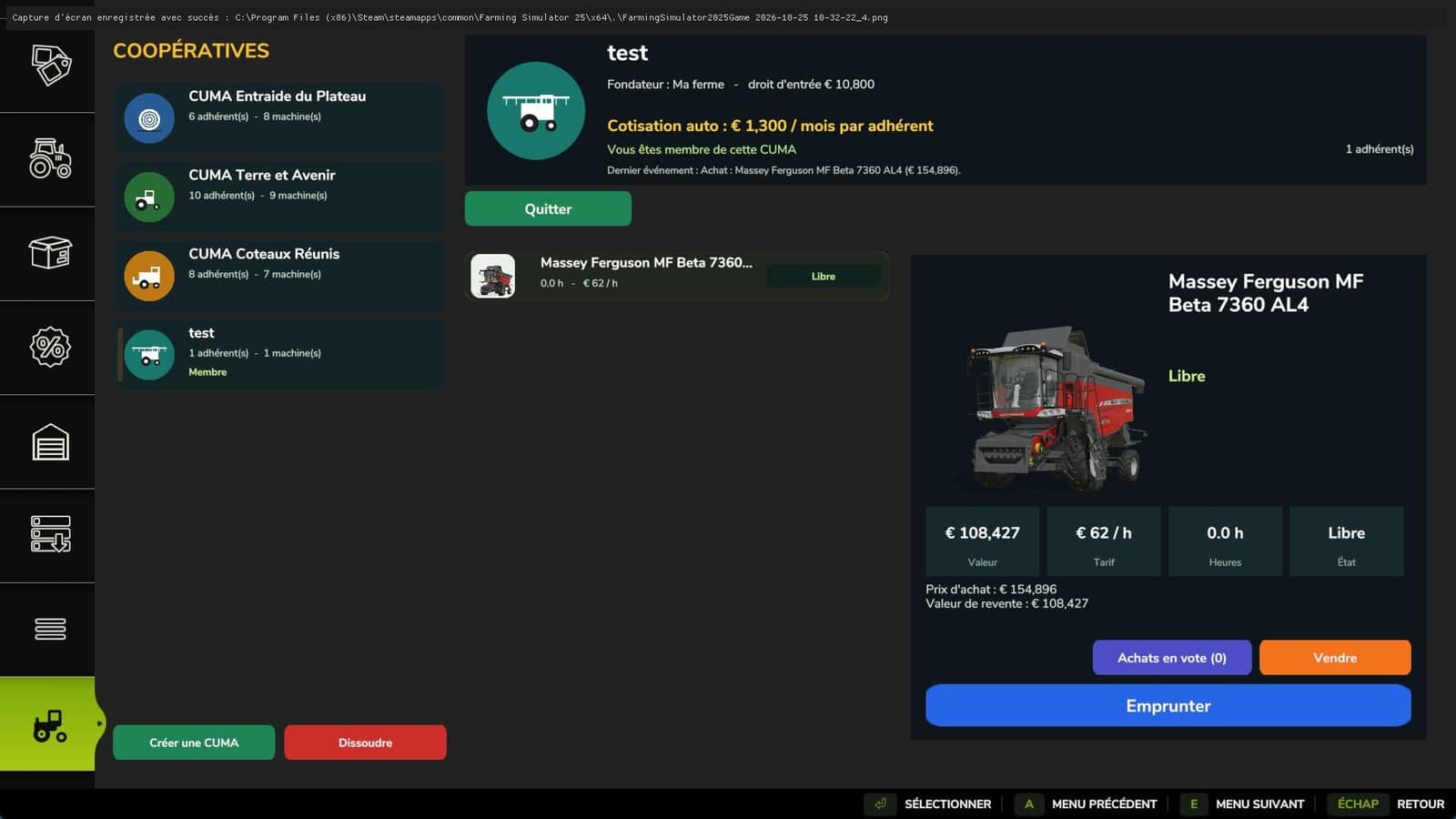
With My CUMA, you can establish an agricultural machinery cooperative modeled on real life. Equipment can be shared with other farmers, purchases can be made together, and machines can be borrowed by the hour.
Features
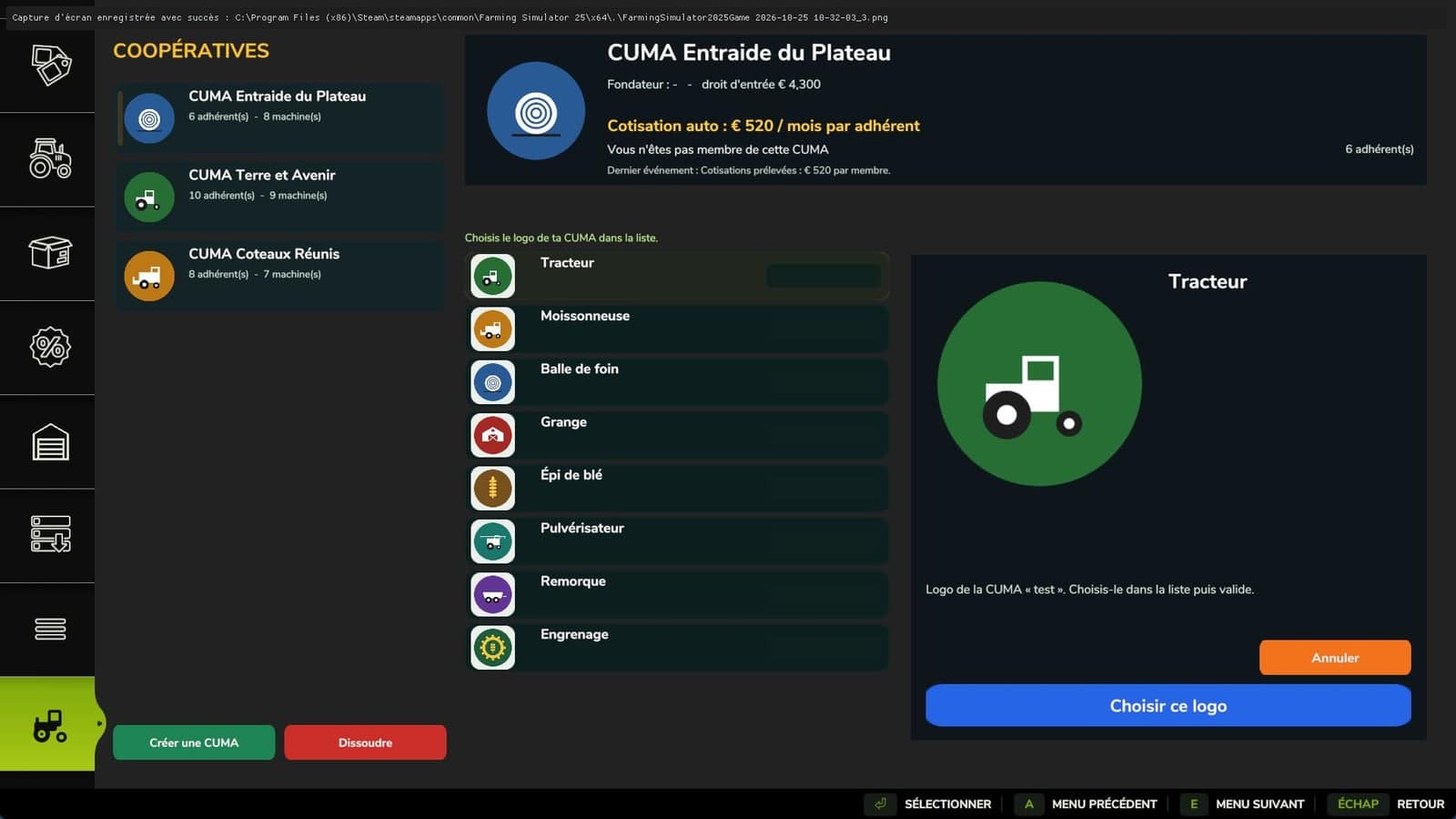
- Establish your own CUMA for €10,000 and select its logo from 8 available options.
- Pay an entry fee based on the equipment fleet’s value to join one or more CUMAs, with a maximum of 4.
- The monthly fee is calculated automatically, and each member pays less as the number of members increases.
- Farmers from neighboring areas gradually become members of your CUMA.
- Members decide on purchases through a vote.
- Borrow a CUMA machine and it will be delivered to the store’s delivery point. The charge is based on the hours it is used.
- Three CUMAs are available at the start, each with suitable equipment and members.
- Available in single-player and multiplayer.
How to buy equipment for the CUMA
1. In the store, open the “My CUMA” tab. Select a CUMA from the list on the left, then click “Join”, or use “Create” to establish your own.
2. At the store, select a vehicle or tool and configure its options as with an ordinary purchase. Machines on sale can also be selected.
3. Use “Propose to CUMA” beside the “Buy” button, then confirm your choice.
4. In the “My CUMA” tab, members can open “Purchases up for vote” and choose either “Vote for” or “Vote against”.
5. Once the majority votes in favor, the machine is added automatically to the CUMA’s fleet. Payment comes from the shared funds rather than your personal money.
How to borrow a machine
Open the “My CUMA” tab, pick a machine from the fleet and select “Borrow”. The machine appears at the store’s delivery point. After use, select it and click “Return” to pay for the hours it was used.