
FS25 Monthly Expense Sheet Pro Edition BETA
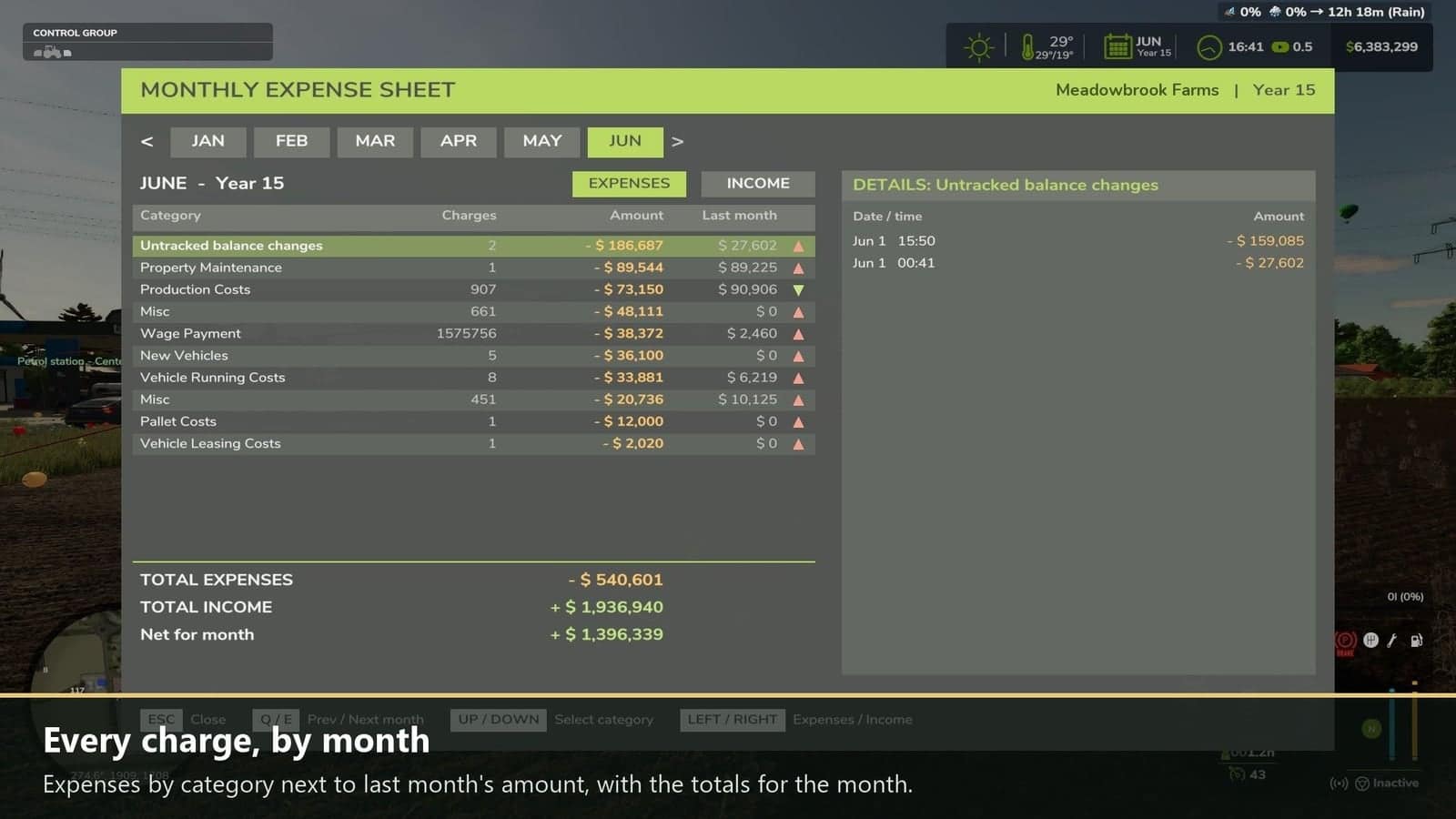
Money popups are recorded and organised by in-game month, letting you check exactly where your money went. Changes to your money that do not create a popup are recorded as well, so the sheet matches your balance.
Features
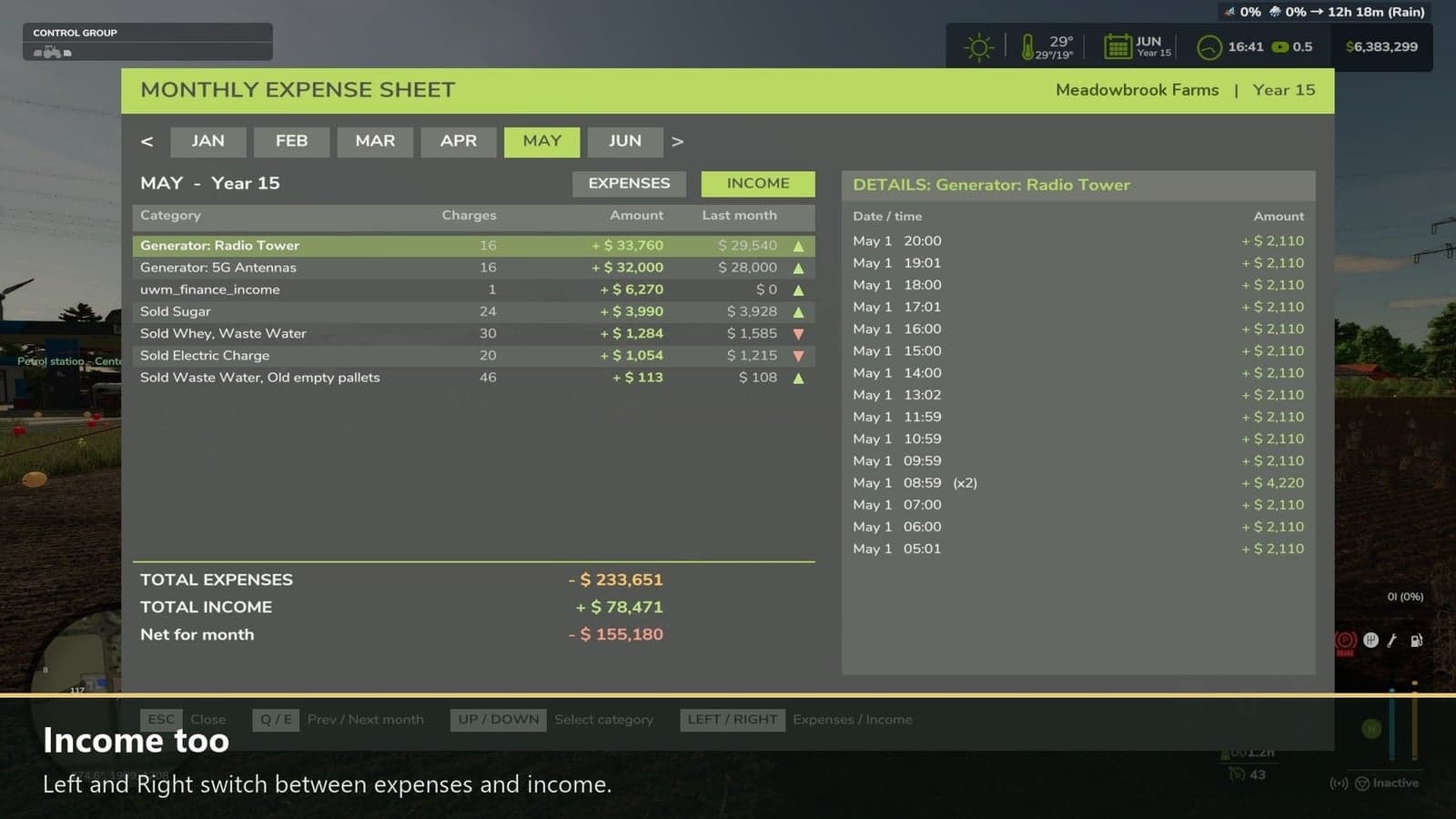
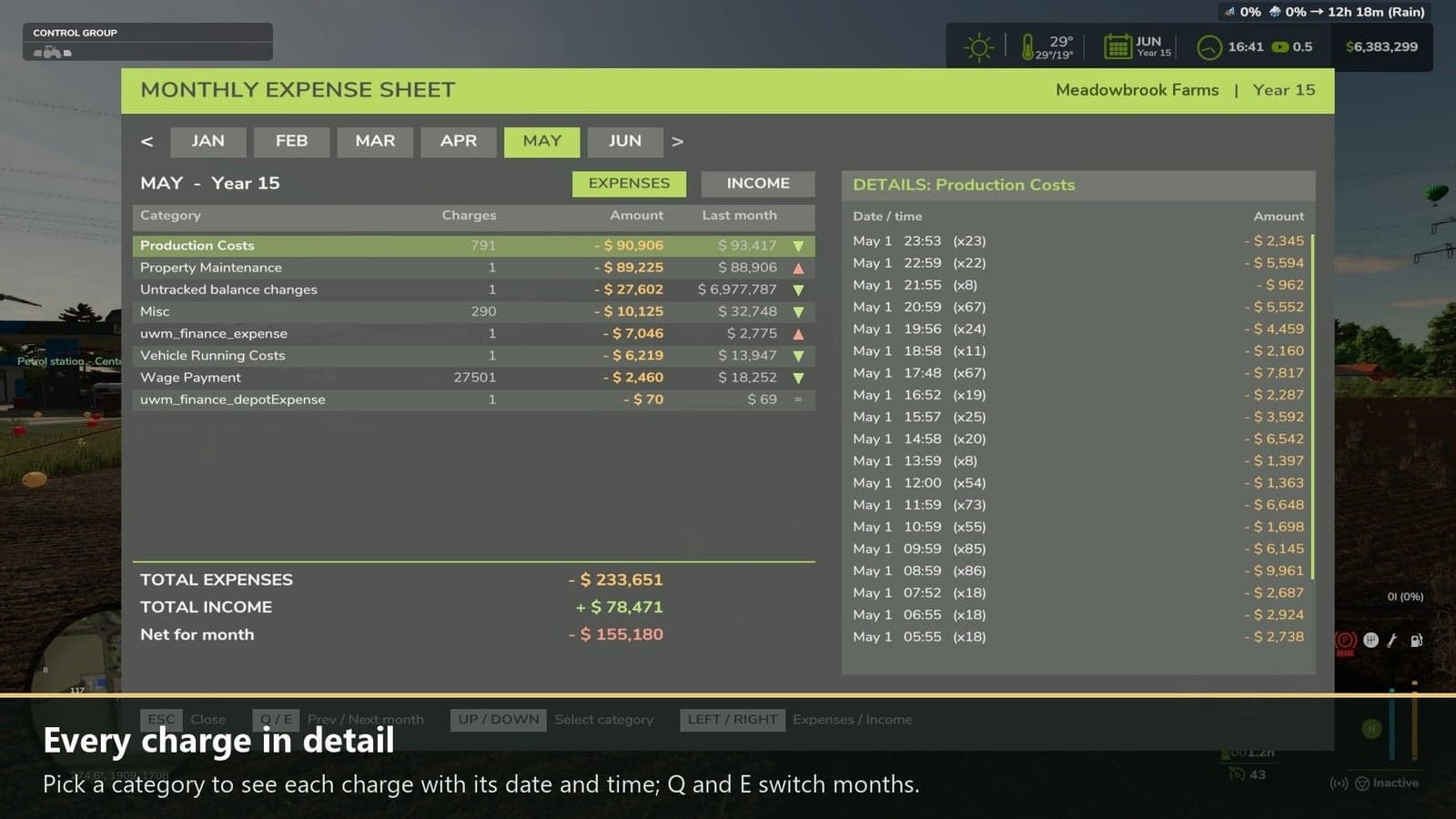
- For each expense and income category, the month shows the number of charges, its total and the total from the previous month, including a red or green arrow indicating an increase or decrease.
- After selecting a category, you can view every individual charge together with its date and time.
- The monthly overview includes total expenses, total income and the net amount.
- Sales identify the item sold, for example “Sold Wheat”. Hourly income from generators, wind turbines and solar is displayed for each building.
- Income from other mods is labelled with the name of that mod or with its own popup text.
- Records are stored with the savegame for the last 24 months. During multiplayer, the server stores the records, while each player views their own farm.
How to use: Press Left Alt + M to open or close the sheet. Use Q / E for the previous or next month, Up / Down to choose a category, and Left / Right to switch between expenses and income. The mouse can also be used.
Changelog
0.2.2.1
- In the mod list, the author is now displayed as DTM Mods, PropaineX.
- Money from other mods now displays the actual name instead of a text key (0.2.2.0).
- Unknown text keys are displayed as readable words rather than as the raw key (0.2.2.0).