FS25 Mobile Butcher (for “Realistic Livestock” mod) V1.1.0.7
This is a dedicated compatibility edition for FS25_RealisticLivestockRM. Only install and use this version if you are running Realistic Livestock RM.
Required mods: Realistic Livestock RM
Features
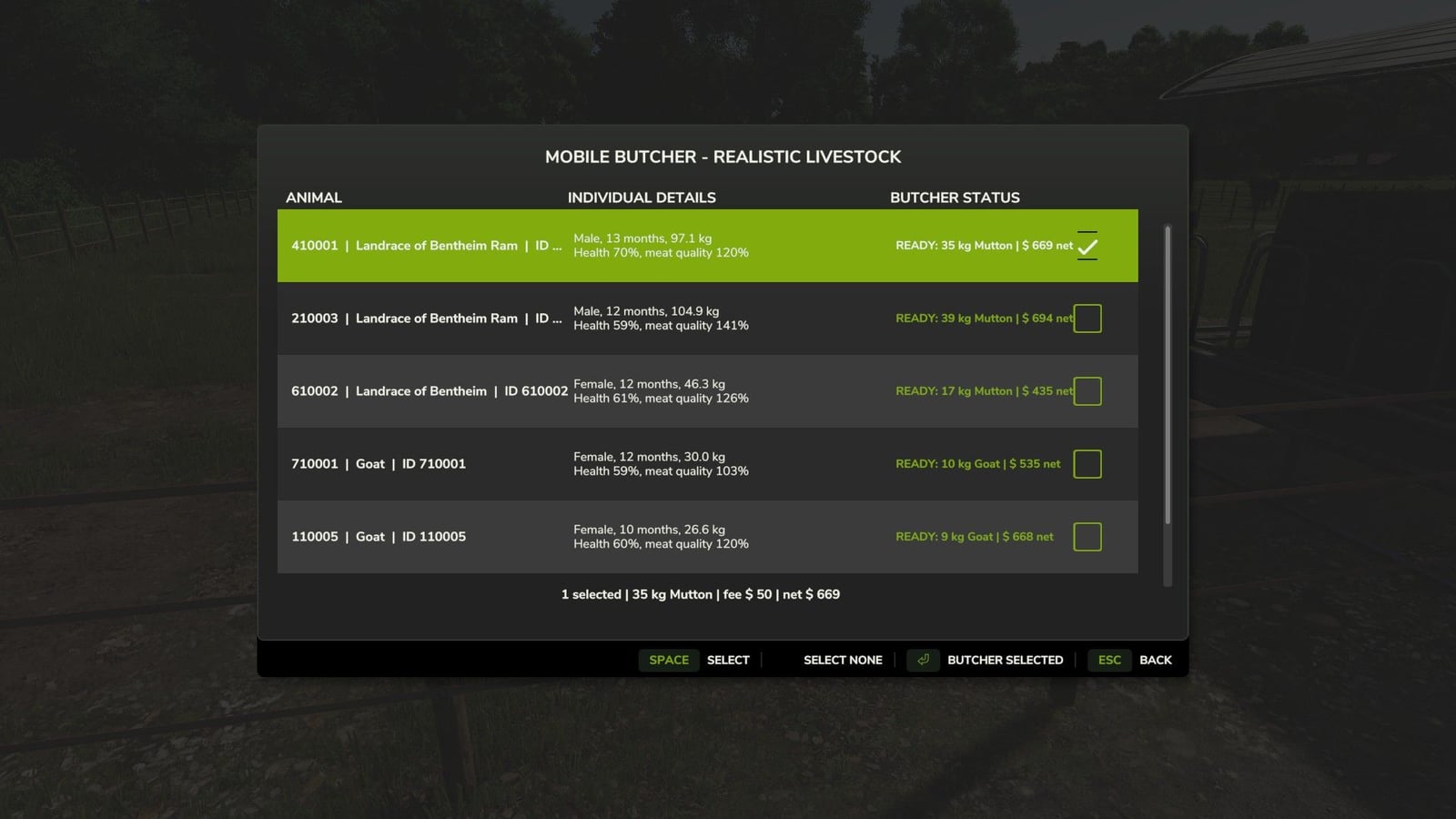
- Press Left Shift + B while on foot, choose an animal pen, and select the individual animals you want to send to the Mobile Butcher.
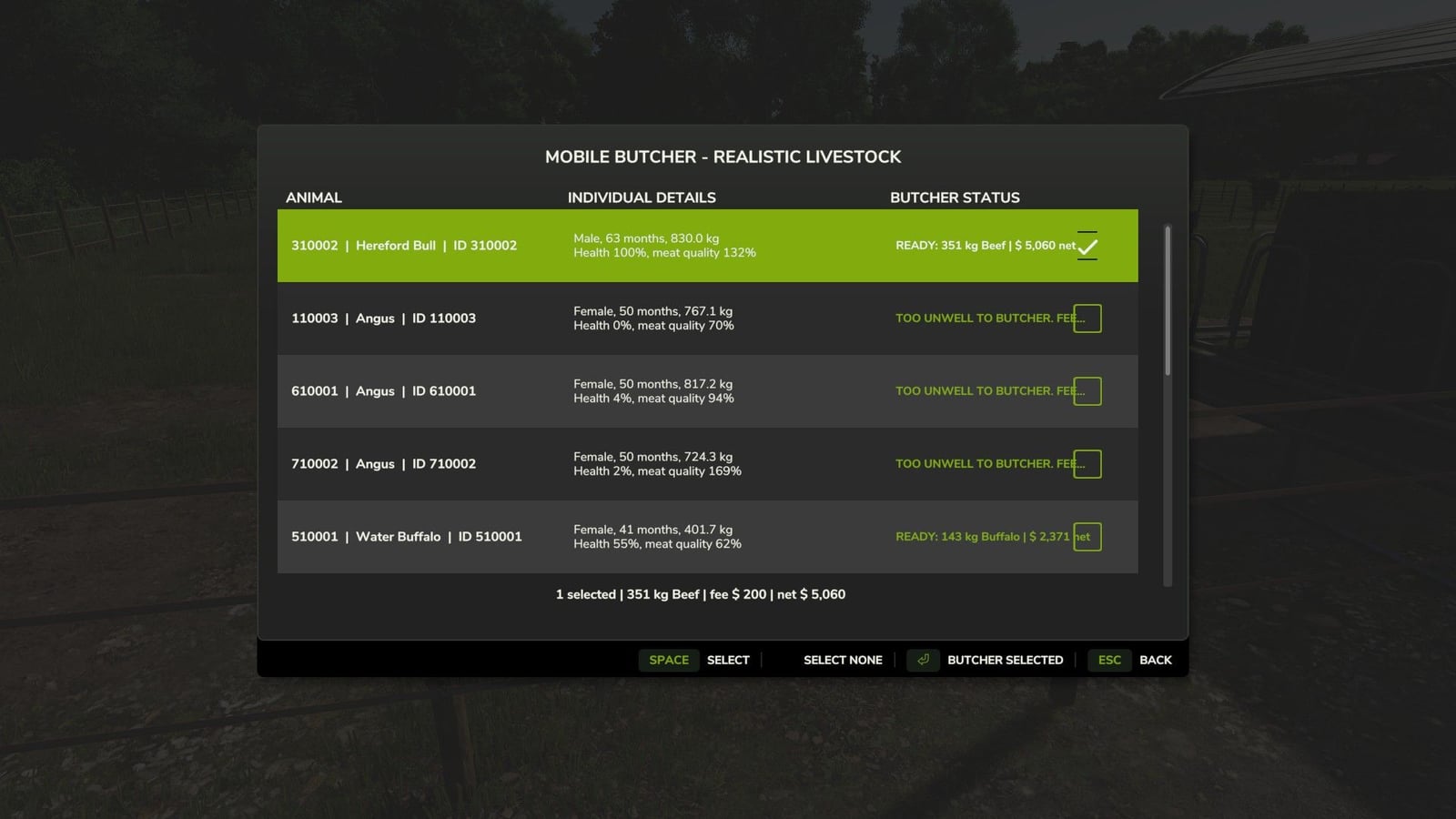
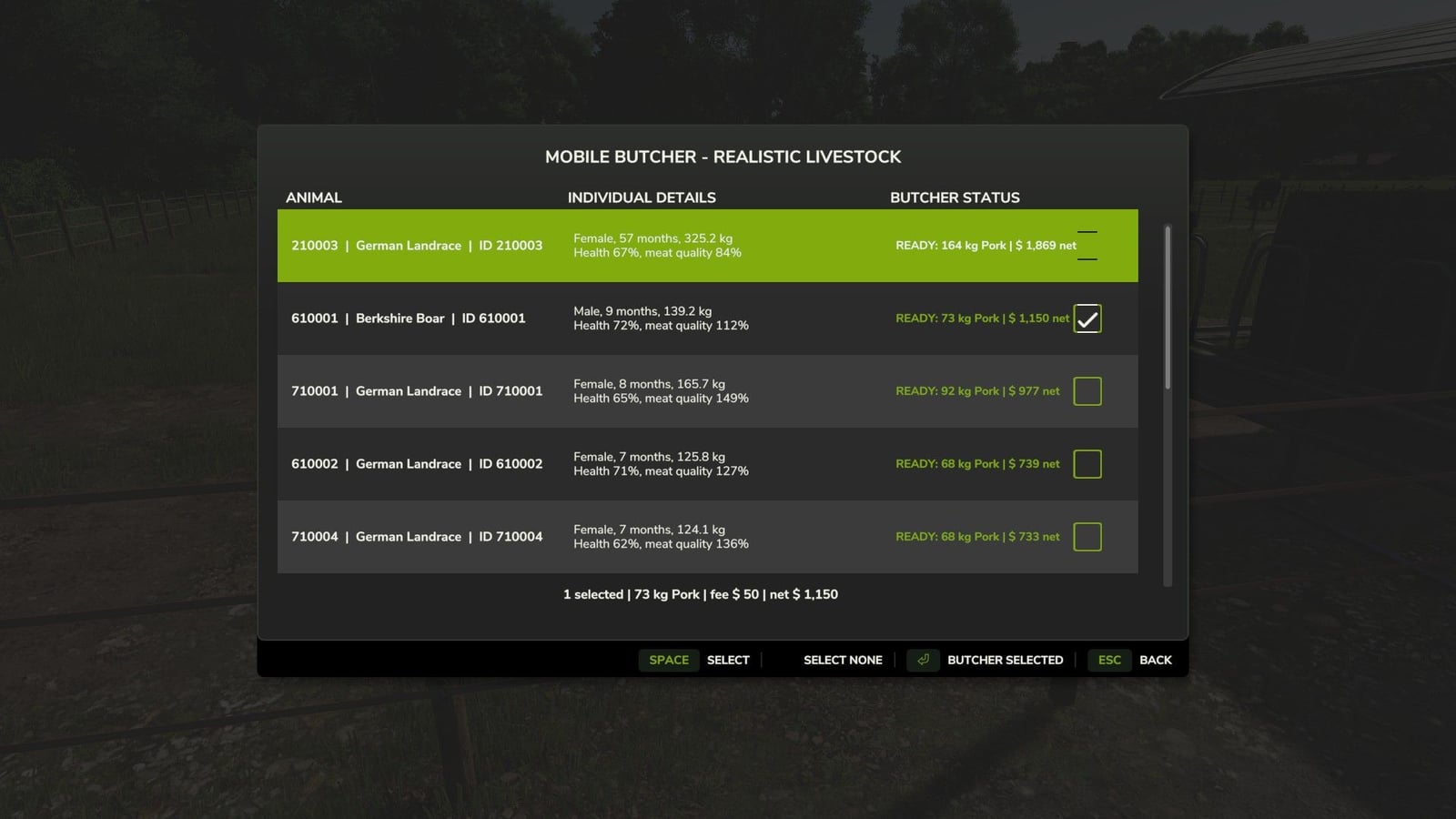
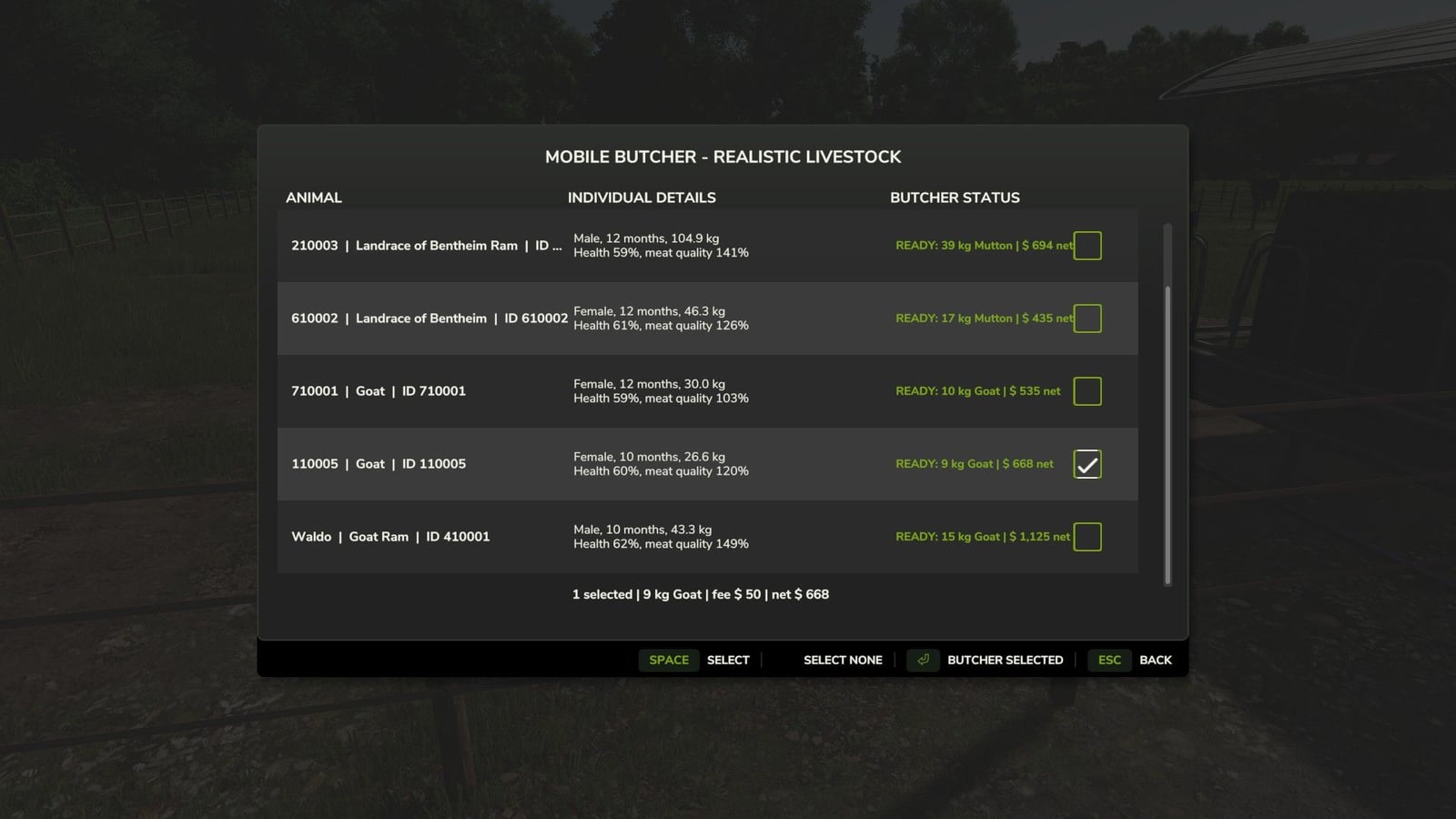
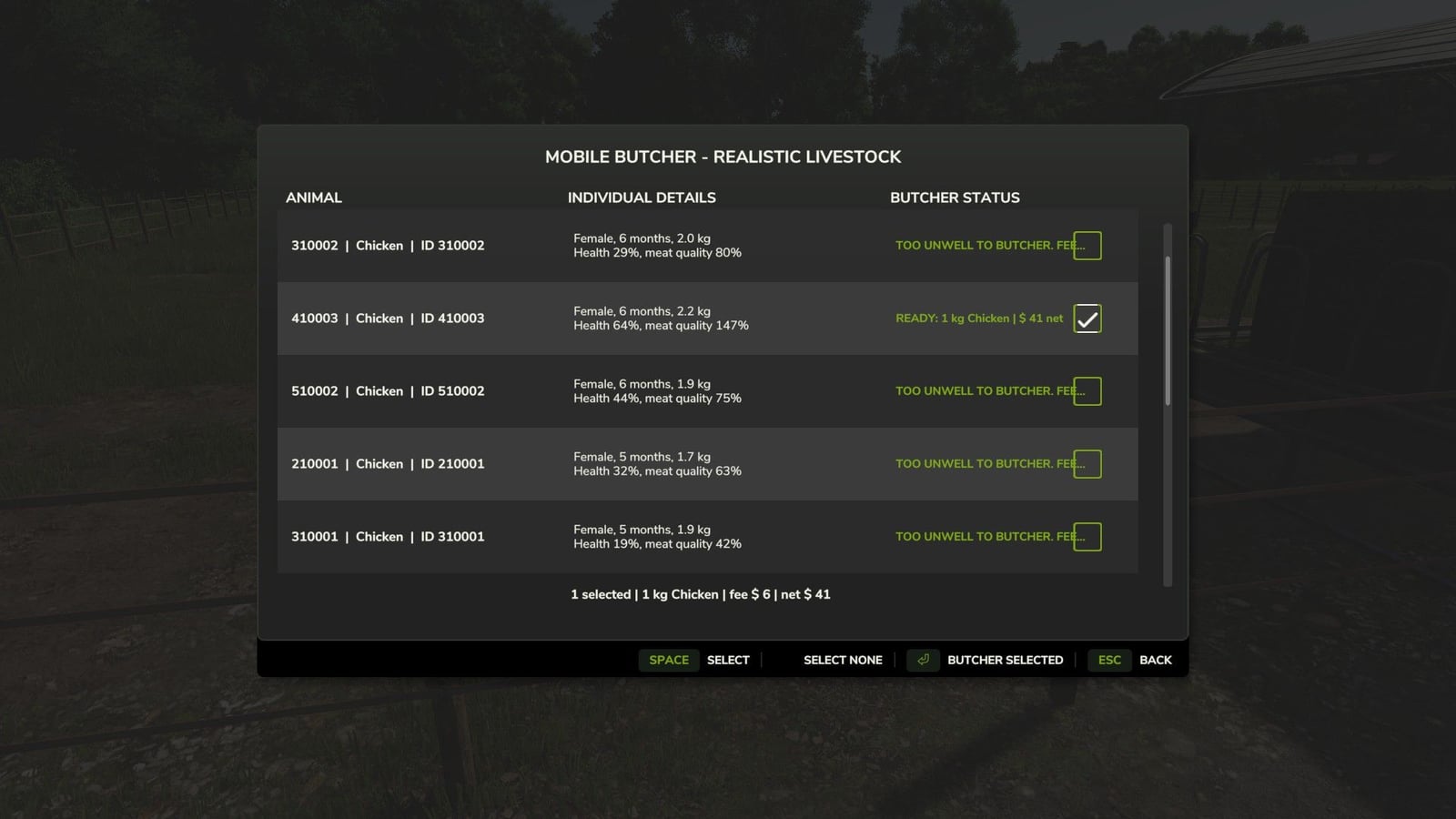
- The animal list displays each animal’s Realistic Livestock identity, sex, age, actual live weight, health, meat-quality genetics, and estimated processing result.
- The animal screen uses high-contrast Farming Simulator colors, two-line animal details, and a visible white checkmark beside selected animals.
- Pressing Escape or Back returns you to the husbandry picker, allowing another pen to be opened without leaving Mobile Butcher.
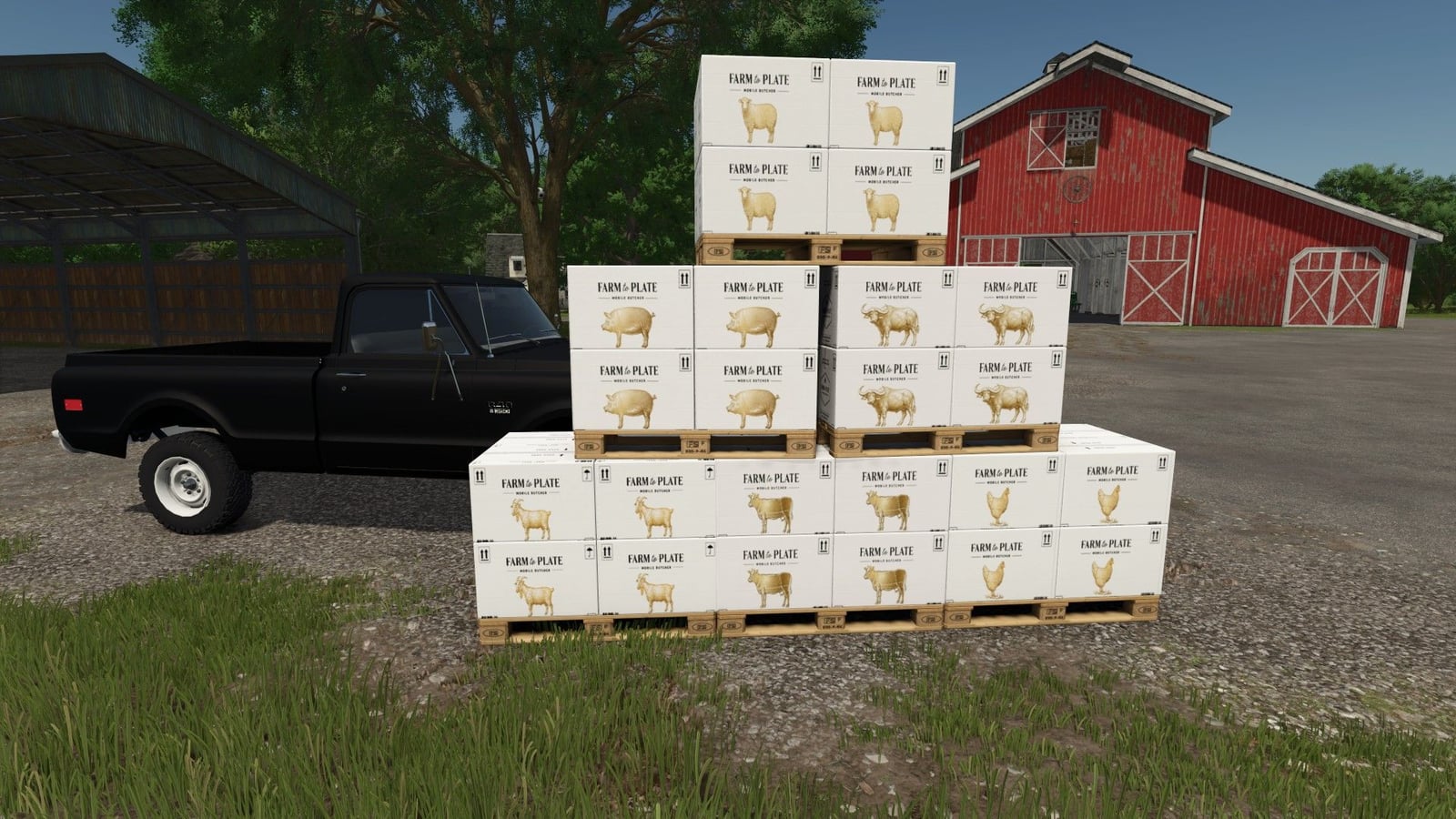
- The selected animals are removed when the order is confirmed. A butcher truck visits the farm’s Meat Pickup, and the packaged meat is released there after the configured processing time.
- If the truck cannot follow the map’s road network, it will appear directly at the Meat Pickup so the order can still be completed.
- Multiplayer is disabled because it has not been tested. It can be activated in the modDesc if you wish to test it. If you do, please report any issues you encounter.
- Products: Cattle – Beef; Water buffalo – Buffalo; Pigs – Pork; Chickens – Chicken; Goats – Chevon; Sheep – Mutton.
- Horses are not supported. Horses are deliberately unsupported, and they will not be added at this time.
- If you wish to create your own boxes and add them to the mod, that is your choice.
Specifications
- Build one Meat Pickup from the Construction menu before placing an order.
- Packaged meat is calculated separately for every selected Realistic Livestock animal using: Live weight × dressing percentage × retail yield percentage × quality factor.
- The quality factor uses the animal’s Realistic Livestock meat-quality genetics. It is restricted by the minimum and maximum values configured in
butcherConfig.xml. - The preview uses the current game economy multiplier when estimating the product’s sale value.
- The expected processing net is guaranteed separately for every animal using its delivered replacement cost.
- Delivered replacement cost is calculated using the animal’s current Realistic Livestock dealer purchase price plus the Realistic Livestock delivery fee.
- Meat kilograms are not artificially inflated to reach the target value.
- Default butcher fees: Cattle or buffalo – $200 per animal; pigs, sheep, or goats – $50 per animal; chickens – $6 per animal.
- Default minimum ages: Cattle and buffalo – 12 months; pigs, sheep, and goats – 6 months; chickens – 3 months.
- Animals below 50% health are refused.
- Animals that Realistic Livestock marks as dead, protected from sale, or actively diseased are also refused.
Transaction Safety
- Every selection is checked again when the player confirms the order.
- Realistic Livestock animals are resolved using their stable farm ID, unique ID, and birthday-country identity. The shared legacy 0-0 ID is never used.
- Duplicate selections are rejected.
- The promised product and its product-type pallet sale bonus are reserved at the Meat Pickup before the selected animals are removed. That reservation is written to the savegame.
- If the game is saved and reloaded during an active butcher visit, both the reserved product and its sale bonus are recovered and placed into the normal pallet queue.
Configuration
The butcherConfig.xml file controls:
- Butcher fees
- Maximum animals per subtype for each visit
- Minimum age and health requirements
- Whether active diseases block processing
- Dressing percentage
- Retail yield percentage
- How strongly meat-quality genetics affects yield
- Minimum and maximum quality-factor safety limits
- Live-sale bonus percentage
- Delivered-replacement bonus percentage
- Truck selection
- Processing time
- Drive-in behavior
- Parking distance
Compatibility Boundary
- Realistic Livestock RM is a required and unchanged dependency.
- No files within Realistic Livestock RM are modified or overwritten.
- Mobile Butcher uses Realistic Livestock’s public individual-animal fields, stable identity helper, animal lookup path, and pending-removal/update workflow without inheriting its legacy animal screen.
- Do not use this edition without
FS25_RealisticLivestockRMenabled.
Required Setup
- Enable
FS25_RealisticLivestockRM. - Enable
FS25_MobileButcher_Realistic_Livestock_Addon. - Build one Meat Pickup from the Construction menu before placing an order.
Changelog
- V1.1.0.7
New Animal Sorting & Marked Animal Integration. Mobile Butcher’s compatibility with Realistic Livestock (Ritter) has been expanded, giving players more control over which animals are selected for processing.What’s New?
Sort by Sex: Easily separate male and female animals when choosing livestock for processing.
Sort by Age: Quickly locate animals based on their age, making it easier to manage older livestock or select animals ready for processing.
Marked Animals Integration: Players can now mark individual animals directly through the Realistic Livestock menu. These animals will automatically be grouped under the new Marked tab in the Mobile Butcher menu.
Faster Animal Selection: Instead of searching through an entire herd, players can mark animals ahead of time, open the Mobile Butcher menu, and quickly select those specific animals for processing.How It Works
Open the Realistic Livestock menu and mark the animals you want to send for processing.
Open the Mobile Butcher menu using Left Shift + B and select your animal husbandry.
Navigate to the Marked tab to see the animals you’ve previously marked.
Select the desired animals, confirm your selections, and dispatch the butcher truck.This update is especially useful for larger livestock operations, allowing players to identify and organize animals ahead of time without sorting through dozens or hundreds of animals when the butcher arrives.
Compatibility: Requires
FS25_RealisticLivestockRM(Ritter).
Important: This functionality is handled entirely through the Mobile Butcher addon. No modifications to the original Realistic Livestock mod are required.