FS25 Light Assistant V1.0.1.0
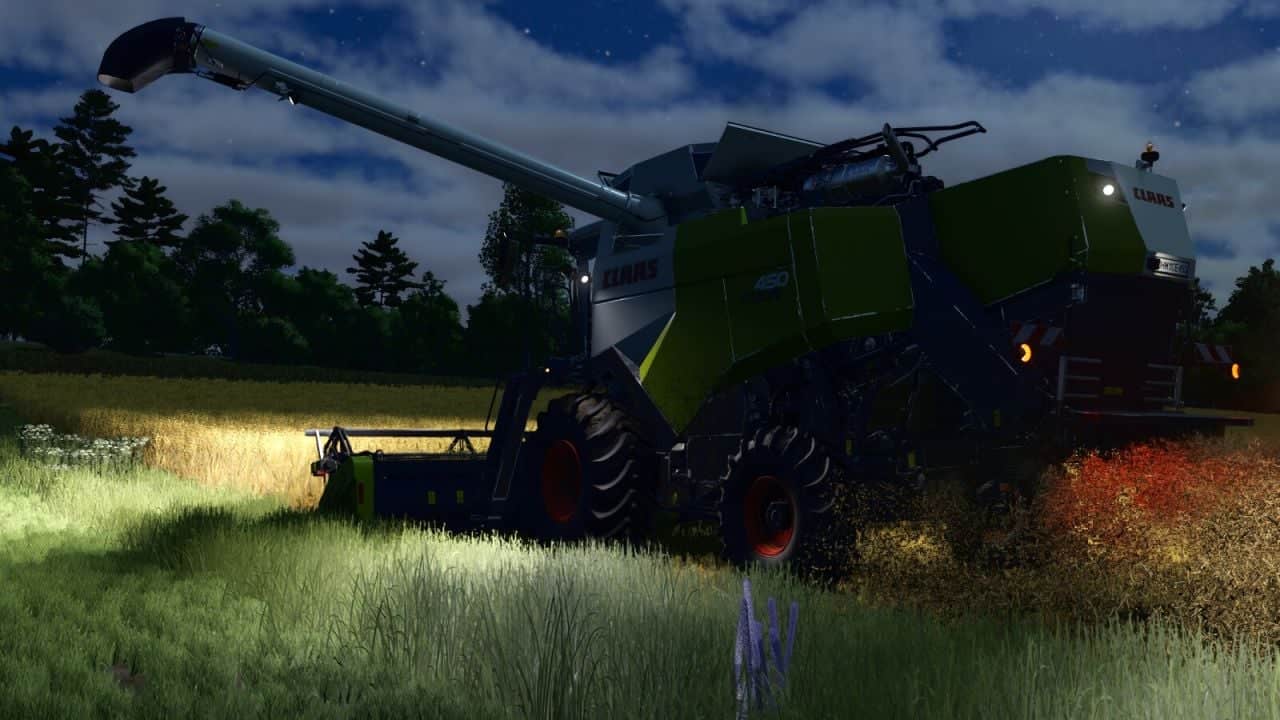
Light Assistant automatically manages beacon lights, driving lights, work lights and turn signals. Their operation adapts to the time of day, weather, vehicle state and various driving situations.
Features
Beacon lights:
- Relevant attached implements, loaded bale collectors and forklifts activate them automatically.
- On harvesting machines, they switch on when the machine is in transport position or when the crop container reaches 80% fill level.
- The right beacon has a slower rotation or flashing rate.
Driving lights:
- Depending on daylight and weather, the lights switch on and off automatically.
- Darkness and poor weather conditions are included in the control.
Work lights:
- The attached implements and their working positions determine the automatic control of the front and rear work lights.
- Switch-on and switch-off delays are adjusted for natural transitions in lighting.
- If the horn is held for at least one second, the front work lights flash twice briefly.
Turn signals and hazard lights:
- On public roads, turn signals operate automatically according to AI traffic splines and the steering angle.
- After a turn, the turn signals are cancelled automatically.
- During full braking on public roads, hazard lights activate automatically if braking starts at a speed of at least 40 km/h and braking intensity reaches 99% for at least 1.2 seconds.
Notes:
- A running engine is required for all automatic functions. AI helpers are excluded.
- Manual operation of lights and signals has priority over the corresponding automatic function.
- Manually switching beacon lights or driving lights off or on disables that automatic function until the next engine start.
- Manually activated turn signals and hazard lights remain in control until they are switched off again.
- Trailers, weights and front loaders do not activate automatic beacon lights.
- For harvesting machines, the fill-level warning takes priority over activation in transport position. It begins at 80% fill level and stays active until the level falls below 70%.
- Transport-position beacon lights require at least one foldable component. Every foldable component must be fully folded, while the machine and header must be switched off. An unknown folding state blocks activation in transport position.
- A missing or non-foldable header does not block activation in transport position when all other conditions are met. Harvesting machines without a crop container have no fill-level warning. The unloading pipe has no effect.
- After a saved game is loaded, the fill-level warning becomes active again only at a fill level of 80% or more.
- Automatic switching observes the switch-on, switch-off and run-on delays defined for each function.
- In the General Settings, each module can be enabled or disabled separately for every player.
Changelog
- V1.0.1.0
- Reworked beacon light control for harvesting machines, including transport position, folding functions and the fill-level warning.
- Turn-signal cancellation delay increased to 2.5 seconds.
- Hazard-light switch-off delay increased to 3 seconds.
- Full-braking detection adjusted to 1.2 seconds, 99% braking intensity and at least 40 km/h at the beginning of braking.
- Headlight flashing changed to two brief flashes.
- Internal mod structure optimized. This reset some settings.
- Mod description updated.