

FS25 Crop Rotation Calendar BETA 4
Farming Simulator field work becomes easier to organize with this mod, which gives every operation a more logical and realistic place. Each step explains its purpose, the suitable equipment, a practical order, required waiting periods, and different cultivation options. At least 7 in-game days per month are needed as a playable compromise. If you want more time for several fields, 15 – 28 days are recommended.
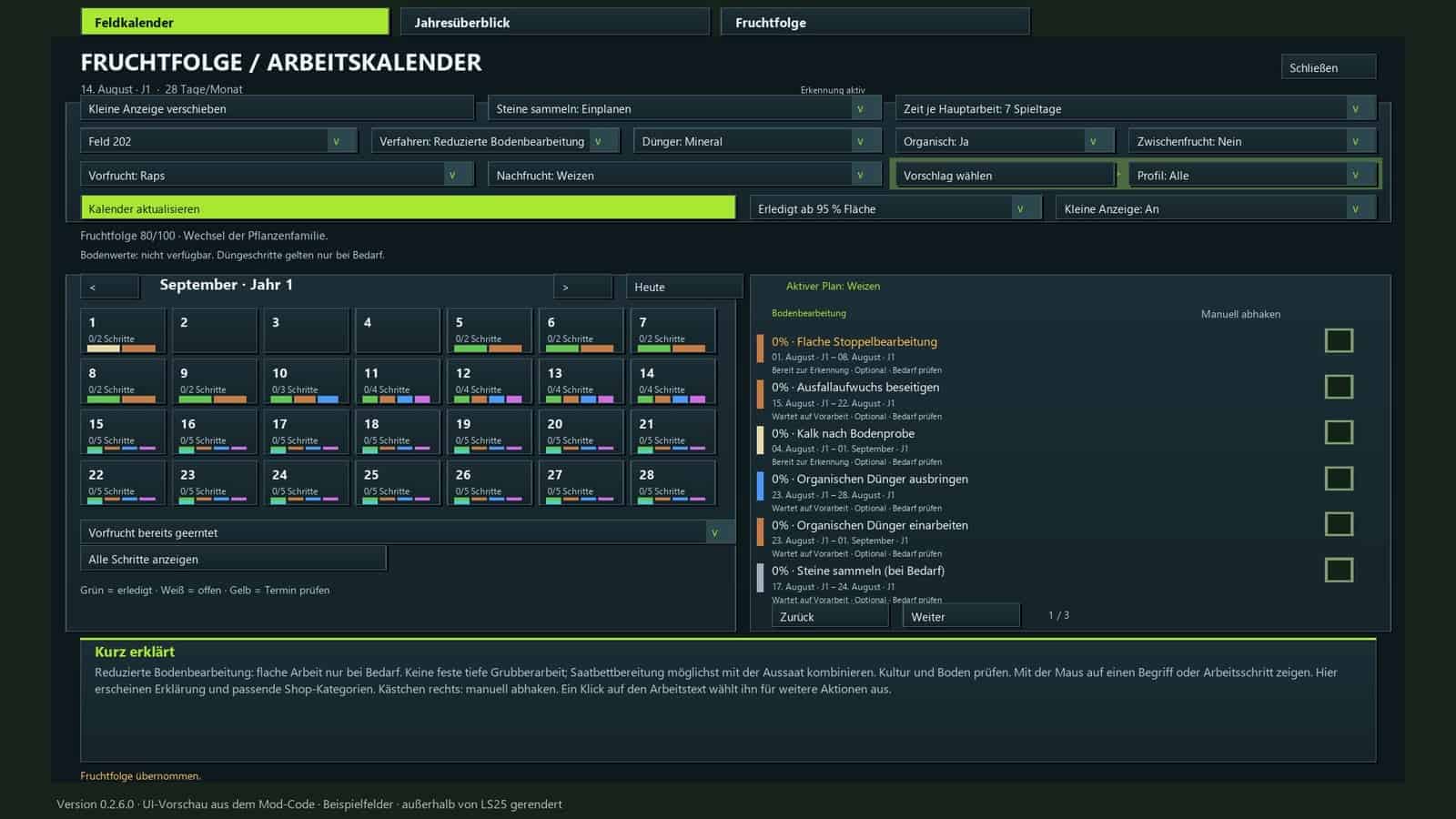
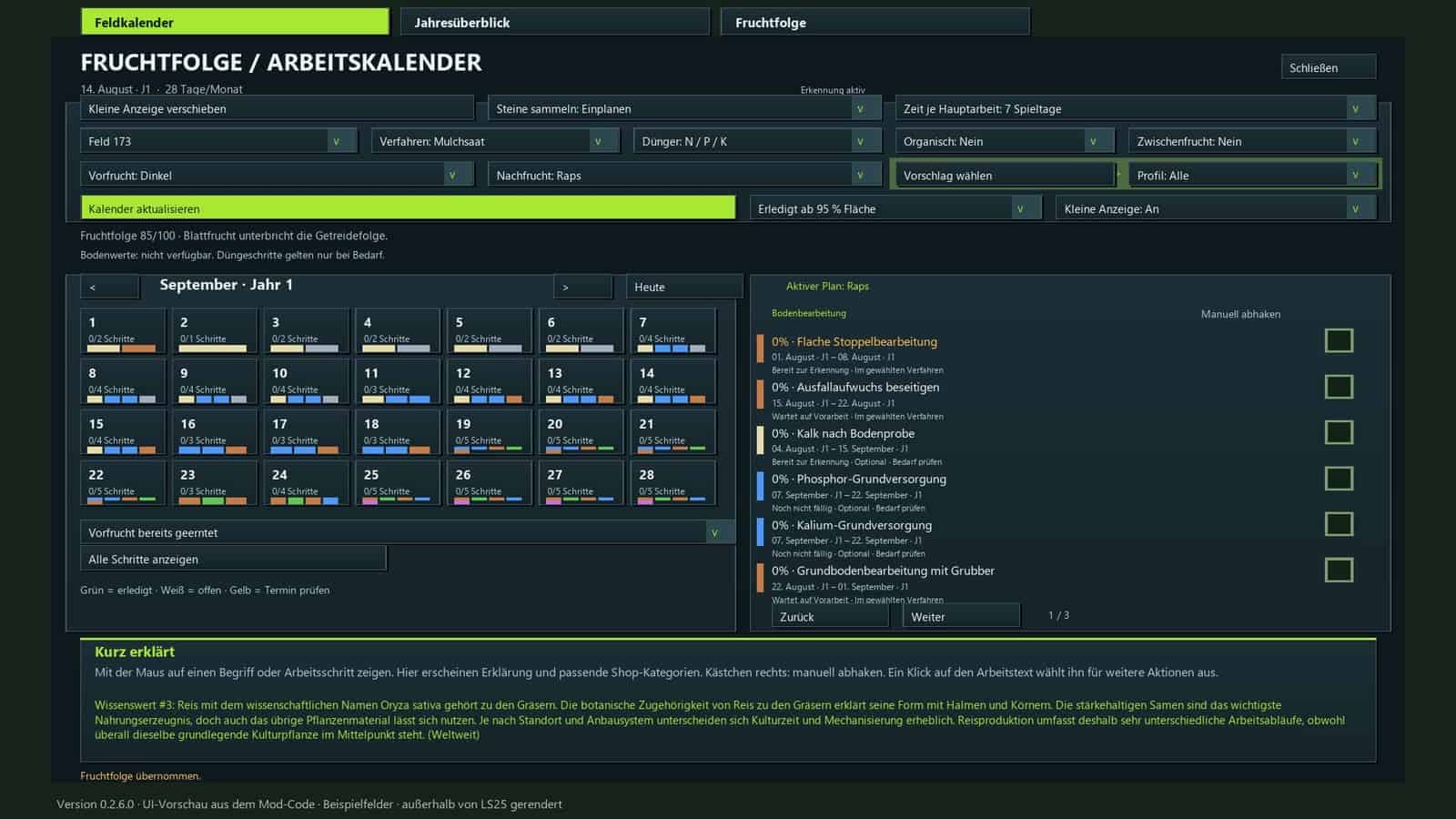
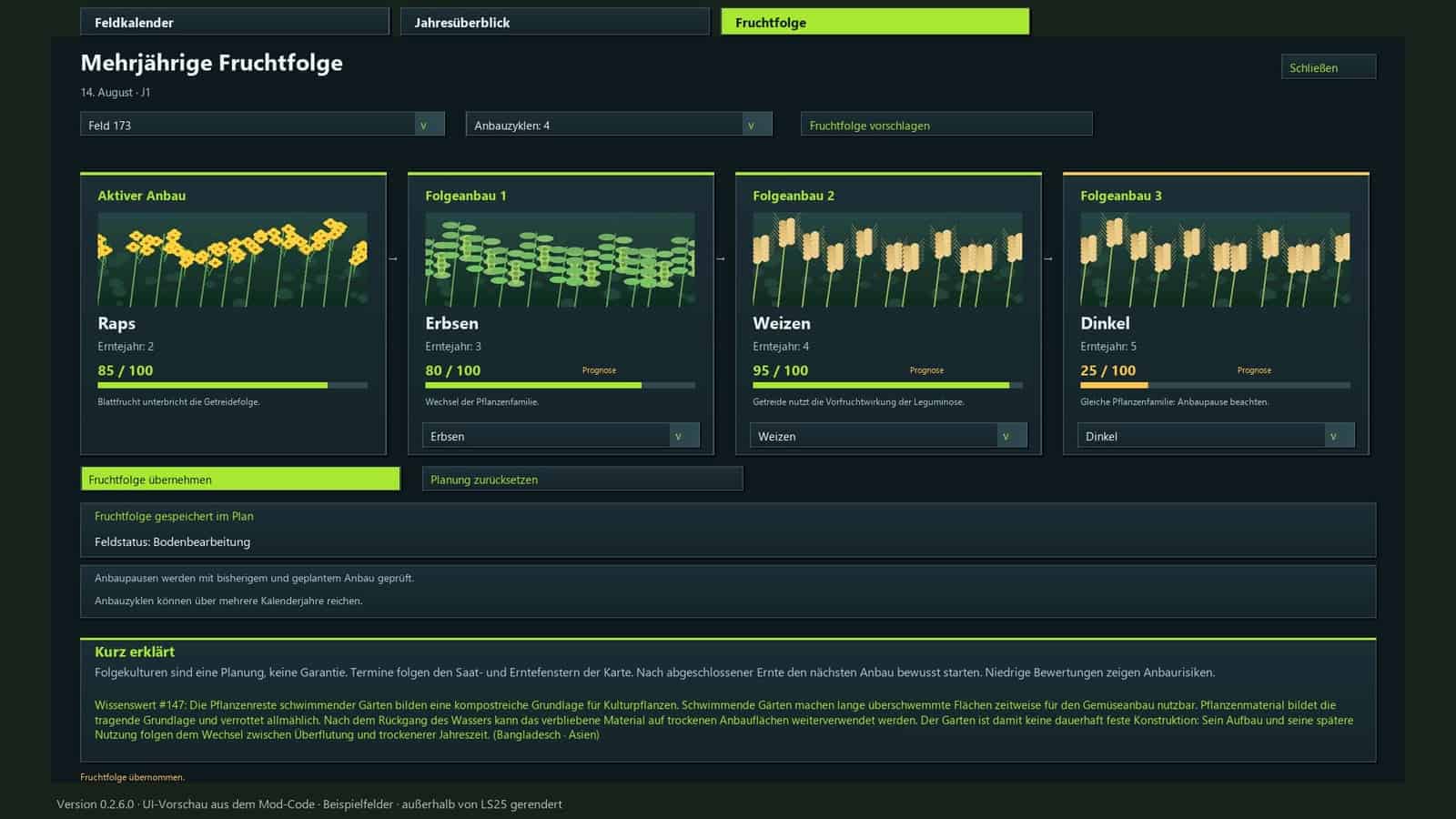
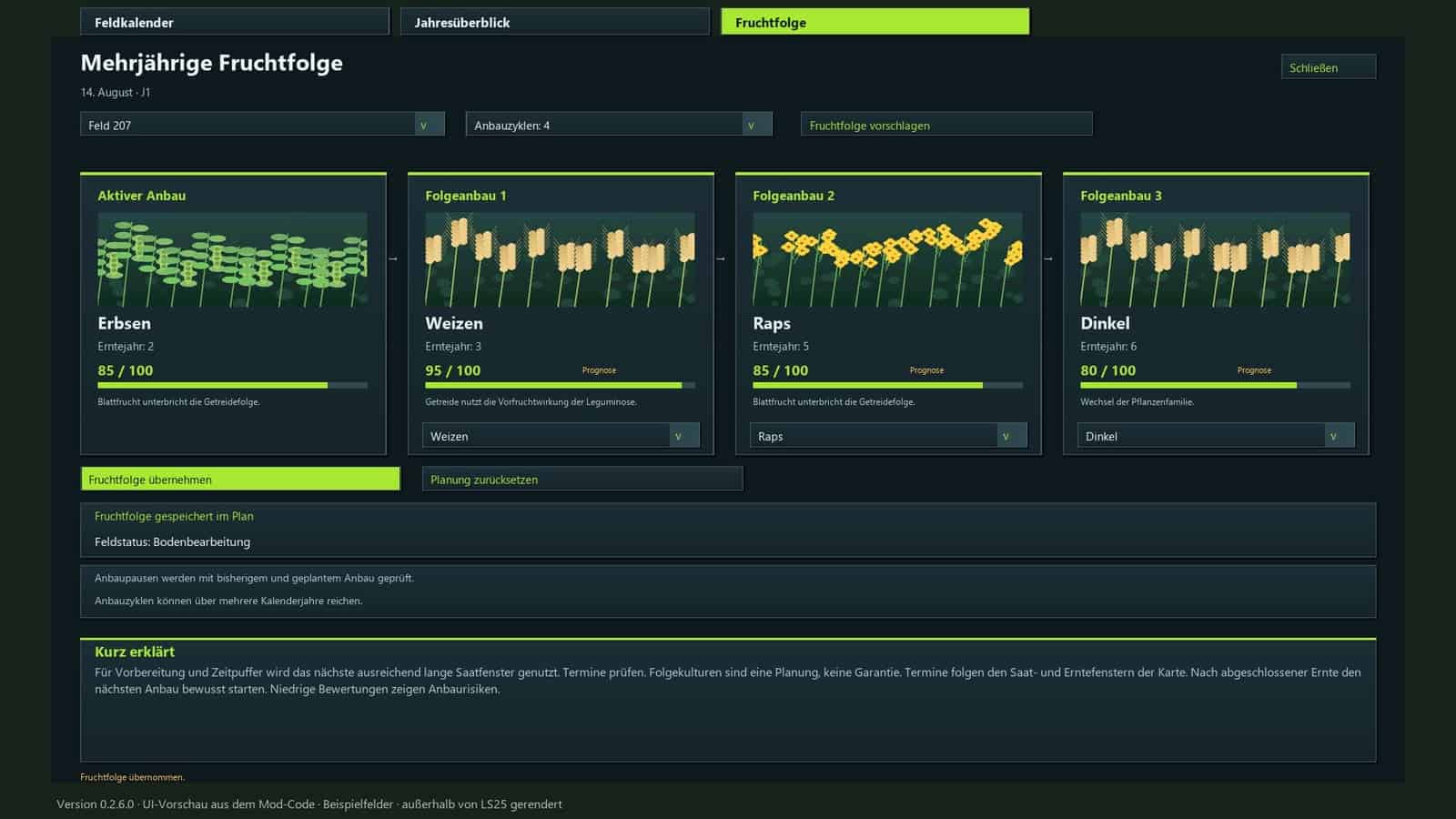
Use the calendar to prepare the next crop and all related work on every field, beginning with stubble cultivation after harvest and ending with the next harvest. Crop rotation evaluation, a field calendar, an annual overview, equipment suggestions, and automatic progress tracking are included.
Features
- Evaluate crop rotation: Up to 100 points are awarded according to plant families, cultivation intervals, and the known harvest history of each field.
- Utilize map-specific crops: Available crops are detected by the mod, including supported winter and summer varieties.
- Follow the cultivation calendar: The active in-game calendar determines sowing and harvest windows, including changes made through the “Regional Crop Calendar” mod.
- Select cultivation profiles: Filter the list for suitable follow-up crops or select any crop from the complete list.
- Define cultivation methods: Mulch tillage, plowing, direct seeding, and reduced tillage are available choices.
- Account for periodic plowing: Game settings and detected requirements determine the automatic schedule. Specific plowing methods can still be selected manually.
- Plan field operations: The plan covers stubble cultivation, volunteer crop management, soil tillage, stone picking, sowing, fertilization, crop care, and harvesting.
- Incorporate crop protection: Weed control and field monitoring are included. A separate pest treatment system is not included.
- Recommended playstyle: Use 7 – 28 days per month, with 15 – 28 days recommended for a more relaxed pace.
- Flexible work windows: Depending on the month length, choose windows of 3, 5, 7, or 10 days, together with adjusted waiting periods and buffer times.
- Track progress: Completed field operations can be detected automatically or checked off manually. Optional steps can be marked as “not applicable.”
- Visualize volunteer crop growth: Small, randomly distributed crop and weed patches appear, while target coverage rises from 10% to 40%. Progress remains saved when the month length setting changes.
- Configure fertilization: Select combined mineral fertilizer or separate N/P/K applications, then add lime and optional organic fertilizer. Mandatory quantity calculations are not required.
- Equipment lookup: The calendar provides explanations for individual tasks and direct access to the relevant shop categories.
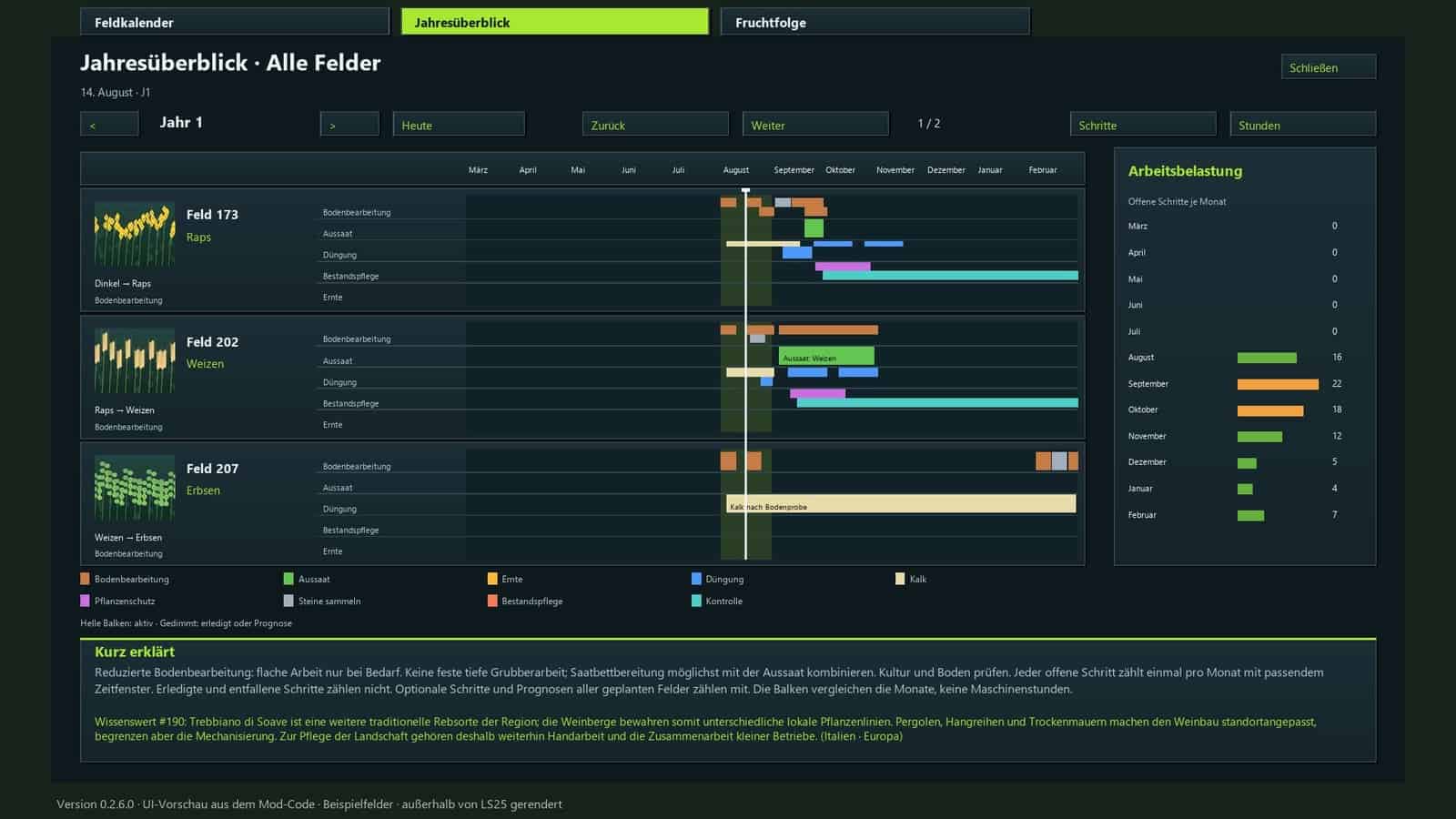
- Comprehensive overviews: Field calendars, annual summaries, and multi-year crop rotations are available with color coding for easier reading.
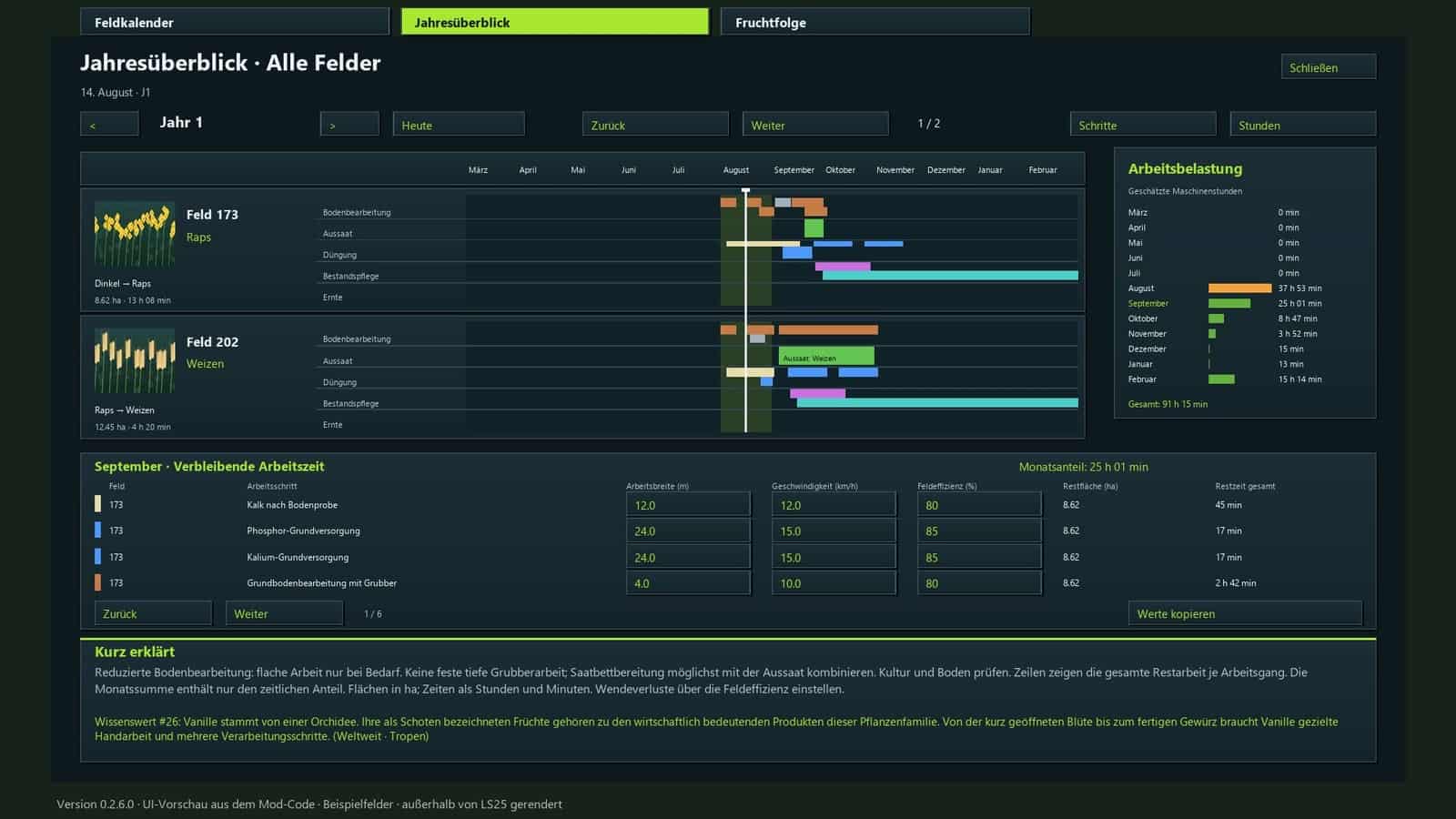
- Estimate working time: For each task, enter the field area in hectares, working width, speed, and efficiency.
- Daily task display: A movable window lists pending tasks for every planned field.
- Instant saving: Mod settings and planning progress save automatically. The game save continues to use the normal in-game save system.
- Dedicated tab featuring a 15-step guide on how to use the mod.
- Multiplayer support: Plan together with server-side synchronization.
- Available in 18 languages, featuring 350 randomly rotating agricultural facts.
Installation: Put the ZIP file in your mods folder, then activate it in your save game.
Yield parameters and actual fertilization values are not changed by this mod. The visible volunteer crop growth places crops and weeds directly on the field.
Required mods:
Changelog
- BETA 4
In some cases, the completion threshold came from the wrong field.
Combined seeders were sometimes able to count sowing that had been skipped.
In multiplayer, weather forecasts did not consistently protect crops that had already been started.
A damaged backup could overwrite an older backup that was still intact.
Invalid display settings could disrupt calendar initialization.
Jobs that were hidden could nevertheless stay selected. - BETA 3
Update 0.2.7.0
Planning now covers every month length from 7 to 28 game days.
Work windows are tied to the month length: 7 – 9 month days, 3 days; 10 – 14, 3 or 5 days; 15 – 28, 3, 5, 7 or 10 days.
The preparation buffer for short months was adjusted. Volunteer growth still waits for two game days when the month has seven days.
Changing the active month length automatically adapts open plans and crop rotation forecasts. Started and completed work, along with growth progress, is kept.
The game calendar continues to control sowing and harvesting months. Required machine hours for operations do not change.
Manual, description, and translations updated. - BETA 2
Changes since version 0.1.13 – status 0.2.6.0
Multiplayer and Dedicated Server: Shared farm plans, progress, and machine values now use permission checks and synchronization.
An annual overview and multi-year crop rotation were added, including ratings, suggestions, follow-up crops, and a complete view of upcoming field work in the field calendar.
Interface revised: Work windows are colored, overlaps have separate bars, days are highlighted, and page and workload displays were corrected. Fields without upcoming work are hidden from the daily overview.
Plans, crop rotations, settings, and work progress are saved immediately. Problems restoring follow-up crops and profiles, as well as the jumping ESC menu cursor, were fixed.
Field recognition improved: After errors, automatic retry attempts are made, and a waiting status is shown for previous crops that have not been harvested yet.
Visible volunteer growth added: Random small plant and weed segments gradually increase their target coverage from approximately 10% – 40%. Processed phases do not restart when loading or changing the months. Old distributions that stayed empty can be restored.
The calendar uses the game’s active sowing and harvesting seasons, including “Regional Crop Calendar”. Open plans adjust automatically when the region changes, while existing progress remains.
Machine hours per field and task added: Width, speed, and efficiency can be edited and copied directly in the work row. Areas use ha, remaining times use hours and minutes; monthly and annual totals include partial progress and tasks spanning multiple months.
Map crops expanded: Separate winter/summer varieties, forage and catch crops, and fruit trees now have suitable profiles and equipment notes. 160 crop entries.
“Reduced tillage” added: Shallow cultivation is performed as required, without a mandatory deep cultivator pass or separate seedbed preparation pass. Direct seeding does not require blanket incorporation of organic fertilizer.
The annual display now follows the in-game year. Crop assignments and equipment notes were corrected; new features are included in all 18 supported languages.





