FS25 Crop Control Override v2.0
Description:
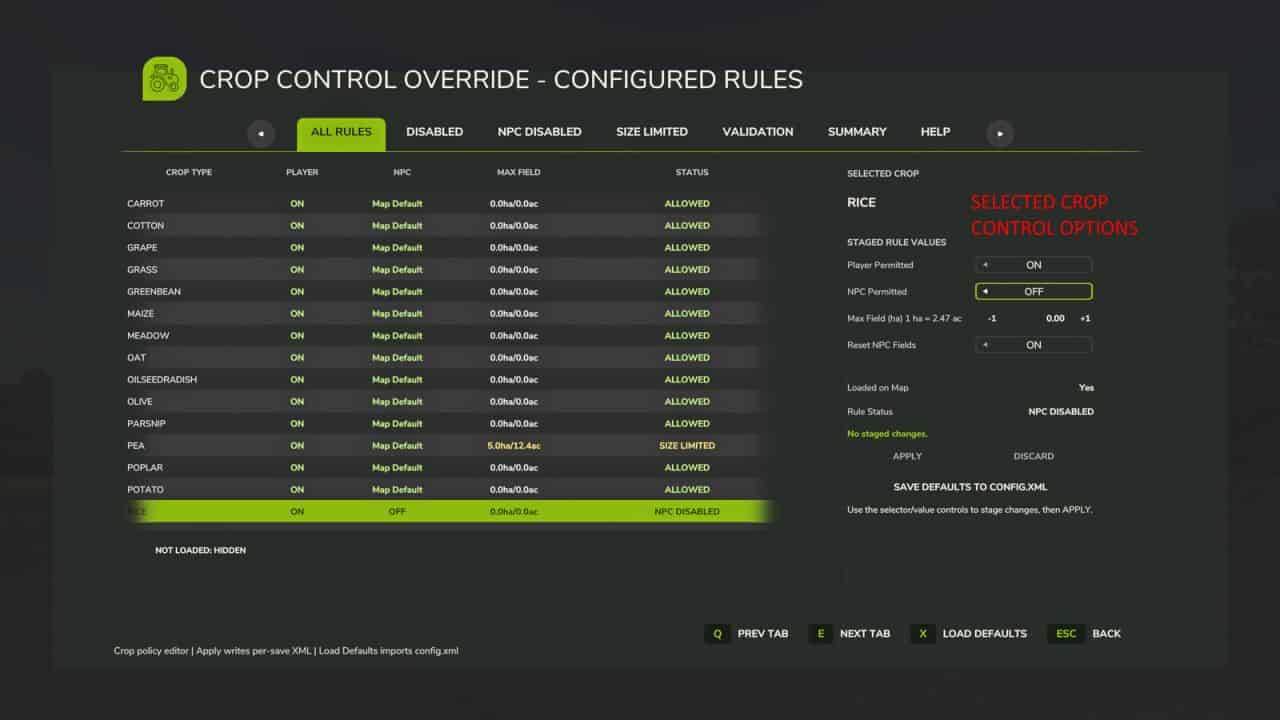
Crop Control Override is a per-save crop policy manager for Farming Simulator 25. It lets players control which crops are permitted for the player, which crops NPC farmers may plant, and whether NPC crop planting should be limited by field size.
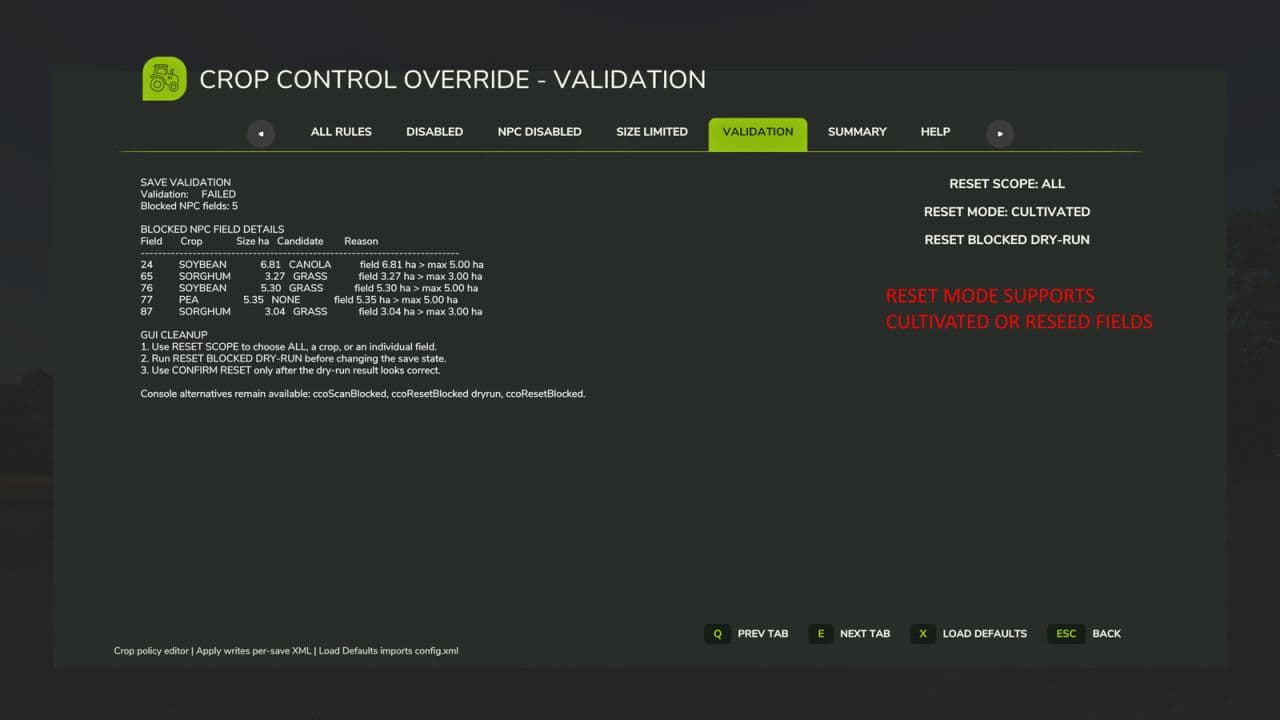
The mod includes an editable FS25-style GUI, per-save XML rule files, NPC field validation, blocked NPC field reporting, and a guarded Apply / Force Apply workflow to prevent accidental invalid save states.
Main GUI features:
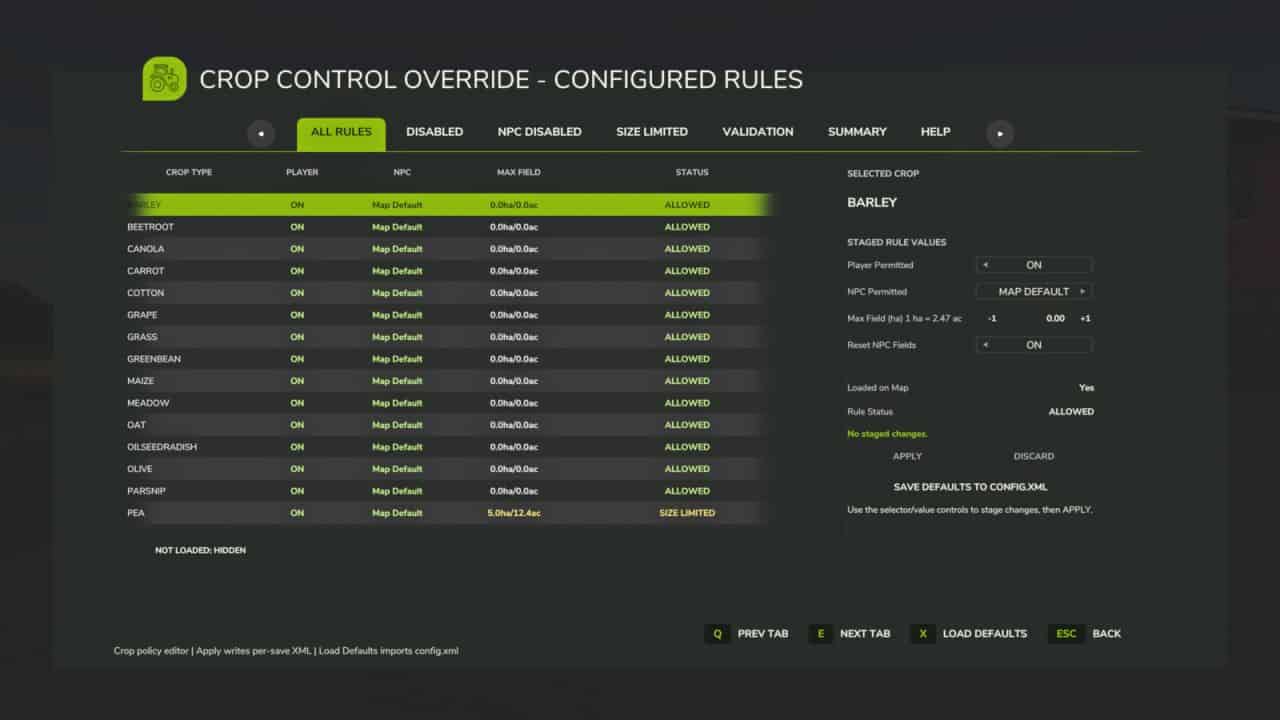
– ALL RULES: view and edit crop policy rules.
– DISABLED: view globally disabled crops.
– SIZE LIMITED: view crops with NPC field-size limits.
– NPC DISABLED: view crops NPCs should not plant.
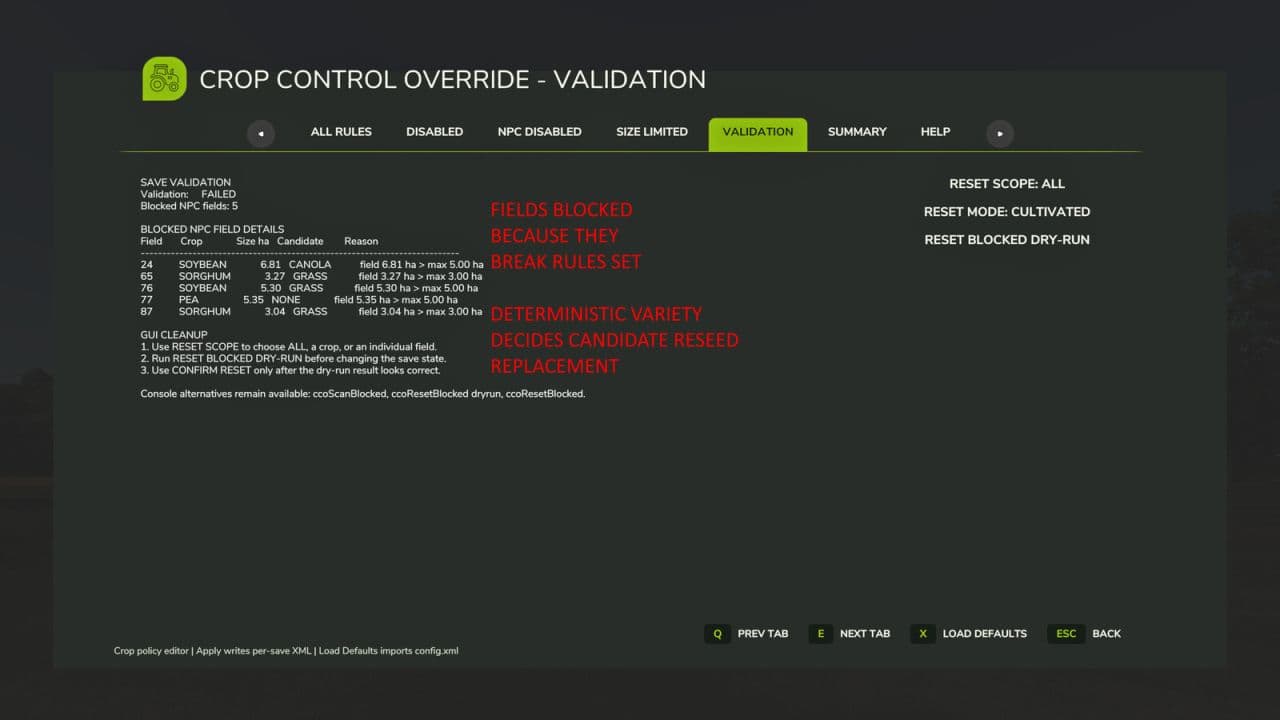
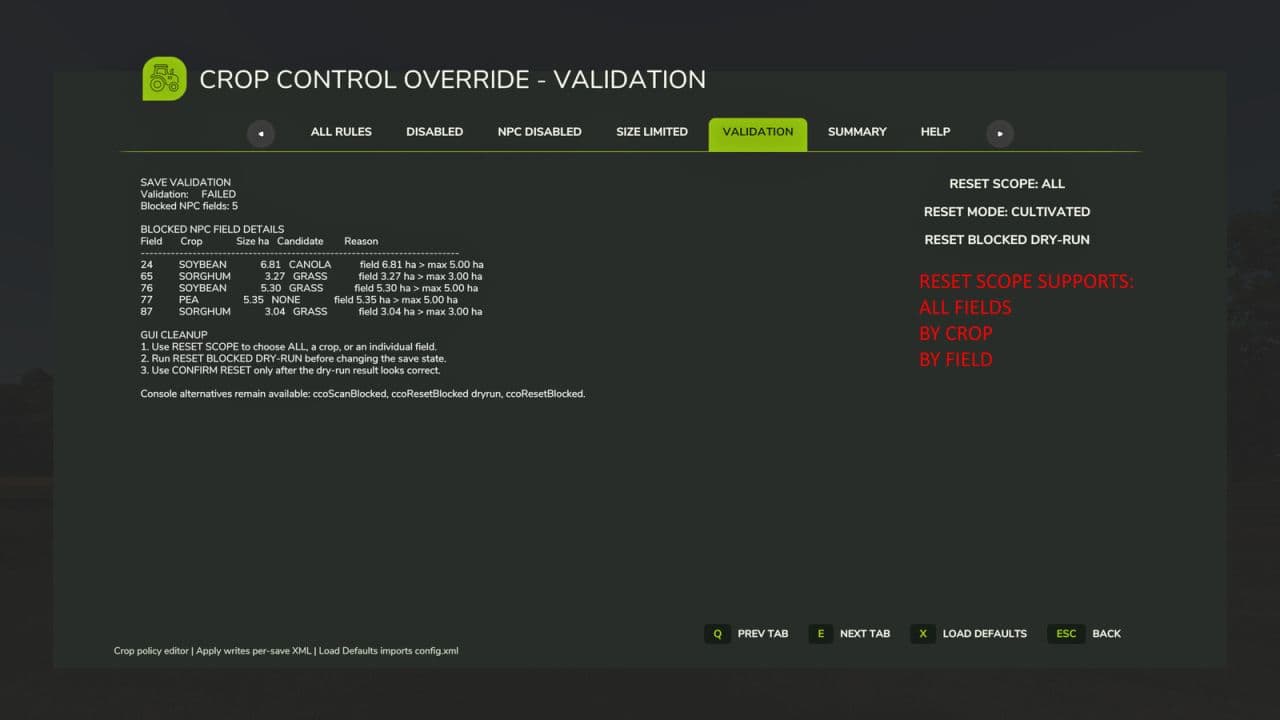
– VALIDATION: view existing NPC fields that violate the active policy and use the guarded dry-run / confirm reset workflow.
– SUMMARY: view active config, rule counts, and validation state.
– HELP: view in-game guidance.
Configuration:
– APPLY / FORCE APPLY writes staged crop-rule changes to the active per-save XML.
– DISCARD resets staged values.
– SAVE DEFAULTS TO CONFIG.XML backs up the existing template config and writes the current full active rule set to config.xml.
– Existing per-save XML files are not overwritten by Save Defaults.
– RESET BLOCKED DRY-RUN does not change the save state. CONFIRM RESET performs the actual blocked-field reset after review.
– VALIDATION includes RESET MODE: CULTIVATED or RESEED SEASONAL.
– RESEED SEASONAL uses the current seasonal planting window and CCO policy rules to choose a replacement crop for blocked NPC fields.
– GRASS may be used as a lifecycle reseed candidate when seasonal and policy checks allow it.
– Reseed candidate weighting can be tuned in XML with reseedCandidateWeights using seasonalMission, seasonalLifecycle, and leaveCultivated weights.
– Weighted reseed can produce CULTIVATED_VARIETY, leaving some reset fields cultivated instead of reseeding them.
Hotkeys:
– ALT+C opens the Crop Control Override GUI. This keybind can be changed in the in-game controls menu.
– Mouse: use the GUI tabs, table rows, and buttons.
– Keyboard: use the displayed FS25 footer actions for tab navigation, Load Defaults, and back.
Useful console commands:
ccoGui, ccoStatus, ccoWhichConfig, ccoReload, ccoValidateSave, ccoScanBlocked, ccoResetBlocked dryrun, ccoResetBlocked, ccoListNpcCandidates, ccoSeasonProbe, ccoGrowthProbe, ccoHelp