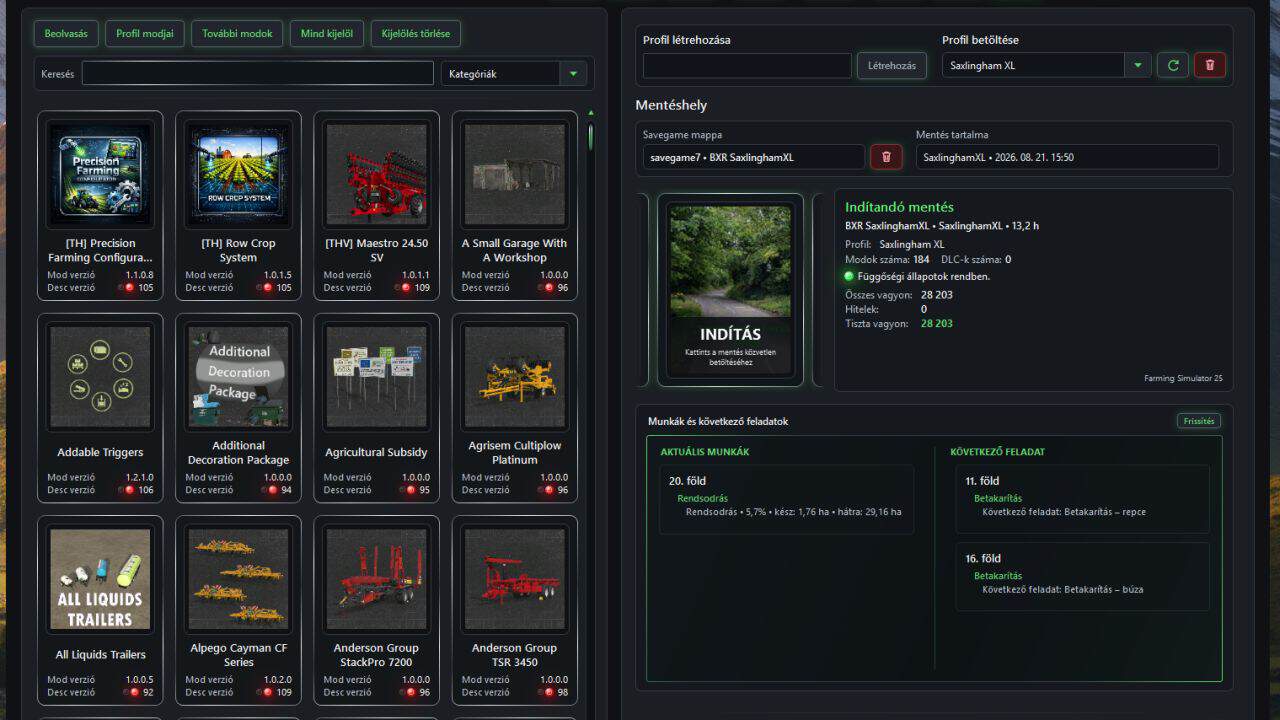
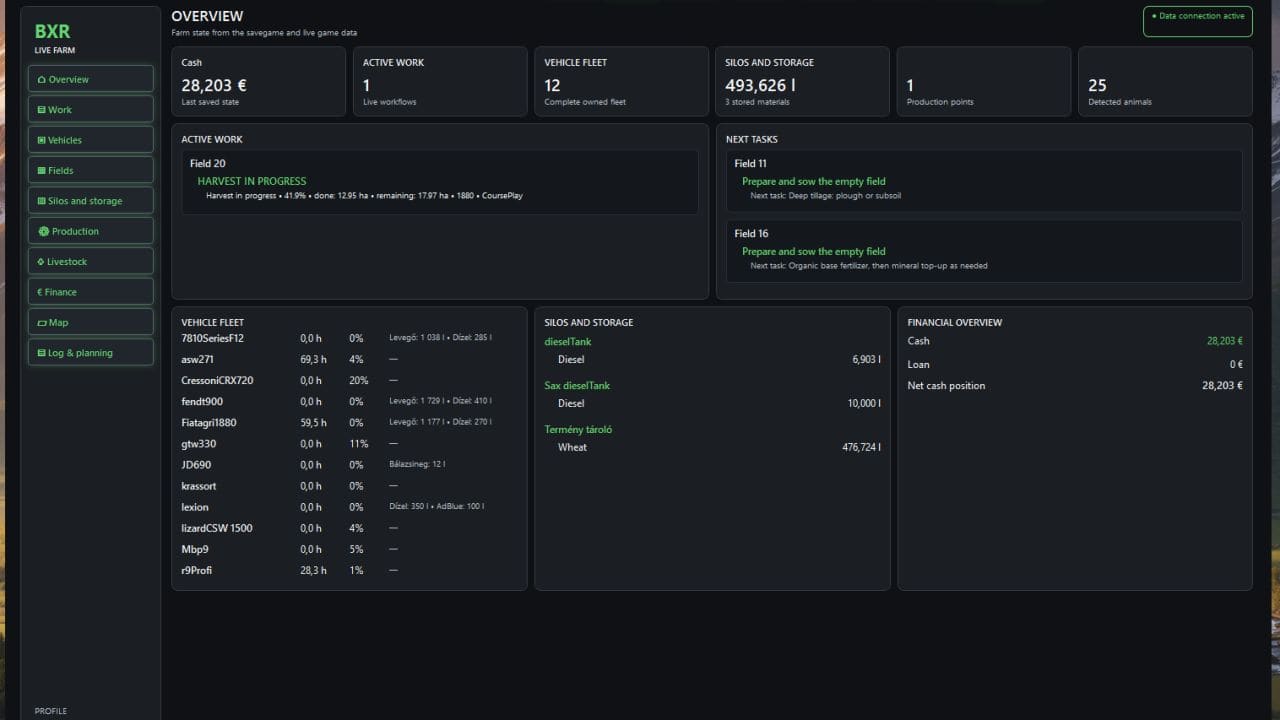
FS25 BXR Mod Manager v1.1.4.4
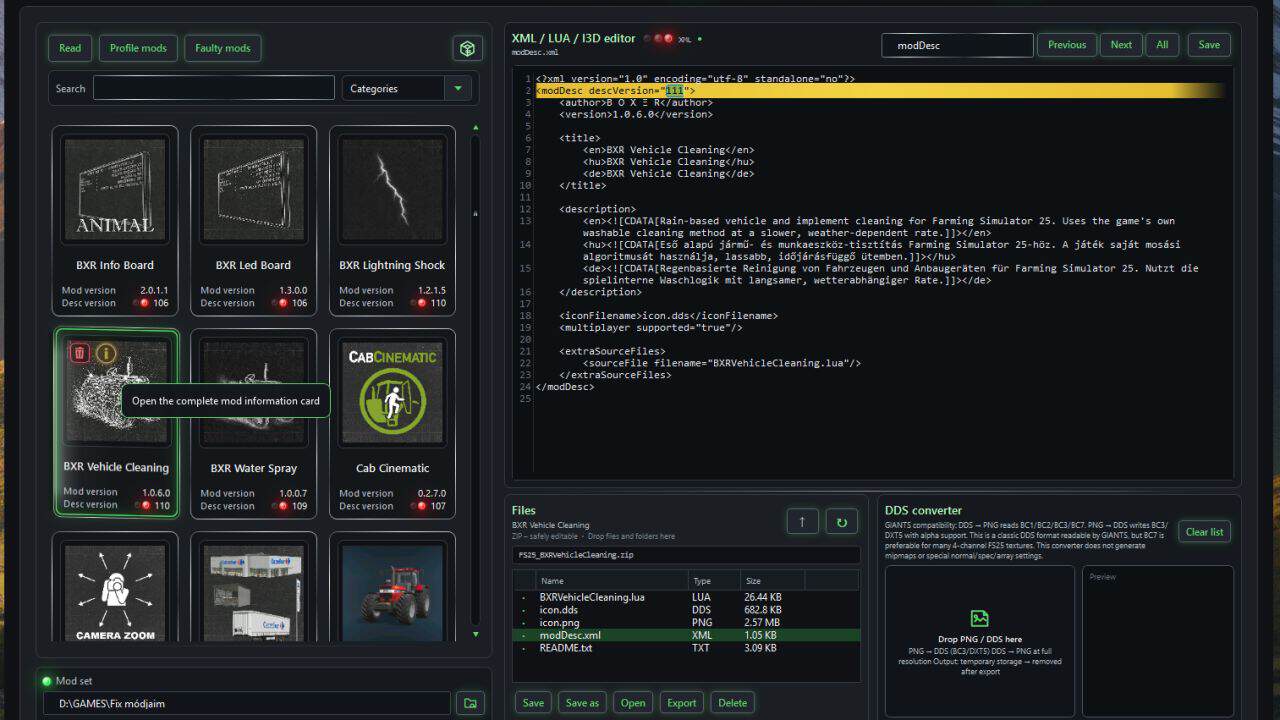
BXR Mod Manager is useful because it removes much of the chaos that comes with a large FS25 mod collection, multiple profiles, multiple maps and multiple savegames. It does not merely toggle mods. It connects the profile, savegame, map and active mod folder, then launches the game with the correct setup for the selected save.
Its main advantages:
– no manual mod shuffling into the active mods folder;
– only the required mods are activated for the selected profile;
– the savegame mod list follows the profile automatically;
– fewer launch problems caused by missing mods, wrong mod lists or mismatched maps;
– safer first-time setup for new savegames;
– Live Farm can use real in-game data instead of relying only on offline file guesses;
– it tracks current work, next tasks, fields, crops, bales and workflows;
– interrupted work progress can survive vehicle changes, CoursePlay/AI handoff and restarted sessions.
In short: BXR is not there to give you one more tool to babysit before playing. It is there so you do not have to remember which map, mods, profile, savegame and fieldwork state belong together.
It brings order to the mod mess — and starts understanding the farm itself.
Why can the first launch of a new game take longer?
When starting a brand-new savegame, Farming Simulator does not yet have a complete save structure. During the first load, the game creates and fills the data that later already exists: fields, farm data, career files, map state, starting vehicles, shop/garage data, farms, objects and many related XML files. BXR does not skip this process. It waits for it and follows it safely.
The first new-game launch can therefore take longer because:
– the game is creating the savegame for the first time;
– larger or more complex maps generate more fields, objects and startup data;
– BXR waits until the game has actually created the required files;
– only after that can BXR reliably link the profile, mod list and savegame;
– after the first manual/direct save, BXR can safely record which profile belongs to which savegame and map.
This is mainly noticeable on the first launch. Once the savegame exists and is linked to the profile, later launches should be much more straightforward.
In short: during a new-game launch, BXR is not stuck — it is waiting for Farming Simulator to build the world for the first time, then safely locks the profile to it.
In the next release, BXR Mod Manager will also handle officially installed DLCs. They will appear in the mod selection list and can be assigned to profiles, while BXR will not copy them into the active mods folder because the game loads them directly from its own installation.
V1.1.4.4
Since the 1.1 line, BXR has grown from a mod launcher into a live, profile-driven FS25 farm/work management hub.
Main additions:
– Profile and savegame linking: the selected profile becomes active automatically, with clearer and safer savegame/mod-list handling.
– Automatic mod synchronization: Mod Set changes are propagated into profiles and assigned savegame XML mod lists only when the game is safely stopped.
– Missing-mod handling: BXR only targets truly missing mods; locally available mods are not overwritten or re-downloaded just because ModHub has a newer version.
– Separate profile mod view: mods already assigned to the profile move into “Profile mods”; the main list shows only mods still available to add.
– Live Bridge / Live Farm: BXR receives live in-game data about fields, work, vehicles, bales and storage.
– Work and next-task tracking: Current work and Next task are separated, so harvest, windrowing, baling, bale collection, fieldwork and other workflows do not overwrite each other.
– More reliable harvest progress: done/remaining hectares and percentages are based on field state and multi-point sampling instead of rough guessing.
– Persistent interrupted work: measured hectares/counts survive vehicle changes, CoursePlay/AI handoff and restarted Bridge sessions.
– Bale counting by item count: bale collection and storage now use real bale counts, not litres, including total bale count.
– Crop-aware next tasks: mature fields now show crop details, e.g. “Harvest – canola” or “Harvest – wheat”.
– UI polish: animated launch tile, cleaner styled dialogs, better status blocks, muted disabled buttons and visible live-value feedback.
– Stronger build/installer flow: MSI packaging, separated production/developer tracing, self-tests and versioned source packages.
In short: BXR no longer just starts FS25 with the right mods — it is starting to understand what is actually happening on the farm.