FS25 BDM Radio V1.0.0.0
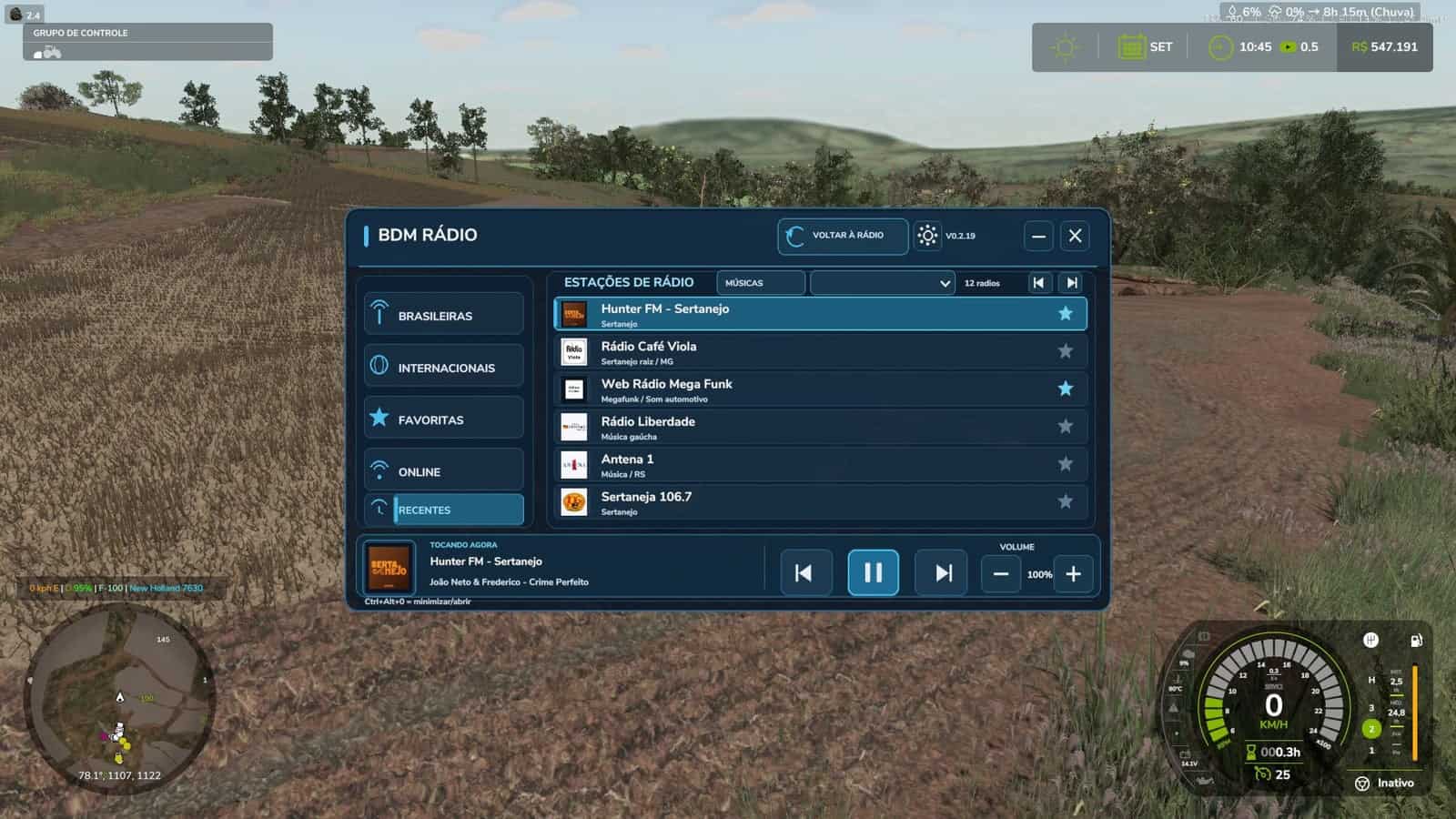
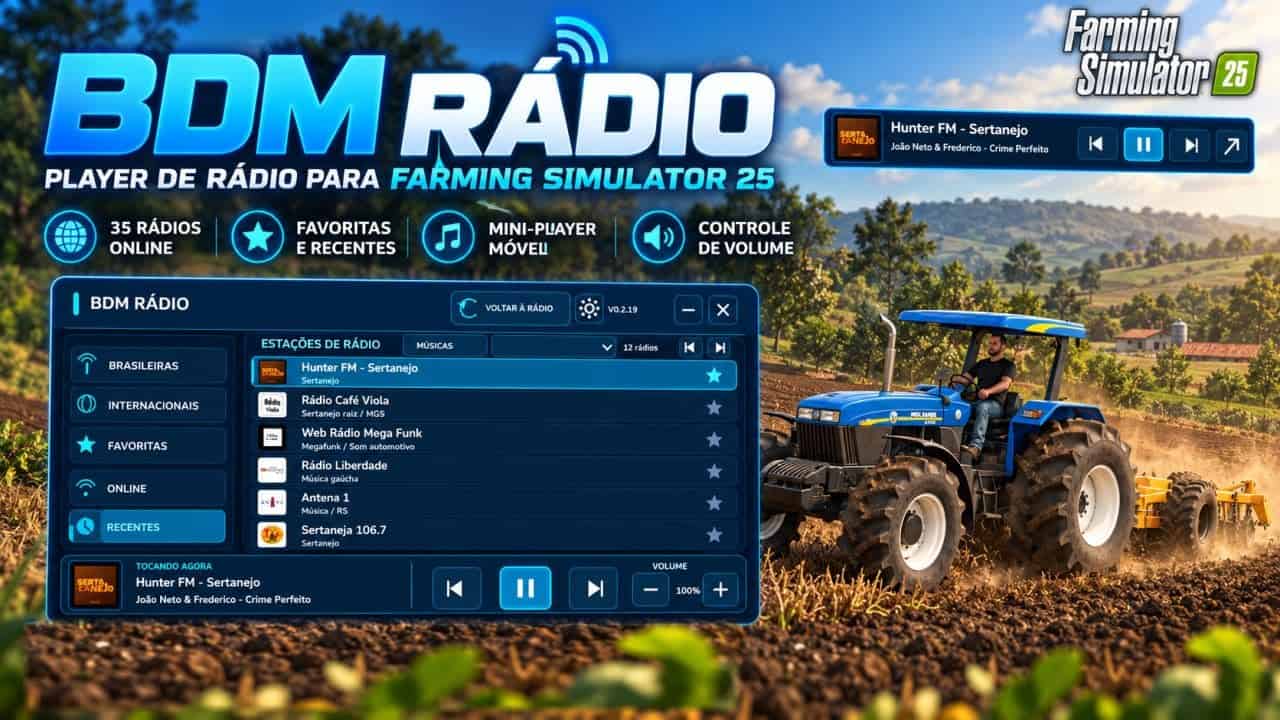
BDM Radio adds a modern radio player to Farming Simulator 25, allowing you to listen to online stations while working in the fields, transporting loads or exploring the map. The mod includes 35 Brazilian and international radio stations, featuring sertanejo, rock, pop, funk, MPB, classical music and other styles.
Features
- 35 online radio stations
- Modern and organized interface
- Station logos
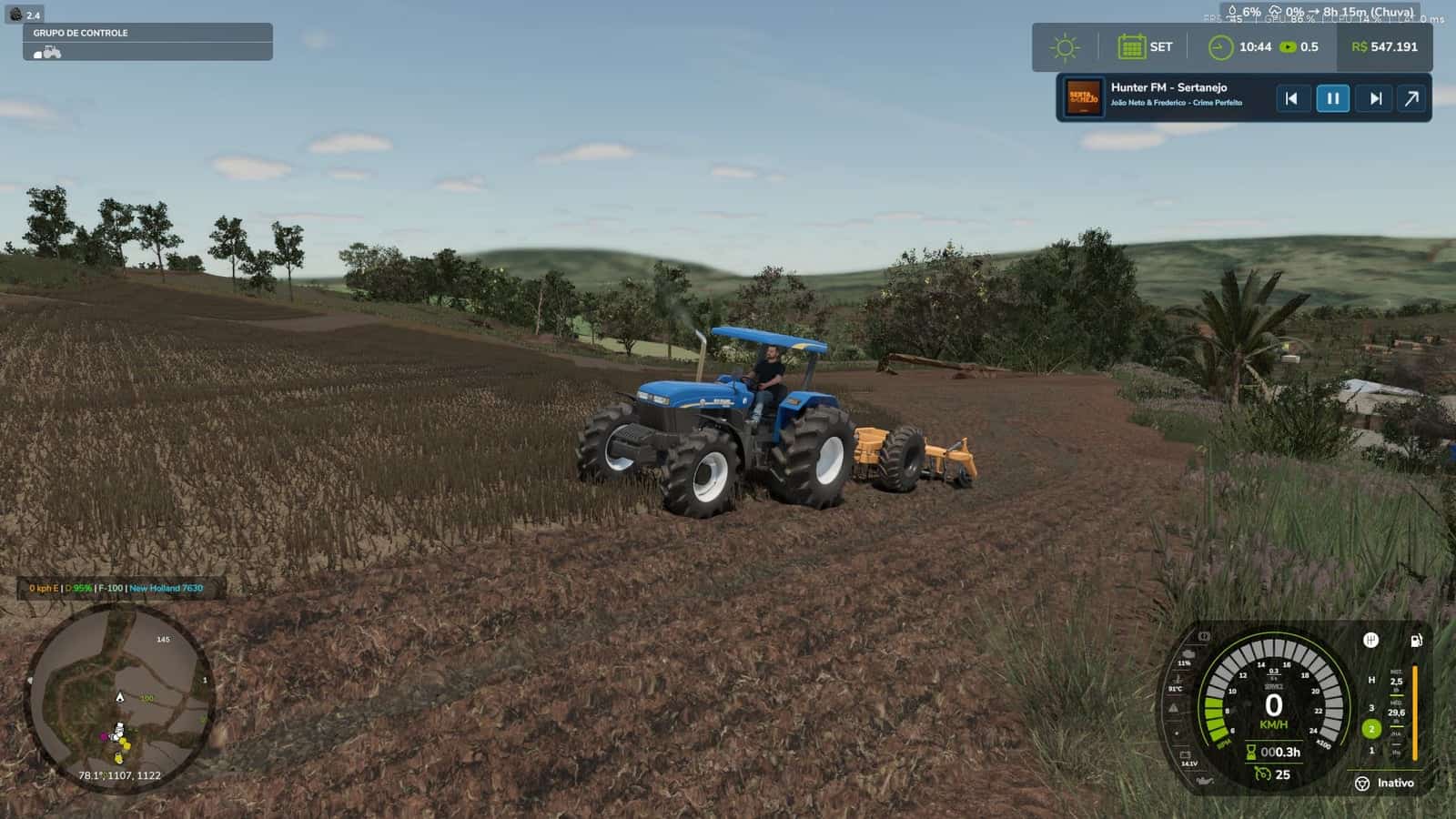
- Movable mini-player
- Volume control
- Favorites system
- Recent radio history
- Station name, artist and song when available
- Play, pause, previous and next controls
- Saved preferences and settings
Installation
Two files are required.
1. Place FS25_BDMRadio.zip in:
DocumentsMy GamesFarmingSimulator2025mods
Do not extract the ZIP file.
2. Place streamingInternetRadios.xml in:
DocumentsMy GamesFarmingSimulator2025music
If a file with this name already exists, make a backup before replacing it.
Then:
- Activate BDM Radio in the mod selection.
- Keep the original FS25 radio activated.
- In the game settings, choose whether the radio should play only inside vehicles or all the time.
- Load the game normally.
How to use
Main shortcut: CTRL + ALT + 0
Opens or minimizes the BDM Radio panel.
In the interface, you can access:
- Brazilian stations
- International stations
- Favorites
- Recent
- Add/remove favorites
- Play/pause
- Previous/next station
- Volume control
- Mini-player
Compatibility
A conflict with FS25_RadioEnhancements has been identified.
With both mods active, the BDM Radio volume control may stop working correctly.
Recommendation: disable FS25_RadioEnhancements when using BDM Radio.
Important information
- An internet connection is required.
- The original Farming Simulator 25 radio must remain activated.
- Station availability depends on the streaming servers.
- Some stations may temporarily go offline or change their addresses.
- Song and artist information depends on the data provided by the stations.
- BDM Radio does not host the broadcasts and has no official connection with the stations.