
FS25 Automatic Vehicle FOV v1.2.1.0
– Automatic Vehicle FOV smoothly changes the vehicle camera field of view according to speed.
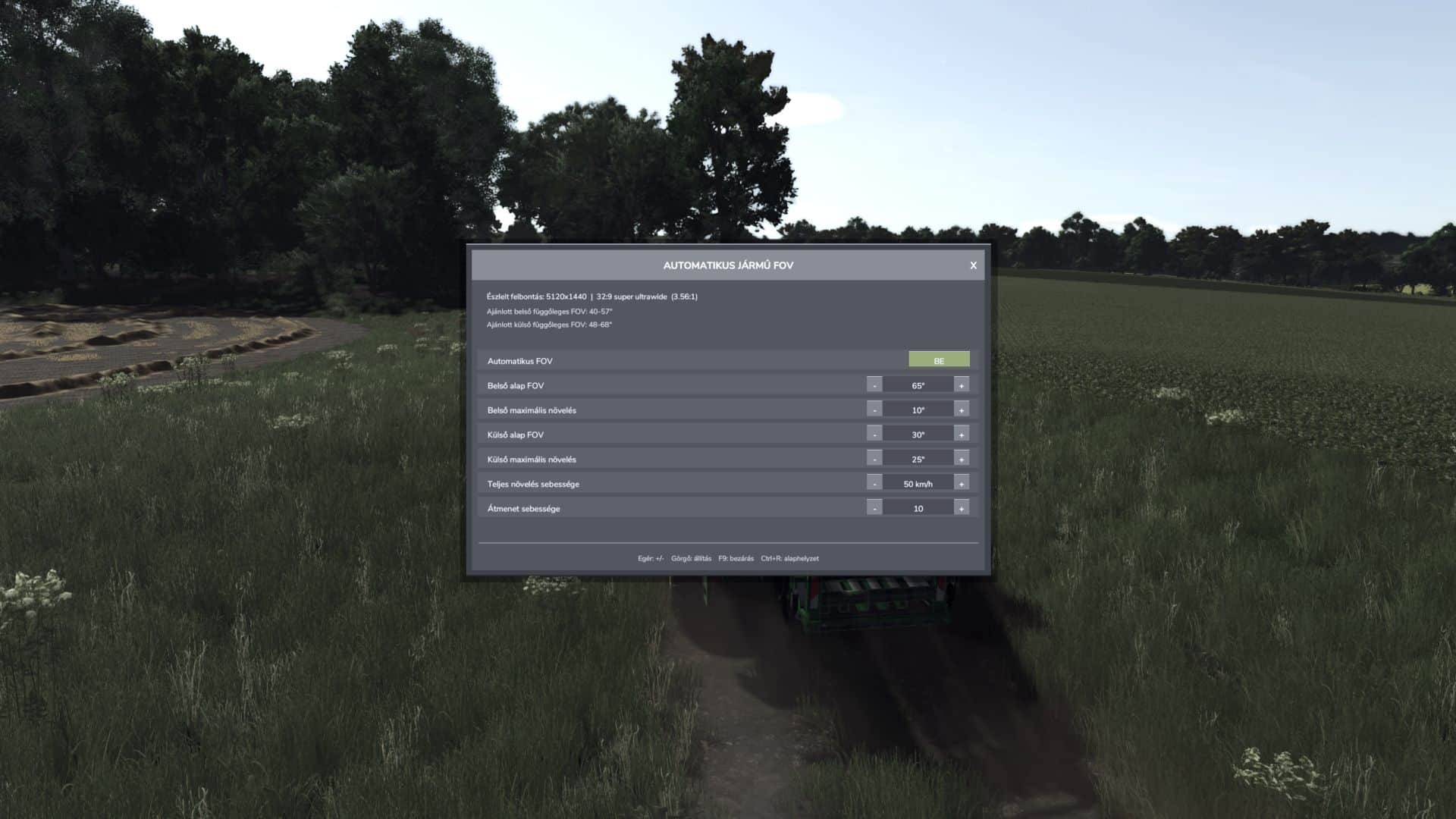
– Inside and outside cameras have separate base FOV and maximum boost values.
Features:
– Automatic, speed-dependent inside and outside vehicle FOV.
– Smooth camera transition without sudden jumps.
– Automatic screen resolution and aspect-ratio detection.
– Recommended inside and outside vertical FOV ranges.
– Separate manual inside and outside FOV mode.
– Mouse-clickable minus, plus and APPLY buttons.
– Settings are stored in the common FS25 user profile.
– Client-side multiplayer operation; other players’ cameras are not modified.
Controls:
– F9: open or close the settings panel.
– Up / Down: select a setting.
– Left / Right: decrease or increase the selected value.
– Ctrl+R: restore default values.
– Mouse: select rows, use minus/plus, APPLY and close buttons.
– Mouse wheel: adjust the selected value.
– Escape: close the panel and restore normal mouse control.
APPLY behaviour:
– Automatic FOV ON: APPLY loads the recommended automatic FOV range for the detected display.
– Automatic FOV OFF: APPLY activates the selected manual inside and outside FOV values.
Settings file:
– Documents/My Games/FarmingSimulator2025/modSettings/FS25_AutomaticVehicleFOV.xml