FS25 Agri Life Manager BETA 3 v1.0
AgriLife Manager transforms Farming Simulator 25 into a more structured farming career, with progression rules, professional banking management, a farming license, qualifications, employees, and financial tracking that evolve according to the selected difficulty level.
This version is a public beta. The description below only covers features that are actually included in the validated scope of this release.
Getting Started and Difficulty Levels
AgriLife Manager currently offers three levels:
Easy
Normal
Hard
The selected level affects starting requirements, banking, the license, financial constraints, and the overall difficulty of the career.
The AgriLife tutorial starts once the player has actually entered the map, not during character creation.
New Game
On a new career, AgriLife initializes its own starting progression. Depending on the difficulty, the player must complete steps related to the bank, advisor, professional structure, and farming license.
The farming license may require a complete practical exam. Vehicles reserved for the exam remain usable during the test.
Adding to an Existing Savegame
AgriLife Manager can also be added to an FS25 game that has already been started.
On first activation:
the existing savegame is detected automatically;
existing cash and assets are preserved;
a specific career continuation tutorial is displayed;
the player chooses the elements required for their new AgriLife career;
the general farming license is recognized as equivalent, without an exam or fees;
no specialized training or qualification is granted for free;
AgriLife monthly cycles are initialized to start normally from the next cycle, without artificially catching up on the month already in progress.
Creating a backup copy is still recommended before activating the mod for the first time.
Professional Banking and Advisor
The AgriLife career includes dedicated banking management:
bank selection;
advisor selection;
banking agreement;
business cash flow;
loan applications;
monthly repayments and commitments;
banking fees;
financial capacity;
advisor feedback based on the farm’s situation.
Loans are stored in the savegame and remain after reloading.
License, Career and Qualifications
The player has a complete professional profile including:
farming license;
practical exam;
career XP;
specializations;
qualifications;
progression based on actions actually performed;
access restrictions for certain vehicles when a required qualification is missing.
Simply navigating through menus does not generate XP.
Business and Employees
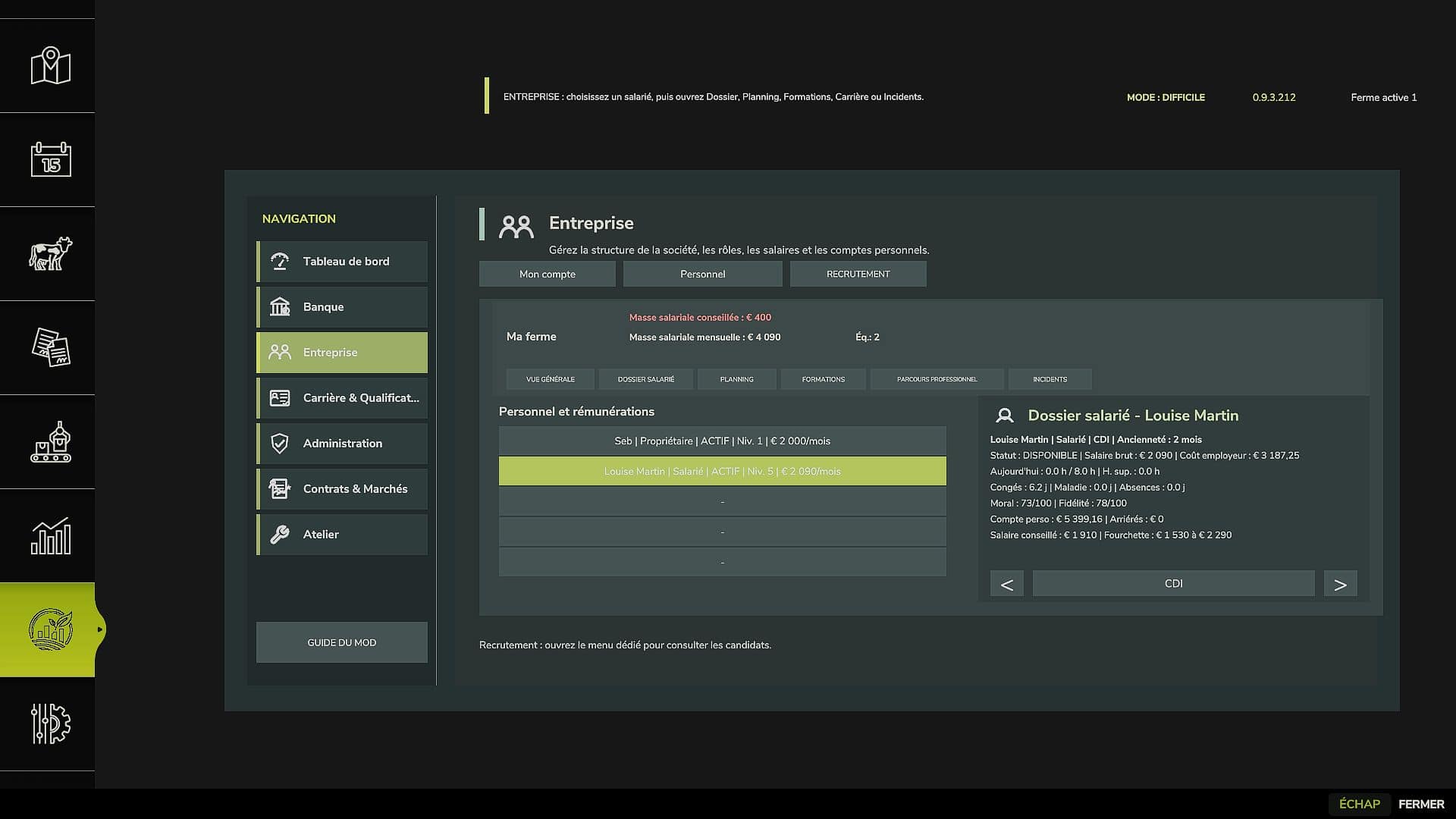
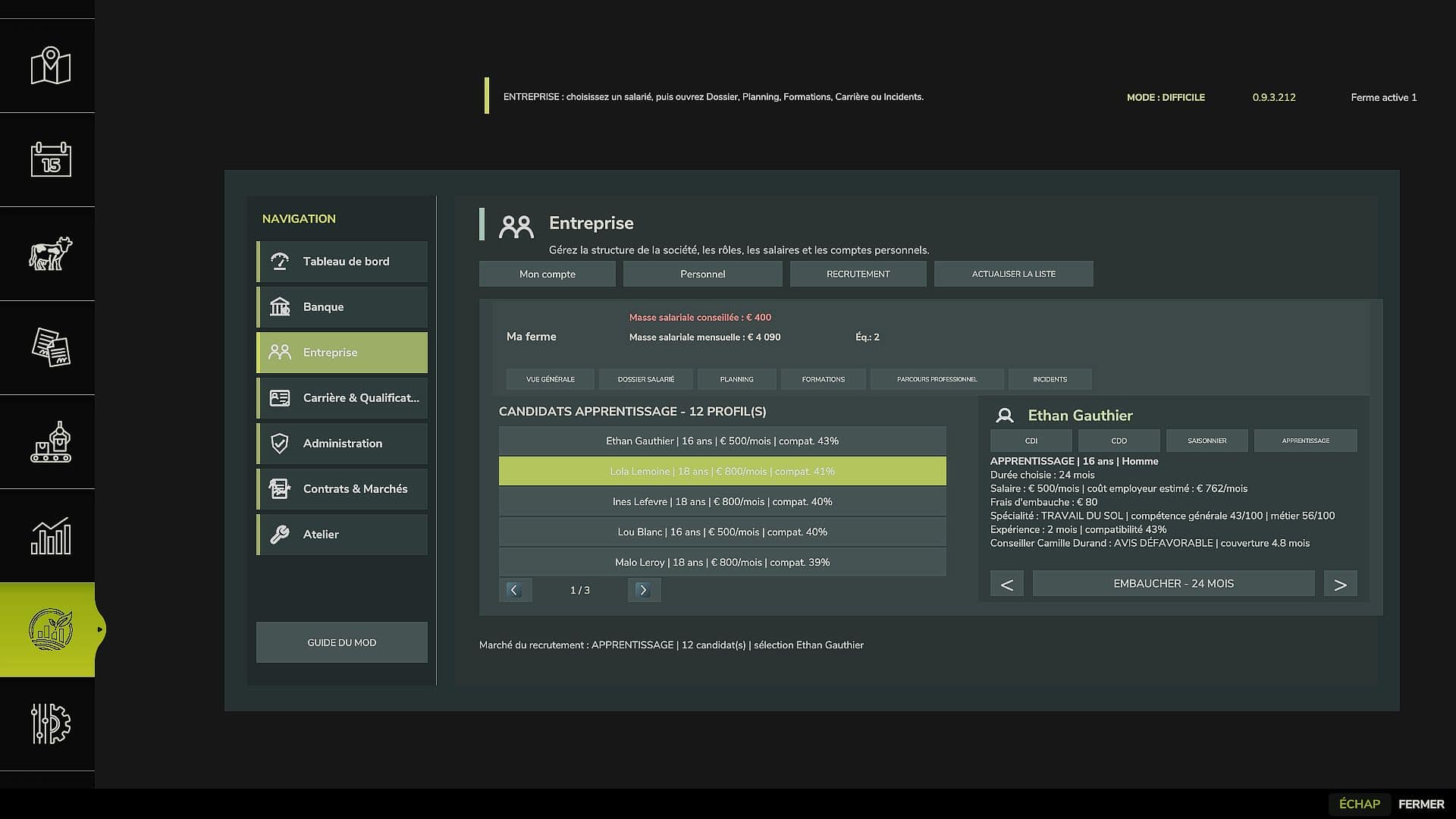
The Business module allows you to track and manage staff:
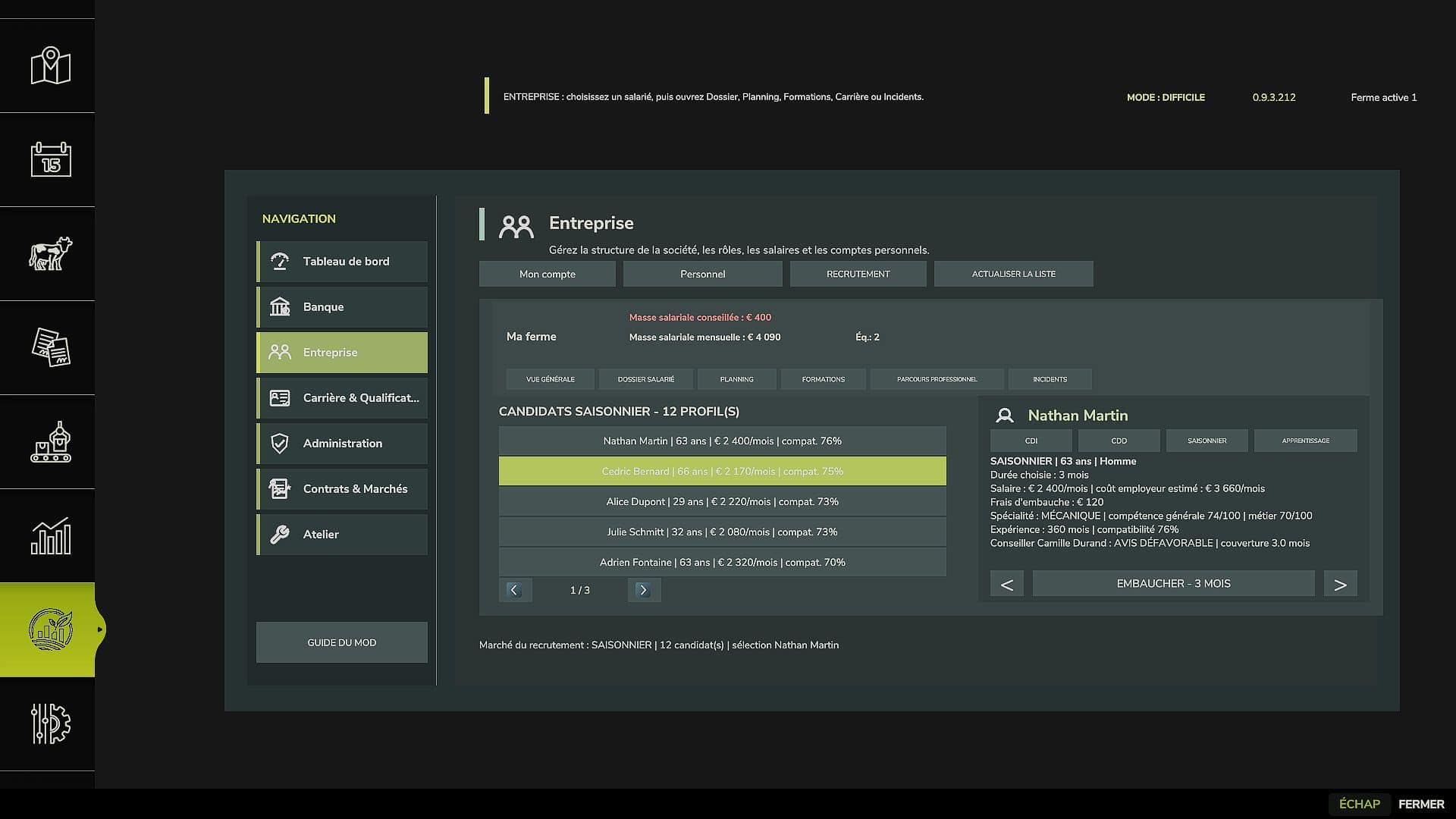
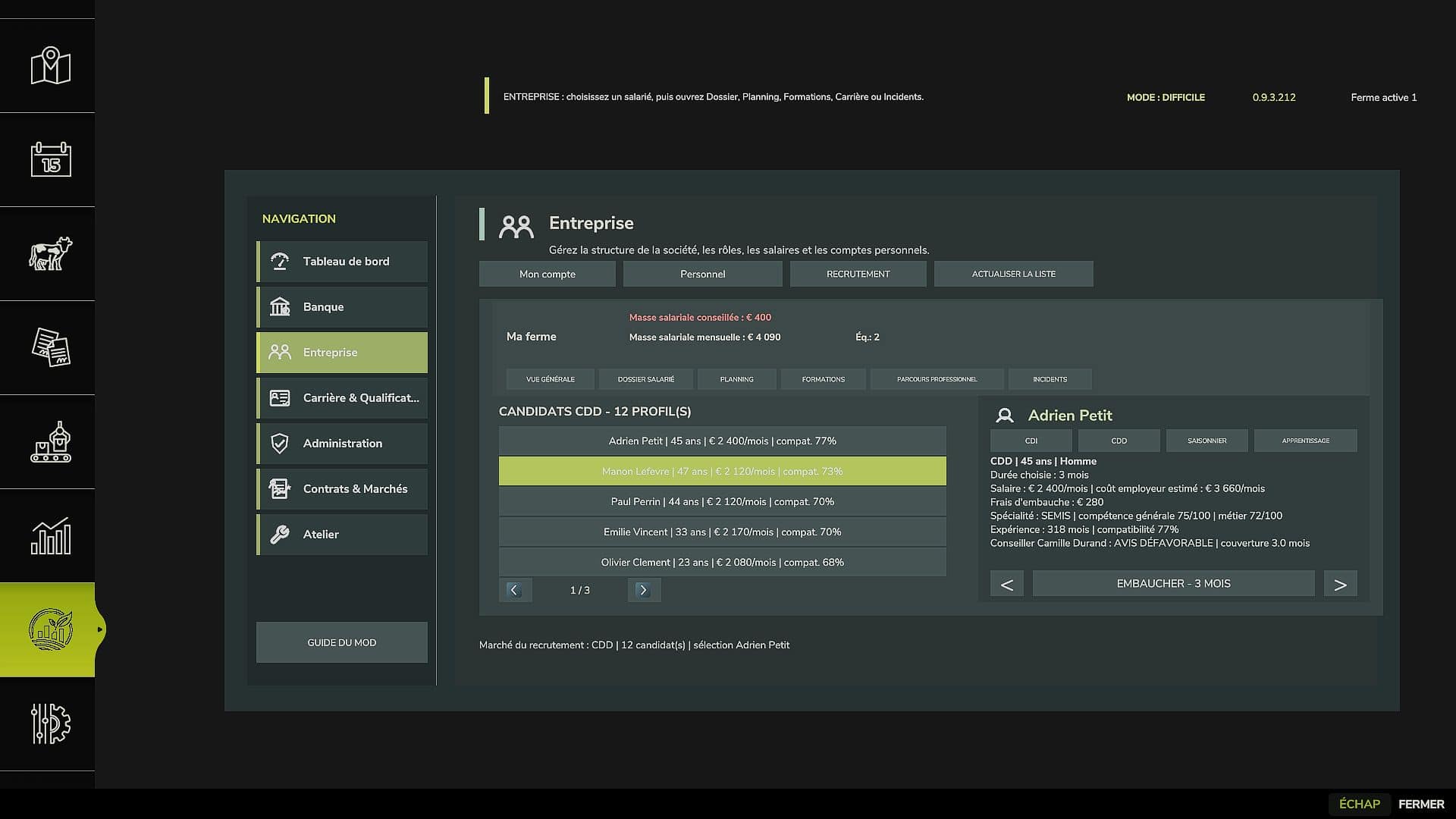
recruitment;
employment contracts;
salaries;
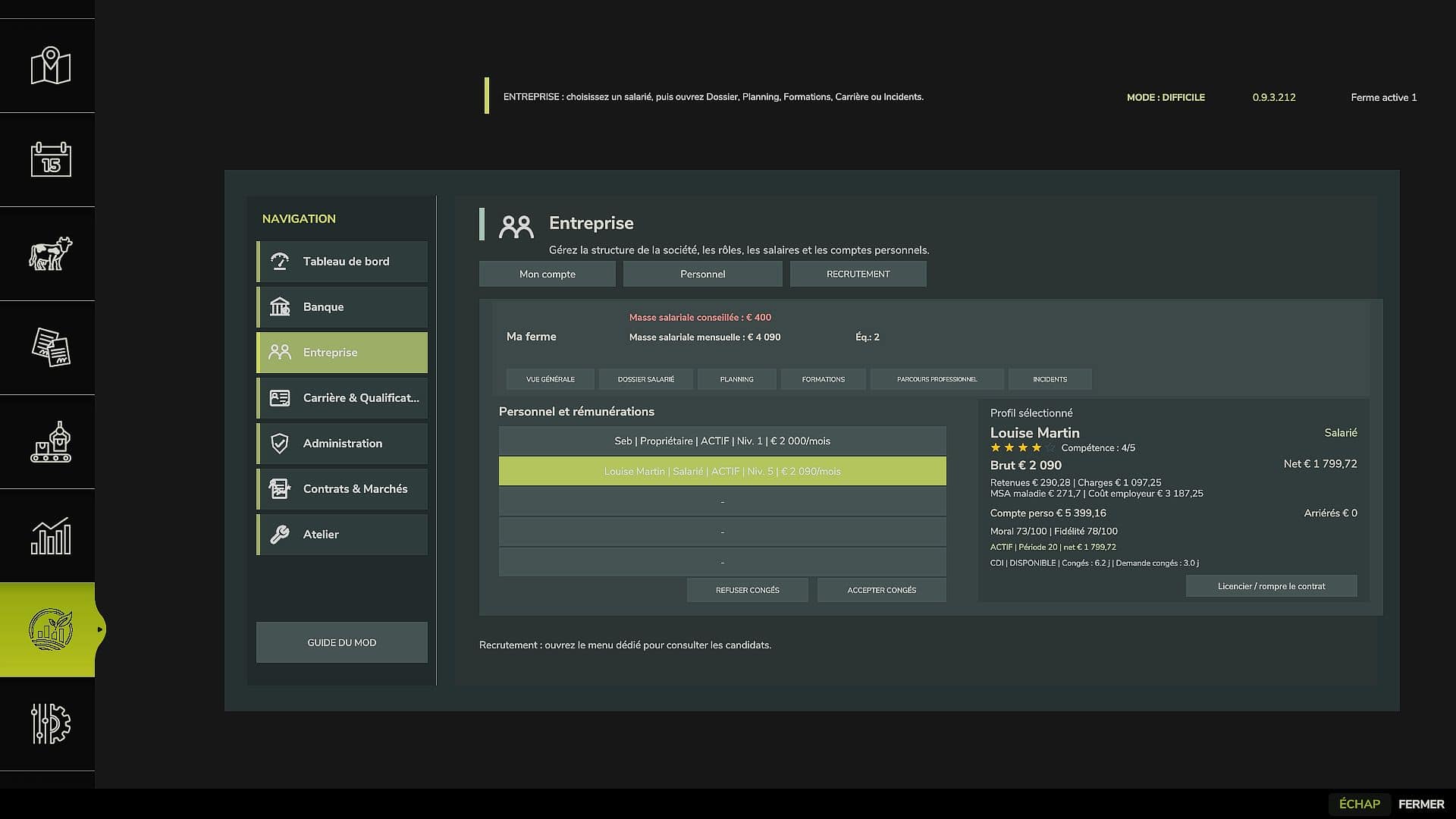
employee records;
skills and specializations;
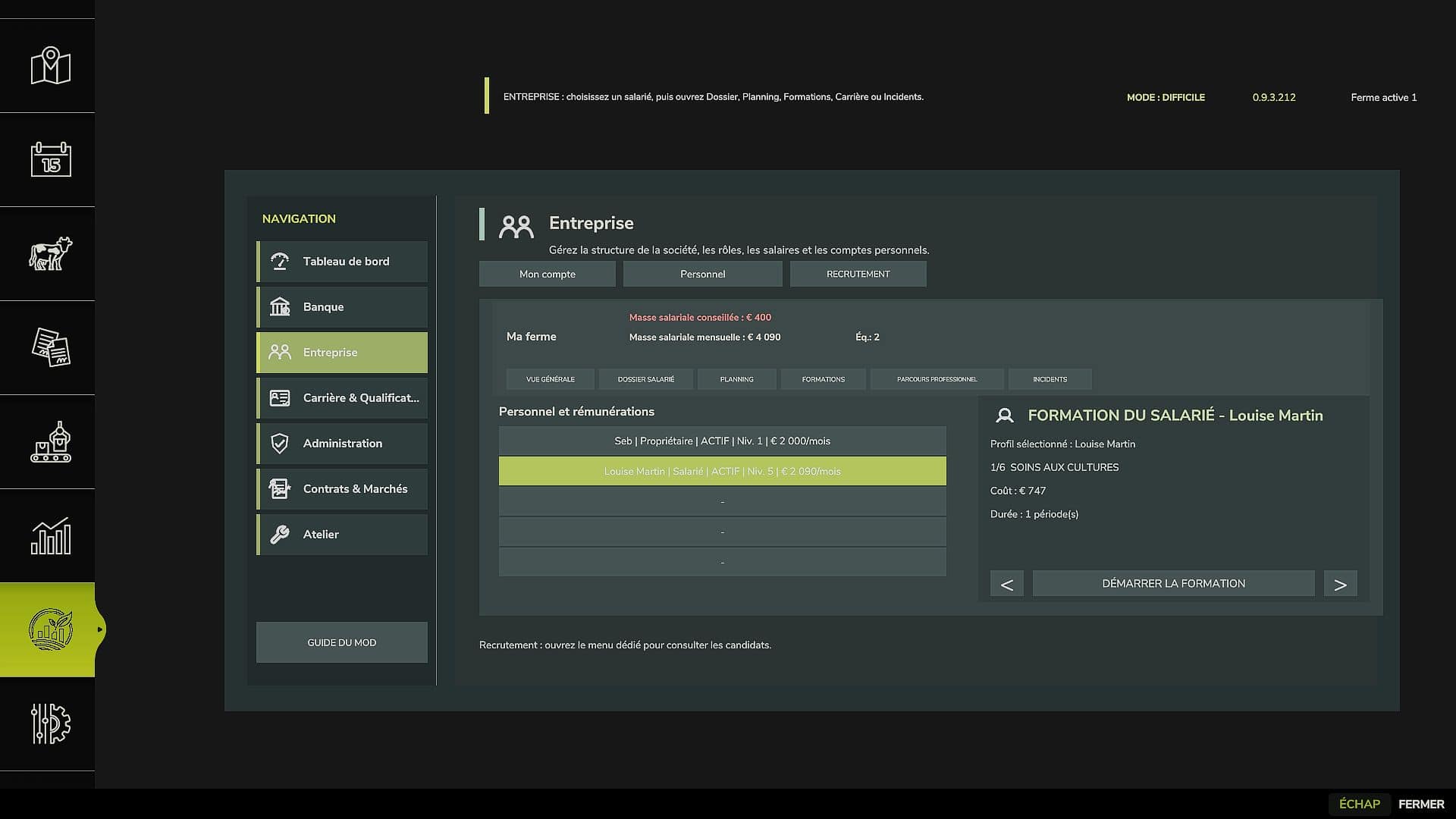
training;
career development;
staff scheduling;
monthly payroll;
recommended payroll with a visual indicator based on the farm’s financial situation.
The schedule allows an employee to be assigned to planned work, the relevant vehicle, tools, and field.
Saving and Resuming a Career
Profiles, licenses, qualifications, employees, loans, and the main AgriLife states are saved with the career and restored when reloading.
Starting a new game and adding the mod to an existing savegame have been handled as two separate scenarios.
Tutorial and Help
A tutorial guides the first launch, and an AgriLife section is integrated into ESC > Help.
The current content is consistent with this beta. A complete revision of the tutorial and Help texts is planned before the final 1.0.0.0 release.
Features Still in Development
Several advanced systems are already present in the project but are not part of the certified scope of this beta. They will continue to be developed and tested before being presented as finalized:
Advanced Administration;
Advanced Contracts & Markets;
Advanced Workshop;
advanced insurance and accidents;
advanced used equipment market;
advanced leasing;
advanced legal and administrative procedures.
Compatibility
Farming Simulator 25
Single-player only in this beta
Precision Farming not required
New games supported
Adding to an existing savegame supported
Installation
Download FS25_AgriLifeManager.zip.
Do not extract the archive.
Place it in Documents/My Games/FarmingSimulator2025/mods.
Delete any old archives or test versions of AgriLife Manager from the mods folder.
Enable AgriLife Manager before loading your savegame.
Create a backup copy of your savegame before first use.
Credits for Adapted Resources
Some visual resources from the Workshop section retain their original credits:
Field Service Kit: based on FS25_MobileServiceKit by w33zl.
Oil Tank: adapted from FS25_FuelTanksPack by WMD Modding + Mapping.
Beta and Feedback
The purpose of this beta is to continue testing under real gameplay conditions with more players before the final release.
Installation and Expected Behavior
New Game
Enable AgriLife Manager before creating or loading the new career.
The tutorial starts once the player has actually entered the map. The player then selects their difficulty level and follows the corresponding requirements.
On a new career, AgriLife monthly systems begin with the career.
Existing Game
AgriLife Manager can be added to an FS25 savegame that has already been started.
On first load:
AgriLife detects the existing career;
existing cash is preserved;
a career continuation tutorial is displayed;
the general farming license is recognized as equivalent;
no specialized training is granted for free;
the month already in progress is not artificially replayed by AgriLife;
monthly operations begin with the next cycle.
Precaution
Create a backup copy of the savegame before activating the mod for the first time.
Do not keep multiple AgriLife Manager archives in the mods folder.
The expected public file is exactly:
FS25_AgriLifeManager.zip
Beta 0.9.3.212 Scope
Scope Included in This Release
Starting a new game.
Adding to an existing savegame.
Starting tutorial.
Easy, Normal, Hard.
Bank and advisor.
Farming license.
Complete license exam.
License equivalency on an existing savegame.
Career and XP.
Qualifications and vehicle restrictions.
Business and staff.
Recruitment.
Employee records.
Training and career development.
Payroll.
Monthly payroll.
Recommended payroll.
Employee scheduling.
Loans and banking persistence.
Saving and reloading.
ESC > Help.
Do Not Present as Certified in This Beta
Advanced Administration.
Advanced Contracts & Markets.
Advanced Workshop.
Advanced insurance and accidents.
Advanced used equipment market.
Advanced leasing.
Advanced legal and administrative procedures.
These sections may contain code and interfaces in the project, but their detailed functional validation will continue after the beta release.
Start-up and migration
– New AgriLife start-up flow.
– Tutorial triggered once the player has actually arrived on the map.
– Detection of an existing FS25 save without AgriLife data.
– Specific career resumption tutorial.
– Existing FS25 funds and career retained.
– Initialization of the monthly cycles of an existing game without artificially catching up the current month.
– Three current levels: Easy, Normal and Hard.
Licenses and qualifications
– Agricultural license exam revised and validated step by step.
– Agricultural license integrated into career progression.
– In an existing game, the general agricultural license is recognized by equivalence without an exam or fees.
– No specialized training or qualification is provided with this equivalence.
– Vehicle access restrictions based on qualifications.
– Exam vehicles authorized during the test.
Career and XP
– Career & Qualifications screens overhauled.
– XP, specializations and qualifications tracking.
– Professional profiles for players and employees.
– No XP gained simply by browsing the menus.
Company and staff
– Recruitment revised.
– Expanded employee profiles.
– Skills, specializations, training and career path.
– Payroll management.
– Monthly payroll.
– Recommended payroll with a green or red visual indicator depending on the situation.
– Employee schedule with selection of the job, vehicle, tools and field.
– General harmonization of the interface and spacing.
Banking and finances
– Bank and advisor selection revised.
– Banking agreement.
– Loans and commitments saved.
– Proper resumption of an existing career without replacing its funds.
Translations and public package
– Audit of the 27 language files.
– Complete parity of translation keys.
– Addition of concrete missing keys detected in the scripts and XML files.
– No duplicate keys.
– No empty values.
– Format placeholders checked.
– Removal of visible `[EN]` markers used by older fallback texts.
– Removal of 8 old unused keys whose values were still the technical names of the keys.
– Public package cleaned of development files, memos, roadmap, testing files, internal changelog and COPYRIGHT file.
Coming soon
Administration, Contracts & Markets, Workshop and the other advanced systems will continue to be developed and tested after this beta.