
FS25 Production Pad Alarm/ESD V1.0
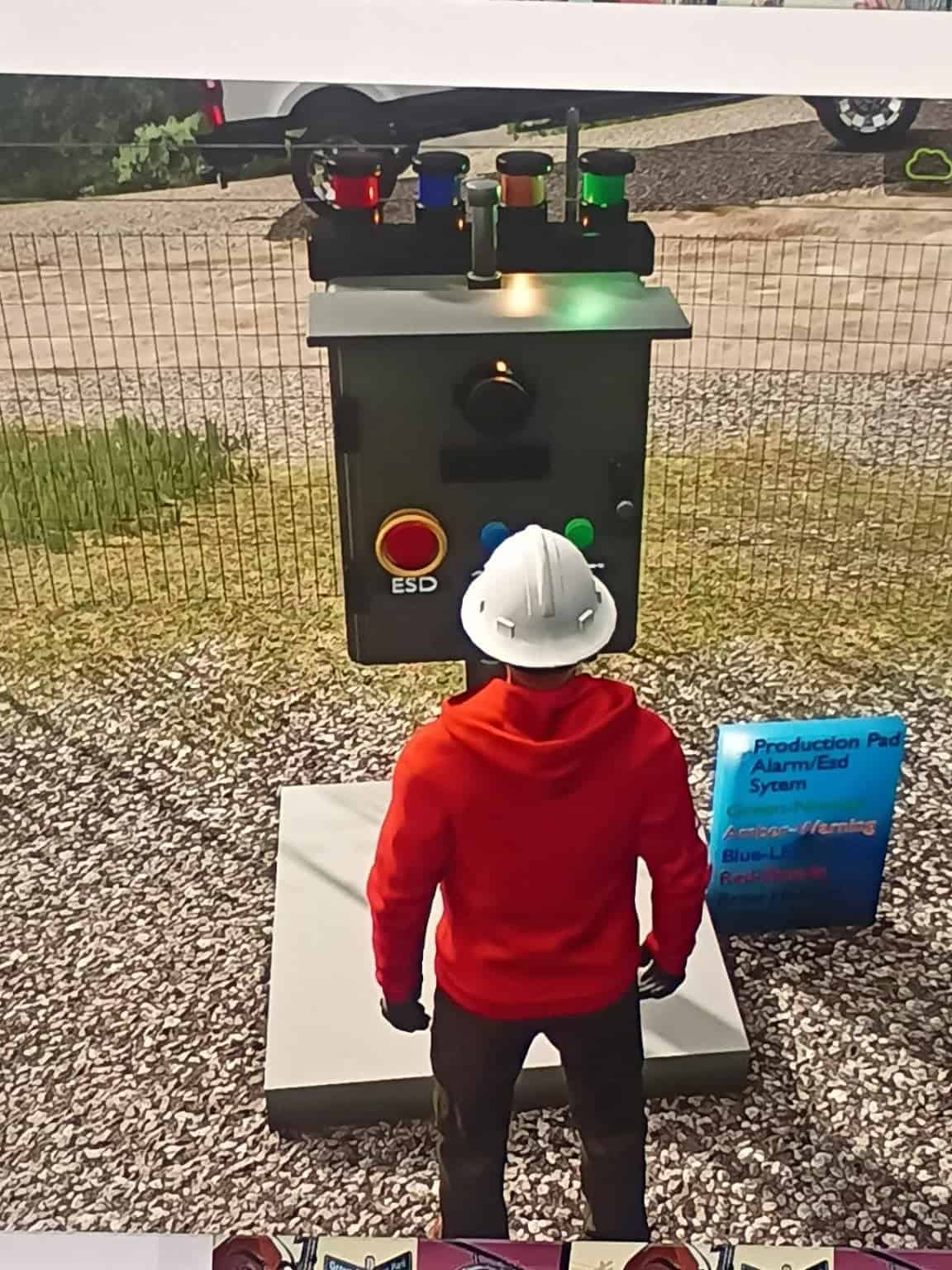
Bring another level of realism to FS25 oilfield production locations with this ESD / Alarm System. It adds safety and emergency equipment for well pads, production facilities, and BOGR roleplay operations.
Features
- Oilfield-inspired ESD / alarm equipment
- Designed for realistic production-site layouts
- Suitable for well pads, production facilities, and BOGR roleplay operations
- Built to complement a growing line of oilfield equipment
- Created with realism and authentic oilfield atmosphere in mind
Install instructions
FILE: FS25_BH_ProductionPadAlarm_ESD.zip
INSTALLATION:
- 1. Download the ZIP file.
- 2. DO NOT unzip or extract the mod.
- 3. Move the ZIP file into:
DocumentsMy GamesFarmingSimulator2025mods - 4. Start Farming Simulator 25.
- 5. Load your savegame.
- 6. Make sure “BH Production Pad Alarm / ESD System” is enabled in the mod selection screen.
- 7. Enter the game and open the Construction menu (SHEDS).
- 8. Find and place the BH Production Pad Alarm / ESD System controller.
- 9. After placement, rename the controller to the pad or location name you want to use.
Examples:
- Red Wings Pad
- BOGR Vault Site
- Mr. Wiggs 304
10. Leave the controller operating normally. GREEN indicates normal operation.
IMPORTANT: Leave GREEN on once placed so it runs as it should, or you will keep tripping the ESD/alarm system.
- This is a PC-only Farming Simulator 25 mod.
- Alarm events are intentionally rare and unpredictable.
- Long periods of GREEN / NORMAL operation are expected.
- Different alarm states use different lights and tones.
- ACK silences the active horn while leaving the alarm state active.
- RESET clears the alarm and returns the controller to NORMAL.
- Manual ESD allows you to intentionally trip the controller into shutdown.
- Multiple controllers operate independently.
- Savegame state and timers are designed to persist across save / quit / rejoin.