FS25 Portable Construction Signs V1.0.0.1
This mod brings the original FS22 creation by Poohbear Lance into FS25, while staying as close as possible to that earlier version.
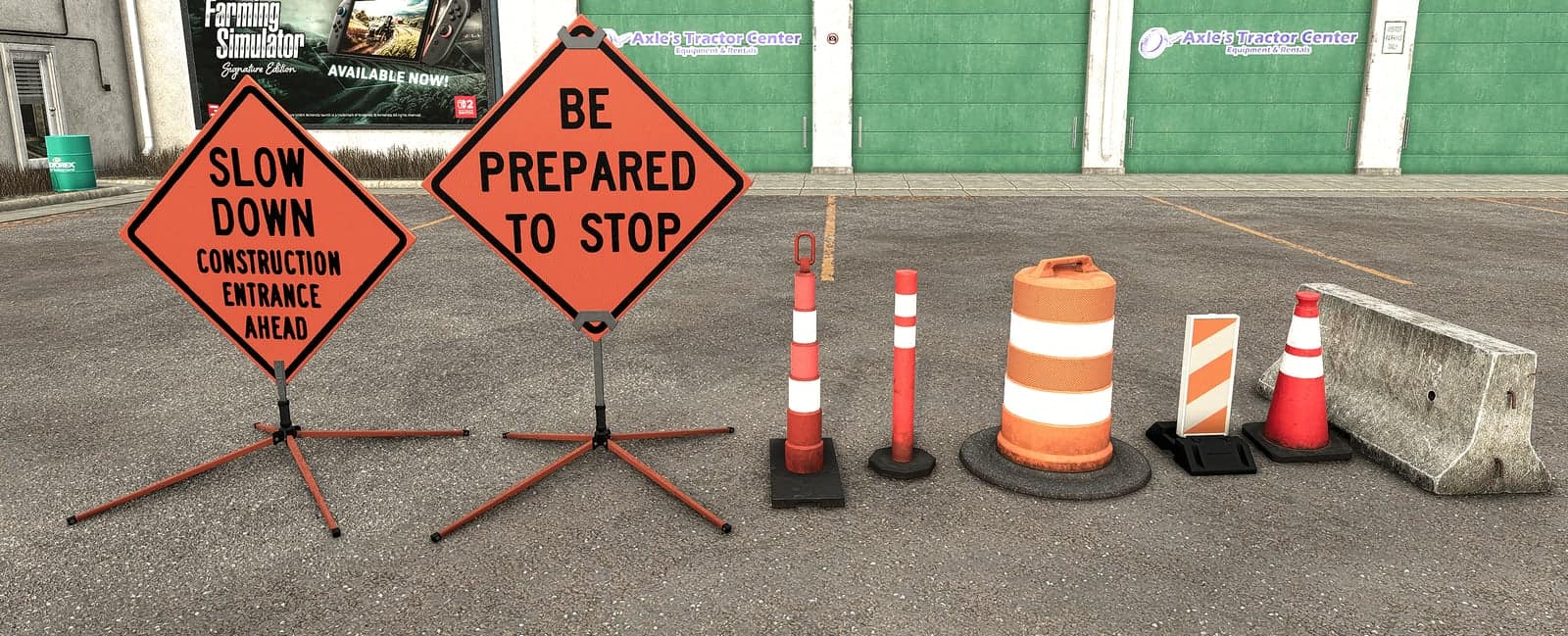
Use portable construction signs and traffic control devices in Farming Simulator 25 to mark road work, warn about detours, show lane closures, and create realistic work zones beside the WANCO Automated Flagger and Arrow Board.
Features
Construction Signs
- Available as Roll Up Sign and Hard Sign versions
- 31 different sign faces, such as Road Work Ahead, Flagger Ahead, Detour, Merge, Lane Ends, Speed 45 and many more
- Four DOT-style reflective color options: Orange HiVis, Pink (Emergency) HiVis, Yellow LowVis, White HiVis
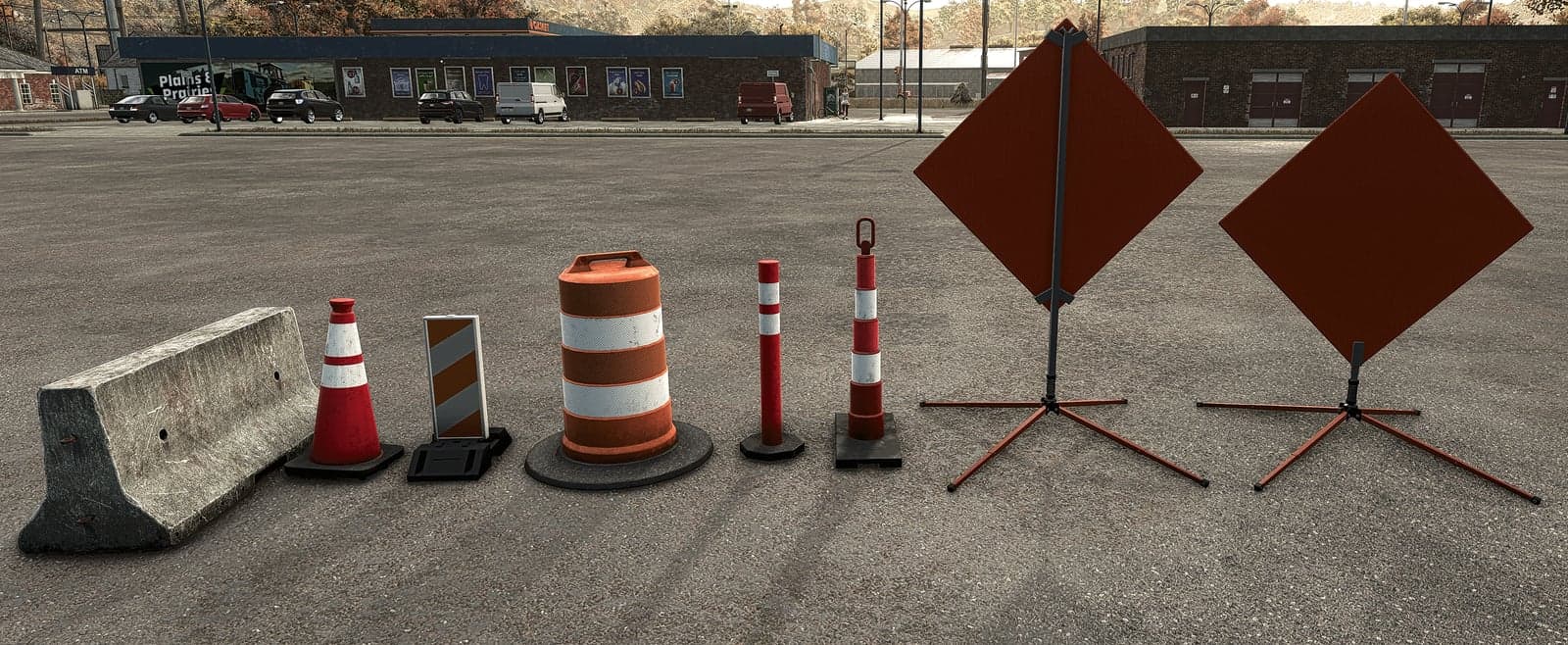
- Stands featuring orange-red legs, black caps, galvanized metal and warning flags
- Legs can be adjusted with click controls
Traffic Control Devices
- Barrel
- Carpenter’s Cone
- Delineator in two styles
- Burnell Divider
- Barricade
FS25 conversion
- Rebuilt for FS25 with the FS22 original matched as closely as possible
- The FS22 sign faces, colors, options and prices remain unchanged
- Materials were updated for FS25 according to GIANTS’ own conversion rules
- The traffic control devices retain their original FS22 textures
YOU NEED: Interactive Control (FS25) is required for the leg and sign click controls, the same as in FS22.
Specifications
- Game version: Farming Simulator 25
- Platform: PC/Mac
- Multiplayer: Untested
Hard Sign
- In-game shop price: $711
Roll Up Sign
- In-game shop price: $586
Barricade
- In-game shop price: $200
Burnell Divider
- In-game shop price: $190
Barrel
- In-game shop price: $165
Delineator 2
- In-game shop price: $165
Delineator
- In-game shop price: $155
Carpenter’s Cone
- In-game shop price: $135
Installation
- 1. Download
FS25_Portable_Construction_Signs.zip. - 2. Do not unzip it. Put the zip in your mods folder:
- Windows:
DocumentsMy GamesFarmingSimulator2025mods - Mac:
~/Library/Application Support/FarmingSimulator2025/mods
- Windows:
- 3. Turn the mod on in your savegame’s mod selection.
- 4. Buy the signs and devices in the shop
- 5. Download
FS25_interactiveControl.zip. - 6. Do not unzip it. Put the zip in your mods folder:
- Windows:
DocumentsMy GamesFarmingSimulator2025mods - Mac:
~/Library/Application Support/FarmingSimulator2025/mods
- Windows:
- 7. Turn the mod on in your savegame’s mod selection.