FS25 Caterpillar Wardrobe V1.0.1.9
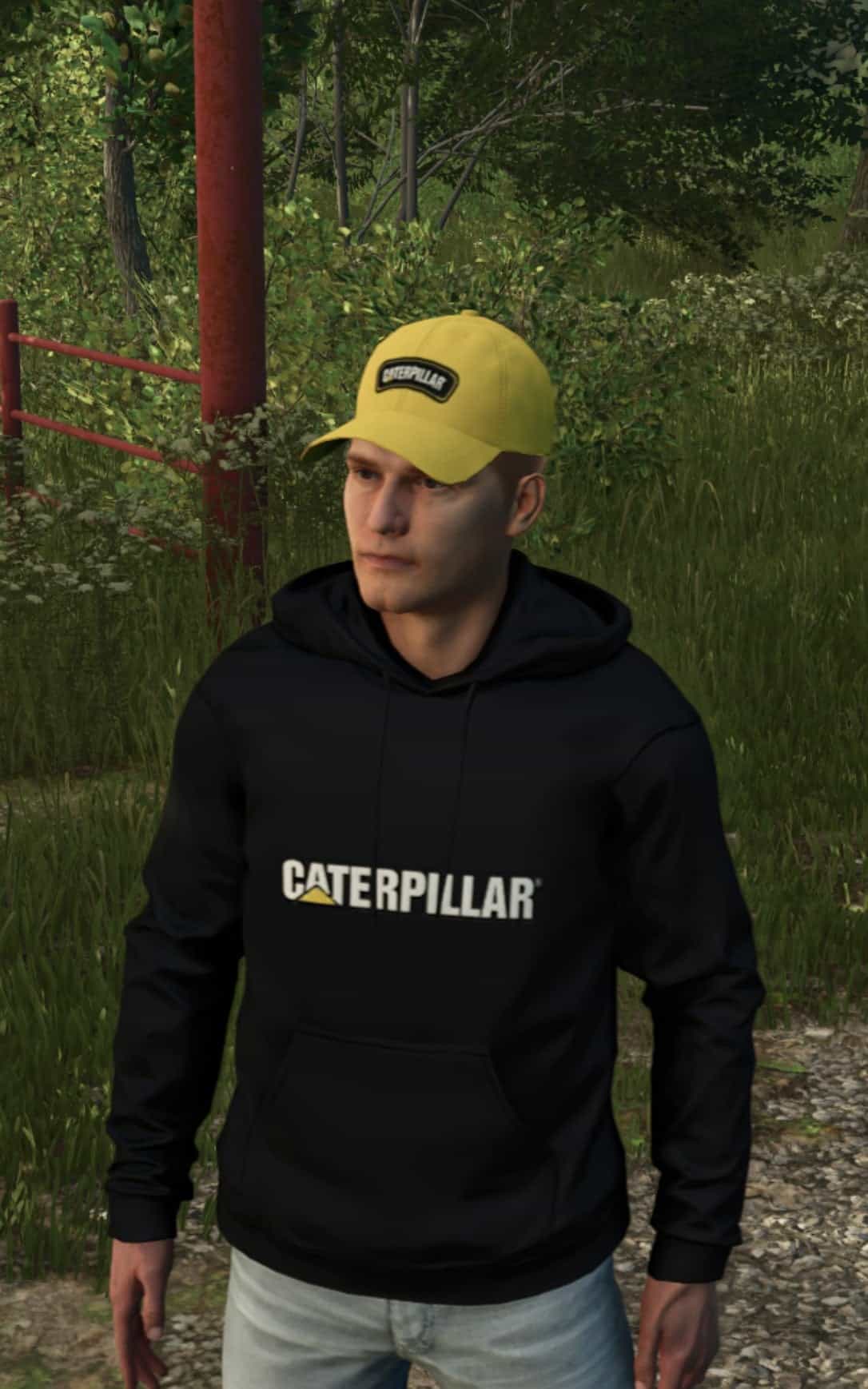
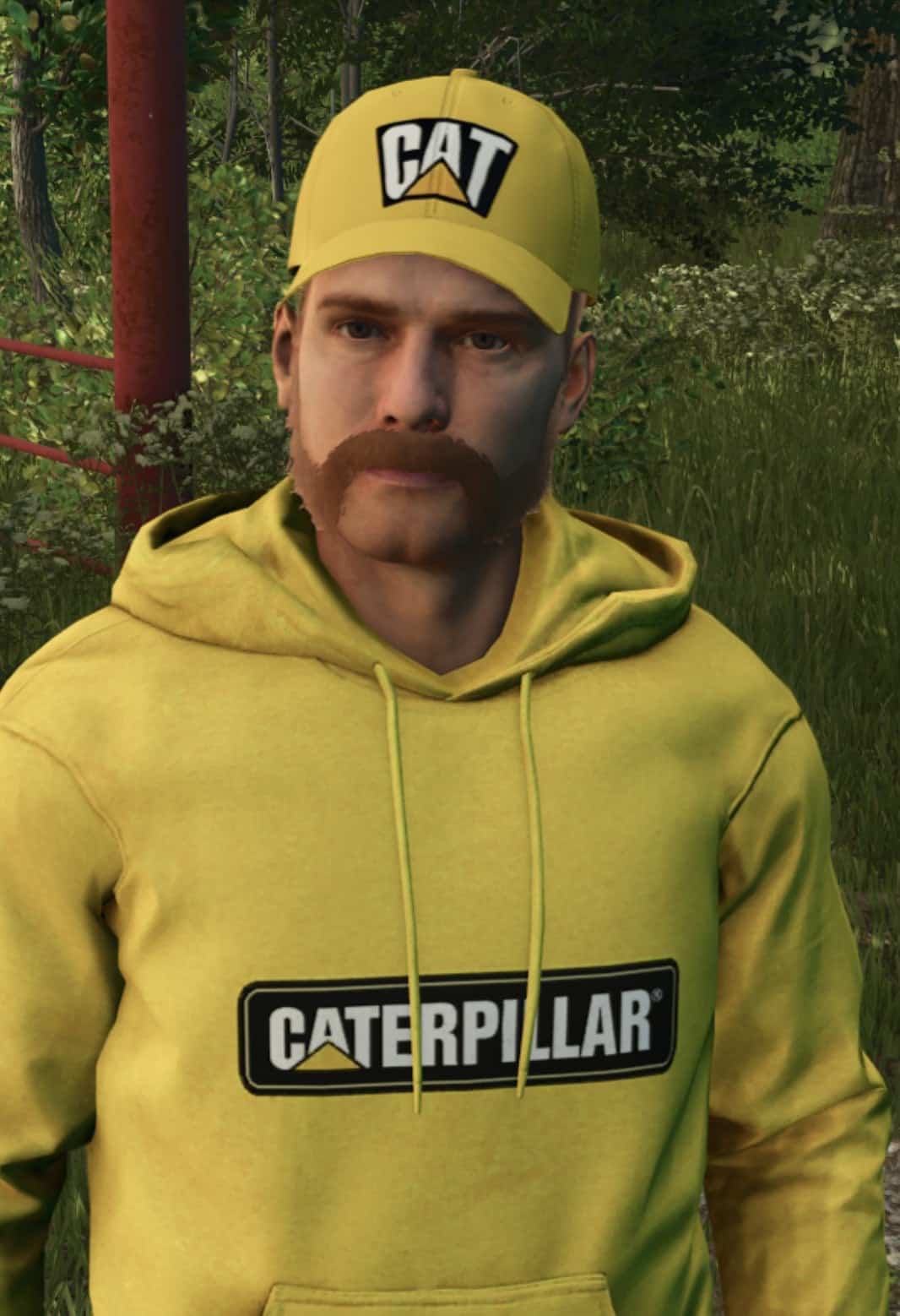
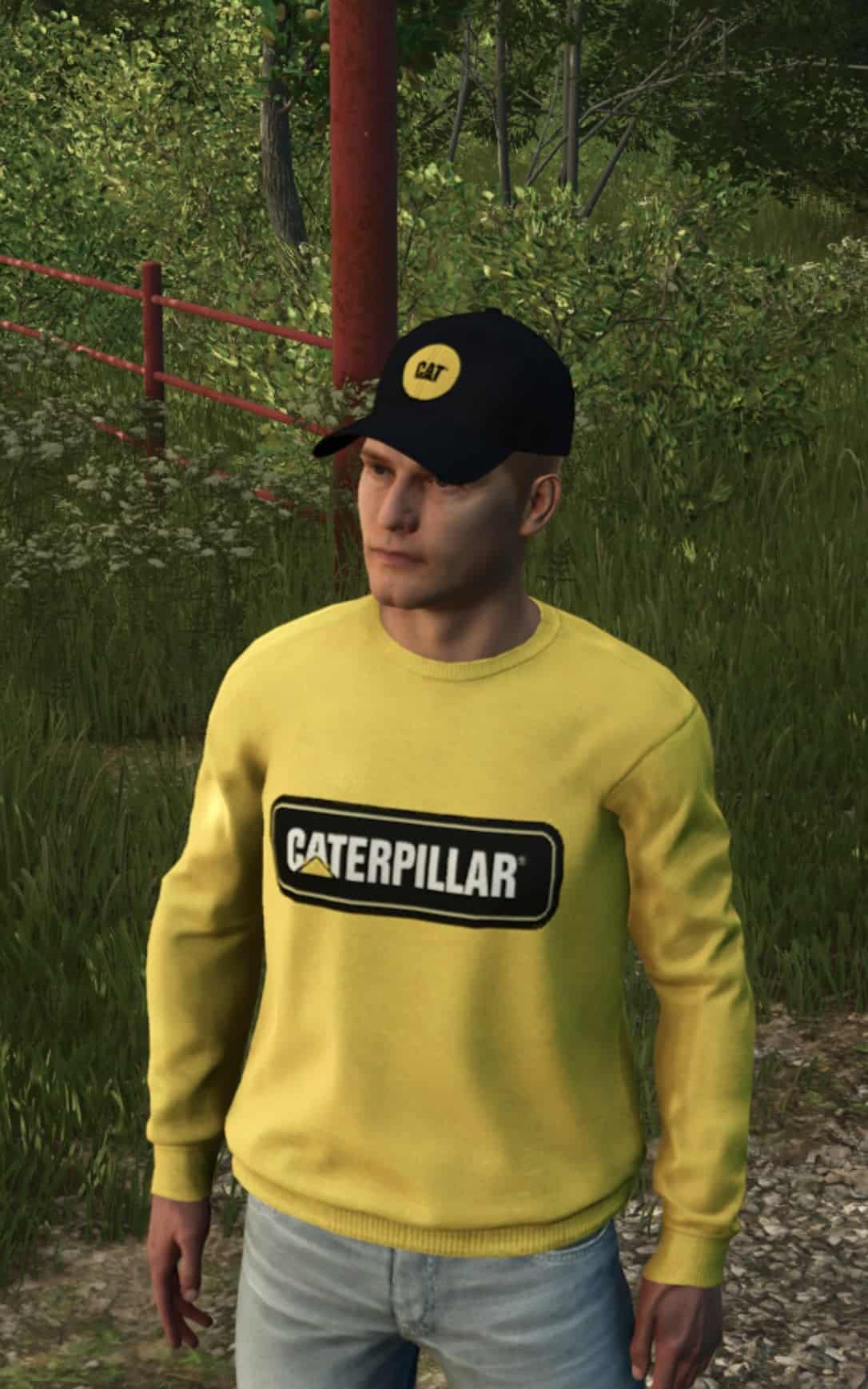
Give your farmer a Caterpillar yellow look with this wardrobe pack for Farming Simulator 25. It includes T-shirts, hoodies, sweatshirts, curved-bill caps and full-brim hard hats. The clothing uses the Caterpillar wordmark and CAT block logo in light grey, yellow and black, together with six camo patterns.
Features
- T-shirts, hoodies and sweatshirts are available in light grey, yellow and black, featuring either the Caterpillar wordmark or the CAT block logo. On the yellow shirts, the wordmark is placed on a black sewn-on label to keep it readable.
- The T-shirts, hoodies and sweatshirts also come in six camo patterns, urban grey, woodland digital, woodland pixel, blue, duck hunter and classic olive. Every one has a Caterpillar label sewn onto the chest.
- Choose yellow or black curved-bill caps with the Caterpillar or CAT block logo. There is also a black cap with the round yellow CAT and another black cap carrying the round KariHatake Modding emblem.
- For the male character, full-brim hard hats are available with either the CAT block or Caterpillar wordmark. They are yellow by default and can be recolored in the wardrobe with Select Color. The first three colors are yellows.
- Each male and female character gets 36 tops and 6 caps, while the male character also has 2 hard hats. Tile pictures appear in the wardrobe list.
How to use
In the wardrobe, open Tops, shirts, hoodies and sweatshirts, or Headgear, caps and hard hats, then scroll to the end of the relevant list. Select Color provides several hard hat colors. Note: Farming Simulator 25 shows at most 255 tops per gender across all installed mods. This pack adds 36 tops per gender. If you run many clothing packs and some items are missing from the wardrobe, remove a pack or two, and the game then lists every item.
YOU NEED: Wardrobe Clothing Addon by U_BMP, a separate download. Install it first.
Install
1. Download the zip file and leave it zipped.
2. Place the zip in your Farming Simulator 25 mods folder.
3. Enable the mod in the game, open the wardrobe, and select your items.
Known issues
- Because the camo label on the T-shirts follows the chest shape, its edge can appear slightly wavy when viewed from some angles.
- Under the game’s lighting, the hard hat yellow appears a little darker than the yellow shirts. Choose one of the first three colors for the brightest yellow.
- The wardrobe tile pictures show flat drawings of the garments rather than 3D renders.