FS25 Swather Tedder Plus v1.1.2.4
Swather / Tedder Plus brings normal wear and tear, damage caused by overloading, and purchasable spare parts to swathers and tedders in FS25. The mod is designed for single-player use only; multiplayer is not supported.
Features
- Supported base-game equipment and some modded equipment are checked automatically for their number of rotors and arms.
- Spare parts usage is adapted to the detected number of rotors and arms. When detection cannot be completed, predefined default values are applied.
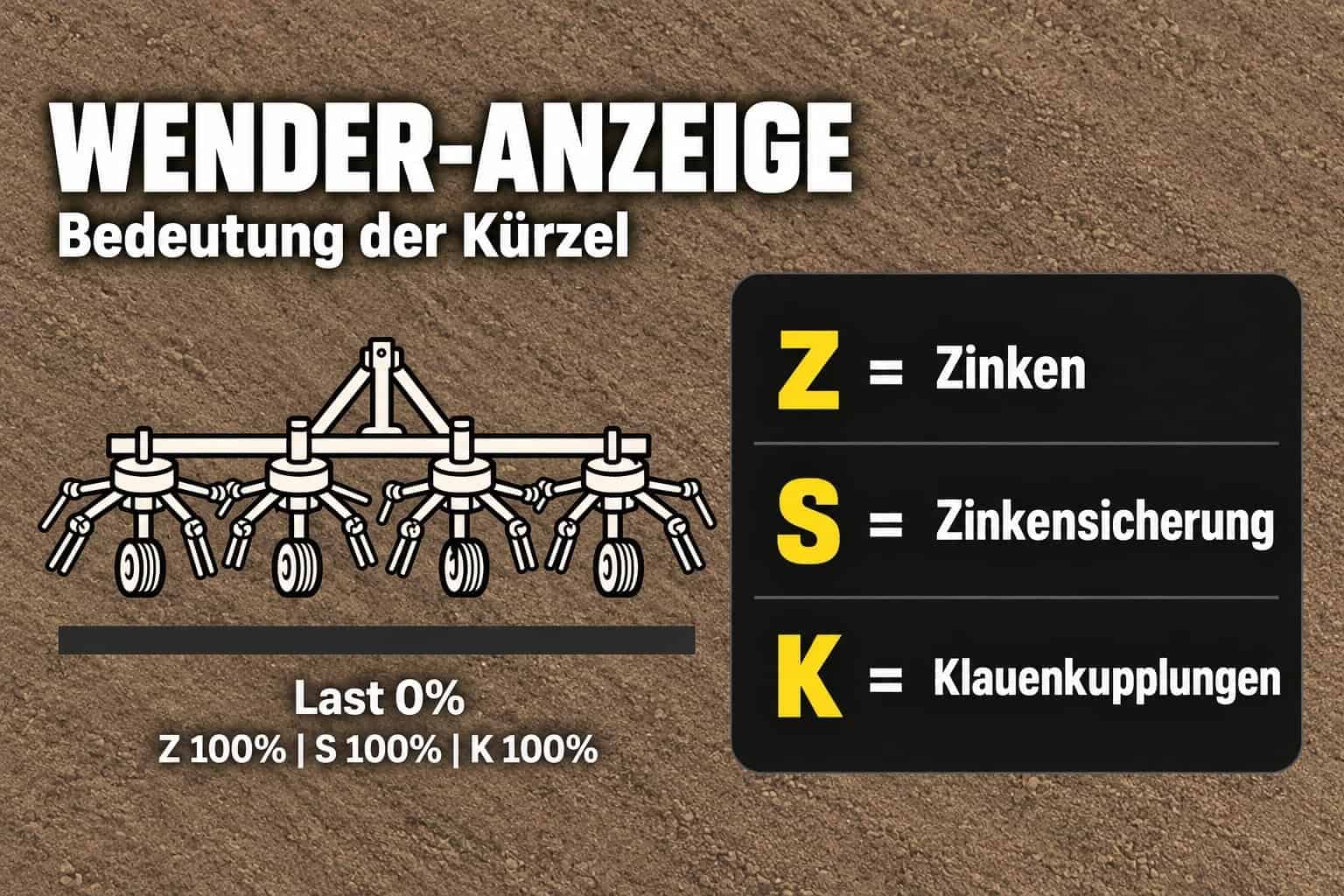
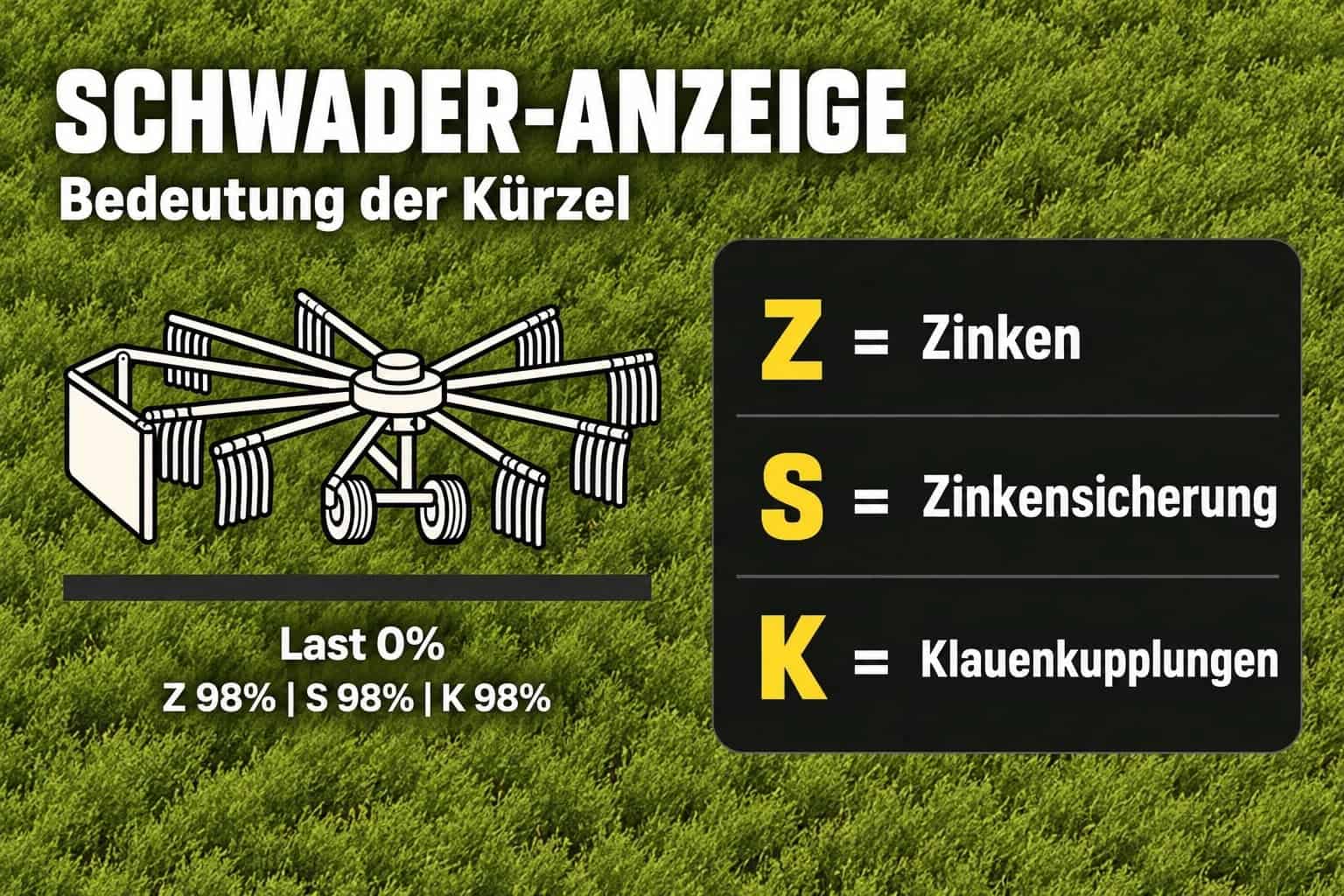
- During operation, tines, tine retainers or safety brackets, and claw couplings are subject to wear.
- Additional damage is caused by excessive operational stress.
- The HUD shows the equipment condition and may be moved, hidden, or resized.
- Matching spare parts boxes can be purchased in the “HMT-Ersatzteile” (HMT Spare Parts) shop category.
- The mod is for single-player use only; multiplayer is not supported.
Specifications
- Tines have a standard wear interval of 10 operating hours.
- The standard wear interval for tine retainers is 15 operating hours.
- Claw couplings have a standard wear interval of 20 operating hours.
- Spare parts boxes include 50 tines, 100 tine retainers, or 10 claw couplings.
- Between 1 and 5 boxes can be purchased.
- Maintenance up to version 1.1.2.2 uses the default key combination Ctrl + Alt + 6.
- From version 1.1.2.3 onwards, Ctrl + Alt + Caps Lock is supported as well.
Controls
Use the system from inside a vehicle that has a supported swather or tedder attached. The currently selected implement has priority. If no implement is selected, the first detected one is used by default. Close all open menus before starting.
- HUD: Press Left Ctrl + Left Alt + 3 to show or hide the HUD.
- Left Ctrl + Left Alt + 4 activates or deactivates “move mode”. In this mode, hold the left mouse button to drag the visible HUD. Camera and zoom controls are disabled while move mode is active.
- Left Ctrl + Left Alt + 5 switches between HUD sizes of 50%, 25%, 20%, and 75% of the speedometer width.
- Maintenance, always active: Press Ctrl + Alt + Caps Lock to start maintenance or clear a blockage. Press the same key combination again during maintenance to cancel without using any parts. Maintenance remains possible while the HUD is hidden.
For maintenance, stop the vehicle and switch off the implement. When replacing parts, suitable spare parts boxes or pallets must be within five meters of the implement. They must belong to the same farm and contain enough stock. A blockage is cleared in eight seconds without using spare parts. In other cases, the component group with the highest wear level is replaced over 20 seconds, provided enough replacement parts are available. Repeat the procedure to service additional component groups.
Spare parts are deducted only after the process has been completed successfully. Moving the vehicle or switching on the implement stops the operation. The operation is also cancelled when the necessary spare parts supply is no longer available, such as when the parts are moved away.
The three HUD actions can be reassigned under Options → Controls. Maintenance has its own remappable action, but no default key assignment. Existing user-defined key bindings are kept unchanged. Ctrl + Alt + Caps Lock remains fixed and active even when custom settings are used.
Use the FBM support thread for information, questions, and bug reports.
CVT Note: The reported issue is still open and has not yet been reproducible. If it happens again, provide the complete log.txt file together with a brief description of the situation.
Changelog
Version 1.1.2.4
- Spare parts calculation fixed: Minor rounding differences while saving and loading no longer cause an extra spare part requirement at integer boundaries.
- Pre-planning and maintenance initiation now rely on the same calculation method.
- A fixed maintenance key combination, Ctrl + Alt + Caps Lock, was added. An additional maintenance key binding can still be assigned in the game.
- Camera inputs are disabled while the HUD is being repositioned. Changing implements now exits repositioning mode automatically.
- Shared mouse cursor management for multiple “Plus” HUDs was refined, including correct restoration after menus are closed.
- This version is intended for single-player use; multiplayer is not supported.