FS25 Auto Leveller BETA
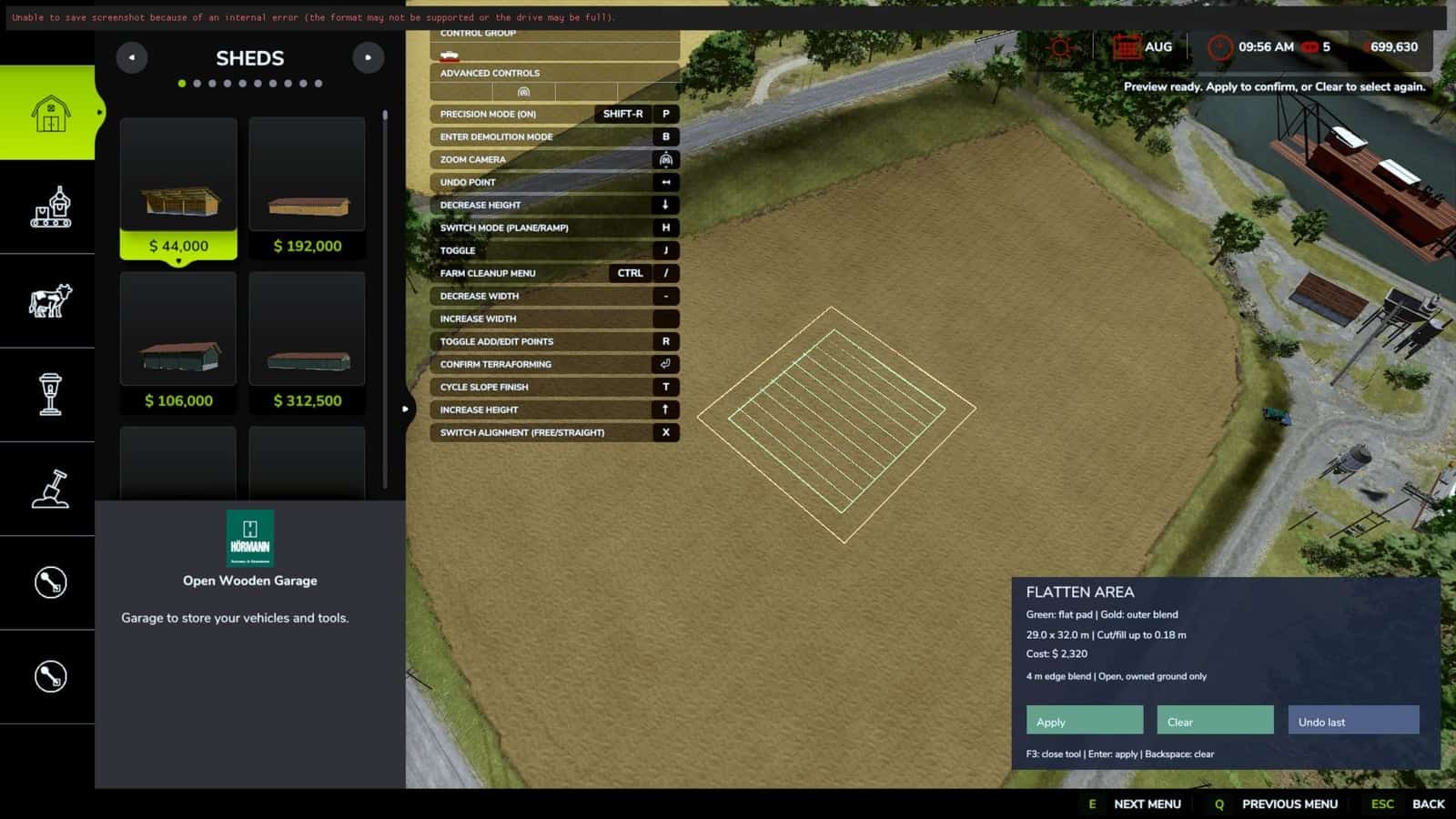
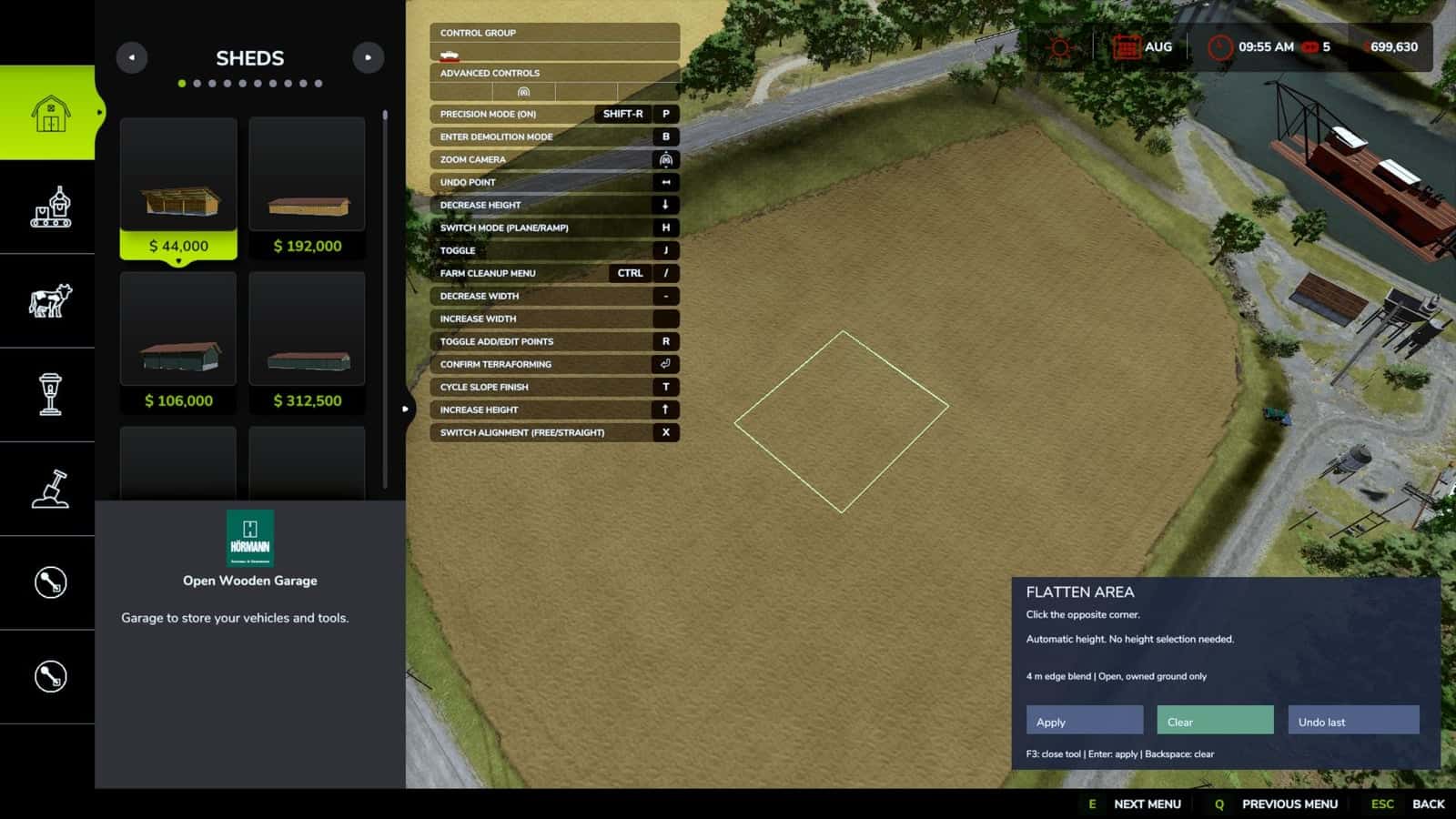
Auto Leveller BETA is a PC single-player tool for Farming Simulator 25 that prepares terrain for farm projects by selecting two opposite corners. Open Construction, choose the corners, and inspect the preview before applying the change. The lowest point within the selected area becomes the target height.
Any higher terrain is lowered, while the selection edges are blended into the nearby ground. Version 0.1.5.0.
Features
- Rectangular areas defined by two corners, including a visual preview.
- The selected area is automatically leveled to its lowest point.
- Terrain is only lowered, with cuts limited to 3 metres.
- Choose an area from 2 × 2 metres through 1,000 × 1,000 metres.
- A blended transition extends approximately 4 metres around the selected area.
- Before confirmation, the tool shows the dimensions, maximum cut, and estimated cost.
- Land ownership is checked, and obstacles are detected through the map collision settings.
- Undoing once restores the previous operation and refunds its cost.
- Processing progress is shown while the tool works.
- Terrain height is changed without removing existing crop or paint layers.
Controls
F3: Toggle the tool while you are in Construction.- Left mouse button: Choose the two opposite corners.
Enter/ Apply: Inspect the operation and confirm it.Backspace/ Clear: Remove the current selection.- Undo last: Restore the latest operation and refund its cost.
Specifications
- Cost: 2.50 in game currency per square metre, with a minimum charge of 50.
Please note
This is for PC single-player saves. You must own both the selected ground and the transition area around it. Selections use the map axes and cannot be rotated.
Buildings, trees, vehicles, water, roads, and other obstacles must be outside the area. Detection of obstacles relies on the map’s collision settings, so painted roads and scenery without collision may not be detected.
Only the most recent operation can be undone, and the undo history is cleared when you leave the save. Additional terrain edits or obstacles placed afterward may stop the undo from working. Wait until processing has finished before saving, leaving the game, or using another terrain tool.
While using Flatten Area, keep any separate Auto Leveler tool switched off.
Installation
Put FS25_FlattenArea.zip into Documents/My Games/FarmingSimulator2025/mods. Do not unzip the file, then enable Flatten Area – Two Corners on the mod selection screen.