FS25 GE10 Script – WaterToolkit v1.0
WaterToolkit is a GIANTS Editor script for Farming Simulator 25 that significantly streamlines the workflow for creating and customizing water surfaces.
Features:
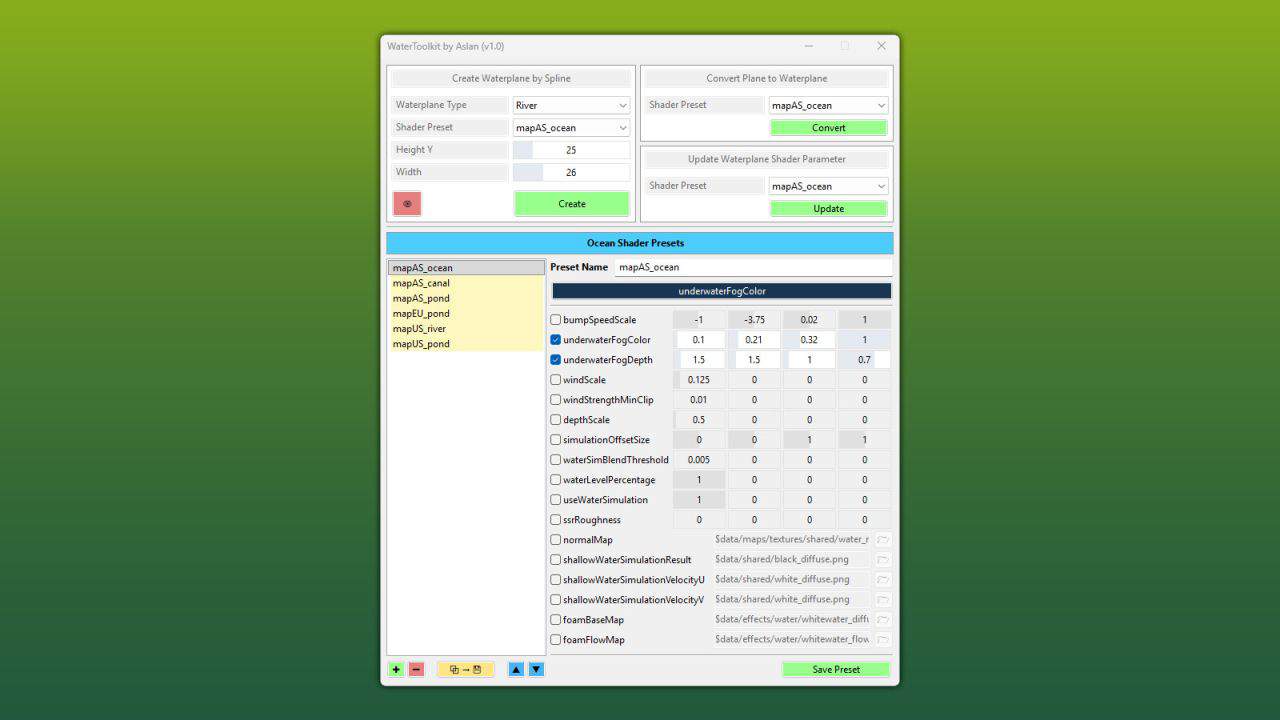
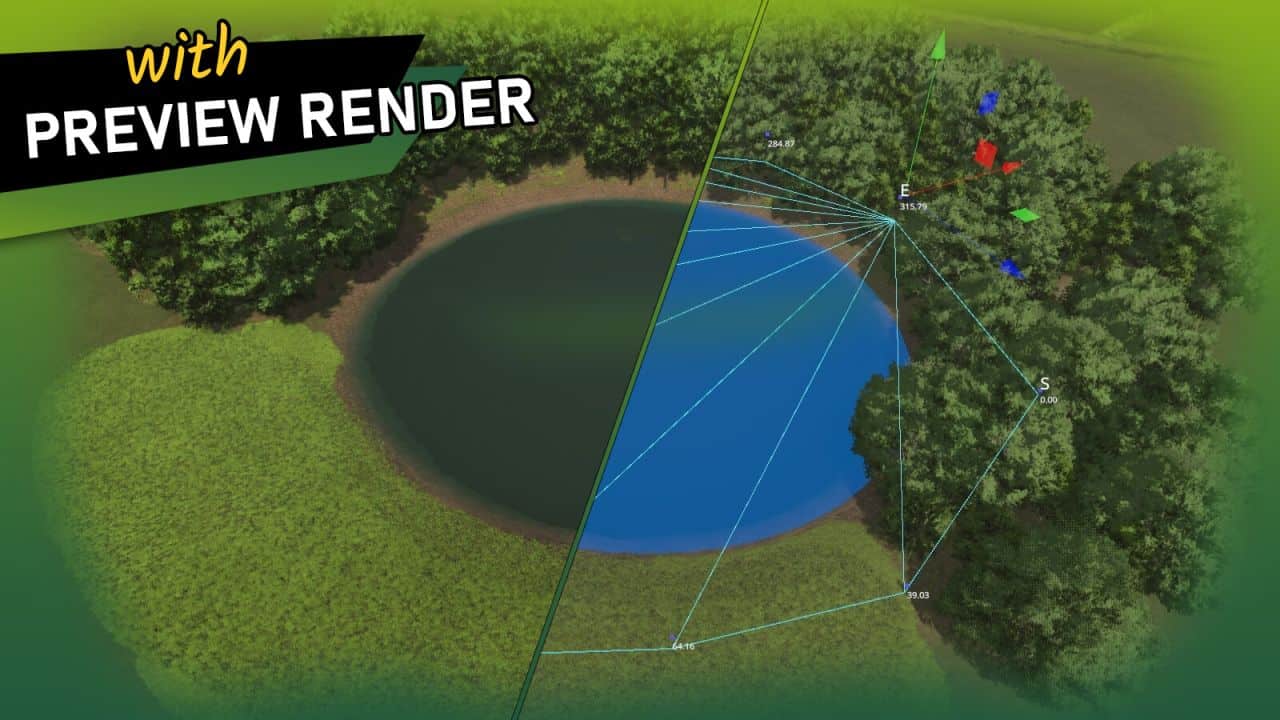
– Generate water planes from splines – both closed lake surfaces and rivers with adjustable width
– Convert existing planes into complete water planes (including WaterSimulation & WaterInMirror)
– Manage shader parameters via presets and apply them to any number of nodes at once
– Built-in presets based on FS25 maps
– Create, save, reorder and delete custom presets
– Live preview with mesh triangulation directly in the viewport
Note – Height Slider Range:
If the slider range for the water height is not sufficient, the limits can be adjusted directly in the script:
– WaterToolkit.HEIGHT_MIN_SLIDER (default: lower bound)
– WaterToolkit.HEIGHT_MAX_SLIDER (default: upper bound)
Installation:
1.) Navigate to the GIANTS Editor AppData path. Default: “C:\Users\[USER]\AppData\Local\GIANTS Editor 64bit 10.0.XX\scripts\”
2.) Copy the file “WaterToolkit.lua” from the prefab into the Script folder of the GIANTS Editor.
3.) The script will then be available in the GIANTS Editor via the menu bar under “Scripts”.