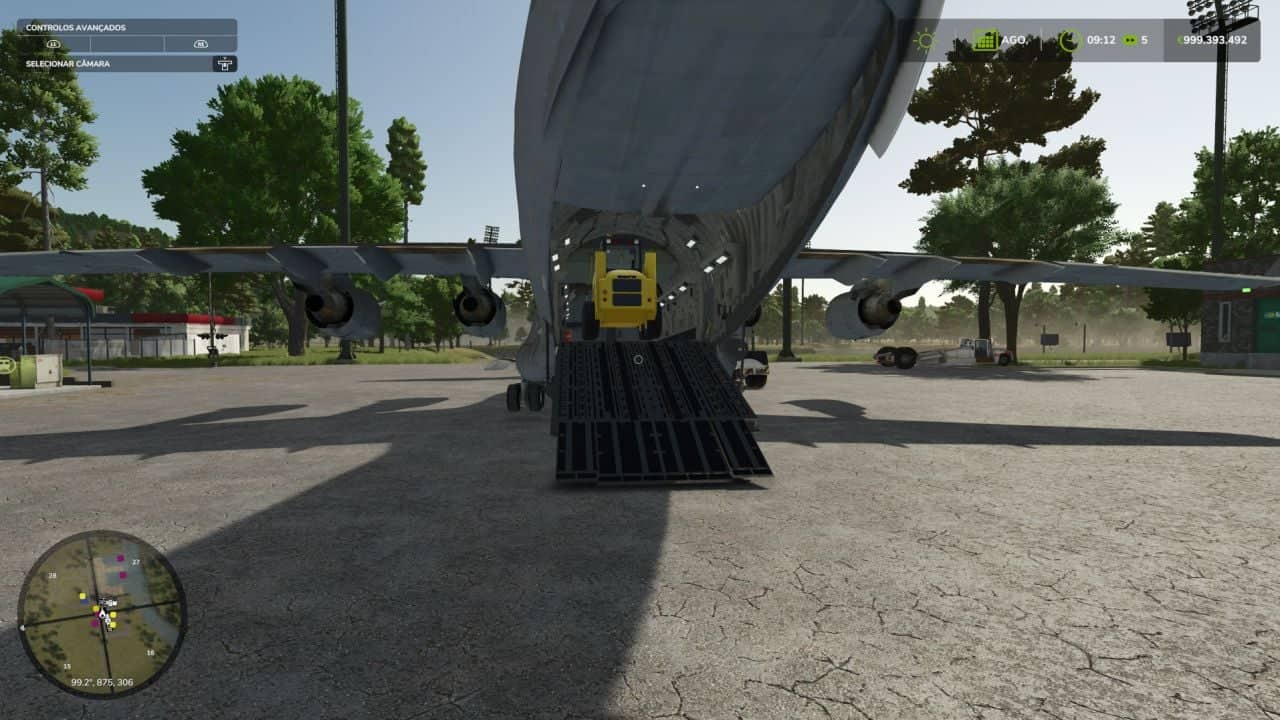
FS25 LIZARD C-17 GLOBEMASTER BETA
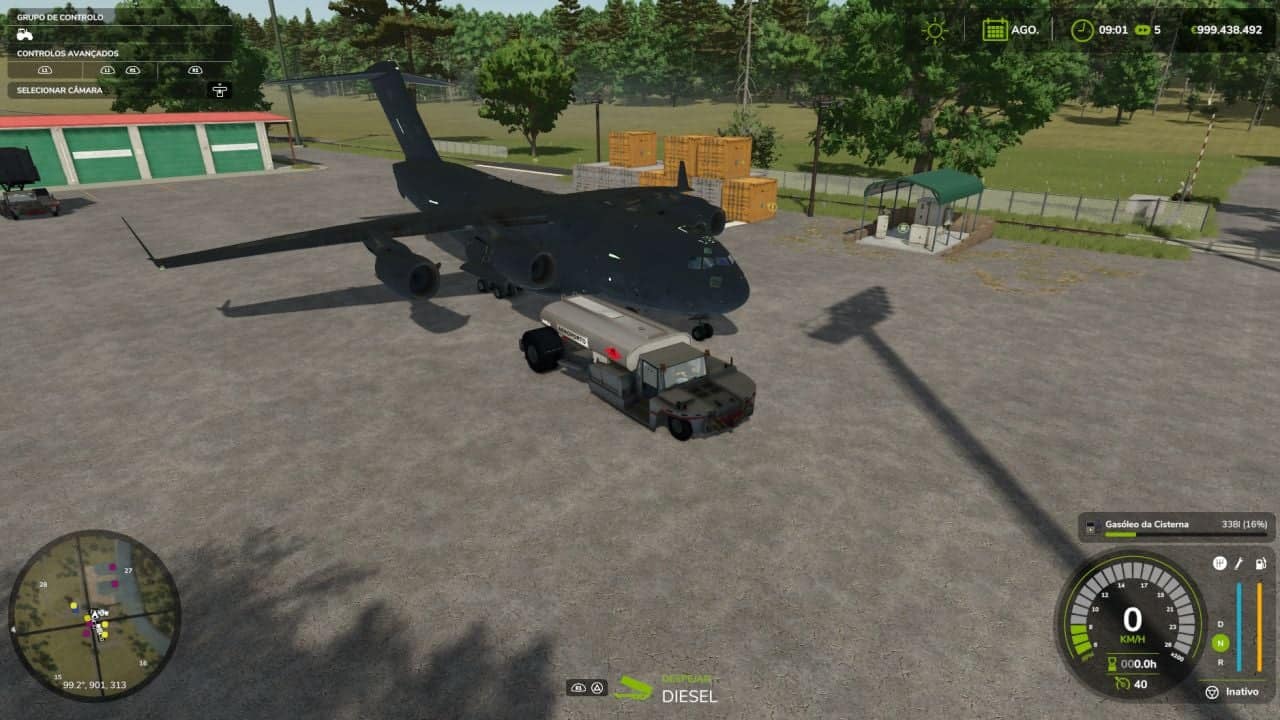
Farming Simulator 25 receives military air transport and heavy cargo operations with the Lizard C-17 Globemaster III. This large military transport aircraft is made to carry cargo, small vehicles, machinery and airport equipment.
A spacious cargo compartment, animated rear loading ramp and custom flight system support airport logistics, military transport missions and the movement of small vehicles between different locations.
Features
- Detailed C-17 Globemaster III aircraft model.
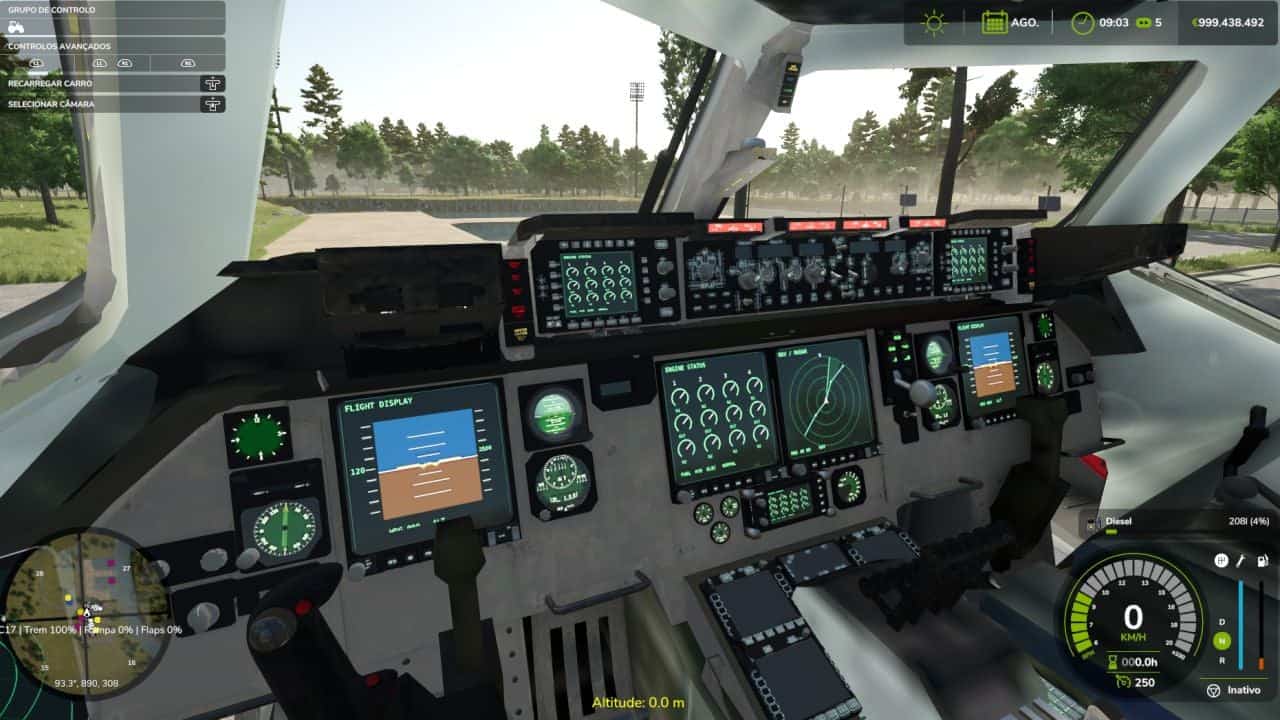
- Custom aircraft flight controls.
- Animated retractable landing gear.
- Animated rear cargo loading ramp.
- Animated side doors.
- Adjustable wing flaps.
- Interior and exterior cameras.
- Aircraft lighting system.
- Automatic navigation and landing lights.
- Custom jet engine sounds.
- Diesel consumption and refuelling.
- Ground towing connection.
- Landing proximity warning system.
Cargo Transportation
The C-17 Globemaster III can transport small vehicles, machinery and compatible airport equipment.
Its large cargo compartment has a rear loading ramp, so small vehicles and equipment can be driven or loaded inside the aircraft.
Cargo transport features:
- Transportation of small vehicles.
- Transportation of compatible machinery.
- Transportation of airport ground equipment.
- Transportation of pallets and compatible cargo.
- Animated rear loading ramp.
- Cargo compartment floor collision.
- Six cargo securing straps.
- Cargo access through the rear loading area.
Small vehicles may be placed inside the cargo compartment for transport.
Whether cargo can be secured depends on the transported objects being compatible with the Farming Simulator 25 tension belt system.
Oversized vehicles exceeding the available cargo compartment dimensions are not intended for transport in this aircraft.
Flight Controls
- W / S: Accelerate and brake.
- A / D: Ground steering.
- Left Mouse Button: Climb.
- Right Mouse Button: Descend.
- Left Ctrl + G: Raise or lower landing gear.
- Left Ctrl + R: Open or close rear cargo ramp.
- Left Ctrl + D: Open or close side doors.
- Left Ctrl + F: Adjust flaps.
- C: Change camera.
- F: Aircraft lights.
- Cargo Straps: Standard Farming Simulator 25 controls.
For the cargo ramp and side doors to operate, the aircraft must be stationary and near the ground.
Automatic landing gear operation is available near the ground.
Airport Ground Handling
A towing connection is included for compatible airport pushback vehicles.
Ground handling features:
- Airport pushback connection.
- Compatible towing operations.
- Ground steering.
- Diesel refuelling.
- Aircraft navigation lights.
- Landing proximity warning.
Vehicle Transport Operations
To transport small vehicles:
- 1. Park the aircraft on a suitable level surface.
- 2. Open the rear cargo ramp.
- 3. Drive or load a compatible small vehicle into the cargo compartment.
- 4. Position the vehicle securely inside the aircraft.
- 5. Secure compatible cargo using the available tension belts.
- 6. Close the rear loading ramp before takeoff.
- 7. Fly to the destination and land.
- 8. Open the ramp and unload the vehicle.
During flight, vehicle stability depends on cargo dimensions, weight and compatibility with the securing system.
Specifications
- Price: €420,000
- Engine power: 4,000 HP
- Maximum configured speed: 250 km/h
- Diesel capacity: 5,000 L
- Aircraft length: 30 m
- Aircraft width: 27.35 m
- Aircraft height: 11.8 m
- Cargo securing straps: 6
- Version: 0.1.15.3
- Brand: Lizard
- Game: Farming Simulator 25
- Multiplayer: Not supported
Installation
Place the downloaded ZIP file directly into your Farming Simulator 25 mods folder.
Use the game’s mod selection menu to activate the C-17 Globemaster III.
The aircraft is available for purchase in the in-game vehicle shop.