FS25 Multi Brush Select V1.2.0.0
Paint several textures, foliage types and trees at the same time with one brush. Press Ctrl+O during the game to open the Multi Brush panel. This separate window uses the FS25 style and lists all ground textures, foliage, including grass, weeds and flowers, as well as every tree available in your game. This includes base game, DLC and mod content, with every tree size and model included.
Select as many entries as required with a click, then hold the left mouse button over the terrain. All selected items are painted and planted together in a natural mix. Trees are placed with enough space that their crowns do not touch. The list can be searched and filtered by category. Radius and density are adjustable, the right mouse button erases, and planted trees can be undone with Ctrl+Z.
Features
- Multi-select panel opened with
Ctrl+O, containing every texture, foliage type and tree - Search field and category filters, plus an icon for each item
- Paint textures, grass, weeds and trees together in a single stroke
- Trees are placed sparsely without touching each other
- Erase foliage and trees inside the brush circle with the right mouse button
- Undo planted trees using
Ctrl+Z - Radius and density can be adjusted
- Normal prices, with singleplayer and multiplayer support
Controls
Ctrl+O, show or hide the Multi Brush panel- Left mouse button, paint or plant all selected items
- Right mouse button, remove foliage and trees
Ctrl+Z, undo trees that were plantedShift+P, open the default construction menu, then use Ctrl+click for multi-selection
The mod is also available through the default construction menu with Shift+P. Hold Ctrl while clicking several items. If at least 2 trees are selected, the brush works as a seed brush and scatters random trees from that selection throughout the brush circle.
Notes
- DLC and mod content is displayed only when it is owned or loaded. The mod itself has no DLC dependency.
- The texture and foliage layers come from the loaded map. Layers belonging to other maps are therefore shown only on their respective map.
- Tree erasing and undo are available in singleplayer and to the multiplayer host.
Changelog
- V1.2.0.0
Added a Mix tab where the share of each selected texture, foliage item and tree can be set. The total of all shares always remains 100%.The Rules tab controls where trees may be placed. It includes tree spacing, tree age as selected, random, young or old, maximum slope, minimum and maximum altitude, and settings for avoiding fields, roads and buildings.
In the Draw tab, Zone, use the knife tool to outline an area, or place a square and drag its points. The area is updated live, and only the changed section is redone. All selected textures, foliage, bushes and trees are placed inside the zone.
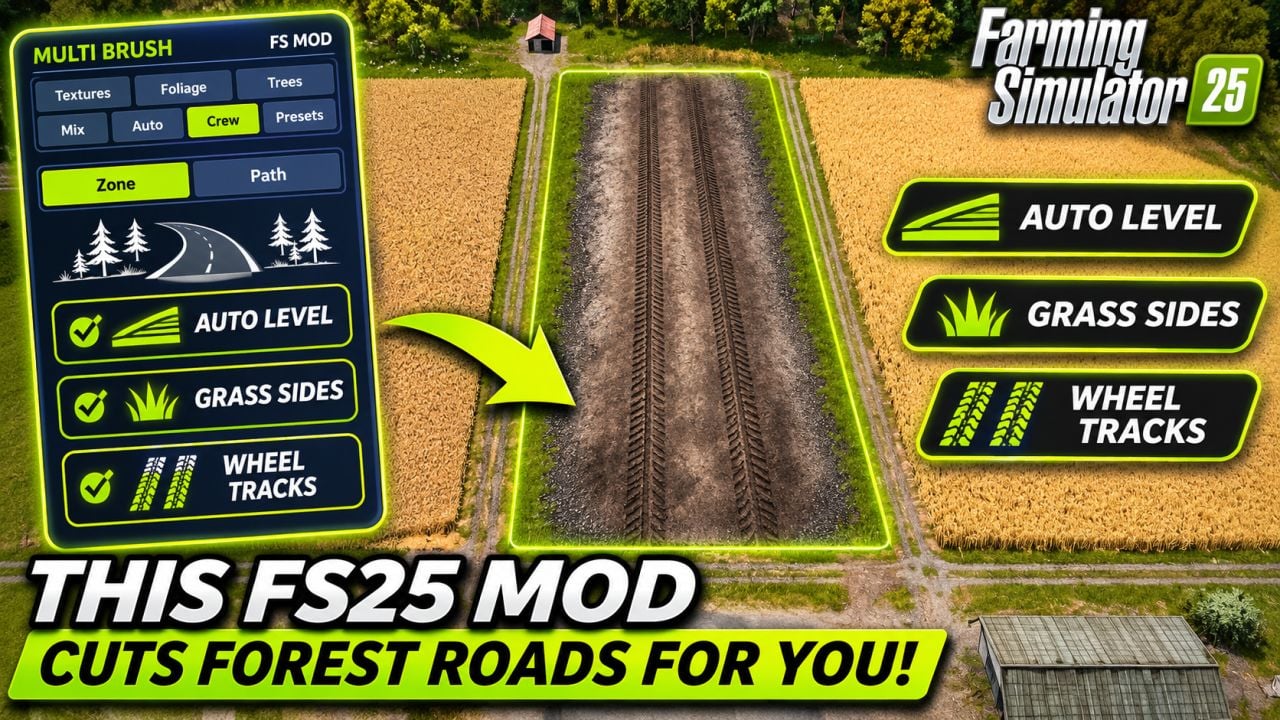
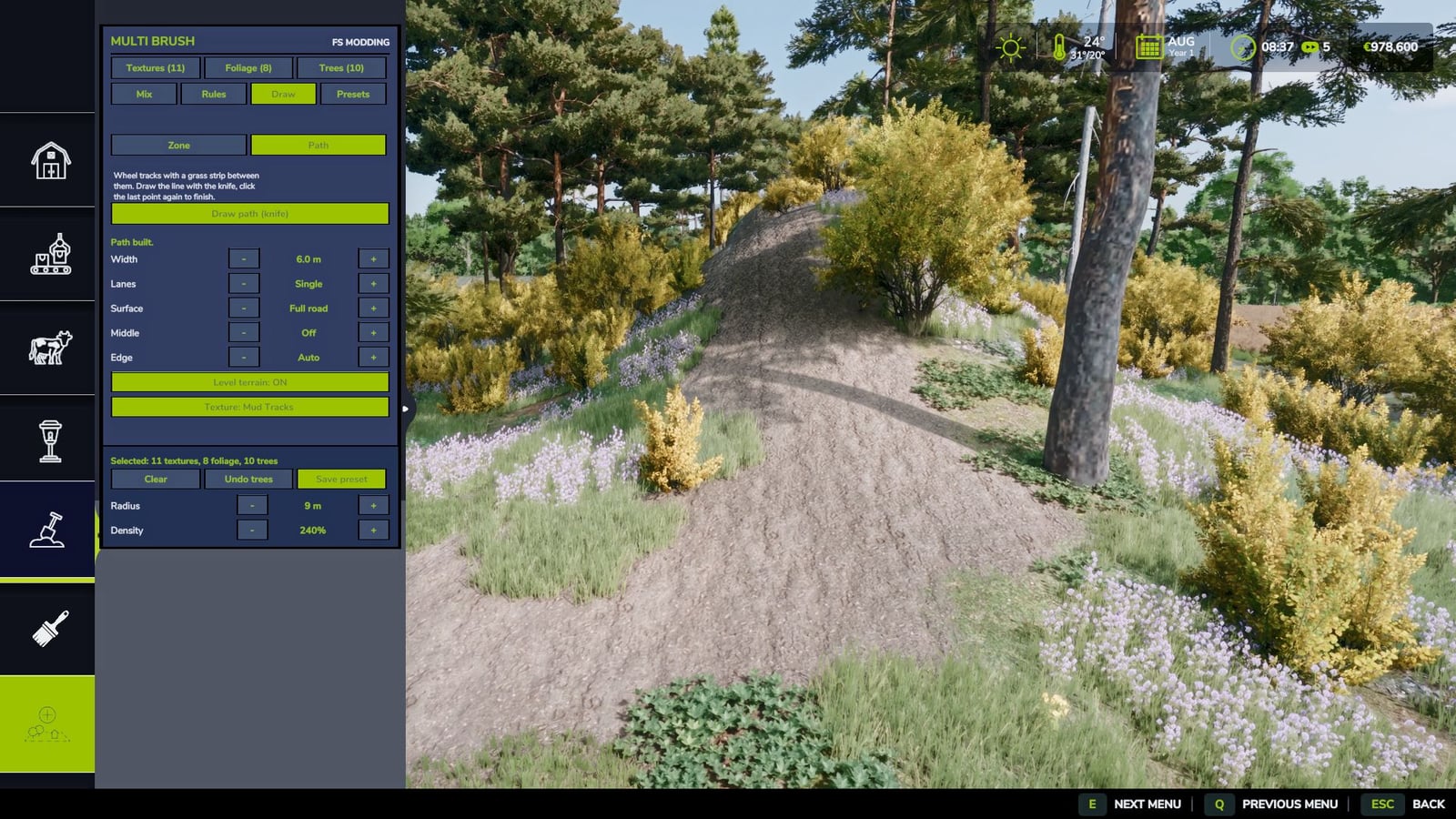
In the Draw tab, Path, draw a line with the knife tool and select Build path. Trees along the path are removed, the terrain is levelled and grass is cleared. From the outside toward the centre, the layout is a 1 m edge strip, a wheel track with the selected texture, grass in the middle, a second wheel track with that same texture, and another 1 m edge strip.
Wheel tracks can use any ground texture belonging to the map, including asphalt, gravel, concrete, pavement and more. A single or double path is available, with two lanes for two vehicles. Road width can be adjusted from 3-10 m. The edge foliage can be selected, and levelling can be switched on or off.
Presets allow mixes and rules to be saved and loaded. Live zone updates have been improved and are much faster. When trees are placed again on a path or zone, the existing trees are removed and refunded.
Notes: Multiplayer is supported. Tree removal works for the host and in singleplayer.
- V1.1.0.0
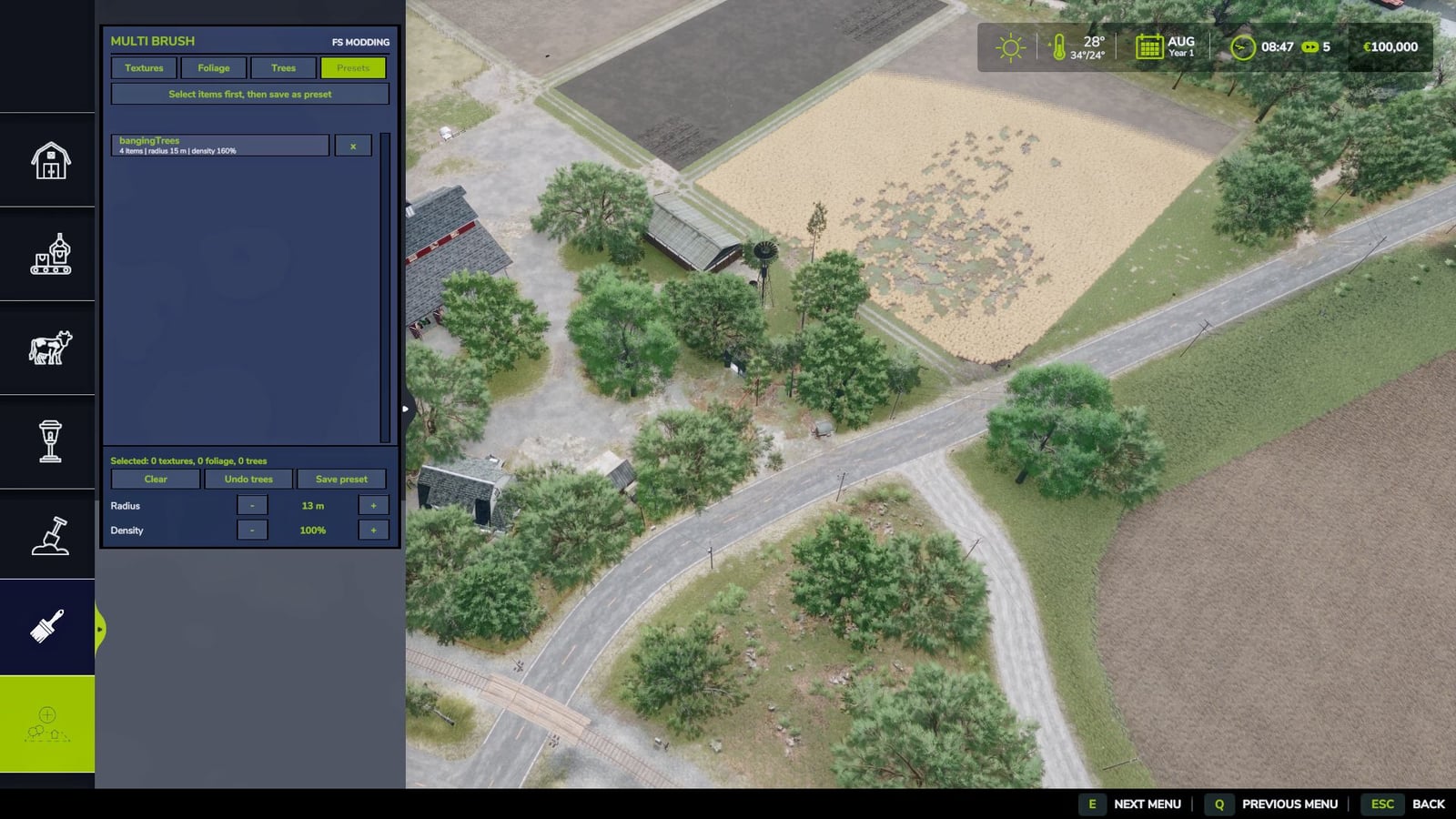
The Multi Brush panel became a category button in the Construction menu, positioned directly after the last brush. The other categories remain visible. Selecting another category closes the panel. The default keyShift+Oopens and closes it, and the key appears in the F1 help and can be rebound in the controls.Presets can now store the current selection, including textures, foliage, trees, radius and density, under any chosen name. The new Presets tab can be used to load or delete them, and they remain available between sessions.
Tree undo now uses its own rebindable key. The default is
Ctrl+Z, which is also displayed in the F1 help.Improved: A new compact panel follows the native FS25 style, with a grey body, black borders, green text and a visible scrollbar that can be dragged. Items appear in two columns to fit more on the screen. Trees without a store icon now receive a tree symbol with the first letters of their tree type. Per-frame cost is lower because filtered lists, group lists and text widths are cached, while the brush circle is less expensive to draw.
Fixed: The native category bar is no longer hidden by the panel.
Notes: The panel includes every tree type, stage and variation supplied by the loaded map, DLCs and mods. A tree from a DLC or map is shown only while it is loaded. The mod contains no DLC content and has no DLC dependency. Singleplayer and multiplayer are supported.