FS25 Vehicle Management V1.4.5.1
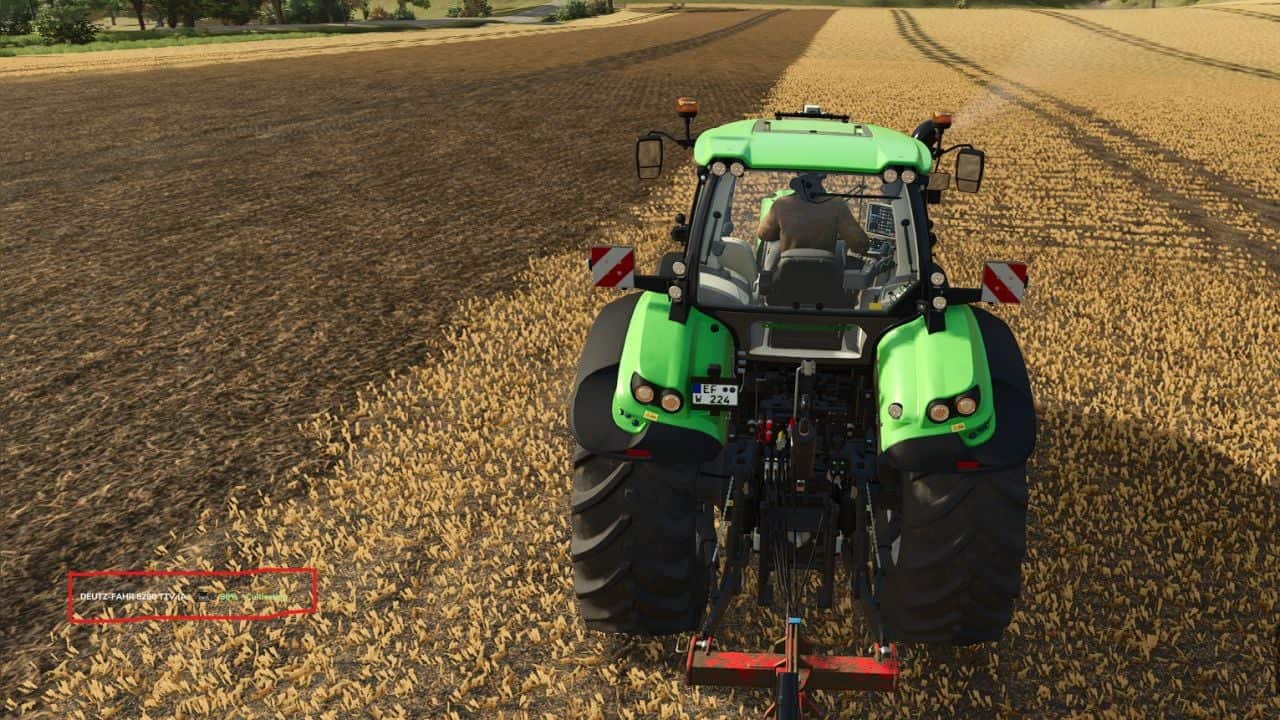
Vehicle Management is a lightweight, customizable HUD for Farming Simulator 25 that lets you keep track of farm vehicles without filling the screen.
Features
- Lists the active vehicles belonging to your farm.
- Provides each vehicle’s name and current activity.
- Identifies field numbers whenever they are available.
- Shows transported materials, their quantities in liters and their fill percentages.
- Hides vehicles automatically when they become inactive.
- Offers three display modes: Full, Half and Minimal.
- Half and Minimal modes use a transparent, text-only interface.
- Lets you adjust the HUD’s position and size.
- Updates vehicle information automatically.
Controls
- Alt + B: Switch the display mode.
- Alt + V: Open the next vehicle page.
- Alt + M: Change the HUD position.
- Alt + Arrow Keys: Move the HUD.
- Alt + Page Up / Page Down: Change the HUD size.
V1.4.5.1
- The HUD graphics now have a cleaner, more modern design.
- HUD positioning and automatic screen adjustment have been improved.
- New native Farming Simulator 25 icons were added for fuel, seeds, fertilizers and transported materials.
- Readability has been improved, and the interface was optimized to reduce screen clutter.
- Various visual improvements and optimizations were made.
V1.4.5.0
- Native FS25 icons for fuel, seeds, fertilizers and transported materials were added.
- Fuel monitoring now includes a percentage display.
- Material quantities are shown in liters together with fill percentages.
- Low resource levels now use dynamic colors.
- Vehicle and AI worker activity detection was improved.
- Detection of attached implements and transported materials was improved.
- The HUD now positions itself automatically to avoid overlapping with the minimap.
- The interface was simplified to two display modes: Full and Reduced.
- HUD readability and the compact layout were improved.
- Various optimizations and bug fixes were included.