FS25 Stream overlay & Companion V1.7.0.0
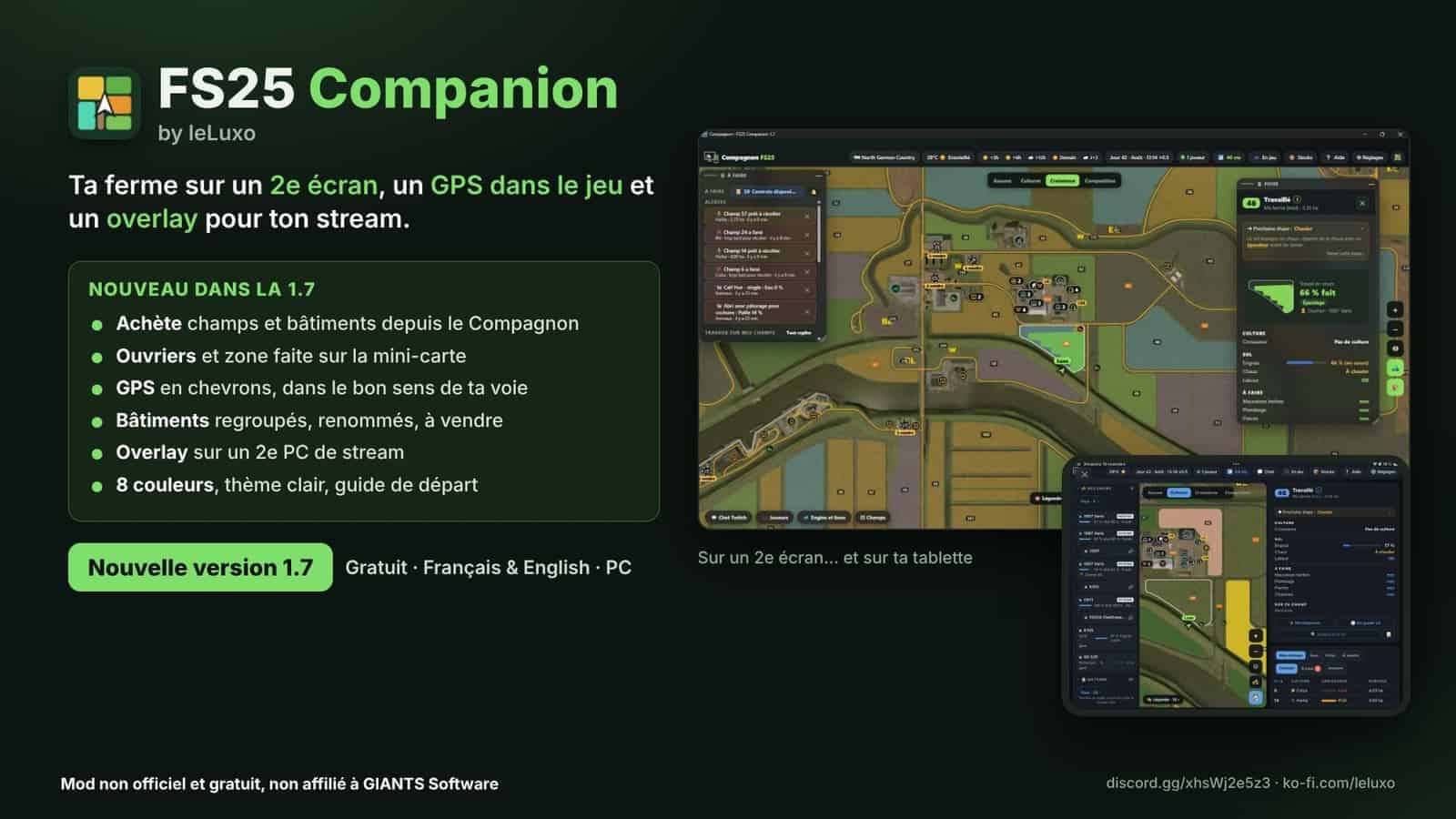
FS25 Companion by leLuxo, previously known as FS25 Stream & Companion, is a free companion application in Farming Simulator 25 that also provides a stream overlay on PC.
Important: FS25 Companion works together with the free FS25 Companion application for Windows. Download the installer, then the application installs and updates the mod automatically.
Features
Companion, tablet and second screen
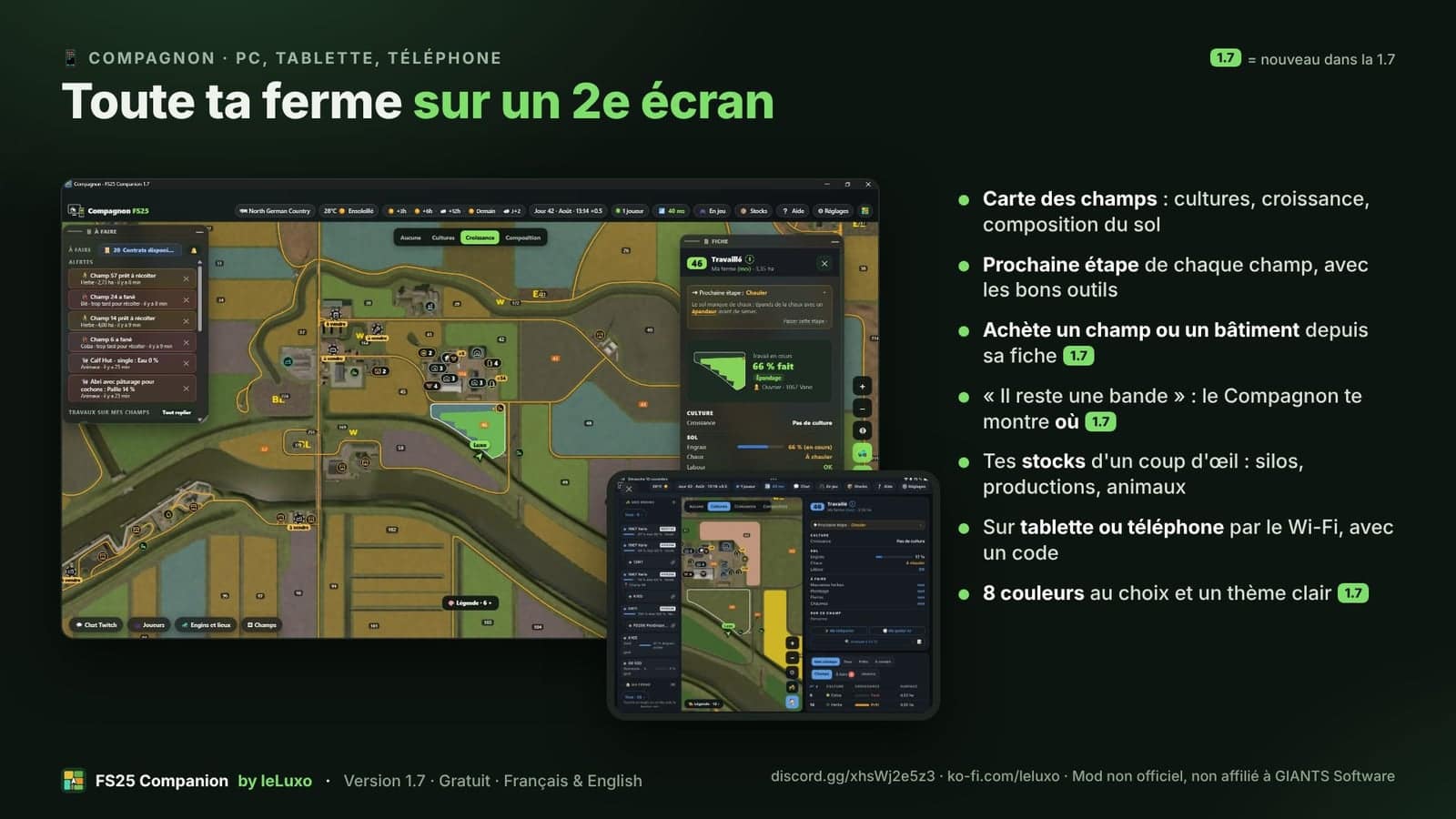
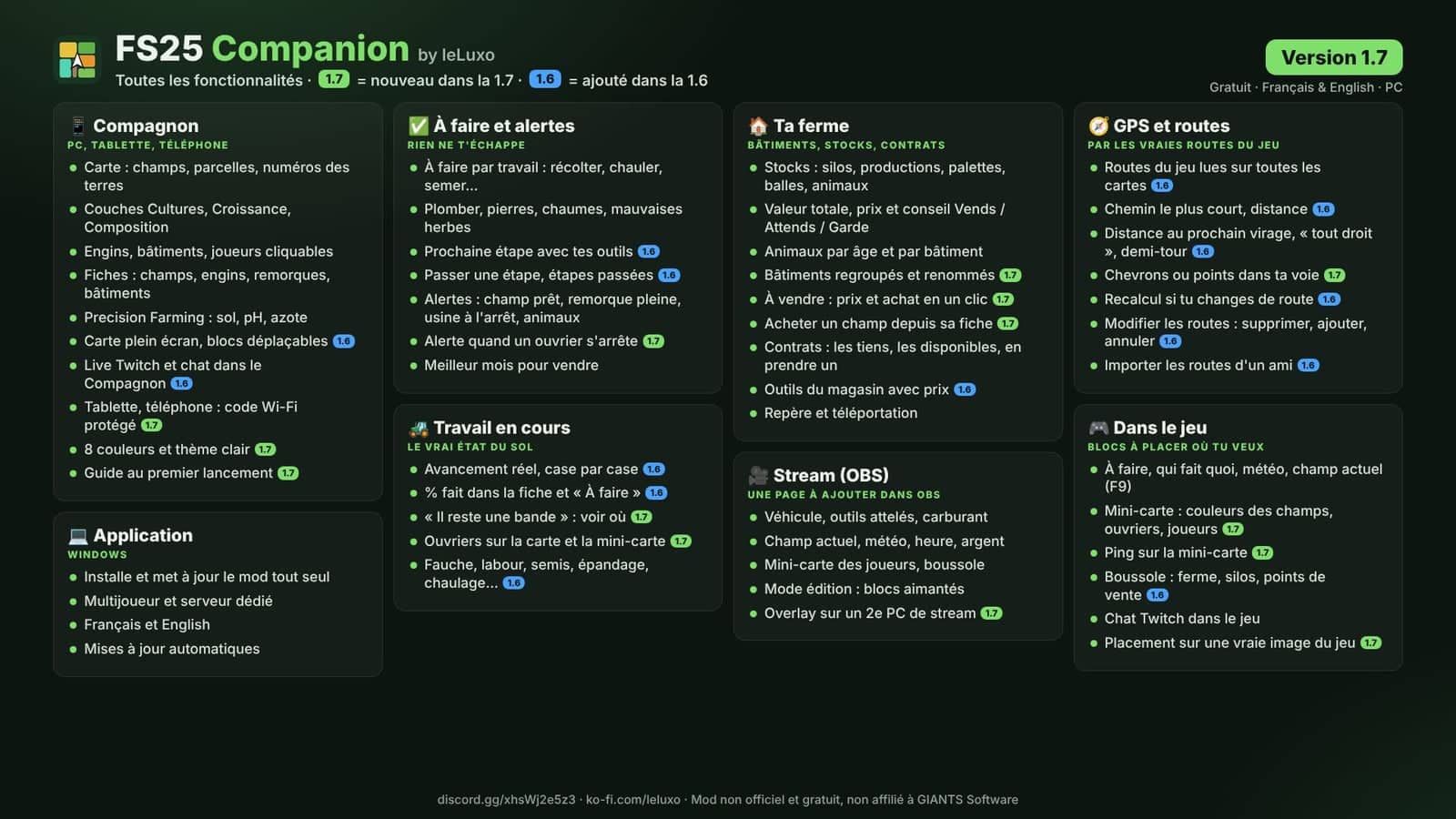
- Open a map of your farm, just as in the game, through Wi-Fi by simply scanning a QR code.
- View information sheets for every field, building, vehicle, animal and silo, together with the farm’s stocks.
- Keep a “To do” list and receive alerts for a field being ready, a full trailer, a stopped factory, hungry animals or the best month to sell.
- See the contracts belonging to your farm and the contracts that are available, then accept one directly.
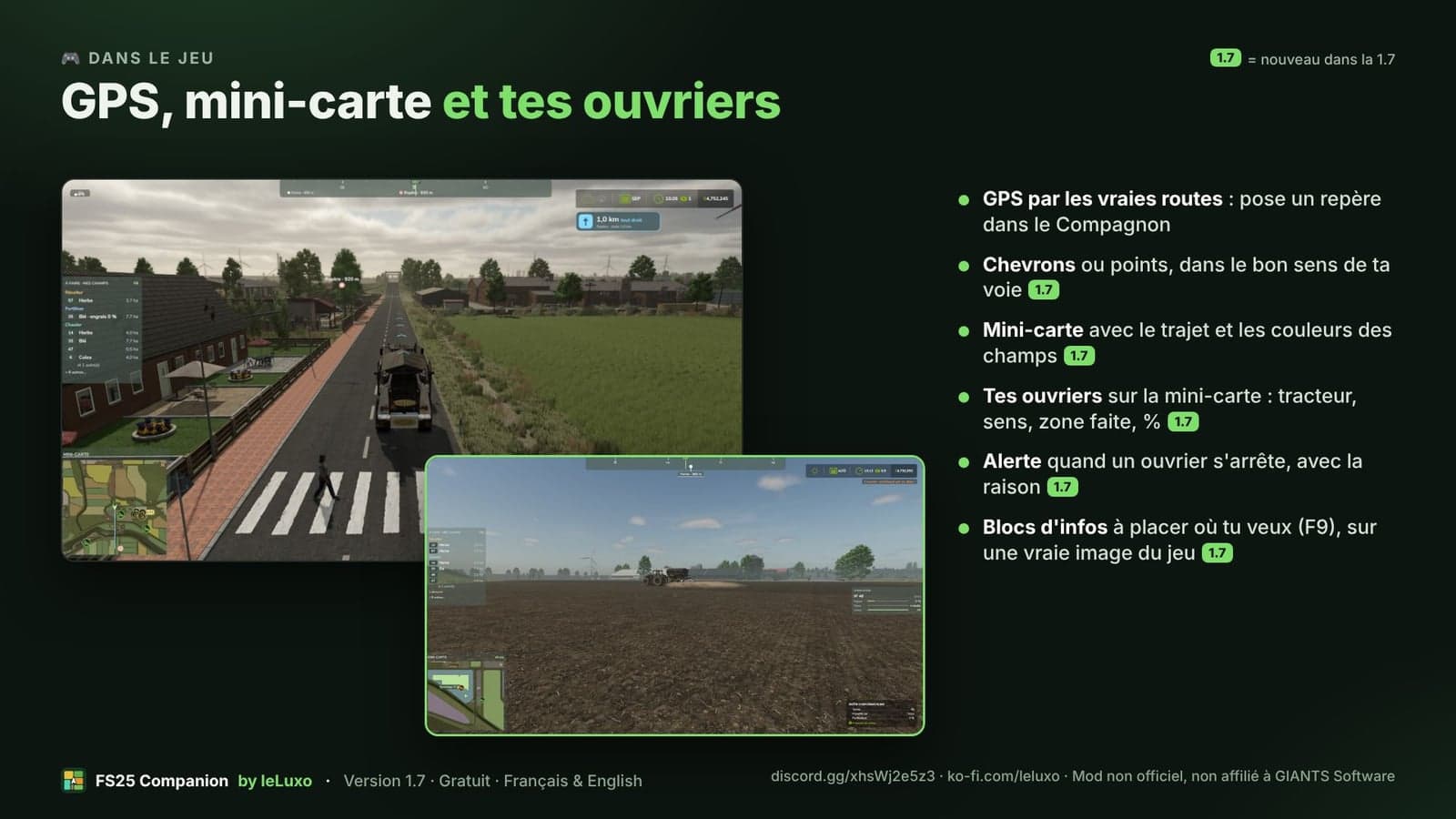
- Use GPS via roads: set a marker and follow a route along the map’s roads, which you can edit and share with your friends.
- Check sale prices and get “Sell / Wait / Keep” advice, use Precision Farming information for soil, pH and nitrogen, and see the next step for each field.
- Follow who is doing what in multiplayer and write personal notes for every field.
- Set markers, teleport to a field, vehicle, building or player, and even go to sleep.
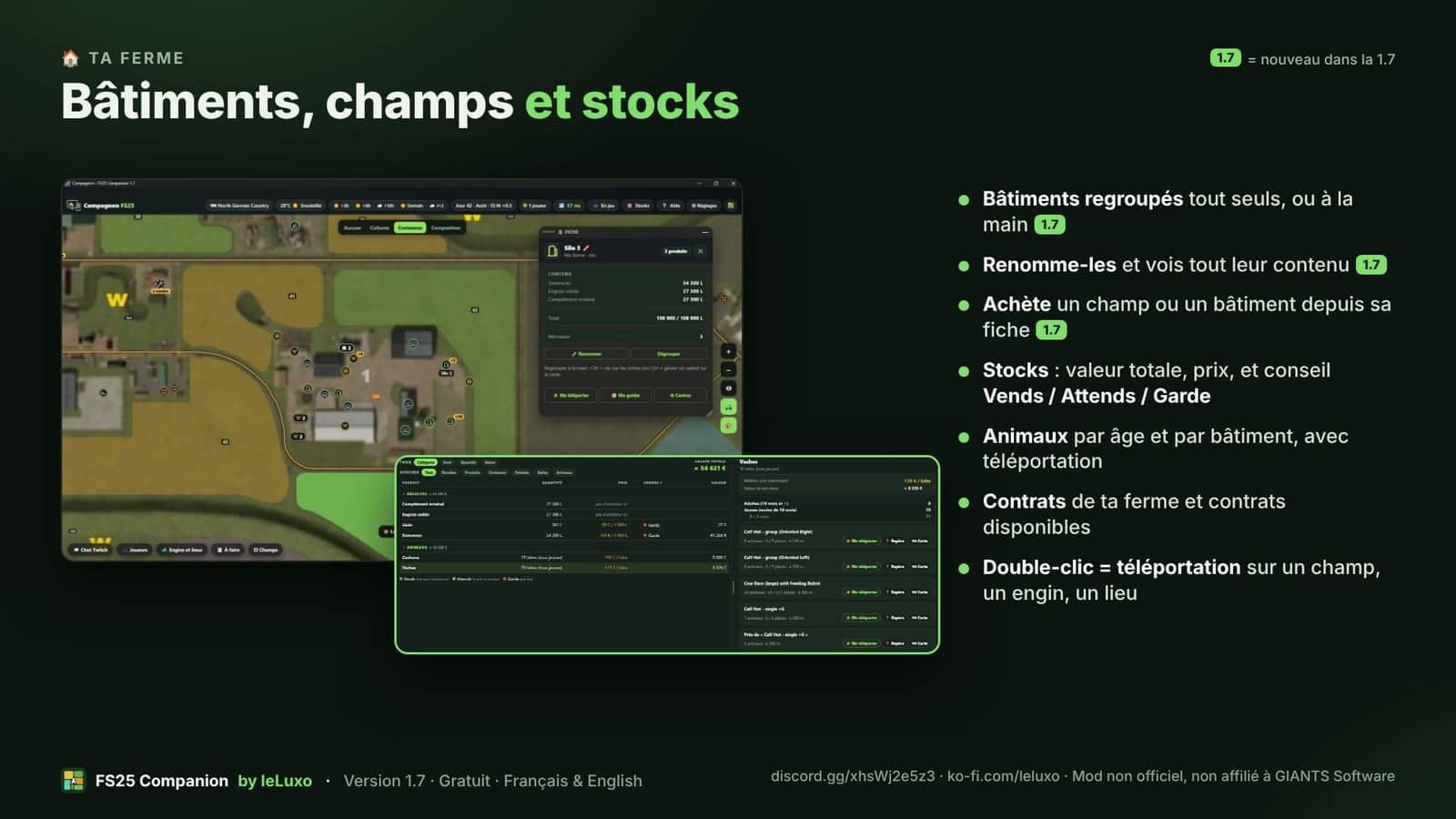
- Buy a field or building from its information sheet. Buildings are grouped and renamed together with all of their contents.
- Select from 8 colors and use a light theme.
In the game
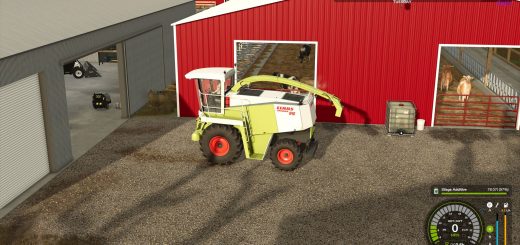
- Place information panels wherever you want, with options for to do, current field, weather, alerts, Twitch chat and mini-map. Press
F9. - Follow a GPS using chevrons or dots on the road. They lead to your marker in the correct direction for your lane.
- Use a mini-map that displays your workers, including the tractor, completed area and %, field colors, other players and ping.
- See your fields, vehicles, players and marker on a compass at the top of the screen.
Stream, OBS
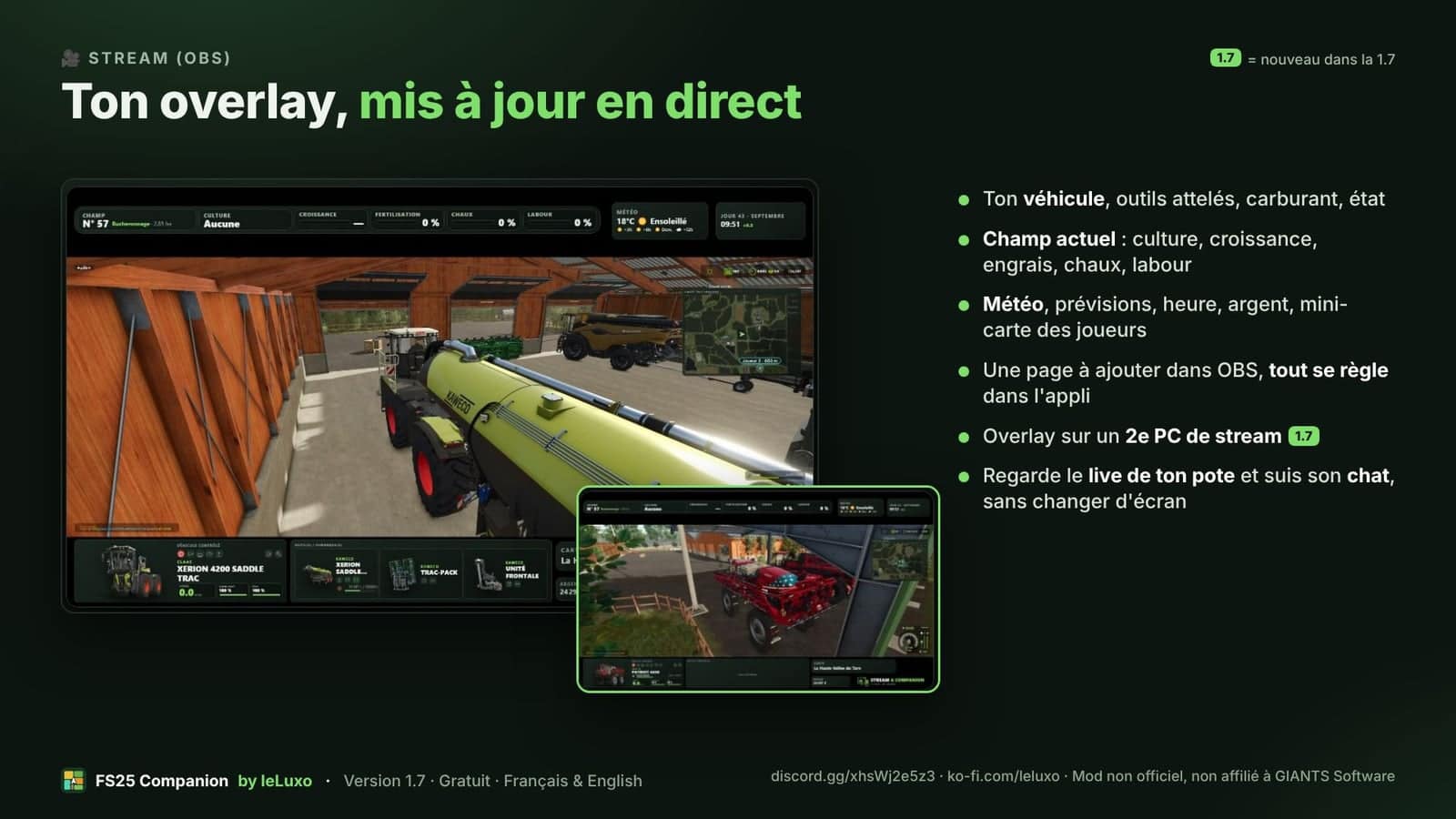
- Show a live overlay with your tractor and its tools, the field, weather, time, money, a mini-map with the GPS route and the compass.
- Place magnetic blocks with the mouse, using 3 layouts in either 1080p or 1440p.
- Run the overlay on a second streaming PC.
You do not have to be a streamer. The Companion and the in-game information also work perfectly well by themselves.
- Use it in single-player, multiplayer or on a dedicated server, with the mod installed on the server as well.
- PC only: PlayStation / Xbox players cannot join a server that is running the mod.
- Updates are automatic, the application is available in French and English, and it is 100% free.
- Tip: start FS25 Companion BEFORE the game, or the mod cannot be updated.
Help, bugs, ideas: Discord
Unofficial, free mod, not affiliated with GIANTS Software.
Changelog
- V1.7.0.0
- The Companion details page now lets you buy a field or building, and fields and buildings for sale show their price.
- Buildings can be grouped automatically or manually and renamed with all their contents.
- The in-game minimap shows workers, including the tractor, their direction, completed area and %, field colors and numbers, other players and ping.
- When a worker stops, an alert gives the reason. For “There is one strip left”, the Companion shows the location.
- GPS now uses chevrons or dots in the correct direction of the track.
- Game blocks can be placed over a real image of the game and adjusted with the keyboard arrows.
- The overlay can be used on a second streaming PC.
- There are 8 colors, a light theme, a guide on first launch, grouped settings and a protected Wi-Fi code.
- Lots of fixes.
- Tip: start FS25 Companion before the game, or the mod cannot be updated.
- For a dedicated server, install mod 1.7.0.0 on the server.
- V1.6.0.0
- GPS via roads adds a route in the Companion and blue points on the road in the game, with routes that can be edited and shared with your friends.
- The in-game minimap can show the GPS route on the stream’s minimap, optionally.
- Precision Farming adds soil, pH and nitrogen to the field information.
- Use the “Analyze” a field button to get a yield bonus identical to the game and see the next step with your tools and those from the store.
- Stock information includes prices, “Sell / Wait / Keep” advice and the total farm value.
- Twitch chat provides filters, puts new messages at the top and appears in a small window on the tablet.
- There is a full-screen map mode, a clearer compass and fixes, including balers and wrapping.
- For a dedicated server, put mod 1.6.0.0 on the server.
- V1.5.0.0
- FS25 Companion 1.5, formerly FS25 Stream & Companion, brings a new name, and the app now speaks French and English.
- In the Companion, use a map like the one in the game with all fields, plots without fields, land numbers and joined fields. Vehicles and buildings are clickable, and you can place a marker, choose “Go there”, view farm inventories, drag columns and sleep.
- Contracts for your farm appear in “To do” with notifications. You can also see available contracts and “Take” a contract from the Companion.
- Inside the game, there is a compass at the top of the screen, Twitch chat from your live stream and “Current field” shown as a list or tiles.
- The stream receives an editing mode with magnetic blocks and alignment, plus a compass in the overlay.
- Warning: the mod has been renamed,
FS25_Companion.zip, 1.5.0.0. In multiplayer, the server must have this zip, and the oldFS25_StreamDashboard.zipmust be removed. The app does this automatically on your PC.