FS25 Buy Cargo on Trailer V1.0.0.0
Load complete pallets and bales onto compatible Universal Autoload vehicles through a direct purchase. Select the cargo type, set the quantity, check the displayed price, and confirm the order. The purchased items are placed on the chosen trailer according to Universal Autoload’s loading area and stacking settings.
Any cargo already on the trailer remains there. Payment is taken only for items that are loaded successfully.
Features
- Buy full pallets, round bales, or square bales.
- The available products come from the pallet and bale definitions registered by the current map.
- Set the order size to 1, 2, 4, 6, 8, 10, or 20 items.
- When multiple connected vehicles are compatible, select the one that should receive the load.
- Check the price of each item and the maximum total for the order before confirming it.
- Reopen the menu after a purchase to add further products.
- The loading process ends once there is no suitable space left.
- Tension belts are released while loading and secured automatically after the operation is complete.
- A rebindable shortcut is shown in the F1 controls help.
Specifications
- When available, normally purchasable pallets use their store price.
- For other items, the price is based on the base product value, with a markup and delivery charge added.
- All prices are shown before the purchase is made.
- You need enough funds for the full requested order to begin.
- If the trailer accepts only part of the order, payment covers only the items delivered.
How to use
1. Turn on Universal Autoload and Buy Cargo onto Trailer.
2. Enter the towing vehicle while an owned and enabled Universal Autoload trailer is attached.
3. Park the vehicle, then press Left Ctrl + Left Shift + P.
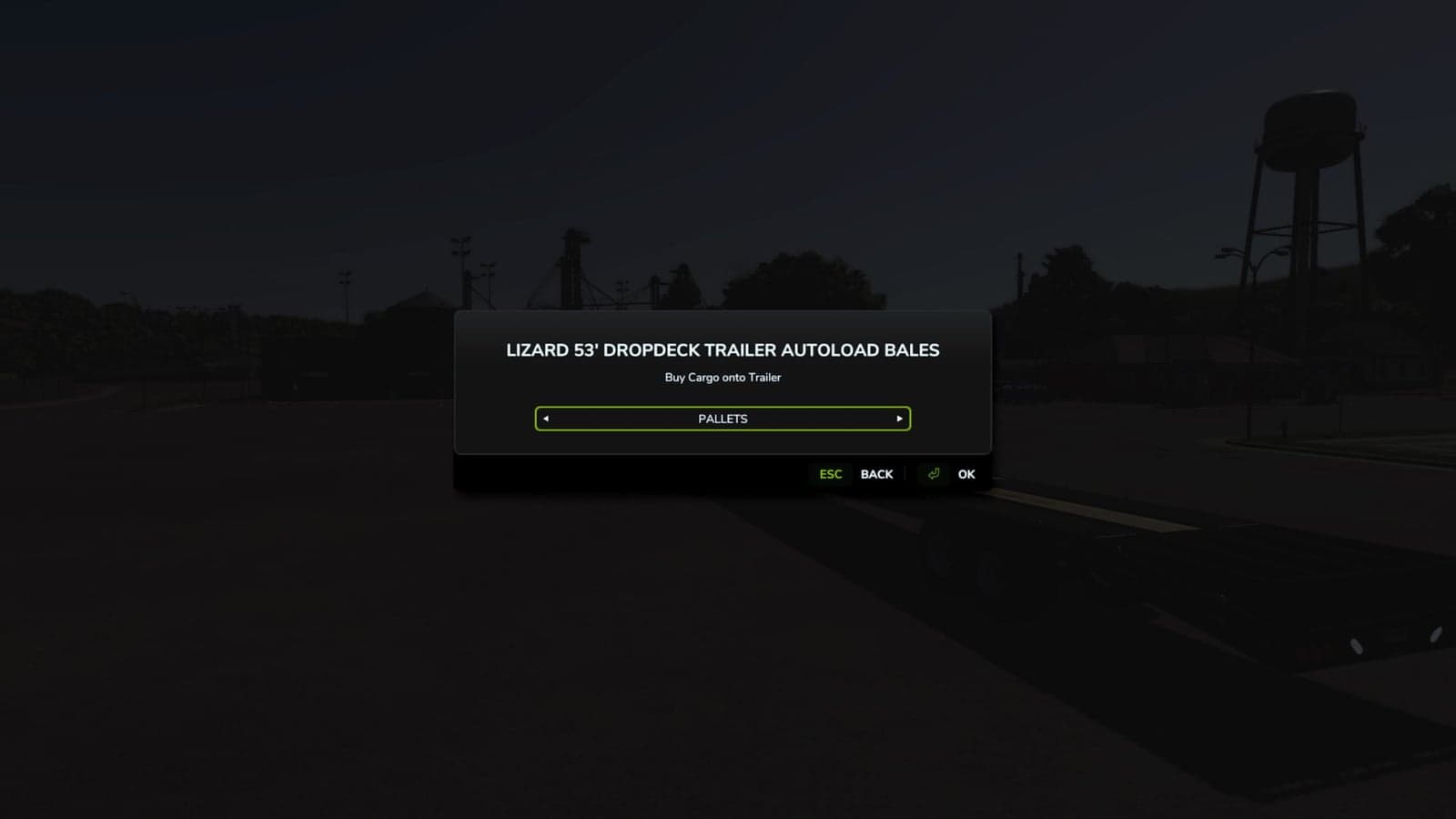
4. If requested, choose the trailer, and then select Pallets or Bales.
5. Pick the product and quantity, check the price, and confirm the purchase.
6. Stay parked until the loading process has ended.
To change the shortcut, open the game’s keyboard controls and find Buy Cargo onto Trailer.
YOU NEED: Universal Autoload (FS25_UniversalAutoload) is required.
Compatible with:
- Single-player only, multiplayer is disabled.
- Trailer cargo restrictions, available space, height limits, and stacking settings still apply.
- Dedicated log trailers and independent autoload systems are not supported.
- Some listed products may not fit your selected trailer. Items that cannot be loaded are not charged.
- Easy Development Controls is not required.
Release status
This is a single-player preview, tested in-game by Wolffy12CA with multiple trailers, pallet products, and bales.
Known issue: Autoload may occasionally skip a pallet row. Please report any issues you encounter.