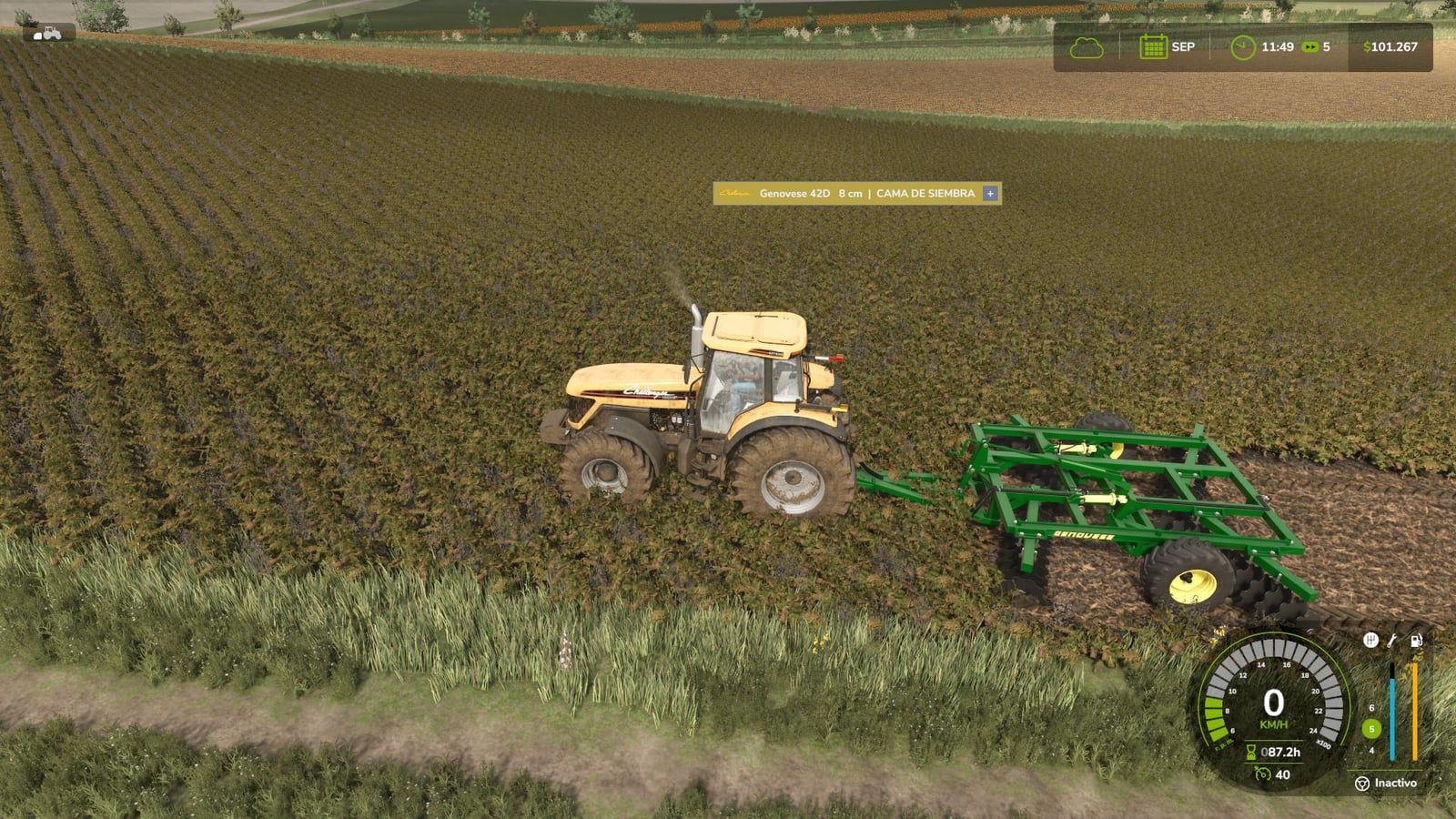
FS25 Variable Working Depth V1.1.0.0
Variable Working Depth lets disc harrows and cultivators operate according to the working depth you select. It supports both base-game and modded equipment, and it does not require XML editing or a store purchase.
After installation, every implement initially keeps its factory position and behaves just as it does in the original game. Variable Working Depth only takes control after you change the depth setpoint.
The setpoint can be adjusted from 0 to 100% with Ctrl + Num Plus / Minus. At 0%, the discs only touch the ground slightly and perform no tillage. Lowering an implement therefore does not always mean that it is working.
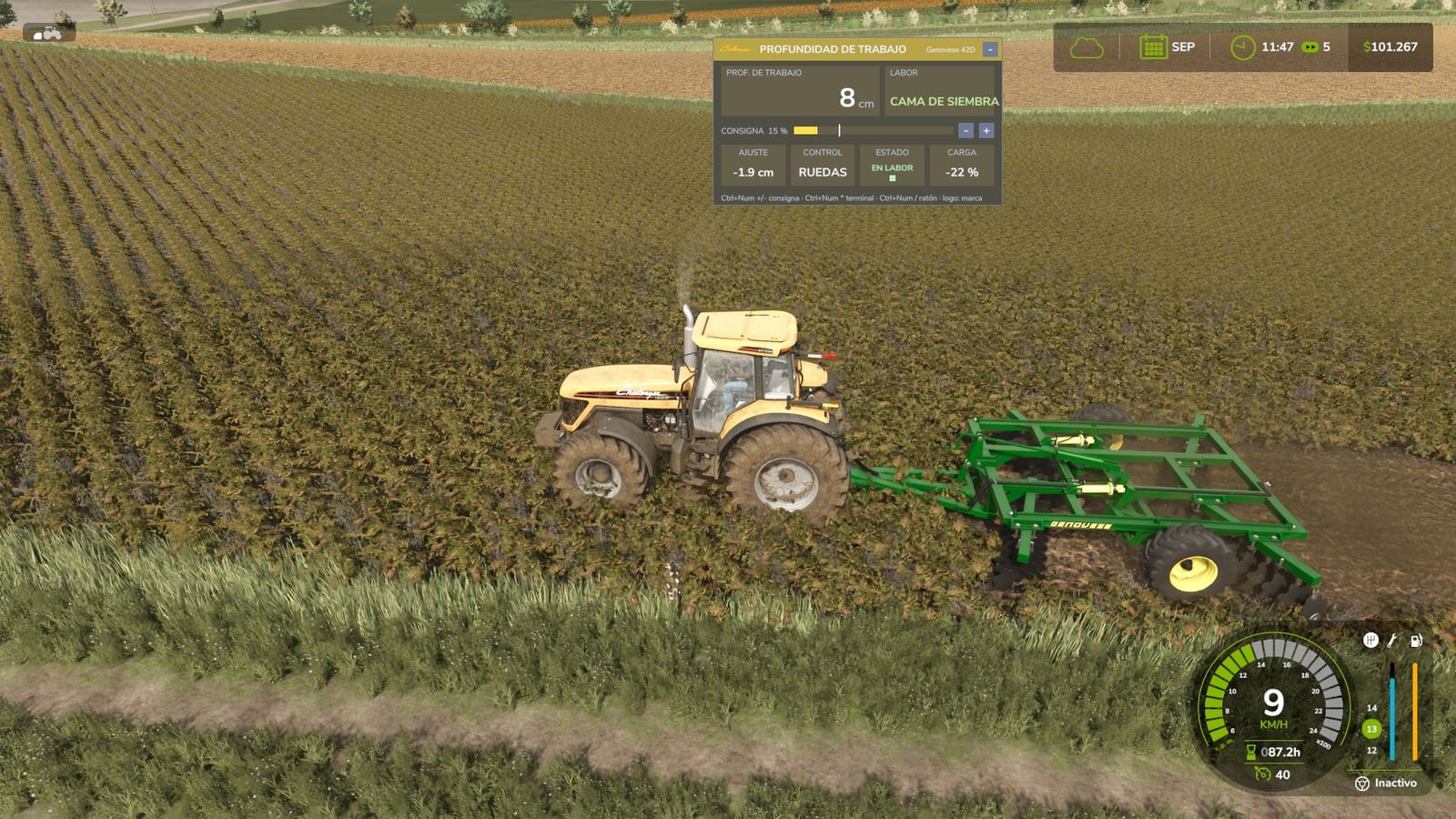
- Shallow: used for seedbed preparation, which is the usual task of a disc harrow.
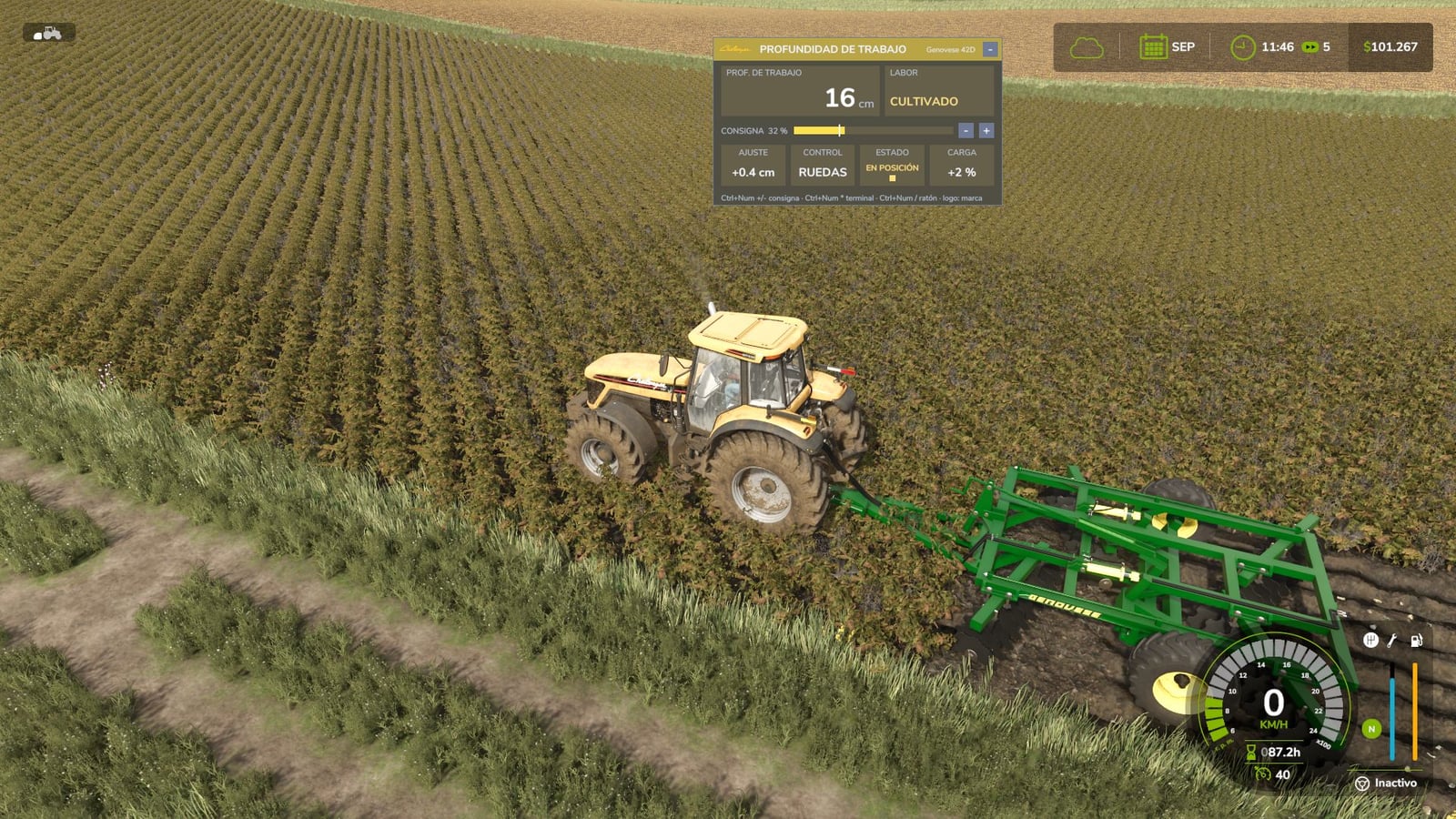
- Medium: used for cultivation, comparable to the work of a cultivator or heavy disc harrow.
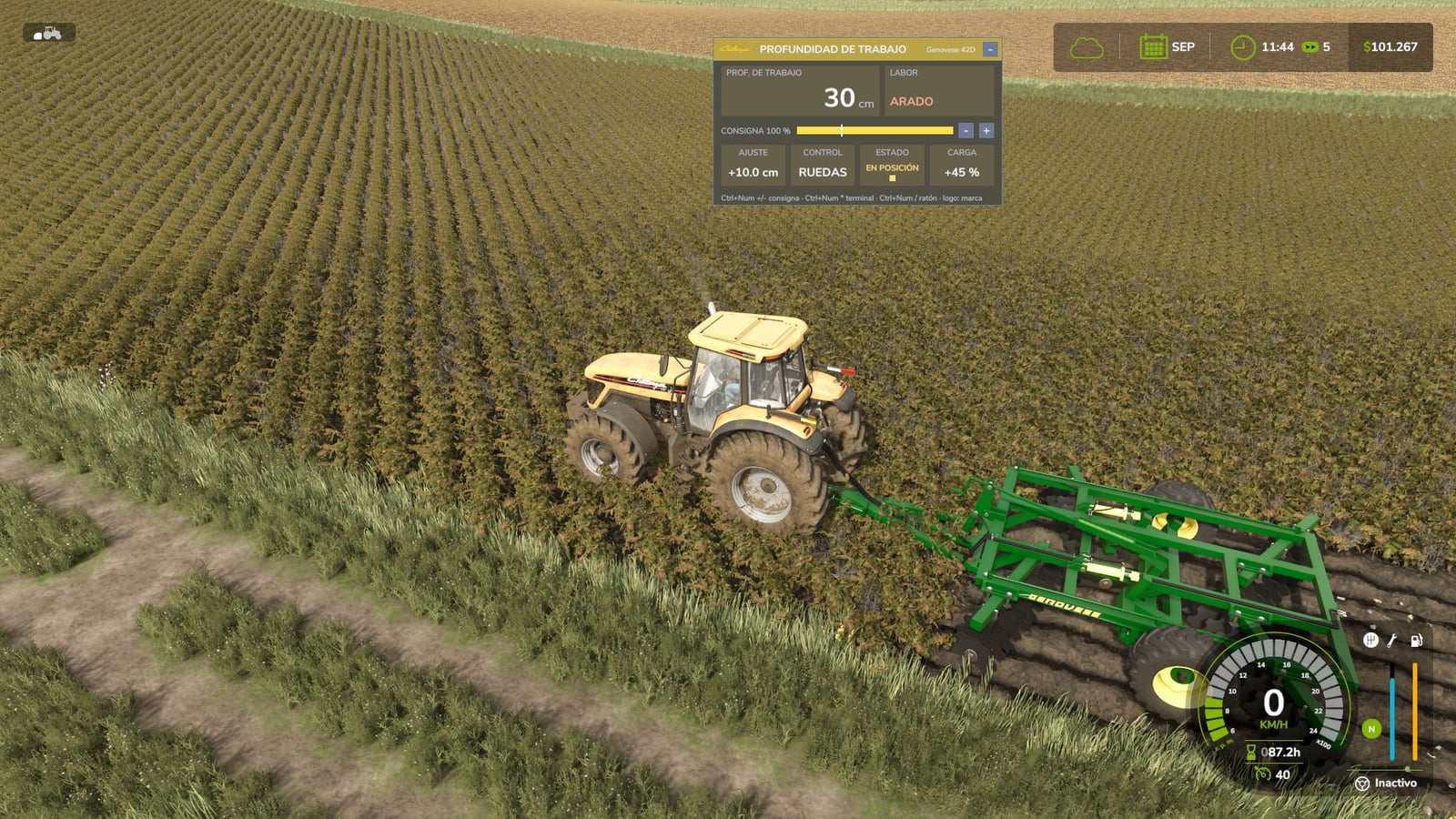
- Deep: used for plowing, or for subsoiling with
vwdSet deepMode subsoilerin the console.
Hysteresis is used when changing working modes, preventing the system from rapidly switching between states on uneven ground.
Features
- Any disc harrow or cultivator can be used, whether it is from the base game or a mod.
- On implements with support wheels, the depth wheels move in relation to the frame. The frame also sinks as it would on a real offset disc harrow.
- Mounted implements that have no support wheels change the height of the 3-point hitch, which then remains rigid at that height.
- For each implement, the control mode is chosen automatically according to its construction.
- Draft load increases with working depth. Deeper work needs more tractor power, increases consumption, and reduces speed. Selecting a lower setpoint saves power.
- A hydraulic cylinder sound is played while the depth is being adjusted.
- AI workers and Courseplay can still lower, raise, and operate the implement normally.
- The on-screen terminal has the appearance of a real tractor onboard computer.
- The terminal automatically uses the operating tractor brand’s colors and real logo: John Deere, Case IH, New Holland, Fendt, Claas, Massey Ferguson, Valtra, Deutz-Fahr, Kubota, Challenger, Steyr. All other brands use a generic color scheme together with their own logo.
- Information shown by the terminal includes working depth in centimeters, operation type, a setpoint bar with the factory position, adjustment in cm relative to the factory setting, control mode, a status LED for raised, position, and working states, and draft load.
- Use
Ctrl + Num Multiplyto expand the terminal, reduce it to one line, or hide it. - After pressing
Ctrl + Num Divide, a cursor appears. You can then use the – / + buttons, make fine adjustments with the mouse wheel, and move the terminal by dragging it. - The tractor brand can be selected manually by clicking the logo.
- The terminal’s position and state are remembered from one game session to the next.
- The terminal shows technical information only and leaves out unnecessary data.
- Each implement’s depth setpoint is stored in the savegame.
- Global options can be changed with the
vwdconsole command. These include the deep-work type, depth range, thresholds, and draft load. - The in-game depth reference calibrates itself for every implement.
- Multiplayer and dedicated servers are supported. Setpoint, work mode, and draft load are synchronized for all players.
- Translations are available in Spanish, English, German, and French.
- At any working depth, disc harrows and cultivators can create fields in the same way as a plow. Once they move past the edge of an existing field, the ground is changed into a field.
- For each implement, field creation can be enabled or disabled with the same key used by the game’s default plow function, the ‘Y’ key by default. The farm’s “create fields” permission is respected.
No XML editing or store purchase is needed. Connect the implement you already own and it will work.
Changelog
- V1.1.0.0
Disc harrows and cultivators now create fields at every working depth, just like a plow. If you move past the edge of an existing field, the ground becomes a field. For each implement, this can be switched on or off with the same key as the game’s default plow function, the ‘Y’ key by default, and the farm’s “create fields” permission is applied. Cultivation type is now based on the actual working depth in centimeters instead of a percentage: up to 10 cm means “seedbed preparation,” 10 to 25 cm means “cultivation,” and anything above 25 cm means “plowing.” Disc harrows now work from 8 to 30 cm, covering all three cultivation types. The terminal shows the target depth in centimeters. Fixed: Loading a save game with an implement attached to the 3-point hitch could stop at 89% (“Loading vehicles”). A multiplayer client could experience the same problem when the working depth was changed. Existing save games remain compatible: install this version over the previous one and there is no need to begin a new game.