FS25 Midwest Equipment Auctions v1.0
Midwest Equipment Auction adds a working consignment auction to your farm in Farming Simulator 25. Purchase used equipment from NPC bidders and other players, or consign machines from your own farm and allow the auction crowd to determine their value.
The auction is accessed through a native-style page in the ESC menu. It functions in single player, multiplayer and on dedicated servers. Multiplayer has been tested on the host side. Use it with your multiplayer saves and report bugs in the bug channel.
Features
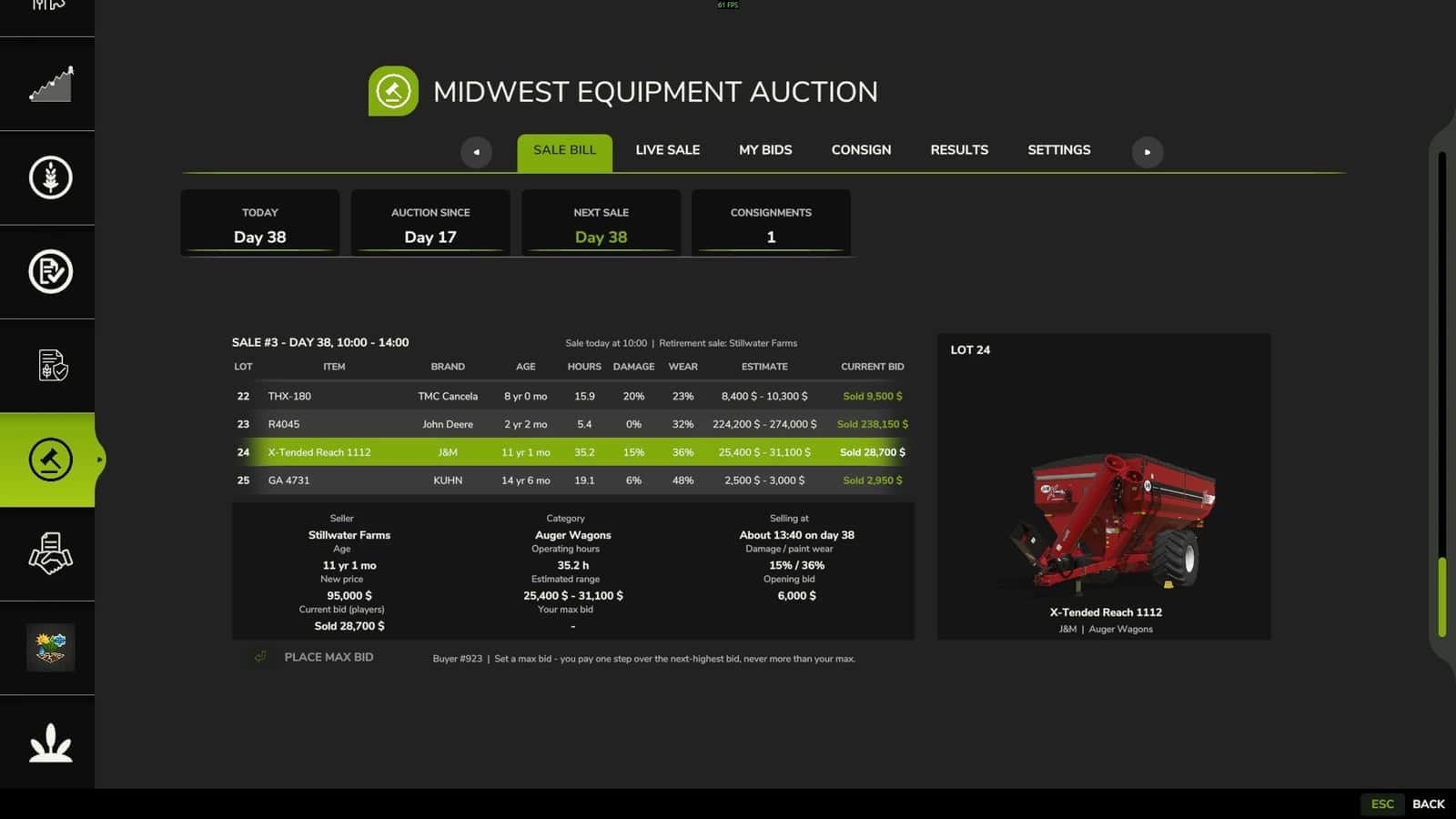
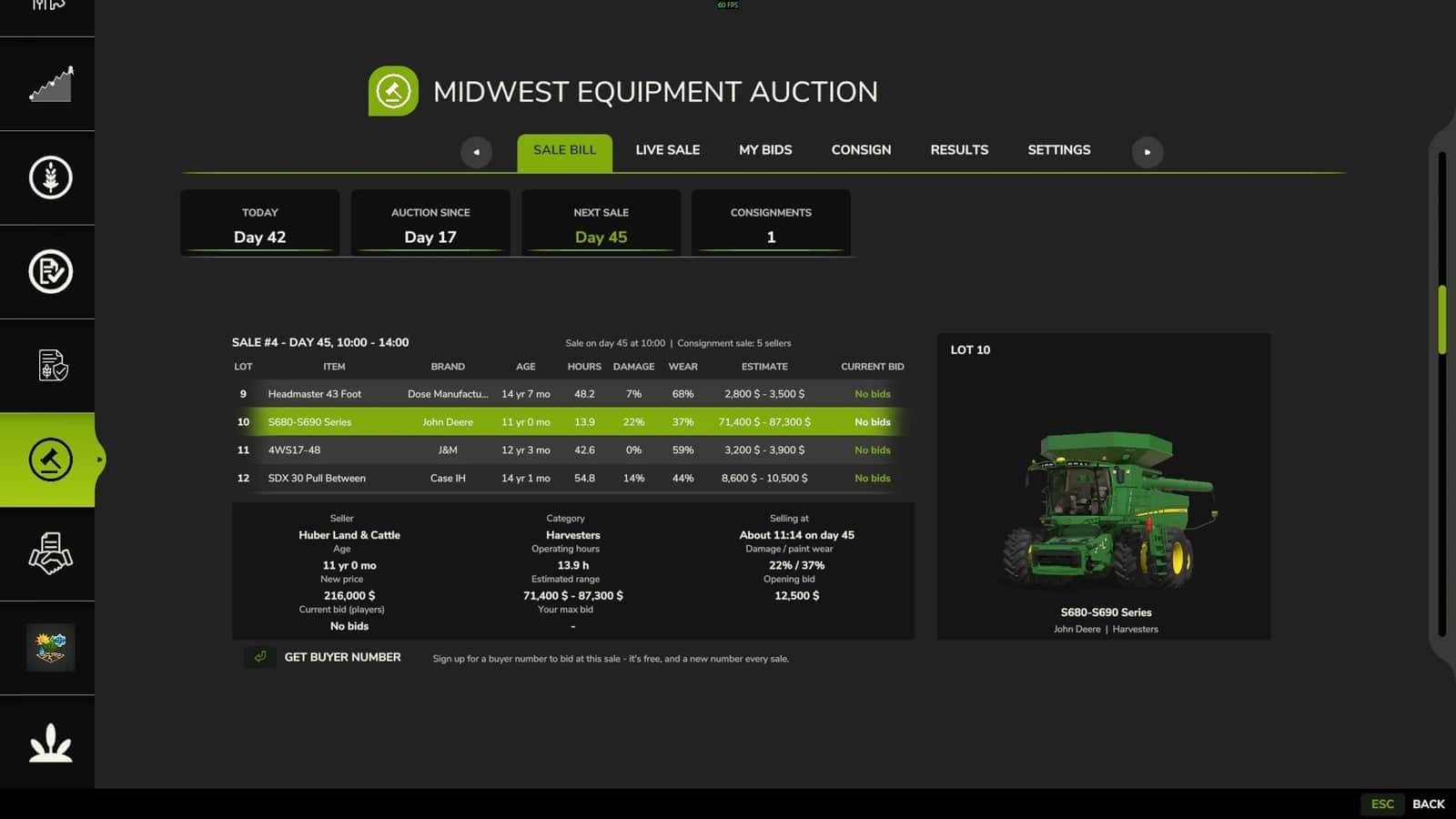
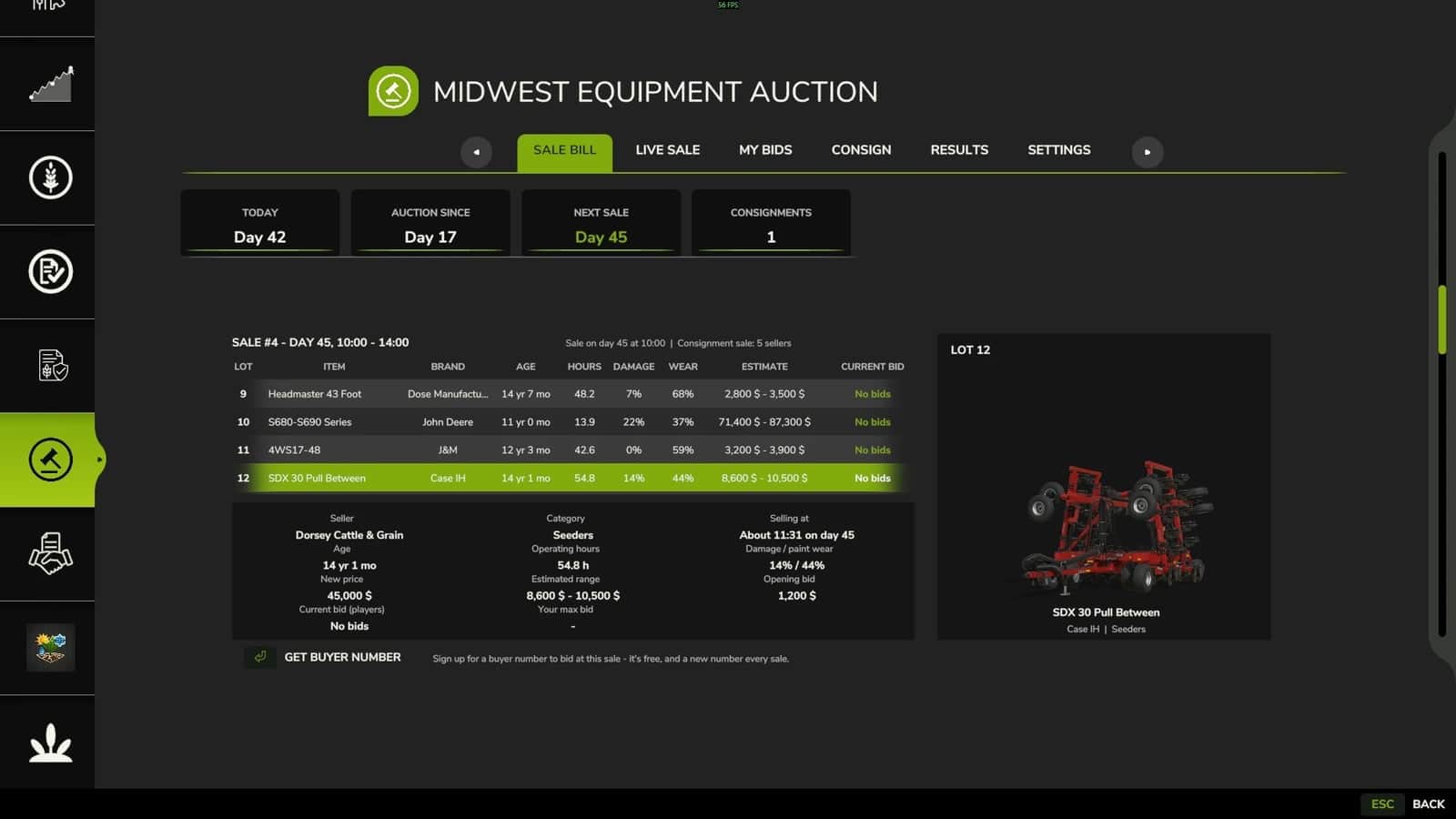
- Scheduled sales use real sale bills. Sales follow a regular calendar, with each sale bill released several days in advance so the available lots can be checked before sale day.
- There are 10 to 30 lots in every sale, covering everything from a single-farmer retirement sale to a consignment sale involving several sellers.
- The listed age, operating hours, damage and paint wear give every machine a believable history.
- A pre-sale estimate is provided for each lot and reflects the machine’s real condition.
- Select any lot to view its store picture together with its details.
- Buyer numbers: register for a free bidder number at every sale.
- Max bids: enter your limit before the sale. The auction places bids for you one step at a time, without going beyond that maximum.
- Live bidding: join the sale from the floor on sale day. One click places the next bid step.
- Live bid feed: bids from different bidder numbers appear as they arrive, followed by “Going once… Going twice… SOLD!” A late bid starts the call again.
- Hidden reserves: the reserve remains invisible to buyers, and the opening bid does not reveal it.
- Lots are sold individually throughout the sale hours, regardless of whether the menu is currently open.
- When time is skipped, the sale proceeds in order and produces the same results every time.
- Machines you win are delivered to the shop as your vehicles, retaining their age, hours, damage and wear.
- If a machine cannot be delivered, the full amount is refunded.
- Payment is handled when a particular lot closes, rather than when the complete sale ends. Delivery takes place after the entire sale is finished.
- Buyer’s premium: the tiers are 12% / 10% / 4%, with a $100 minimum and a $4,000 maximum for each lot.
- Seller’s commission: 20% / 10% / 5% of the hammer price only.
- Volume rate: selling more than $500,000 in one sale changes every lot sold that day to the 5% rate.
- Fees work like tax brackets, meaning the tiers do not create a price cliff.
- To consign a machine, choose any machine owned by your farm and set a private reserve or no reserve. It is then placed on the next sale bill.
- Your machine remains on your farm and is locked until it sells. It has no engine and no helper.
- Once sold, the machine leaves your farm and you receive the amount after commission.
- When the reserve is not met, the machine is unlocked and may be relisted.
- Withdrawal fees become higher as sale day approaches. A machine cannot be withdrawn after its lot comes up.
- Bid on credit like at a real sale. Winning without enough cash to pay results in a 25% default fee.
- The lot passes to the next bidder or returns on the next sale bill.
- If it resells for less, you owe the shortfall. Unpaid amounts remain on your auction balance and accrue interest.
- Bidding is suspended for you until the amount has been paid.
- Penalty mode can be changed to Relaxed. You may then bid only what you have, and a default charges the fee only.
- Recent sale results show every lot, its buyer number and its price.
- My History records your purchases and sales, with each fee listed separately.
- Your auction balance and bidding status are visible at a glance.
- In-game notifications announce sale bills and sale start, your lot selling now, outbid, won and delivered, sold and not sold, and defaults.
- Optional LS Lifestyle (HS25) adds a Midwest Auction app to your phone. Use it to browse the sale bill, place max bids, follow the live feed and bid live from your phone.
- Optional Midwest Ag Finance (coming): sale proceeds first pay your equipment loan, and lenders can send repossessed machines to auction.
- Neither optional mod is required. The auction is fully functional on its own.
- Built for multiplayer and dedicated servers.
- The server checks every bid and payment.
- Your farm’s max bids and reserves remain private.
- This has been tested in a multiplayer game on the host side with no errors.
Specifications
- Hosts and admins can choose how many days pass between sales.
- Hosts and admins can choose how far ahead the sale bill appears.
- Hosts and admins can choose the starting time and the length of a sale.
- Hosts and admins can choose the NPC lot count.
- Hosts and admins can choose the fee level.
- Hosts and admins can choose the penalty mode.
- Saved game settings keep these changes, which take effect beginning with the next sale.
Requirements:
- Farming Simulator 25 (PC)
- No other mods required