FS25 Helper Profiles V2.1.2
Helper Profiles increases the standard helper roster to 20 permanent worker slots, A-T. A clear status overlay and a two-tab Helper Management screen make the roster easier to handle. Select the worker for the next AI job and control worker availability separately in every savegame.
Features
Manage your team:
- Set which workers can be hired in each savegame.
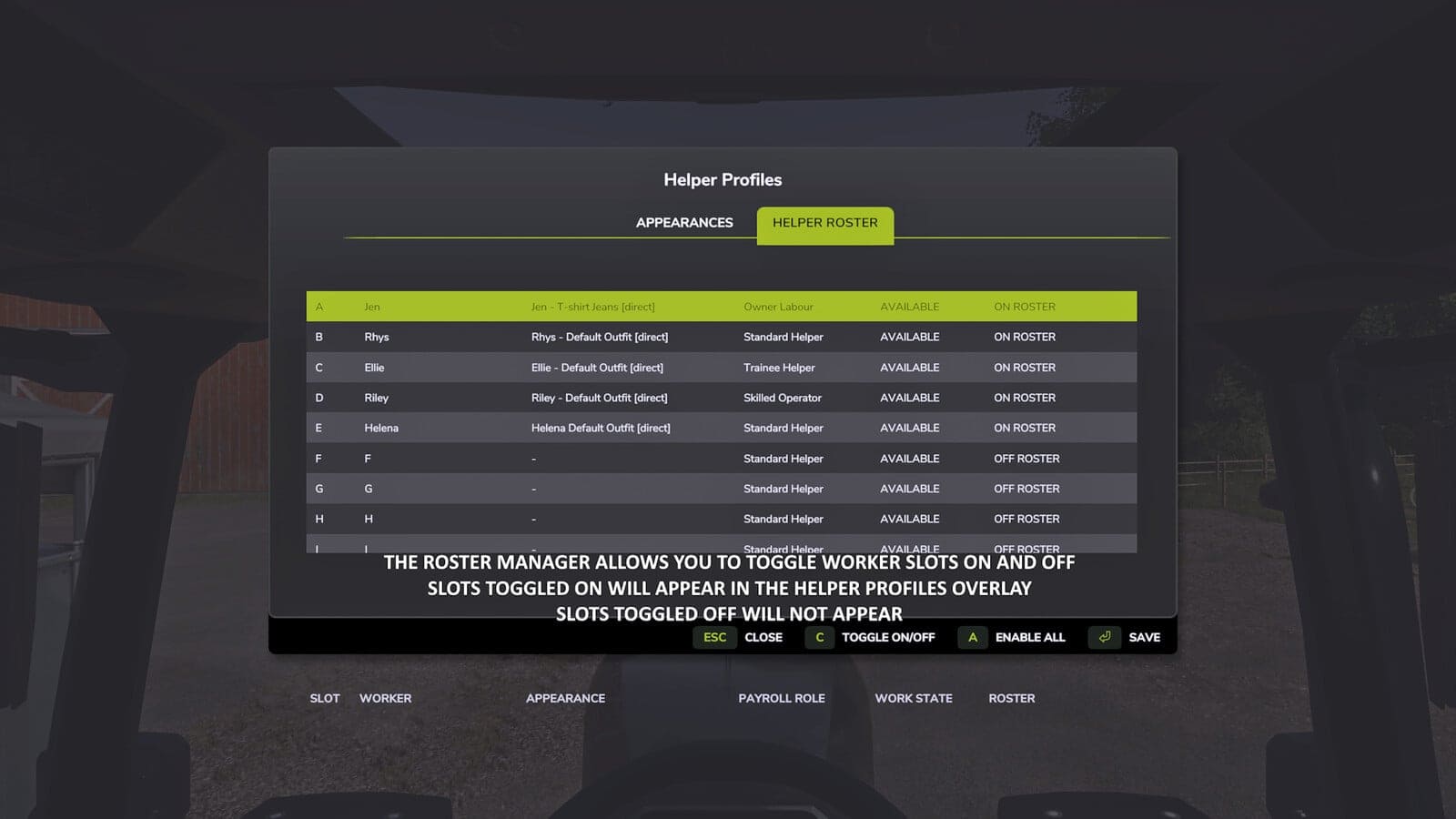
- Turn individual workers ON or OFF the roster, activate every worker, or deactivate the others while leaving your selected worker and all active workers unchanged.
- Workers removed from the roster are not available for selection, the overlay or new hires. Their saved appearance bindings and HelperPayroll assignments remain stored until they return.
- An active worker cannot be turned OFF, and the roster must always keep at least one worker ON.
Choose who works next:
- Use a shortcut to move through the available workers.
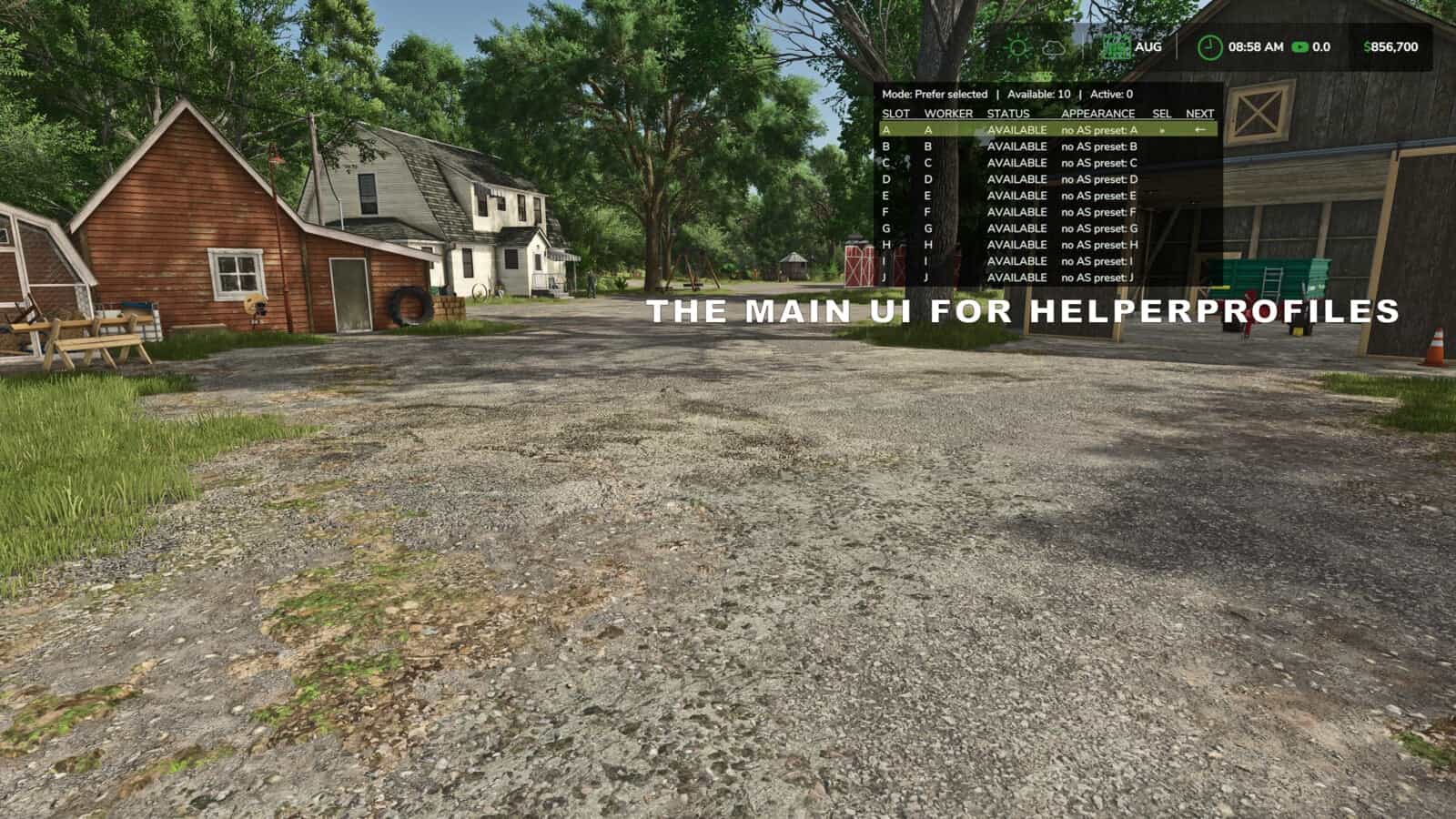
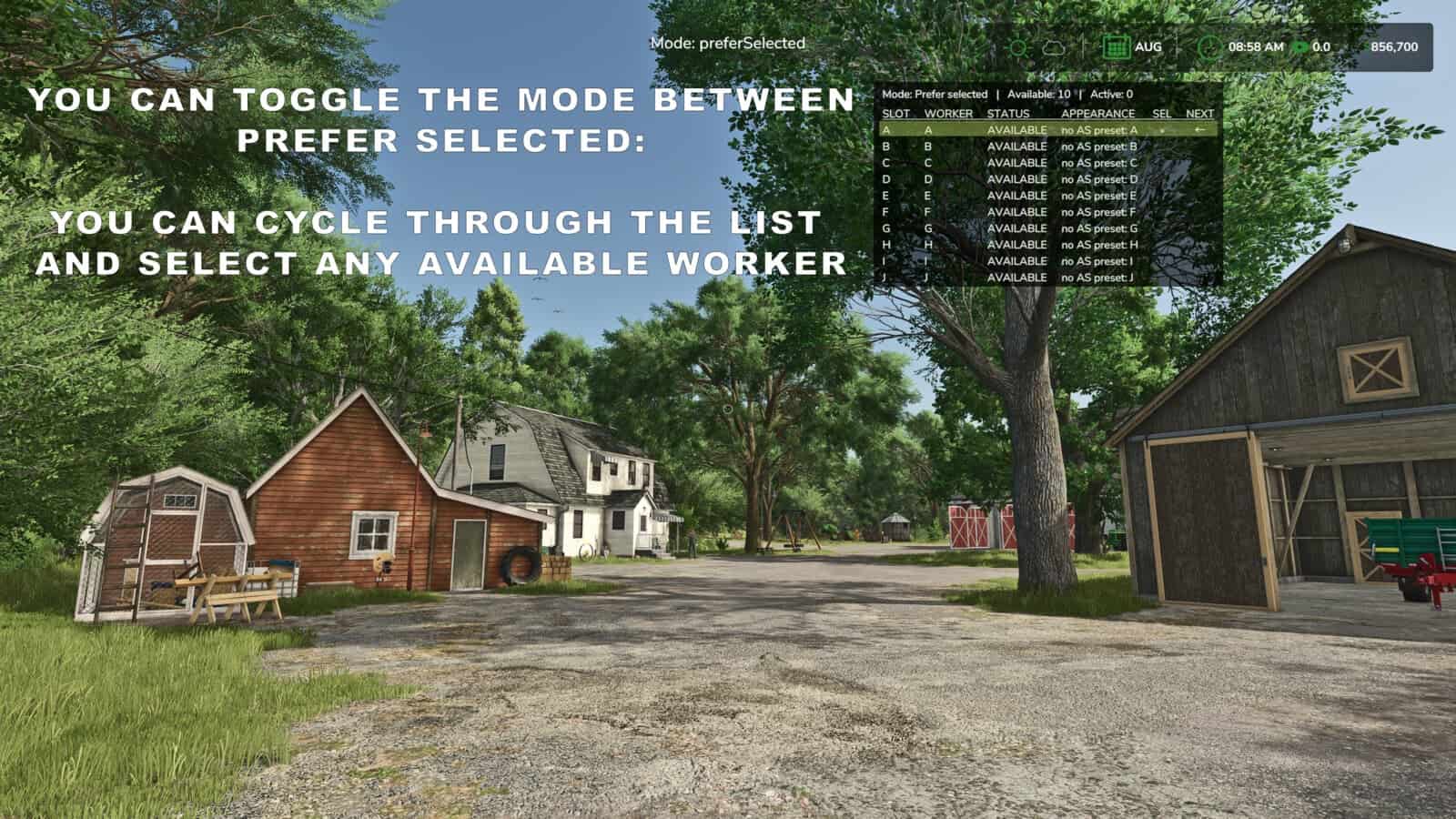
- With Prefer Selected mode, the chosen worker is hired whenever free. If that worker is unavailable, another available worker is used.
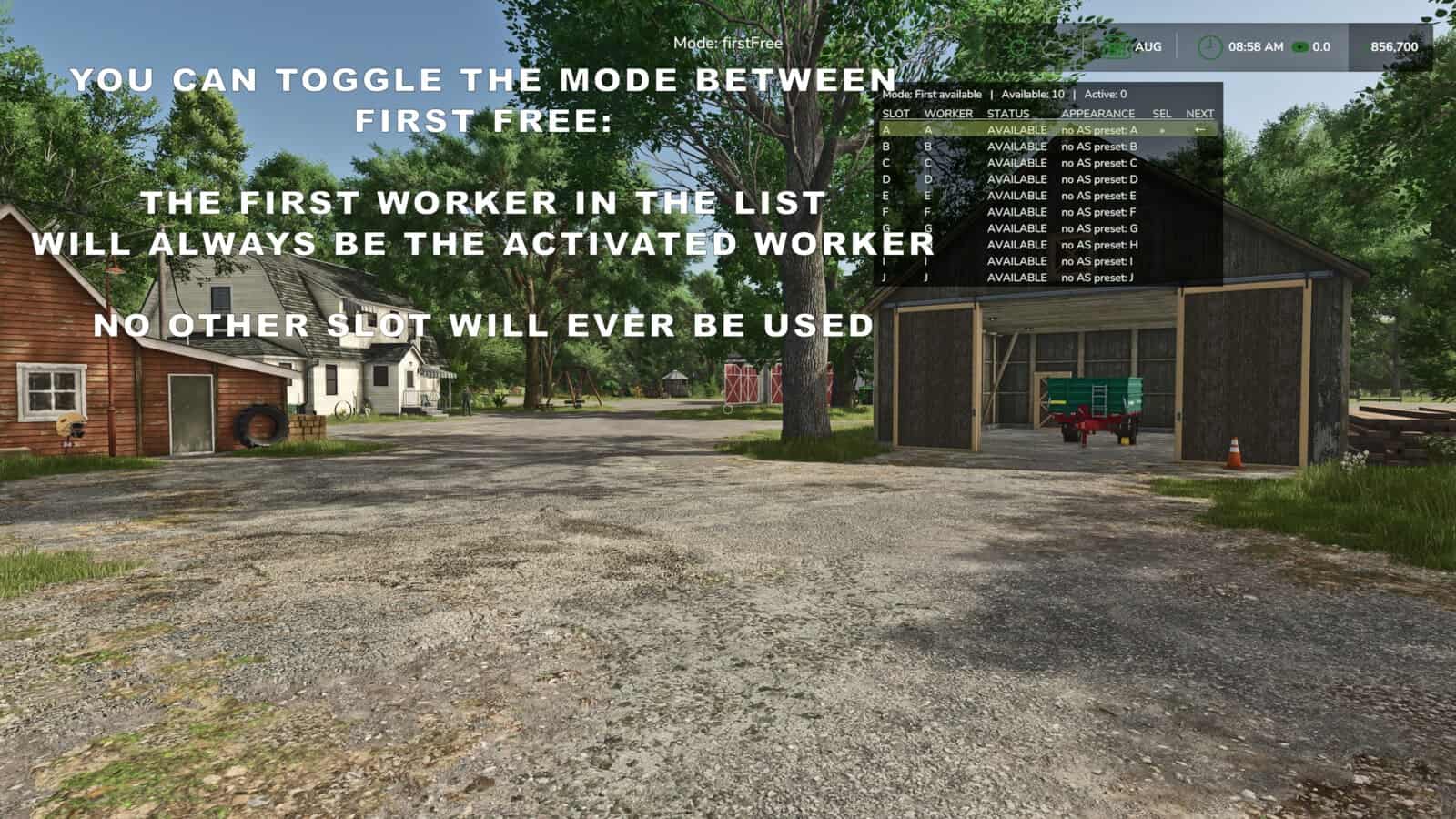
- First Free mode selects the first available worker according to roster order.
- An automatically sized table shows the selected worker, the worker expected to be hired next, and the helpers that are available or active.
- The overlay switches between pages A-J and K-T. It can be shown or hidden, with configurable position, size and appearance.
Personalise your helpers with optional companion mods:
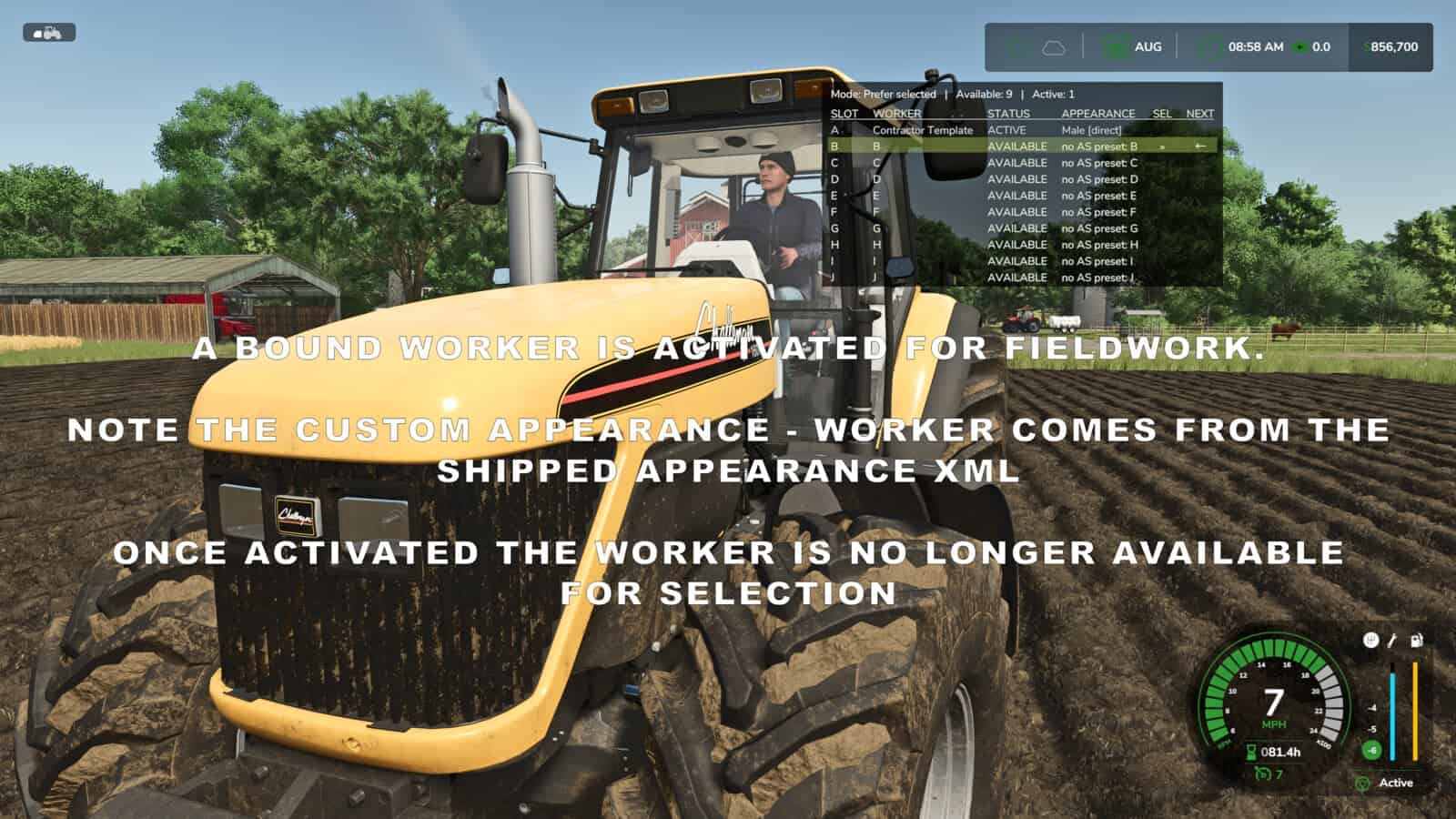
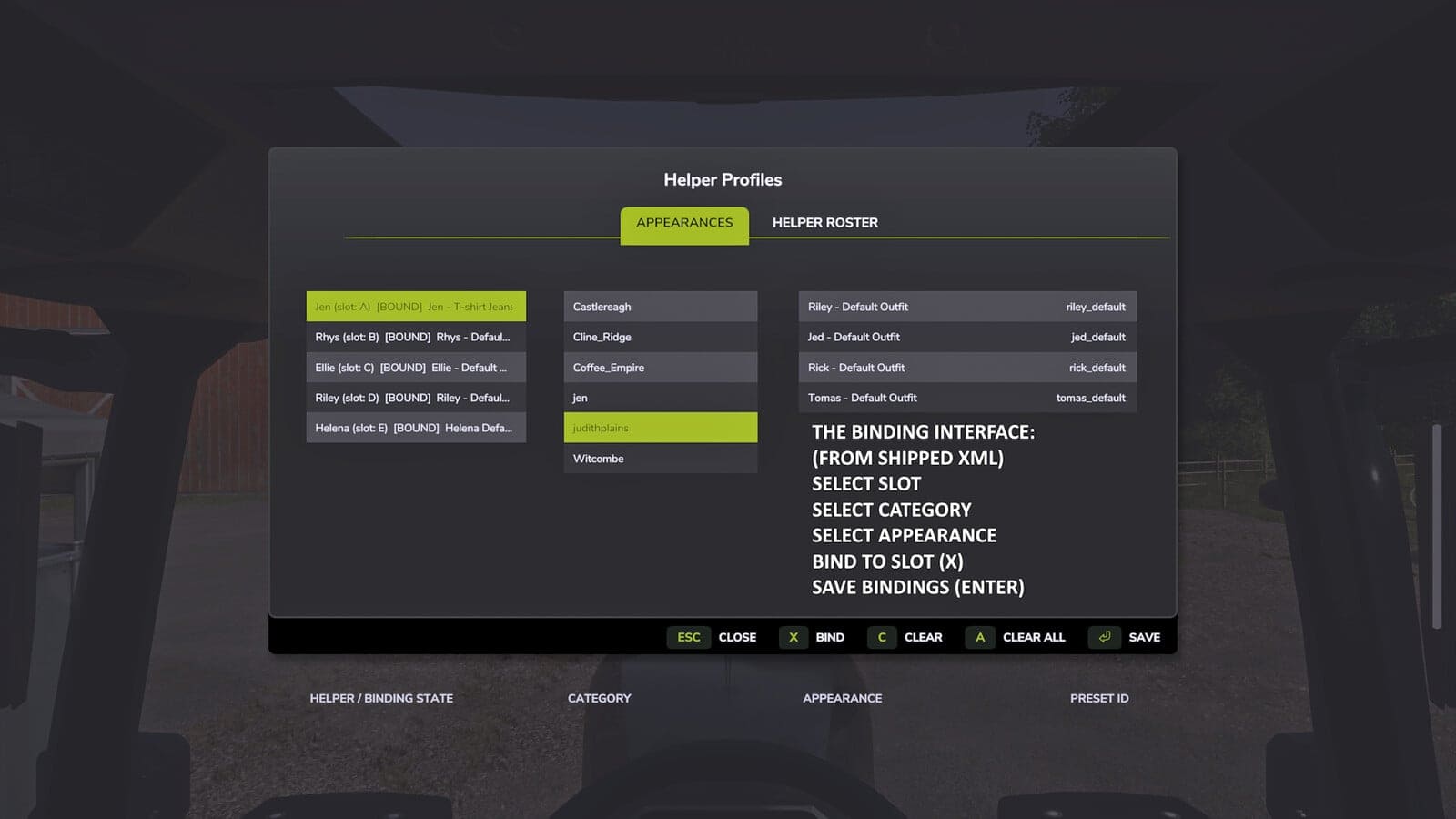
- AvatarSwitcher provides the Appearances tab for binding saved appearance presets to individual helpers. These bindings are stored separately for every savegame.
- HelperPayroll displays each helper’s role in read-only form on the overlay and roster screen. Roles, pay rates and wages are managed in HelperPayroll.
- Helper Profiles also runs without either companion mod. Custom appearance bindings require AvatarSwitcher, while payroll role information requires HelperPayroll.
Default keyboard controls:
Semicolon (;): cycle workers.Shift + ;: switch hiring mode.Right Ctrl + ;: open Helper Management, Appearances and Helper Roster tabs.Right Alt + ;: show or hide the overlay.
The controls may be reassigned through the game’s control settings.
Single player only.
Not compatible with Hired Helper Tool or conflicting helper-roster expansion mods. Helper Profiles disables itself for the session when an incompatible roster owner is detected.
Changelog
Changelog 2.1.2.0:
- The overlay and Helper Roster now show live HelperPayroll payroll-period costs. When
dailyPayrollmode is used, completed work stays accumulated until payroll settlement. - Corrected texture and layout problems in the Helper Management appearance and roster screens.
- Compatible companion mods can now request a specific available worker without altering the selected worker or the hiring mode.
- Corrected helper continuity with AutoDrive, so an assigned worker stays retained when AutoDrive temporarily releases and then reacquires a helper.
- Fixed intermittent loss of Helper Profiles vehicle keybinds after a vehicle switch by registering actions from the vehicle’s actual active-input state.
- Removed the default menu key assignment that conflicted with the base game
MOVE LEFTcontrol. - Routine diagnostic output written to
log.txthas been reduced. - ModHub version numbering now matches the existing public GitHub release history.