FS25 Helper Profiles V1.0.0.0
Helper Profiles increases the standard helper roster to 20 permanent worker slots, covering A-T. It also provides a clear status overlay and a Helper Management screen with two tabs.
Features
Manage your team:
- For each savegame, decide which workers can be hired.
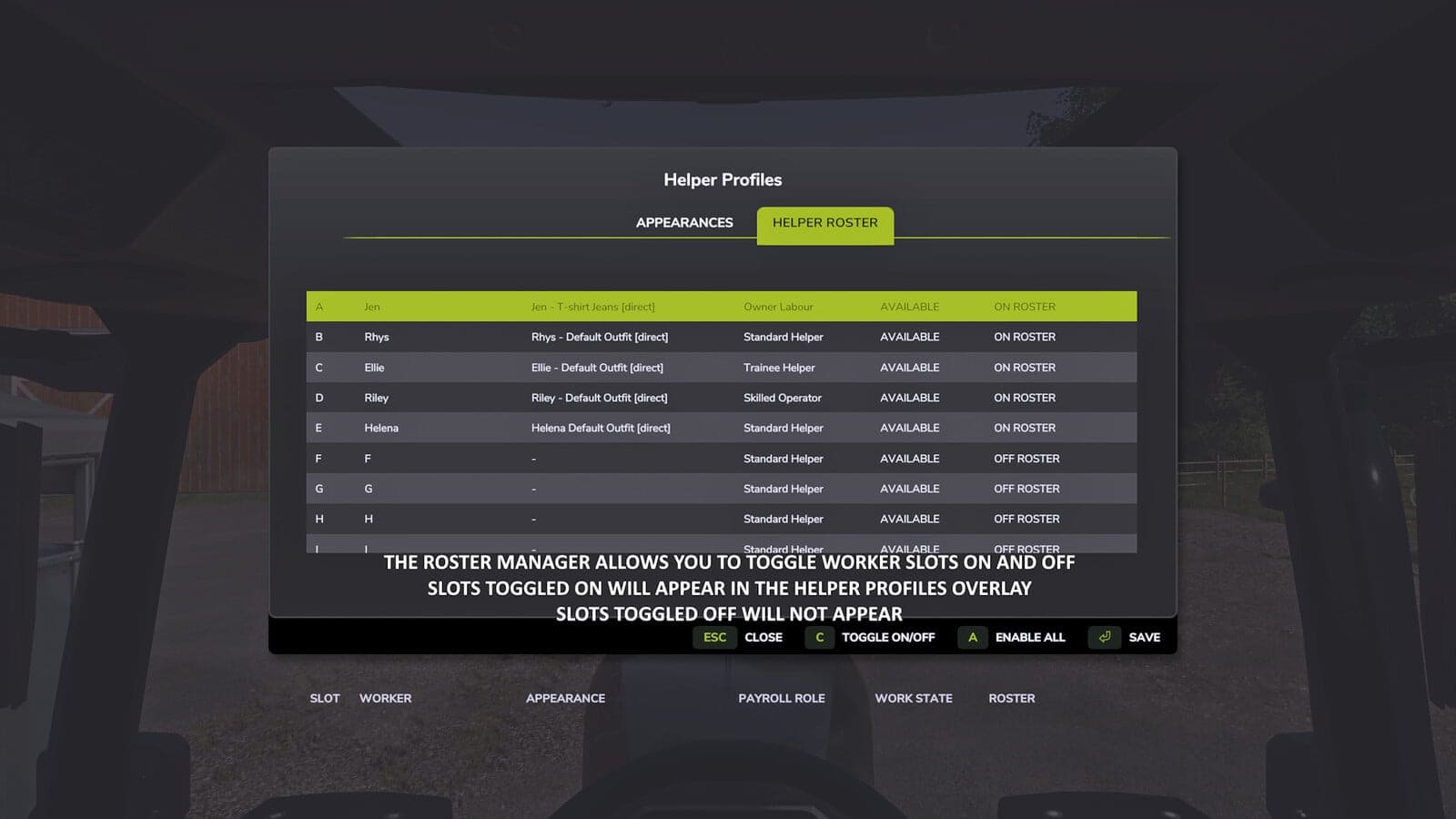
- Turn individual workers ON or OFF the roster, activate every worker, or deactivate the remaining workers while preserving your selected worker and all active workers.
- Workers removed from the roster do not appear in selection, the overlay or new hires. Their saved appearance bindings and HelperPayroll assignments remain stored until they return.
- An active worker cannot be turned OFF, and the roster must always retain at least one worker set to ON.
Choose who works next:
- Use a shortcut to move through the available workers.
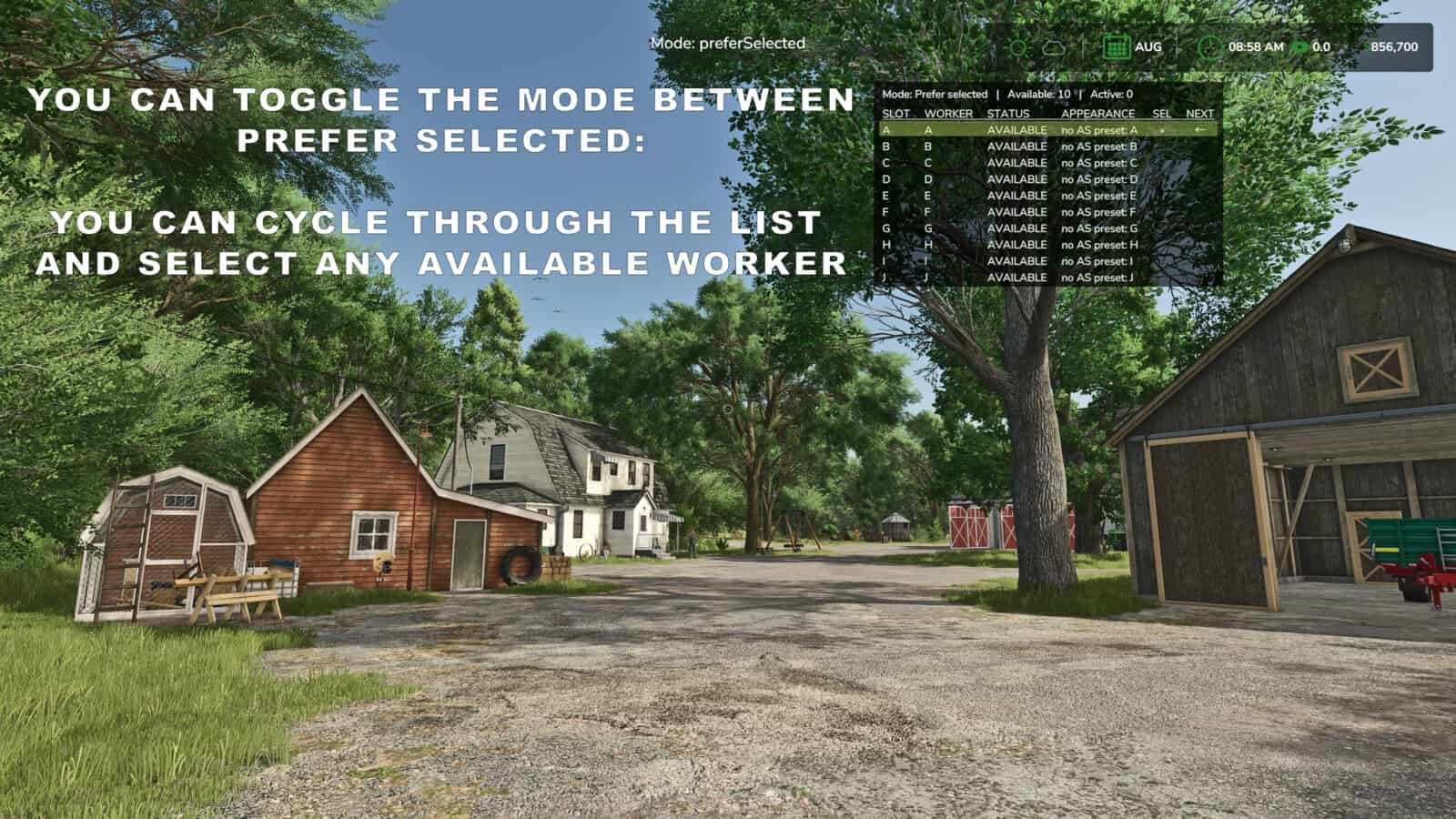
- With Prefer Selected mode, the chosen worker is hired whenever free. If that worker is unavailable, another available worker is hired instead.
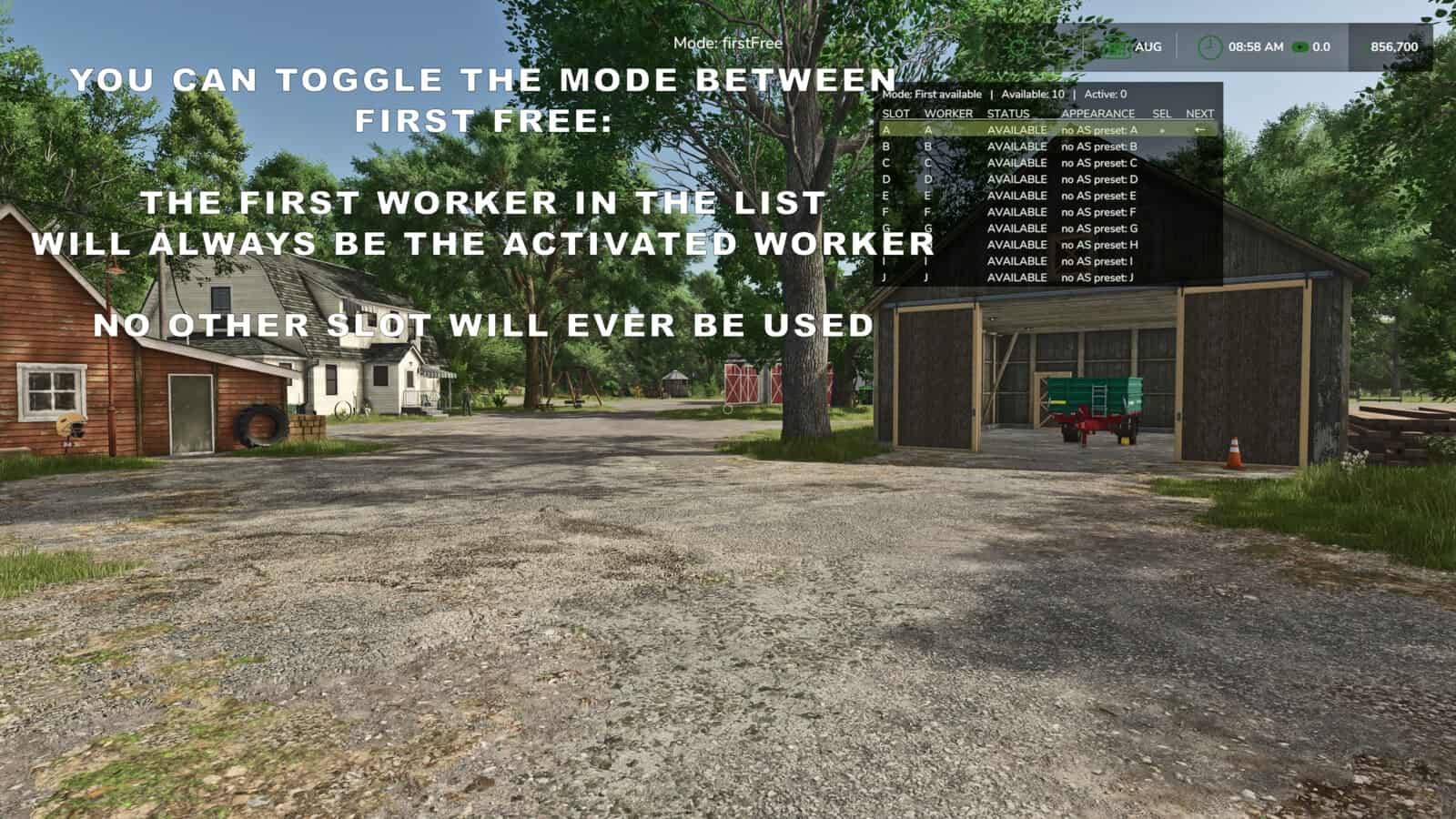
- First Free mode hires the first available worker according to roster order.
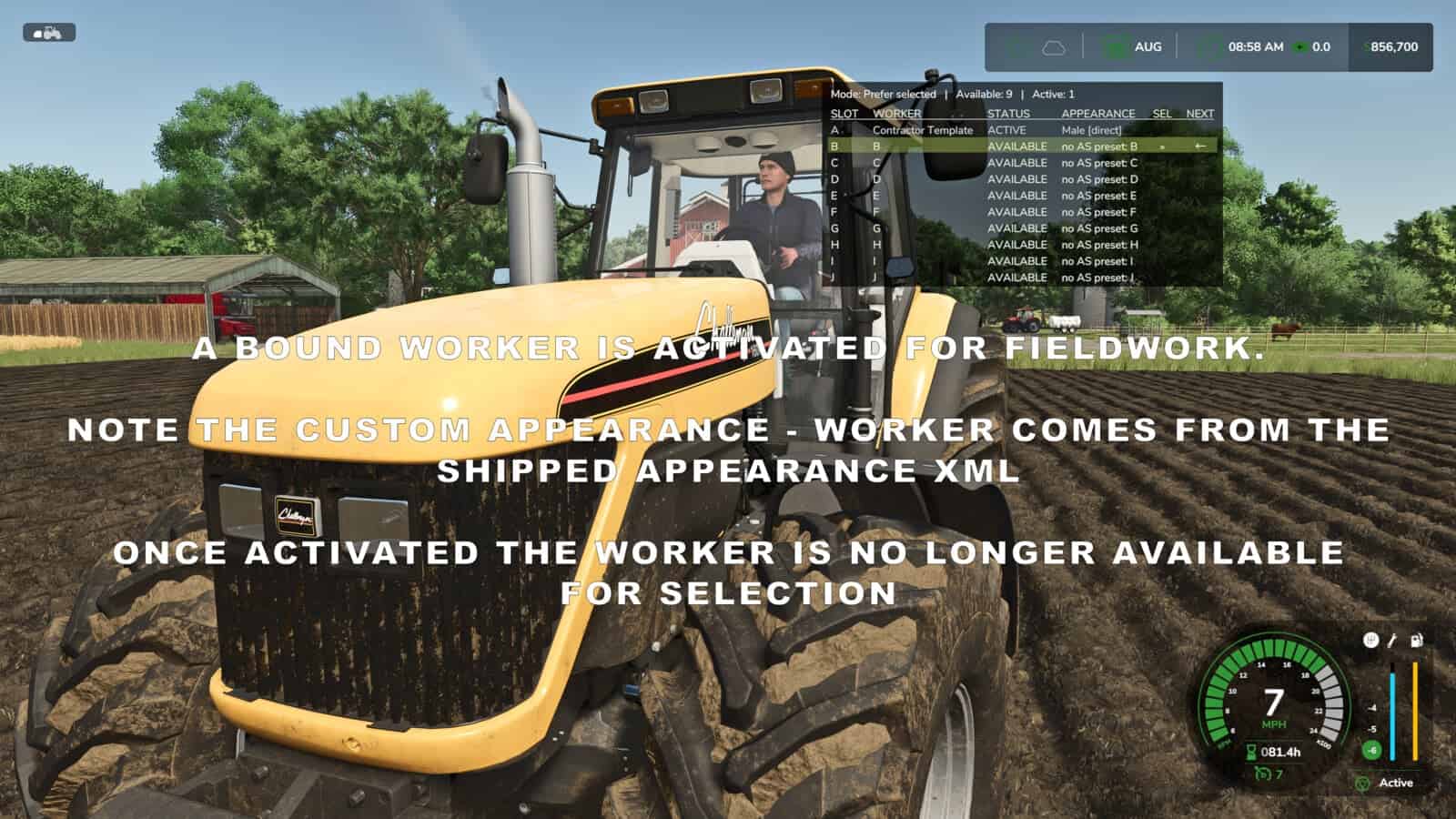
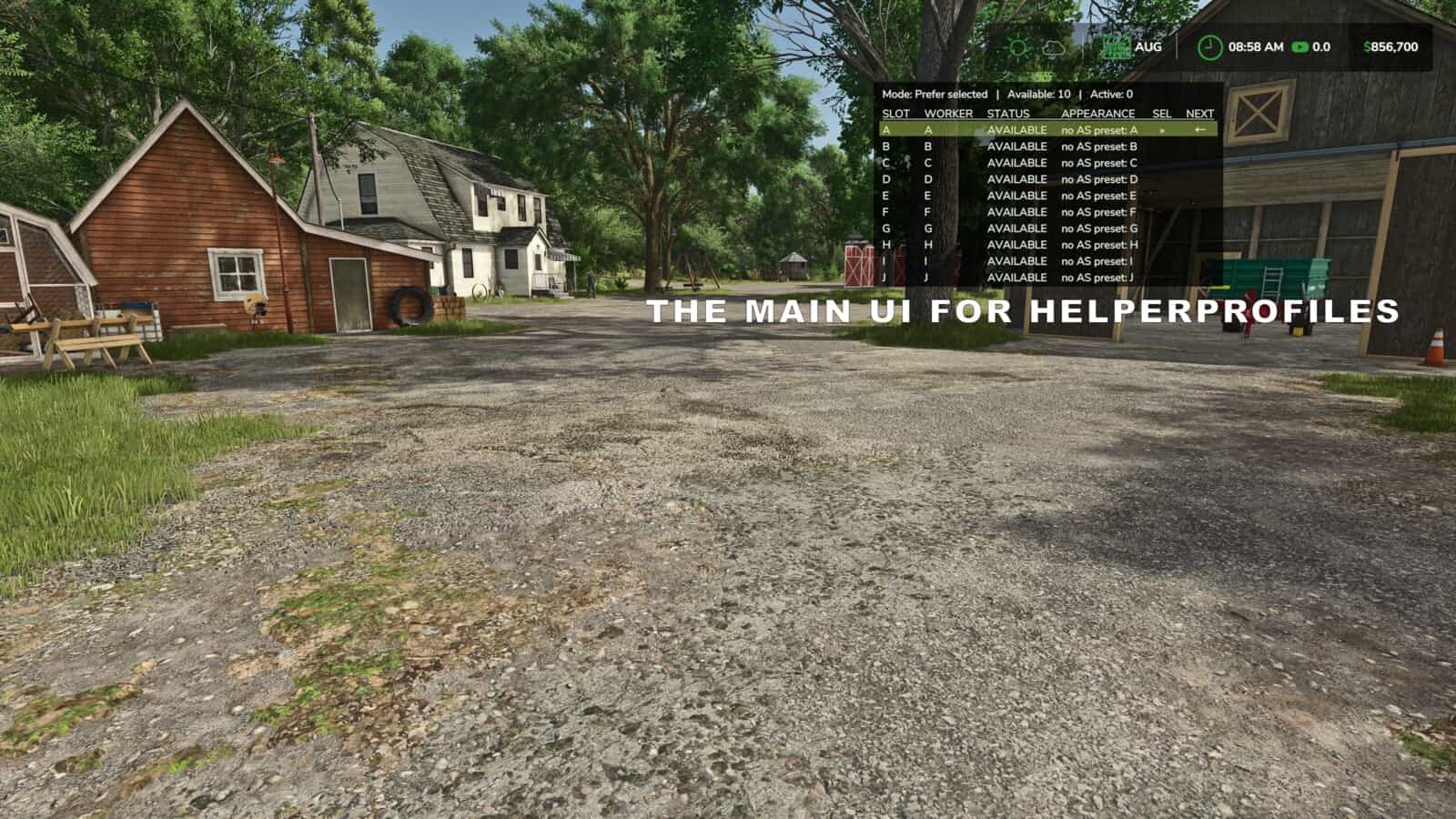
- An automatically sized table shows the selected worker, the next worker expected to be hired, and which helpers are available or active.
- The overlay switches between pages A-J and K-T. You can show or hide it and configure its position, size and appearance.
Personalise your helpers with optional companion mods:
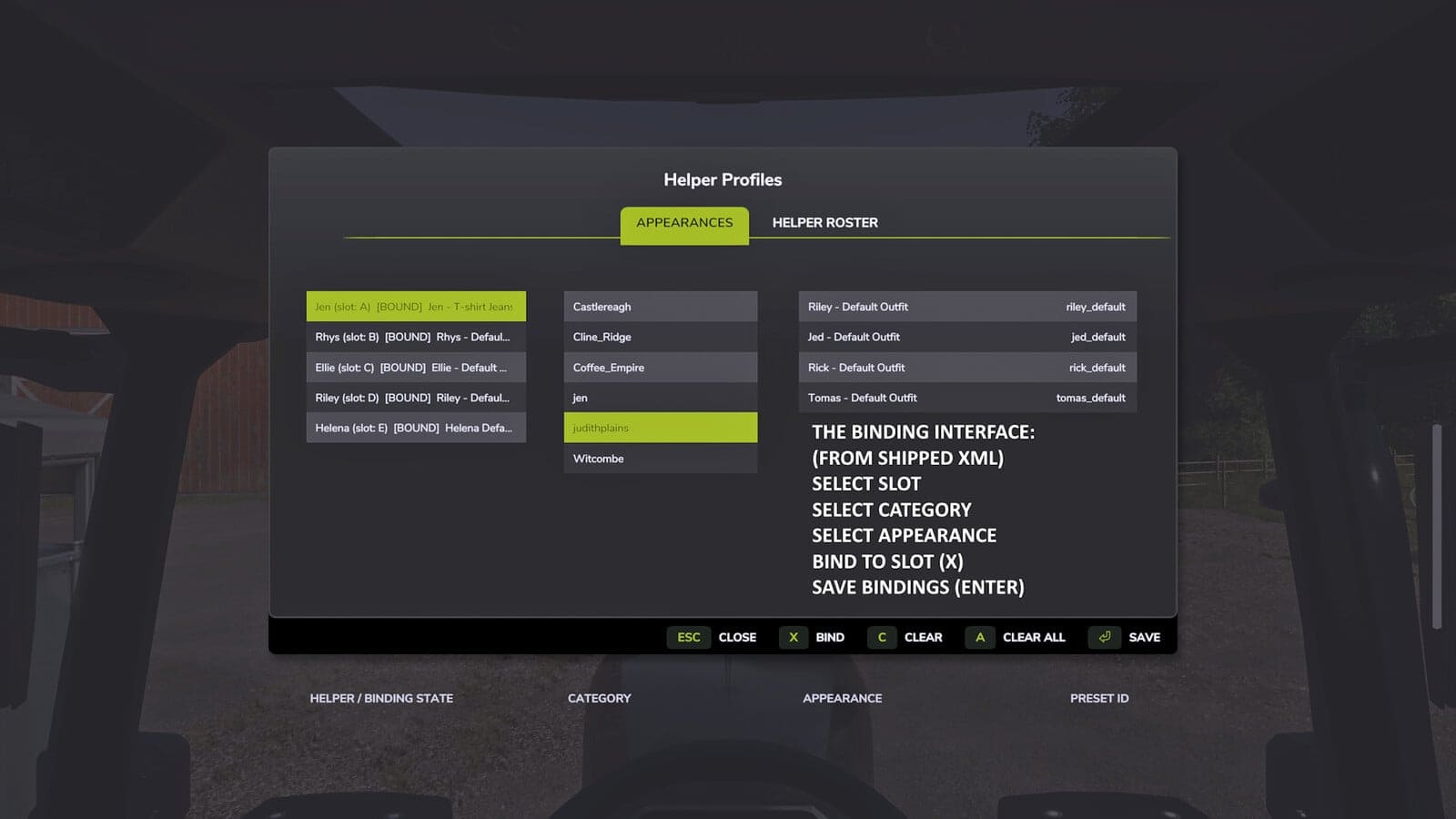
- AvatarSwitcher provides the Appearances tab, where saved appearance presets can be assigned to individual helpers. These bindings are stored separately for every savegame.
- HelperPayroll displays each role as read-only in the overlay and roster screen. Roles, pay rates and wages are managed in HelperPayroll.
- Helper Profiles also runs without either companion mod. Custom appearance bindings need AvatarSwitcher, while payroll role information needs HelperPayroll.
Default keyboard controls:
;: cycle workers.Shift + ;: switch hiring mode.Right Ctrl + ;: open Helper Management, Appearances and Helper Roster tabs.Right Alt + ;: show or hide the overlay.
The controls may be reassigned through the game’s control settings.
Single player only.
Not compatible with Hired Helper Tool or conflicting helper-roster expansion mods. Helper Profiles disables itself for the session when an incompatible roster owner is detected.