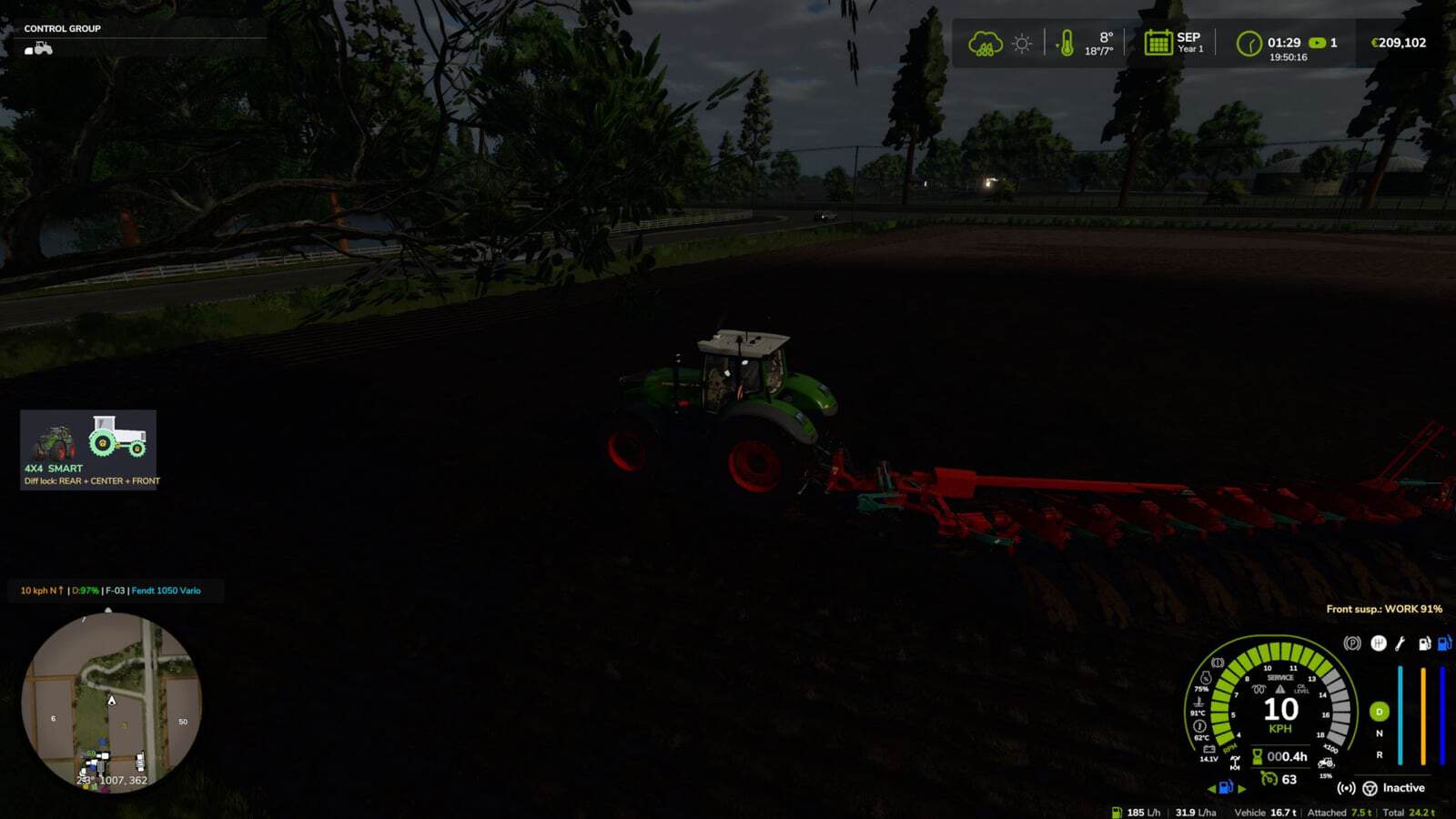
FS25 Realistic 4×4 Traction System V1.7.0.1
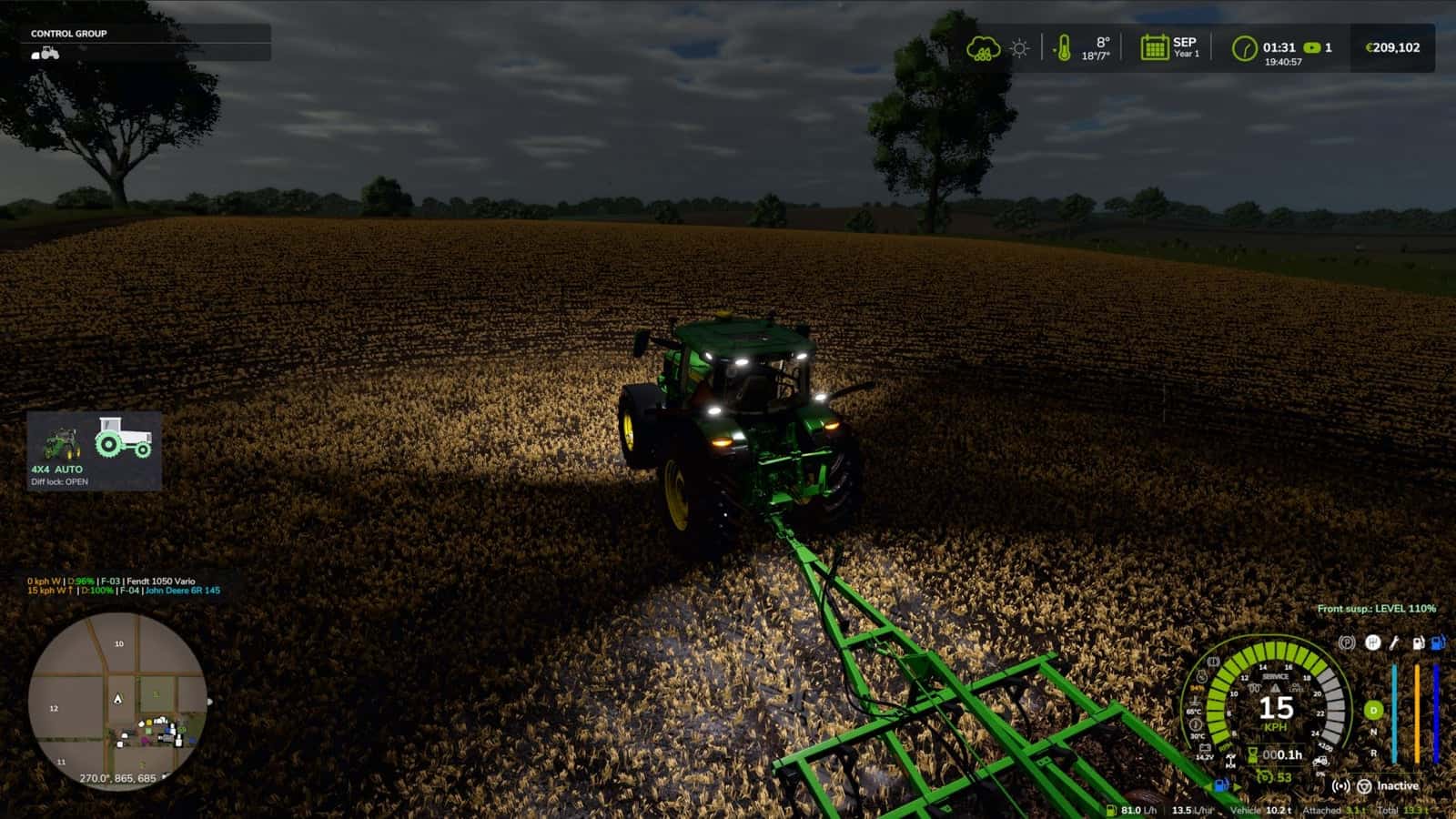
This mod adds a switchable 4×4 traction system to compatible tractors, trucks, harvesters and cars. It detects real wheel slip and allows manual or automatic control of 4×4 and differential locks.
Multiplayer is in development and playable, but may contain bugs.
Features
- Real rear-wheel slip detection, with automatic modes reacting to actual wheel-slip physics, not just speed.
- Four driving modes, assigned to each vehicle by default:
- Manual, always in control.
- Semi-automatic, engages with actual wheel slip, while manual control is always available.
- Automatic, the same logic adjusted for vehicles with factory-fitted automatic 4WD, including CVT/IVT transmissions.
- Intelligent, continuous proportional engagement in the Fendt style, without abrupt switching on or off.
- Native tyre-pressure simulation during engagement, with no dependency on any other mod.
- On-screen HUD with real-time status and adjustable position in the game Settings menu.
- Zero XML changes to any vehicle, with automatic integration into all compatible vehicles.
Changelog
- V1.7.0.1
- Fixes AI helper behaviour: the combine could stand still while reversing uphill and would not shift gear, as reported by Patrik Vendelberger. The 4×4 now only works on the vehicle driven by a player. With an AI helper, when stopped with nobody inside or parked, the vehicle uses the game’s original differentials, tyre radius and speed limit.
- Fixed the missing translation for “Move 4WD HUD”, which caused a log warning, in 22 languages, as reported by Patrik Vendelberger.
- HUD textures were compressed, so there are no more “raw format” warnings in the log.
- Game start is faster: the settings menu section is now built only the first time you open Settings. It previously froze the start by ~4 s.
- New: Vehicle Control Addon (VCA) compatibility, suggested by Cris669. VCA has its own 4WD and diff locks and rewrites the differentials every frame, so both mods were fighting.
- New option in Settings -> General -> 4×4 Traction System -> “With Vehicle Control Addon”:
- Command VCA (default): the mod’s automatic 4WD logic, including slip, implement lowered, braking, tight turns and GPS prediction, switches VCA’s 4WD and diff locks. VCA handles the differentials. CTIS, tyre pressure, HUD and telemetry keep working.
- Leave to VCA: only VCA works on that vehicle.
- Ignore VCA: old behaviour, not recommended.
- NOTE: the VCA integration should work, but it has not been tested in-game yet with VCA installed. Please test it and send feedback/log if something is not right.
- Checked with Headland Management and CVT Addon, suggested by Cris669: no conflicts found.
- Thanks to Patrik Vendelberger and Cris669 for the reports.
- V1.7.0.0
- New in-game settings menu: Esc -> Settings -> General -> “4×4 Traction System”. It includes HUD position and style, engage 4WD with implement lowered, disengage in tight turns, engage when braking, road speed limit, GPS prediction strength, locked centre torque bias, tyre pressure by hand and diagnostic log.
- Settings are saved in
modSettings/FS25_4x4TractionSystem.xml, kept for all savegames and when the mod is updated. No more editing files inside the zip. - New minimalist HUD, optional by choosing “Icon” in the menu: the tractor seen from the side.
- Green wheel means a wheel with traction. The rear is always green; the front wheel and the drive shaft turn green when 4WD engages, and are grey in 2WD.
- Padlocks indicate diff locks: on the rear hub for the rear lock, on the transfer box for the centre lock and on the front hub for the front lock.
- A wheel that is slipping flashes green/red, with each axle shown independently. Both wheels flash with low field pressure at road speed.
- Tyre pressure is shown under each wheel, front/rear, in bar, on tractors with CTIS or pressure by hand.
- The shop picture of the tractor being driven is shown next to the icon and can be switched off.
- Text underneath shows 4X4 / 2X4, mode and active locks. Three sizes are available.
- Move the HUD, panel or icon, with the mouse:
Ctrl+Shift+N, drag with the left button, then right click, Esc or Enter to finish. The camera stays still while moving. The key can be changed in the Controls menu. - Note: the new menu and icon texts are in English and Portuguese; other languages show English for now. Working on translations soon.
- V1.6.0.0
- Fixed mod tractors whose center differential lists the REAR axle first in the XML. In 2WD, the torque went to the front axle and the rear axle ran free, while the rear diff lock had no effect and worked only with 4WD engaged. Front and rear are now detected from the real wheel positions. Thanks to fermer25 for the report and video.
- Locked center now really locks on tractors with much smaller front tyres, such as MTZ/Belarus, with front wheels turning 1.5x the rear. The rear could spin freely and 4WD seemed to do nothing. With the center locked, torque now goes to the axle that grips, up to 85% to the front when the rear spins. A wheel in the air counts as spinning.
- Switch off with
centerLockBias = false. - HUD: the reason no longer flickers between “implement lowered” and “GPS prediction”.
- New tyre pressure by hand on every tractor:
Ctrl+Alt+Iinflates andCtrl+Alt+Odeflates, in 10% steps between the field and road pressure. - Without CTIS, this works only with the tractor stopped, taking ~1.5 min to inflate and ~1 min to deflate, like with a compressor and gauge.
- With CTIS, including Fendt VarioGrip and John Deere 8R, this works while driving using the onboard compressor.
Ctrl+Alt+Preturns to automatic on Fendt or preset on 8R. - An on-screen message shows the chosen pressure, front/rear in bar. The setting is saved with the savegame and synced in multiplayer.
- John Deere 8R has real integrated CTIS with FIELD / ROAD presets using
Ctrl+Alt+P, changing from 0.8 -> 1.8 bar in ~1 min and deflating in ~40 s. - Tyres flatten visibly when the pressure goes down, like Variable Tire Pressure, with a bigger contact patch.
- With Soil & Draft Physics, traction prediction uses the real implement draft force, ASABE D497, the real rear-axle load with weight transfer included and the real tyre grip on the current soil, Brixius. Tyre pressures per axle come from the real axle load. Lower pressure means more grip and less wheel sinkage.
- Compatible with MoreRealistic: traction prediction uses MoreRealistic’s real implement draft force, also without Soil & Draft Physics.
- Compatible with Variable Working Depth through Soil & Draft Physics, with the draft following the depth set in VWD.
- Works together with Hydraulic Suspension System.
- Translations for all 25 game languages.
- Settings in
DriveModeConfig.lua:manualTirePressure (true/false),manualInflateMs,manualDeflateMsandcenterLockBias (true/false).