FS25 Soil Draft Physics V1.0.0.1
Soil Draft Physics simulates implement draft and tyre traction based on real soil conditions and agricultural engineering standards, including ASABE D497 draft and Brixius traction.
BETA: Feedback and log.txt are welcome.
Features
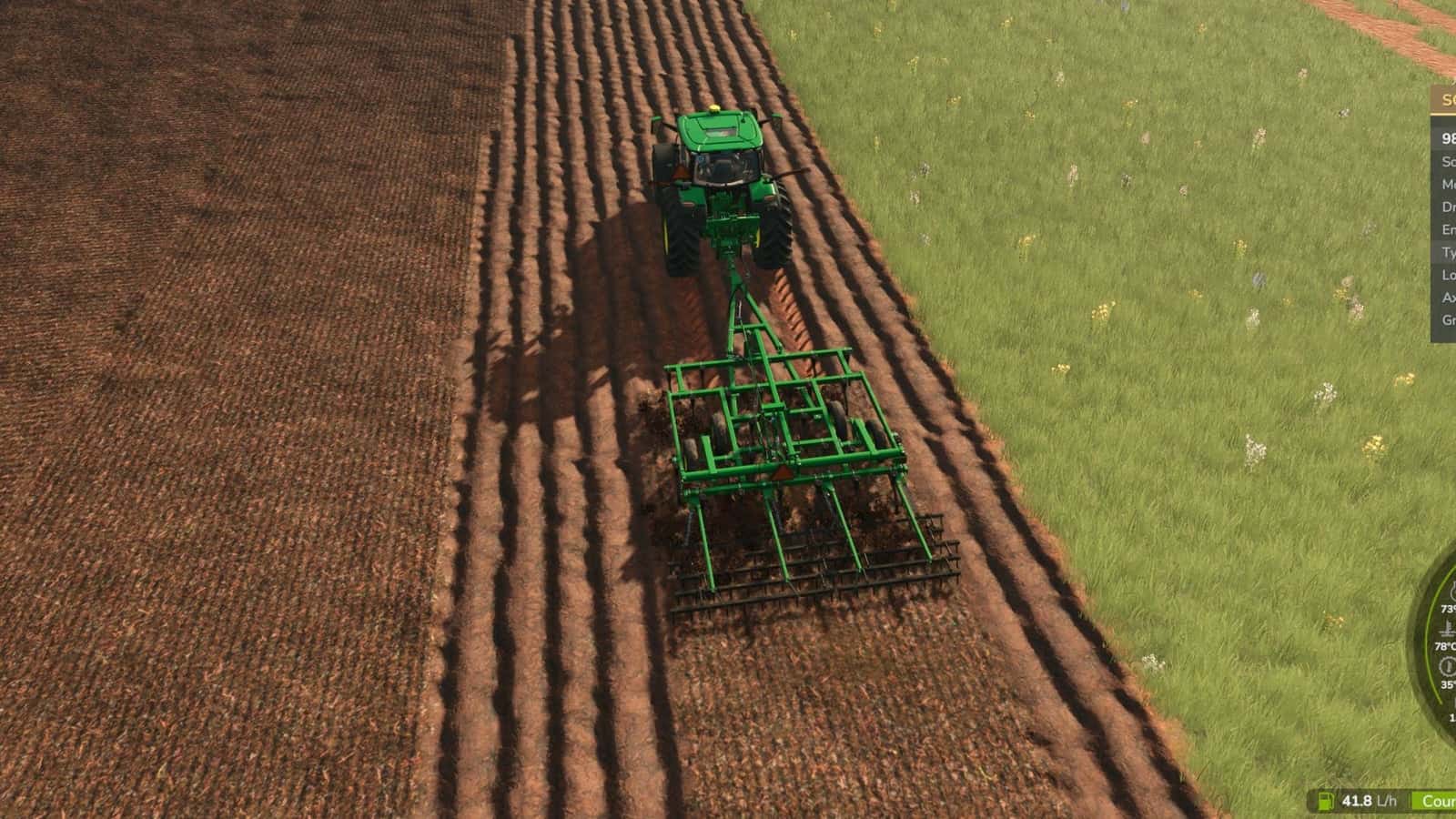
- Realistic implement draft for ploughs, rippers, subsoilers, cultivators, disc harrows, seeders and other implements, based on implement type, width, depth and speed.
- Uses Precision Farming soil types, from sand to silty clay, and soil moisture. Without Precision Farming, the mod uses its own soil types or a medium soil, depending on the setting.
- Without Precision Farming, fields use loamy sand, sandy loam, loam and silty clay in natural patches across the map. The patches differ on each map, remain the same on the same map, and are identical for everyone in multiplayer.
- Soil moisture varies by soil type. Sand dries fast, while clay stays heavy for days.
- Tyre and soil traction is calculated from real tyre sizes, such as 710/60R38, wheel load and pressure.
- Rolling resistance and wheel sinkage are simulated in soft soil.
- Automatic tyre pressure is based on axle load. CTIS is supported with 4×4 Traction System, including VarioGrip style operation. Tractors without CTIS use fixed pressure, and tracks are supported.
- Replaces the game’s own draft force to prevent double counting.
- The mod works only on the vehicle driven by a player. Parked vehicles and AI helpers remain 100% base game. When you leave a tractor or hire a helper, everything returns to the game’s values.
- Movable HUD:
Ctrl+Shift+Hshows or hides it, andCtrl+Shift+Mmoves it with the mouse. - While dragging the HUD, the camera and tractor no longer react to the mouse. Press
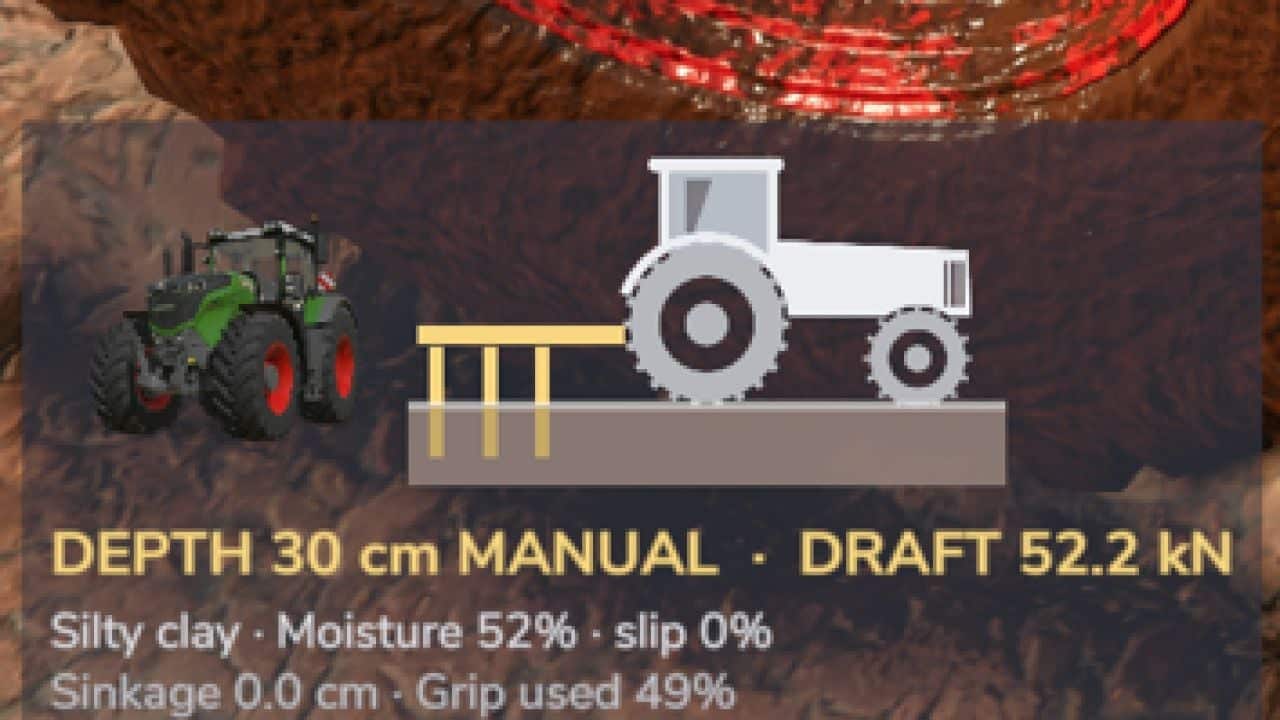
Esc,Enter, right click orCtrl+Shift+Mto finish. - Icon HUD in the same style as 4×4 Traction System and Hydraulic Suspension, showing the tractor on a cut of the soil, darker soil colour when wet, sinking wheels, implement tines at the real depth and red wheel flashes on high slip.
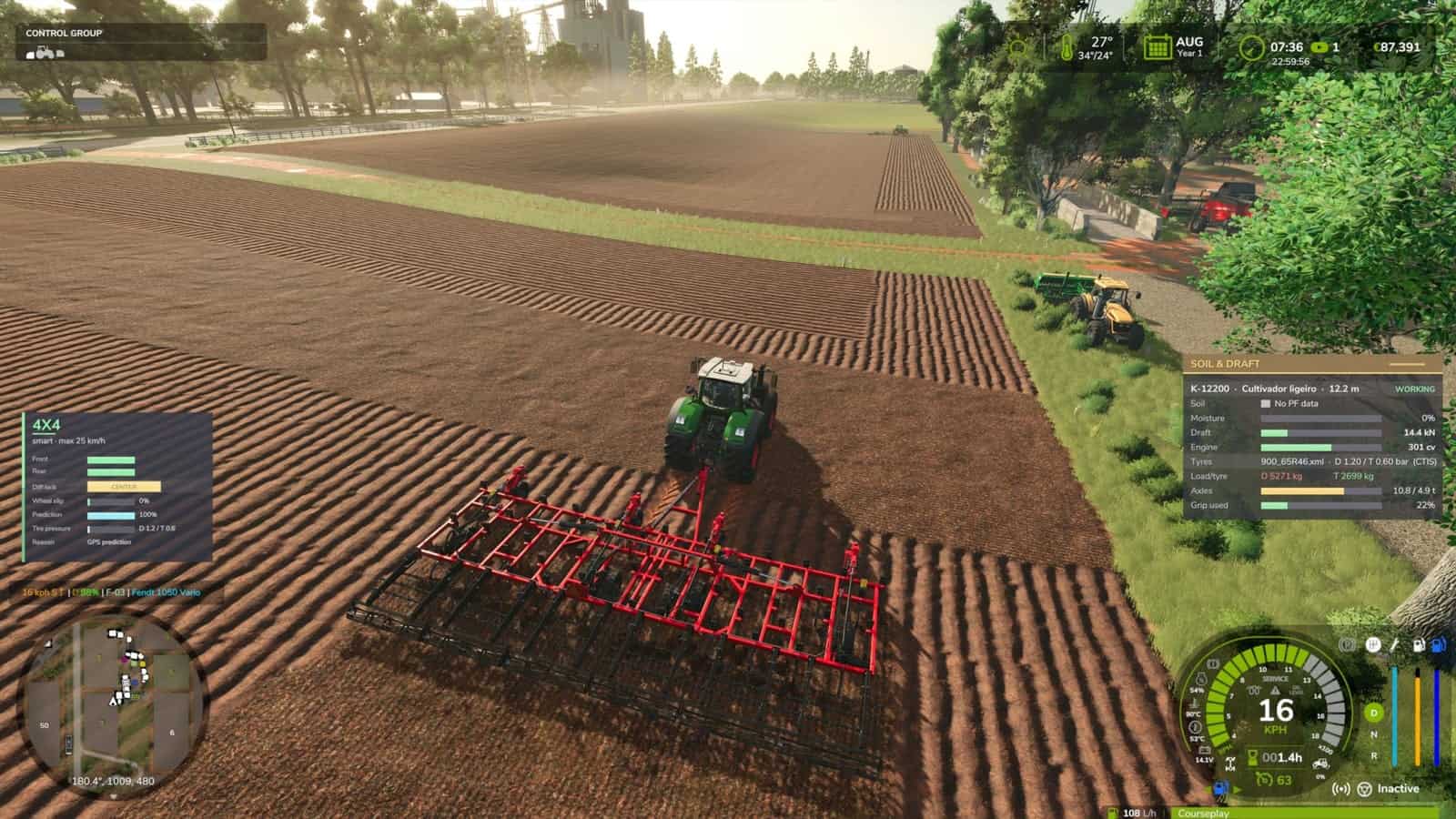
- The HUD displays depth or mode, draft, soil, moisture, slip, sinkage and grip used. The full panel is also available in the menu.
- Settings are available in the game under Esc > Settings > General > Soil & Draft Physics. Options include soil types, HUD on/off, HUD style, icon size, tractor photo, draft force and intensity, implement movement with depth, tyre grip, rolling resistance, wheel sinkage and amount, and diagnostic log.
- Settings are also stored in
modSettings/FS25_SoilDraftPhysics.xml, including intensity and traction scale.
Not recommended with: Mud System Physics or Tractor Terrain Dynamics. Tyre grip is handed over to them automatically.
Changelog
- V1.0.0.1
PerformanceBehaviour- Fixed FPS drops when driving onto a field or ploughing, reported by Patrik Vendelberger.
- Tyre and soil sampling now runs only for the vehicle driven by a player and is spread over several frames. Before, every vehicle on the map was processed in one frame, 4 times per second.
- Wheel sinkage, tyre grip and the implement’s physical depth are updated less often and with smoothed values, with no more constant wheel rebuilding.
- There is less work per frame in the HUD. Texts and colours are built 4 times per second instead of every frame, fixing a small camera stutter while working.
- The game starts faster because the settings menu section is now built only the first time you open Settings. Previously, it froze the start by ~4 s.
- HUD textures are compressed, with no more “raw format” warnings in the log, reported by Patrik Vendelberger.
- The mod now only works on the vehicle driven by a player. Parked vehicles and AI helpers are 100% base game. When you leave a tractor or hire a helper, everything goes back to the game’s values.
- Draft force is smoother because it uses a smoothed speed, and short losses of ground contact no longer drop the force to zero for one frame.
- Thanks to Patrik Vendelberger for the report and logs.
- V1.0.0.0
- First full release, beta 3 plus the change below.
- Own soil types: without Precision Farming, the fields are no longer all the same soil. Loamy sand, sandy loam, loam and silty clay appear in natural patches across the map. They are different on each map, the same every time on the same map, and identical for everyone in multiplayer. Draft, grip, sinkage and drying follow them. With Precision Farming active, its soil map is used.
- Settings menu in the game under Esc > Settings > General > Soil & Draft Physics: soil types, Auto for PF or own, Own, Off for medium soil, HUD on/off, HUD style, icon size, tractor photo, draft force and intensity, implement movement with depth, tyre grip, rolling resistance, wheel sinkage and amount, and diagnostic log. No more editing the XML by hand.
- Icon HUD in the same style as 4×4 Traction System and Hydraulic Suspension: the tractor on a cut of the soil, soil colour darker when wet, wheels sinking, implement tines at the real depth, and wheels flashing red on high slip. It shows depth or mode, draft, soil, moisture, slip, sinkage and grip used. The full panel is still available in the menu.
- Moving the HUD with
Ctrl+Shift+M: the camera and tractor no longer react to the mouse while dragging. PressEsc,Enter, right click orCtrl+Shift+Mto finish. - Fix: in AUTO depth mode, ploughs and cultivators could be lifted above the factory position and the tines came out of the soil. AUTO now only lightens the draft; the implement is never raised above its factory working position.