
FS25 Traffic Spline Builder (Giants Editor 10) V1.0.0.0
A tool that turns a hand-drawn spline into ready-to-use two-way traffic splines for the Farming Simulator 25 traffic system.
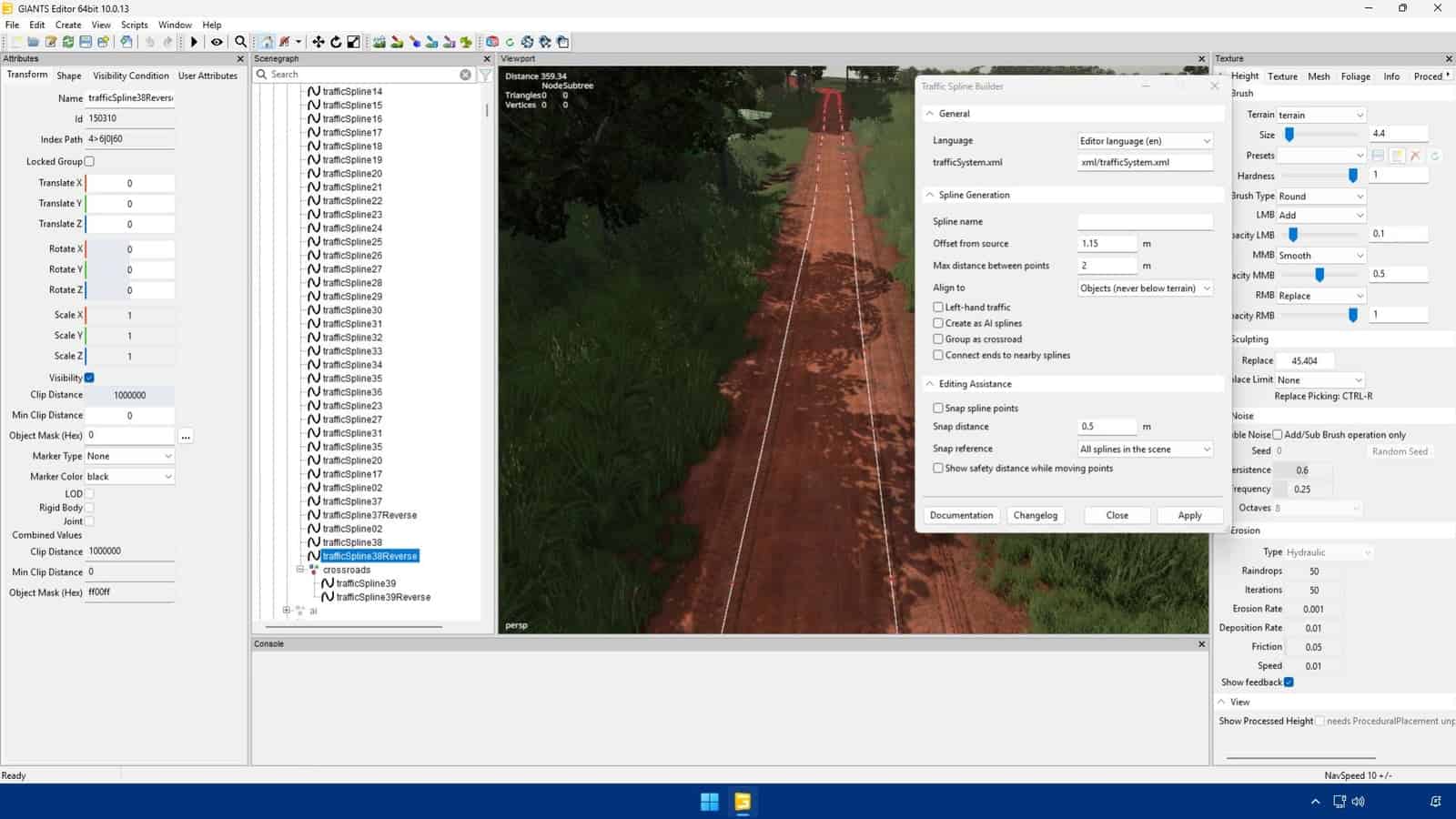
Select the spline drawn along the middle of the road and apply it. The script automatically generates a forward spline and a reverse spline (…Reverse), parallel to each other, aligned to the ground, and placed inside the map’s splines > trafficSplines structure, creating the groups itself if they do not exist yet.
Features
- Configurable lane offset distance, with a suggested minimum safe value
- Maximum distance between points to control how detailed the generated spline is
- Alignment to terrain or objects, such as asphalt and bridges, never placing the spline below ground
- Option to generate AI splines instead of traffic splines
- Automatic crossroad grouping
- Automatic end connection between segments drawn separately
- Point snapping and a safety-distance circle while editing
- Left-hand traffic option for maps where traffic drives on the left
- Settings window with collapsible groups, plus in-editor documentation and changelog
- UI translated into 12 languages
Works equally well on maps with just a handful of traffic splines or hundreds of them.