FS25 Hyper Realistic Maintenance 2 V1.2.0.0
Hyper Realistic Maintenance 2 adds deep, continuous mechanical simulation to all motorized vehicles in your saved game, including tractors, trucks, harvesters and cars, with real gameplay consequences. Your engine wears out, your oil gets dirty, and your turbo can fail if you do not maintain it.
The DEF Pack mods and Variable Tire Pressure can be used together without compatibility issues.
Features
- Engine: 5 independent components—cylinder, piston, bearings, crankshaft and valves—that affect one another. Cylinder wear increases blow-by, which contaminates the oil and accelerates wear further.
- Thermal: Coolant temperature increases under load, and the engine overheats if the radiator is degraded.
- Fluids: Oil level and contamination, plus coolant level, can be checked and require maintenance.
- Transmission: Clutch, gearbox, turbo and battery/starter motor wear over time.
- Failures: Probabilistic failures increase sharply above around 35% wear in the relevant component. Critical overheating above 118 °C is guaranteed and does not depend on luck.
- Vehicle types: Tractors, trucks, harvesters and cars wear at different, realistic rates.
- Real effects: Actual power loss reduces the engine’s effectively available torque; actual no-start conditions mean a dead battery or worn starter motor can prevent the engine from turning over, with a warning displayed on screen.
- Harvesters suffer a real loss of threshing efficiency as engine condition deteriorates.
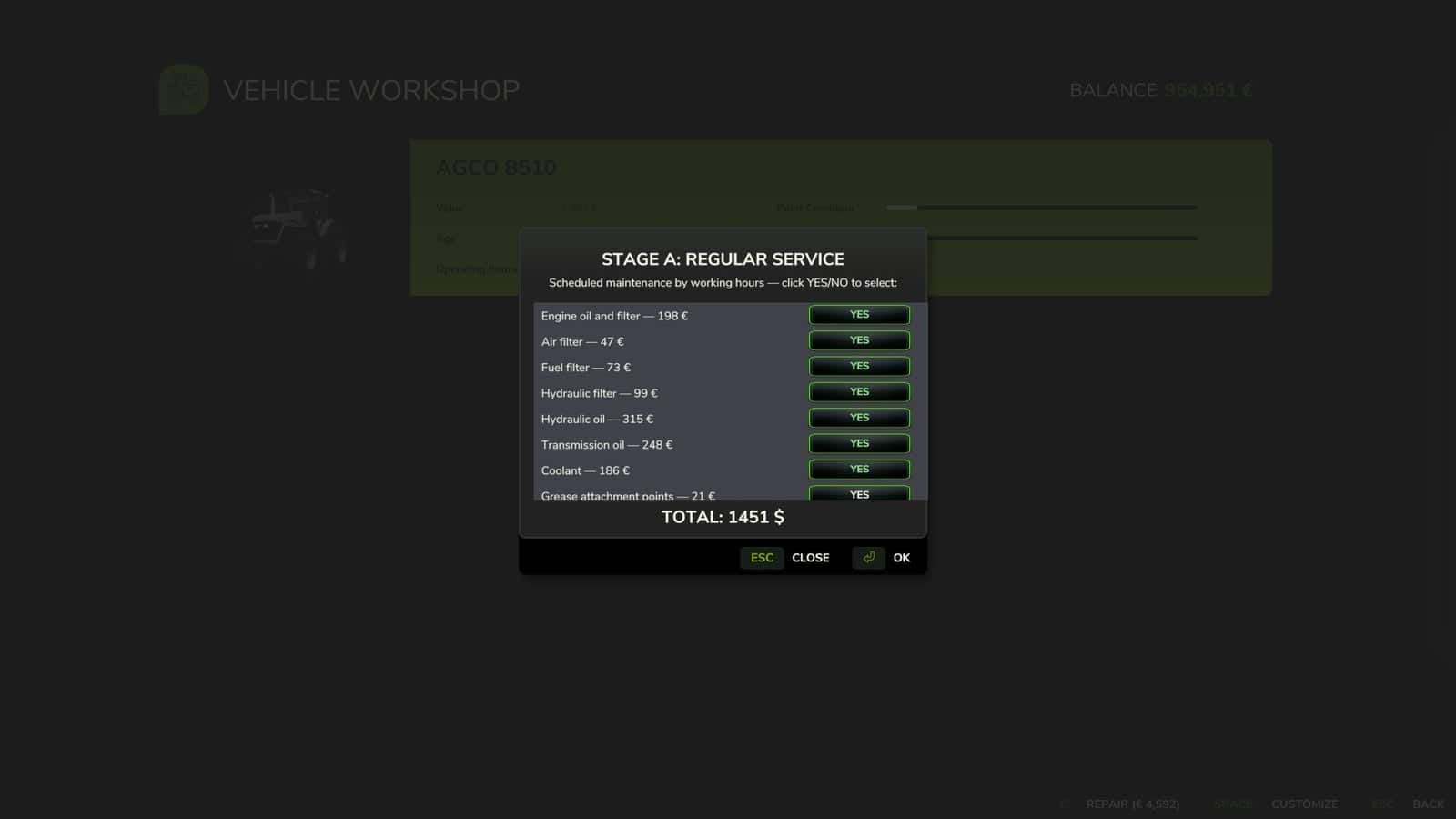
- 10 maintenance items, including engine oil, filters, hydraulic/transmission oil, coolant, grease and belts, each with its own interval and real cost for the farm. Costs are automatically adjusted to the vehicle’s actual power.
- If maintenance is neglected for too long, wear accelerates by up to +120%.
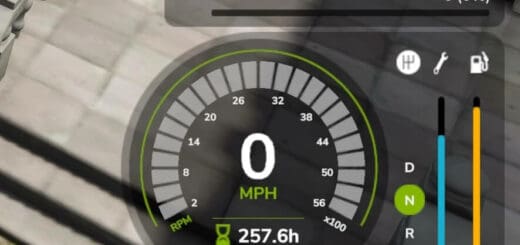
- Vehicle HUD with 3 pages: overview, detailed engine diagnostics and maintenance status.
- The HUD position can be adjusted in the Game Settings menu.
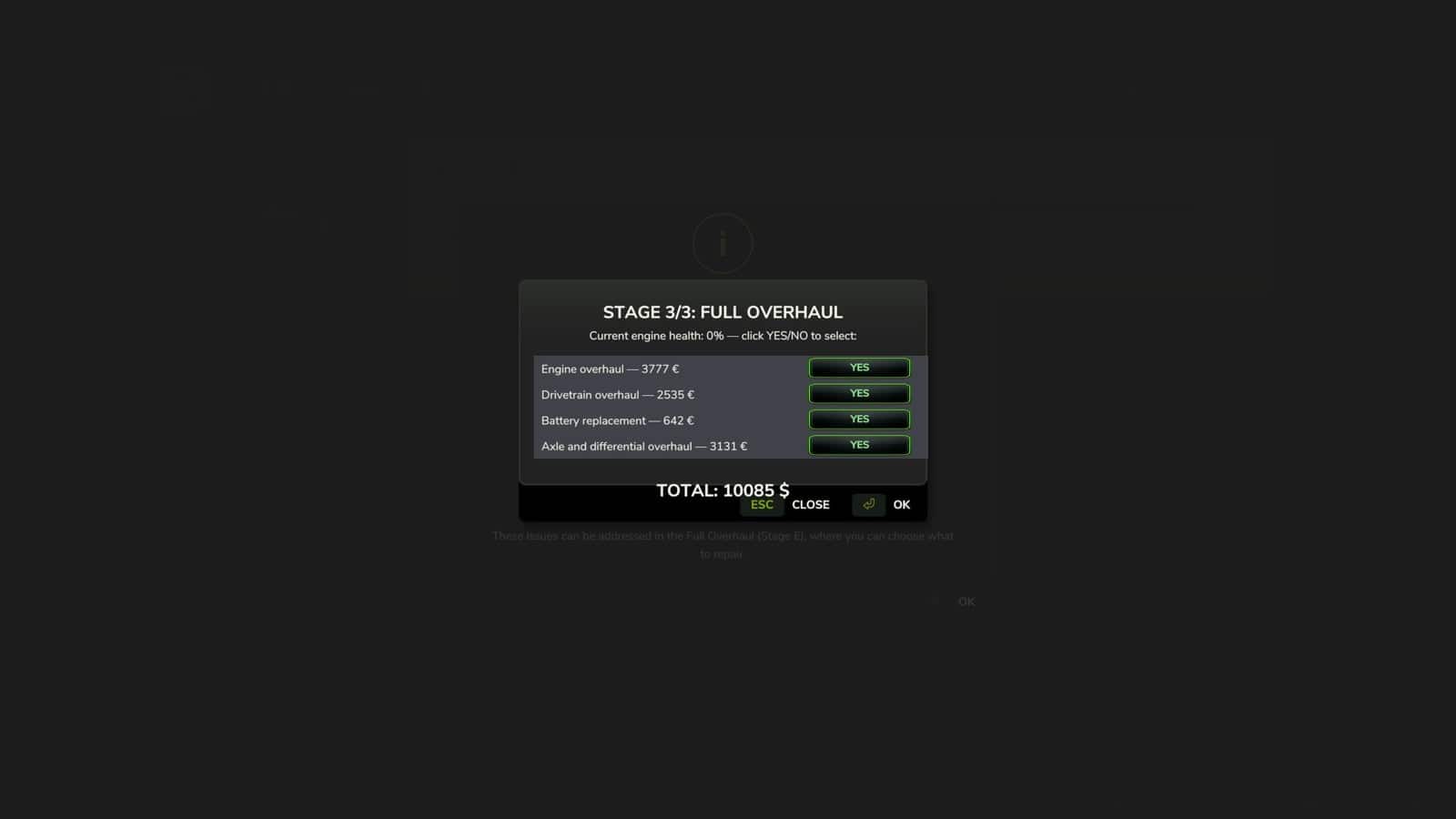
- The game’s repair screens in the shop, farm workshop and mobile workshop now also perform a complete HRM2 service.
- Maintenance progress is saved in the saved game.
- Works completely standalone.
- If you also have the 4×4 Traction System mod, the two mods detect each other automatically. Driving with 4WD/differential lock has a real additional effect on the transmission.
- Significantly improved multiplayer and tested on a real dedicated server.
Compatibility: The DEF Pack mods and Variable Tire Pressure can be used together without compatibility issues. The mod also works with the 4×4 Traction System mod as described above.
Changelog
- V1.2.0.0
Move the HUD with the mouse. A new way to position the HRM2 panel, requested by the community: press Ctrl+Shift+H to activate HUD editing mode, which shows the mouse cursor, click and hold on the panel, and drag it wherever you want. Release the button to confirm the new position, then press Ctrl+Shift+H again to exit editing mode. The position is saved for the player, not the savegame—configure it once and it will remain the same across all savegames; you do not need to repeat it for each save. If the shortcut does not respond, check under Settings → Controls that the “HRM2 — Edit HUD” action is actually assigned to a key. In some cases, the game may leave it unassigned by default. Small internal stability and code-cleanup adjustments have also been made. - V1.1.1.0
⚠️ Multiplayer compatibility warning: This mod’s multiplayer support has been significantly improved in this update, but it is not yet fully validated in MP. Most actions, including services, detailed inspection and state sync on entering a vehicle, now go through proper network events and have been tested on a real dedicated server. At least two known paths still need fixing: the emergency jump-start and the maintenance bug where the server does not send all information to the client side if you start maintenance and leave the server. Do not leave the server if you have any vehicle under maintenance, and other edge cases may still exist. Use on a server with that in mind, and please report any issue you find, ideally with a log.Fixes in 1.1.1.0
Critical—game freeze on save (fixed): Fixed the bug present in 1.1.0.0 where saving the game while a vehicle’s maintenance/repair was in progress could leave that vehicle permanently stuck—engine refusing to start, with no way to recover short of reloading. Root cause: the code responsible for lifting the “immobilized” state after a repair finished only ran on the client, never on the authoritative side in multiplayer or after certain save/reload sequences, so the lock was never cleared.
Critical—maintenance progress lost on save/reload (fixed): Maintenance progress, including service intervals, engine/drivetrain wear, active failures and in-progress repairs, now correctly survives saving and reloading the game. Previously this data only lived in memory and was lost on every reload—vehicles would appear freshly re-aged and any in-progress repair would silently vanish. Fixed by moving persistence to a dedicated save file and identifying each vehicle by its stable unique ID rather than its in-memory object.
Maintenance hours not accumulating correctly (fixed): Service-interval hours now use their own internal counter, correctly scaled to the game’s time-acceleration setting (x1, x60, x360…), instead of only counting real-world seconds. This also fixes hours appearing stuck or barely moving during accelerated play.
Native odometer bridge (added): The vehicle’s native operating-hours field can now also be kept in sync with the game’s time scale directly by this mod, for consistency even without a separate time-scale mod installed. It automatically steps aside if such a mod is already active, to avoid double-counting.
Multiplayer—actions only applying on the requesting client (fixed): Simple service, periodic maintenance, full overhaul and the detailed technical inspection now correctly apply on the server—money, component state and immobilization—instead of silently only affecting the client who triggered them. This fixes the most common cause of “I paid but nothing happened” and vehicles getting stuck in multiplayer.
Multiplayer—state not refreshing after reconnecting (added): A vehicle’s full maintenance state, including hours, wear, active failures and remaining repair time, is now requested from the server automatically the moment a player starts controlling it, keeping the on-screen display and engine-start behavior consistent even after reconnecting to the server.
Stability fixes: Fixed a crash in the new state-sync system that could occur when the server sent a vehicle’s state to a connecting client. Fixed a console command,
hrm2MaintStatus, that referenced a non-existent field and always errored when used. - V1.1.0.0
NEW FEATURESCustom in-workshop selection windows: Every maintenance and repair stage now opens as its own window with a scrollable, selectable list. Pick exactly which items to fix with individual Yes/No toggles instead of an all-or-nothing confirmation.
New stage: periodic maintenance by calendar time. A second maintenance track now runs alongside the hours-based one, covering items that degrade with age rather than use—belt/hose aging, corrosion protection, fuel system stabilization and battery health checks.
New: Detailed Technical Inspection. A paid, time-based inspection, including parts and hourly labor, that reveals specific internal wear—piston con