
FS25 Mod Analyzer v1.1
FS25 Mod Analyzer is a powerful all-in-one tool designed to analyze, diagnose, and optimize Farming Simulator 25 mods. It scans XML, Lua scripts, textures, models, savegames, and log files to detect errors, conflicts, compatibility issues, and performance problems. Generate detailed reports, identify problematic mods, and improve your game’s stability and performance with just a few clicks.
INSTRICTIONS
1. Download ZIP file and exctractto desktop
2. Run EXE with admin rights (recommended but not needed if you wont)
3. Press Scan Mod Folders in upper left corner
4. Choose location where is your mods installed (default location is Documents\My Games\FarmingSimulator2025\mods
5. Press OK and software will automatically scan folder for all your installed mods and show which mods is critical,risk,good
You asking why this software is good?
– You can find damaged,outdated mods, See which mods is not good optimized and can decrease performance.
V1.1.0.0
– Major New Features
Smart Auto Detection
– Automatically detects your Farming Simulator 25 installation.
– Automatically locates:
– Mods folder
– log.txt
– game.xml
– Savegames
– User settings
– Remembers previously selected folders.
– Improved compatibility with custom installations.
Completely Redesigned Scoring System
– New weighted scoring algorithm.
– Minor issues no longer drastically reduce a mod’s score.
– Duplicate issues are grouped together.
– Better distinction between:
– Critical issues
– Warnings
– Performance issues
– Cosmetic issues
– More realistic A+–F grading.
Explain Score
– Added a detailed score explanation for every mod.
Shows:
– Positive findings
– Warnings
– Critical issues
– Individual score penalties
– Final recommendation
– Smart Recommendations
Every analyzed mod now receives one of four recommendations:
– KEEP
– UPDATE
– CHECK
– REMOVE
Each recommendation includes a clear explanation.
More accurate estimation of:
– FPS impact
– CPU usage
– GPU usage
– RAM usage
– VRAM usage
– Loading time
Performance calculations have been refined for better consistency.
Enhanced Log Analyzer
– Improved parsing of log.txt.
Better detection of:
– XML errors
– Lua errors
– Missing files
– Shader issues
– Performance warnings
Improved attribution of detected issues to individual mods.
Auto Fix Improvements (Experimental)
– Auto Fix has been redesigned and is currently experimental.
Current capabilities include:
– Repairing common XML formatting issues
– Repairing broken file references
– Fixing incorrect paths
– Repairing common modDesc.xml problems
– Fixing duplicate entries where safe
– Creating automatic backups before every repair
– Verifying repairs after completion
– Automatic rollback if verification fails
Note:
– Auto Fix is still under active development. While it can successfully repair many common issues, some complex or heavily damaged mods may still require manual editing.
Better Reports
– Improved report generation.
Supported export formats:
– HTML
– PDF
– CSV
– JSON
Reports now include more detailed issue summaries and recommendations.
User Interface Improvements
– Improved dark theme.
– Better sorting.
– Improved filtering.
– Faster table updates.
– Better scan progress reporting.
– More responsive interface during long scans.
Added improved filtering by:
– Score
– Performance
– Critical issues
– Warnings
– Compatibility
– Category
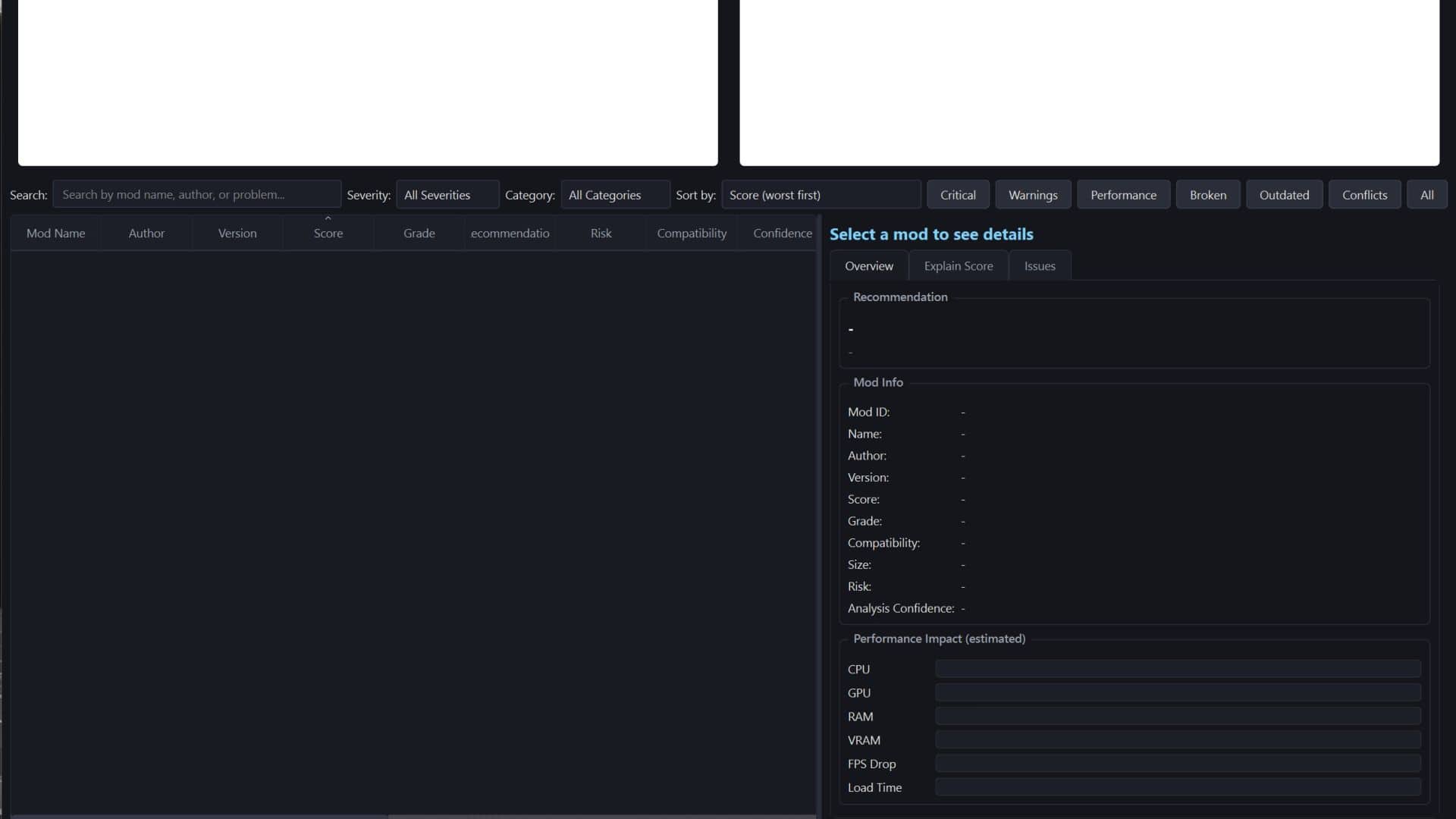
– Improved Details Panel
Selecting a mod now displays:
– Name
– Author
– Version
– Score
– Grade
– Risk Level
– Compatibility
– Performance impact
– FPS estimate
– CPU usage
– GPU usage
– RAM usage
– VRAM usage
– Complete issue list
– Explain Score
– Recommendation
Improved compatibility with:
– Newer FS25 updates
– Custom mods
– Large mod collections
– Mixed ZIP and unpacked mods
Bug Fixes
– Fixed several UI refresh issues.
– Fixed incorrect issue severity classification.
– Fixed score calculation inconsistencies.
– Fixed false-positive warnings.
– Improved XML parsing reliability.
– Improved Lua analysis stability.
– Improved report generation reliability.
– Improved scan cancellation handling.
– Improved multithreaded scanning stability.
– Better handling of corrupted or incomplete mods.
Performance Improvements
– Faster mod discovery.
– Faster XML parsing.
– Faster Lua analysis.
– Reduced memory usage.
– Better multithreading.
– Improved responsiveness while scanning.
– Better handling of very large mod collections.
Safety Improvements
– Automatic backups before repairs.
– Safer repair verification.
– Better protection against accidental modification of original mods.
– Improved recovery when repairs fail.
Overall
FS25 Mod Analyzer v1.1 focuses on making the application more accurate, faster, safer and easier to use. The update introduces a smarter scoring system, automatic game detection, improved diagnostics, enhanced reporting and a redesigned experimental Auto Fix engine, providing a much more reliable experience for both players and mod creators.
INFORMATION (Scan can take some time before finish all depend on number of mods in mods folder) (fixing mods temporary not work for all mods )