
FS25 Speaker System v1.0
Bring your farm to life with a fully functional speaker system. Place speakers and an amplifier anywhere on your property and stream radio stations or your own music library directly into the game world — complete with real 3D spatial audio, bass and treble control, and a physical amplifier panel you can interact with.
INCLUDED ITEMS
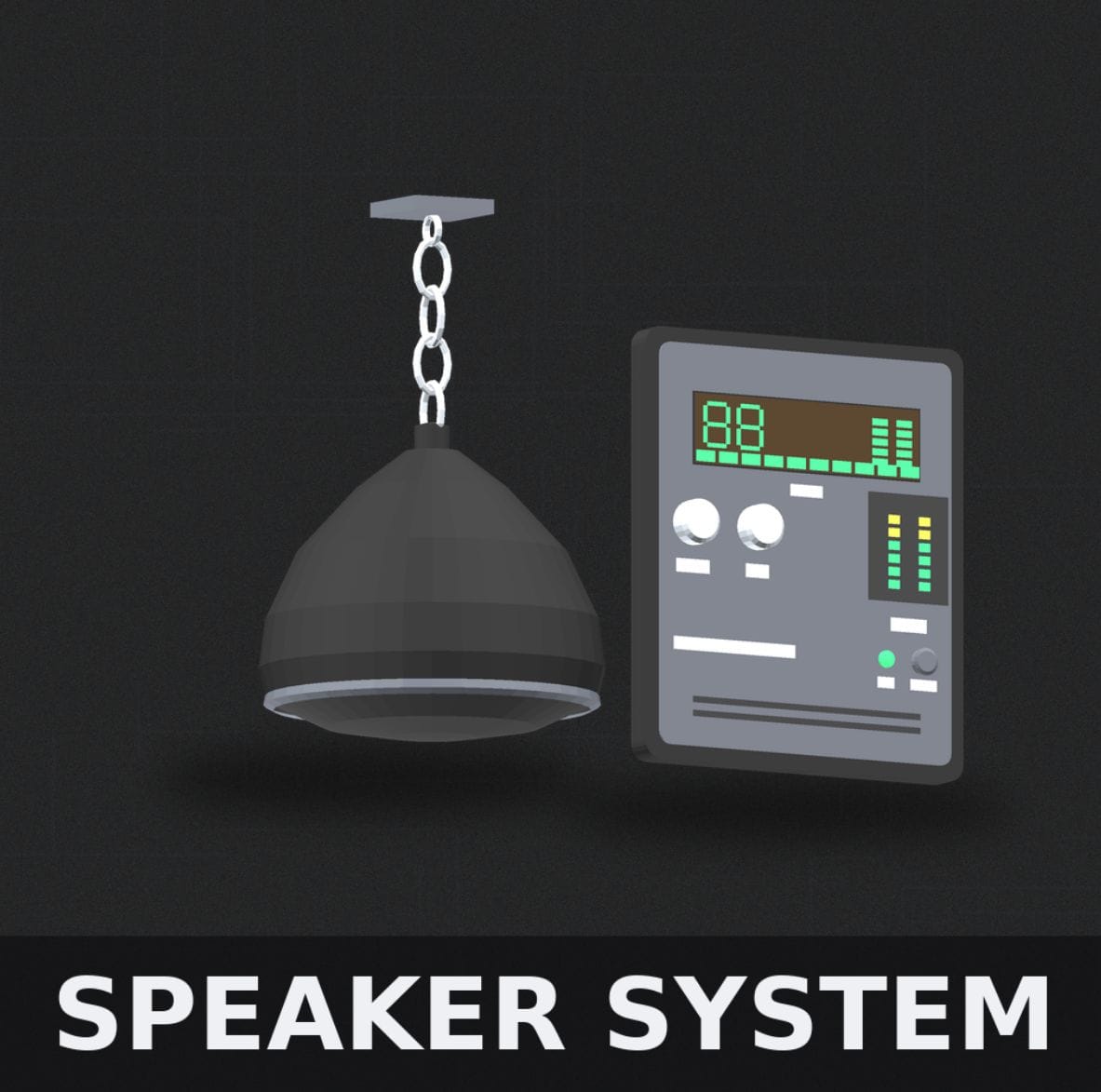
– Pendant Ceiling Speaker — circular hanging speaker that mounts from ceiling beams via chain, projects audio downward into the room.
– Wall Speaker — compact unit that mounts flush to any wall surface.
– Amplifier Panel — wall-mounted amp with physical controls, LED meters, VU display, and a live LCD screen showing current playback status.
HOW TO USE
1. Purchase any speaker or the amplifier from the Buildings/Placeables shop.
2. Place the amplifier on a wall — all speakers on your property connect automatically.
3. Walk up to the amplifier and press R (or X on controller) to open the settings panel. You must be within arm’s reach to interact.
4. Use B/N to navigate settings rows. Use , / . to adjust values. Press R/X to close.
SETTINGS & CONTROLS
– Power — turns the entire system on or off. The amplifier LCD screen powers on and off with it.
– Volume — master volume control, 0-100%.
– Bass — low frequency boost/cut for a fuller or tighter sound.
– Treble — high frequency boost/cut for brightness or warmth.
– Station — cycle through available radio stations or switch to your local music playlist.
– Speaker Range — adjusts the 3D audio radius. Increase for larger coverage, decrease to keep audio contained.
– Wall Muffling — simulates audio dampening when you’re on the other side of a wall from the speaker.
NOTES
– The amplifier LCD screen passively displays the current station, song, volume, and EQ levels at all times while powered on.
– All controls are disabled while in build/demolish mode.
– Speakers can be removed in build mode like any standard placeable.