FS25 Fresh / Perishable products BETA v1.0
Early access release. Fresh adds shelf life to your produce and bales – crops age over time and will spoil if not sold or used!
Your harvested crops, processed products, and baled forage now have realistic shelf lives. Fresh vegetables spoil quickly, while canned products last much longer. Bales of grass spoil within days, while silage stays fresh for months. Customize shelf lives to match your playstyle!
Notes
– Early access release – testing and feedback welcome
– Most storage types supported: vehicles, bales, silos, productions, husbandries
– Supports products from basegame, DLCs, and maps/mods
Fresh Menu (Right Shift+F)
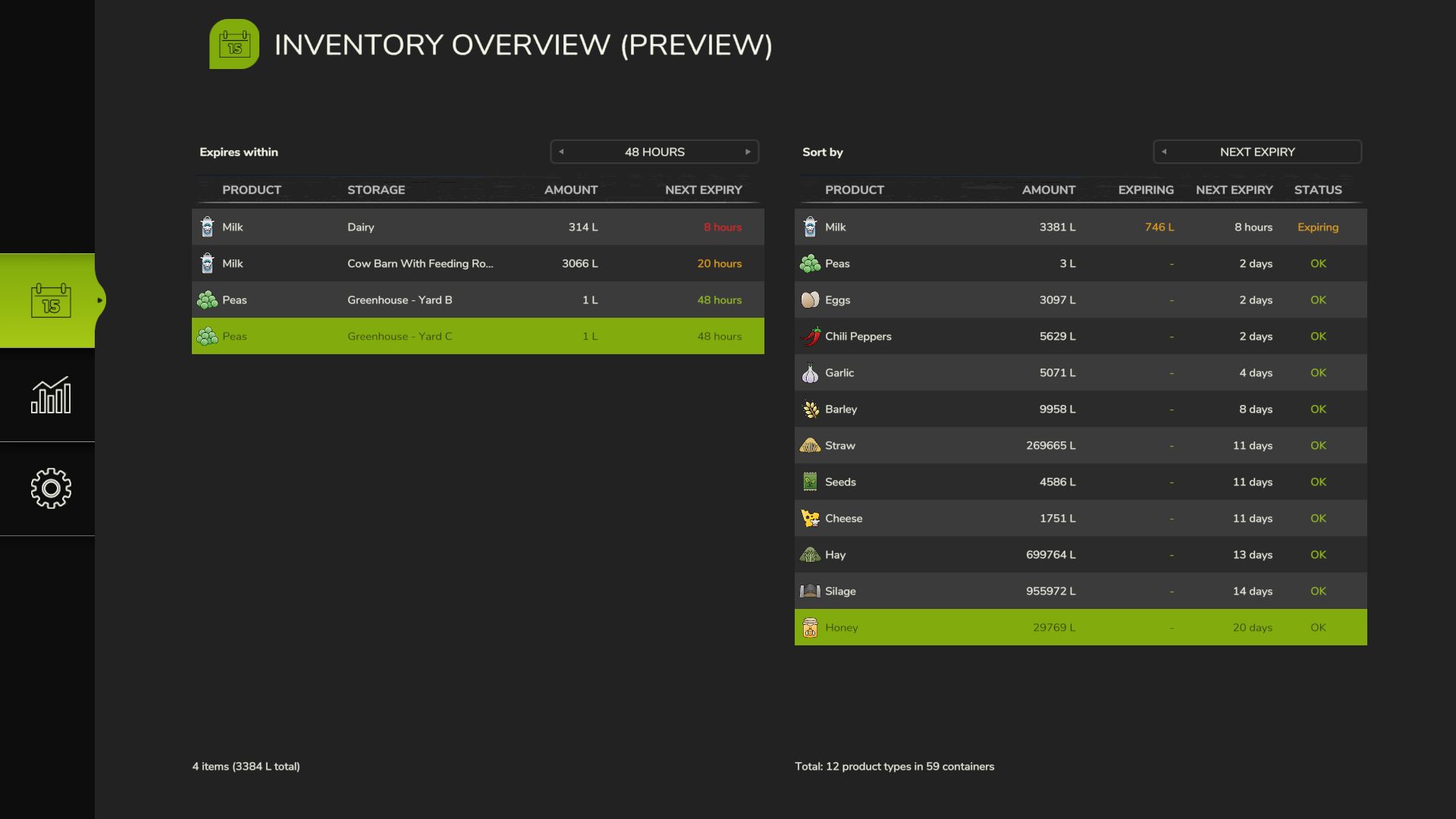
– Inventory Overview: See all perishables at a glance with oldest ages
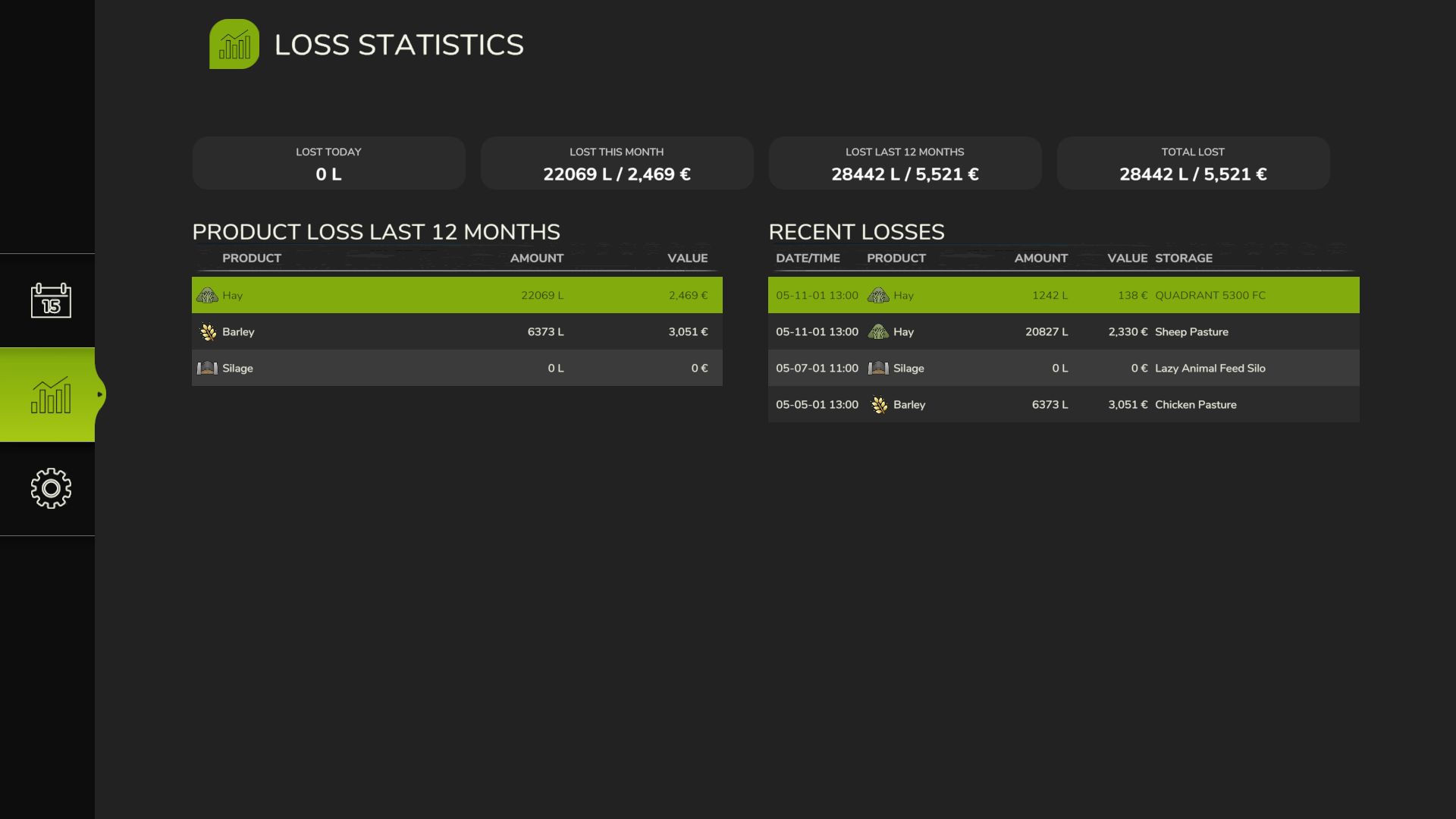
– Loss Statistics: Track what you’ve lost and when
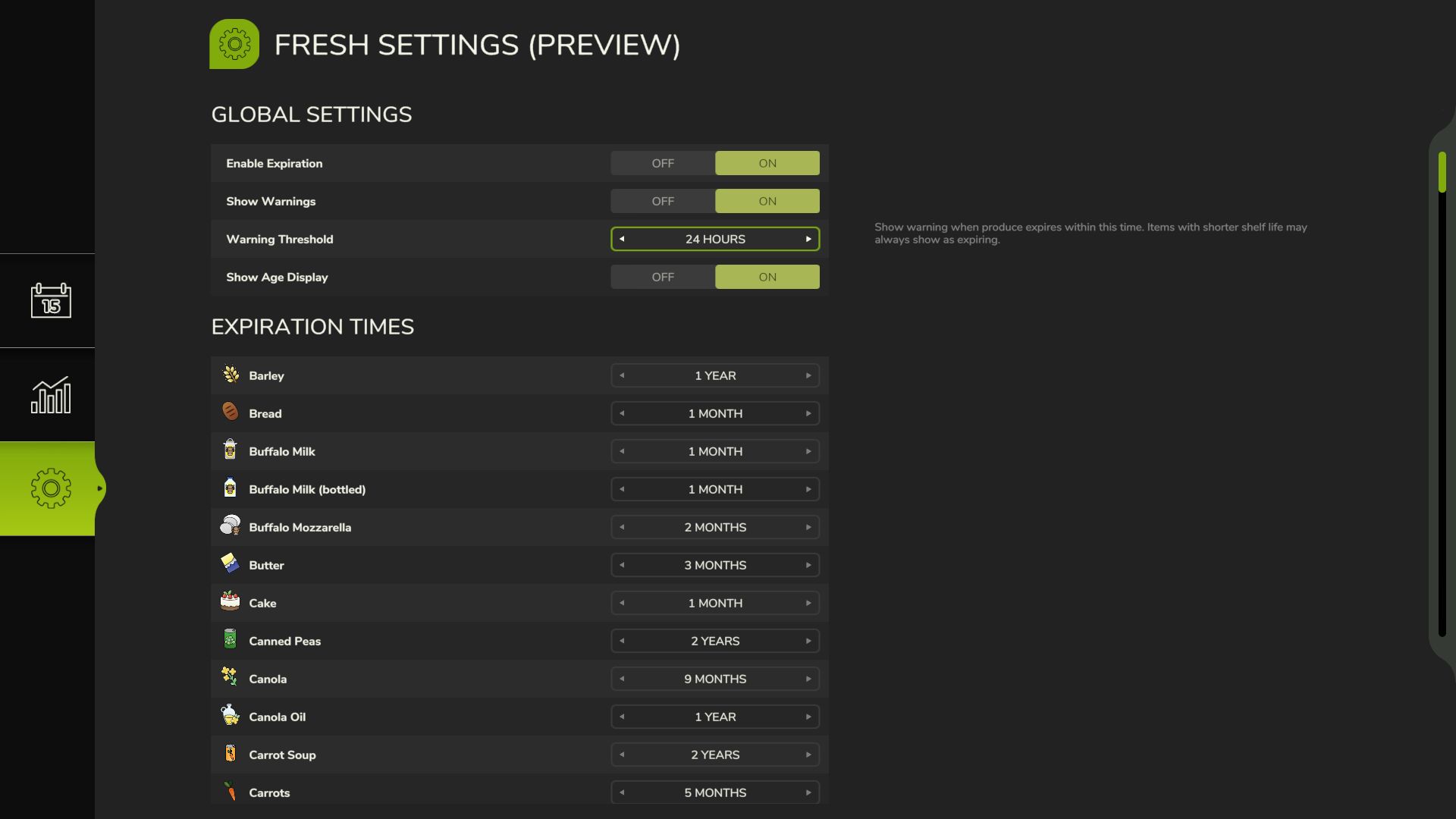
– Settings: Customize shelf lives for any product
Settings & Customization
– Configure shelf life for any product (basegame, DLCs, maps/mods)
– Enable/disable expiration globally or per-product
– Configurable warning threshold (6h/12h/24h/48h/72h)
– Toggle age distribution display on/off
– Per-savegame settings
– Multiplayer: host/admin controls settings
Visual Feedback
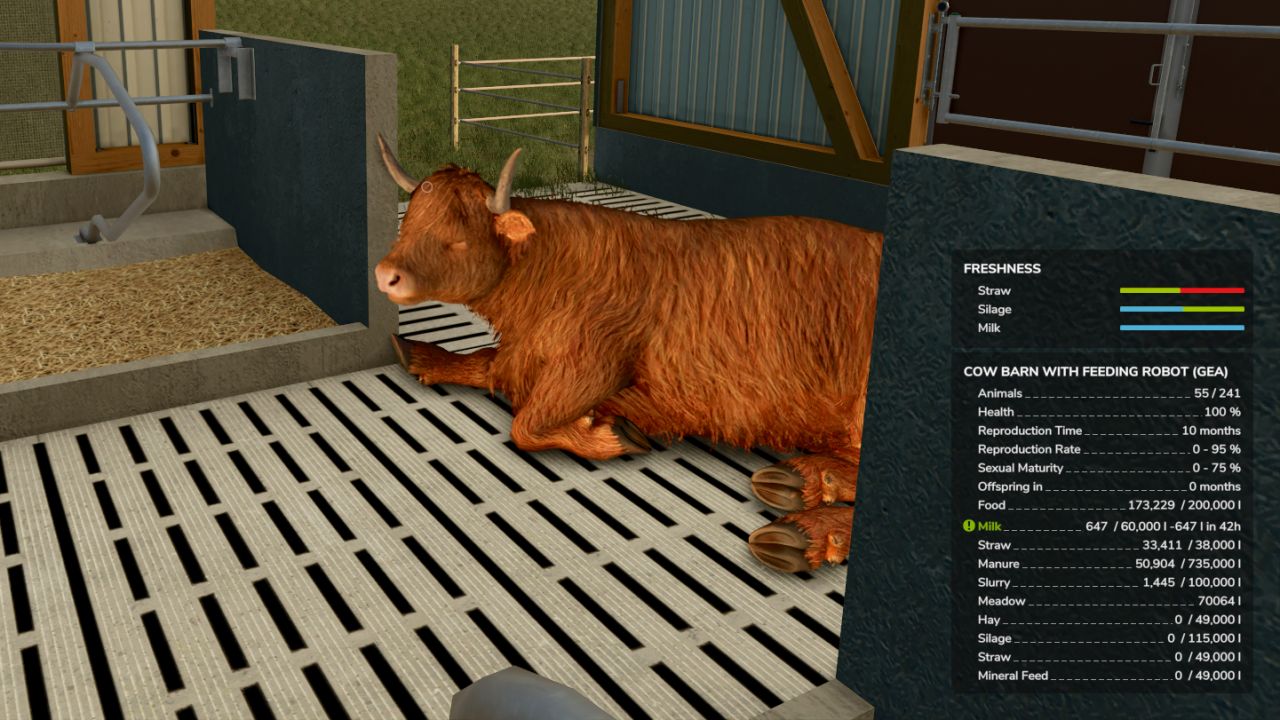
– Age distribution bars when near placeables, vehicles, and bales (color-coded: blue=fresh, green=good, orange=warning, red=critical)
– Expiry countdown on vehicles and bales
– Expiring amount and time remaining per fill type on placeables and husbandries
– Warning highlight when products near expiration (configurable threshold)
Loss Tracking
– All expirations recorded in loss log
– Daily notifications summarizing your farm’s losses
– View loss history in menu
Perishable products
– 100+ products with realistic shelf lives
– 4 bale types with fermentation handling
– Oldest items retrieved first from storage
– Batch ages preserved during transfers
Limitations
– No loose item tracking (only vehicles/pallets/bales/placeables)
Usage
Install the mod and play normally. Open Fresh Menu with Right Shift+F to view inventory, stats, and settings. Customize shelf lives if defaults don’t suit your playstyle!
Fresh: Because hoarding should have consequences.